
1. บทนำ
Thank you for choosing the Roseland Boombox 20W TWS Bluetooth Speaker. This manual provides essential information for the safe and efficient operation of your device. Please read it thoroughly before use and retain it for future reference.
The Roseland Boombox 20W TWS Bluetooth Speaker delivers rich, powerful sound. Connect wirelessly via Bluetooth, or use AUX and USB inputs for versatile playback. Enjoy up to 5.5 hours of playtime on a single charge. The integrated color-changing light enhances your listening experience. This lightweight speaker features a convenient handle for portability and supports True Wireless Stereo (TWS) pairing for an expanded soundstage.
2. เนื้อหาบรรจุภัณฑ์
ตรวจสอบให้แน่ใจว่ามีรายการทั้งหมดอยู่ในบรรจุภัณฑ์:
- Roseland Boombox 20W TWS Bluetooth Speaker
- สายชาร์จ USB-C
- สายเสริม (AUX)
- คู่มือการใช้งาน (เอกสารนี้)
3. คุณสมบัติของผลิตภัณฑ์
- เอาต์พุตเสียง: กำลังขับ 20 วัตต์ เพื่อเสียงทรงพลัง
- สเตอริโอไร้สายจริง (TWS): Connect two speakers wirelessly for stereo sound.
- การเชื่อมต่อ: Bluetooth, AUX Input, USB Port.
- อายุการใช้งานแบตเตอรี่: เล่นได้นานถึง 5.5 ชั่วโมง
- เวลาในการชาร์จ: ประมาณ 2.5 ชั่วโมง.
- แสงสว่าง: Integrated color-changing light.
- วิธีการควบคุม: การควบคุมแบบสัมผัส
- ความสามารถในการพกพา: Lightweight design with a convenient handle.
- ความทนทาน: โครงสร้างกันน้ำ
4. การควบคุมและตัวชี้วัด
The control panel is located on the rear of the speaker. Specific button functions are detailed below. (Refer to the image for visual reference).
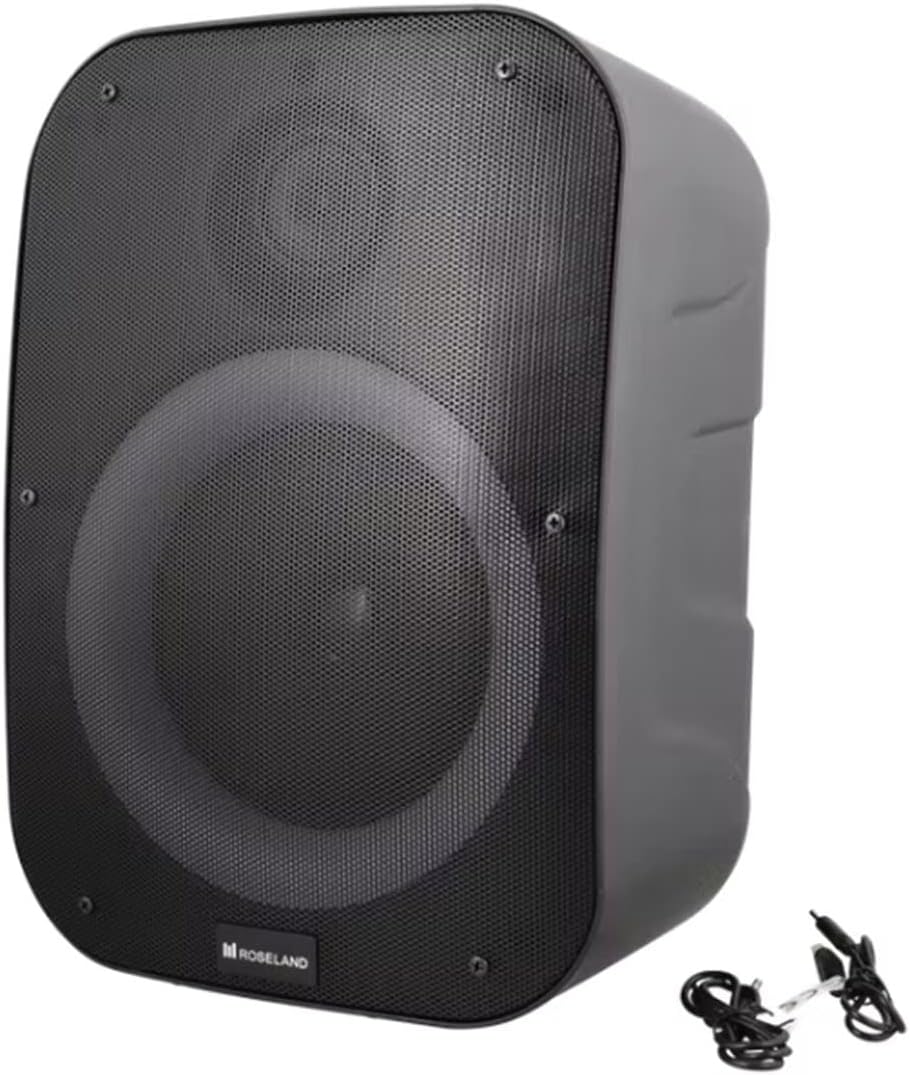
ภาพ: ด้านหลัง view of the Roseland Boombox, highlighting the control panel and integrated handle for portability.
- ปุ่มเปิด/ปิด: Press and hold to turn the speaker ON or OFF.
- ปุ่มโหมด (M): Press to switch between Bluetooth, AUX, and USB playback modes.
- Play/Pause Button (▶❚❚): กดเพื่อเล่นหรือหยุดเสียงชั่วคราว
- ปุ่มลดเสียง / ปุ่มเล่นเพลงก่อนหน้า (-): กดเพื่อลดระดับเสียง กดค้างไว้เพื่อไปยังแทร็กก่อนหน้า
- ปุ่มเพิ่มเสียง / ปุ่มเล่นเพลงถัดไป (+): กดเพื่อเพิ่มระดับเสียง กดค้างไว้เพื่อไปยังเพลงถัดไป
- ปุ่มโหมดแสง: Press to cycle through different color-changing light modes or turn the lights off.
- ปุ่มจับคู่ TWS: Press to initiate True Wireless Stereo pairing (see Section 5.4).
- พอร์ตการชาร์จ (USB-C): เสียบสาย USB-C เพื่อชาร์จไฟ
- พอร์ตอินพุต AUX: Connect an external audio device using the auxiliary cable.
- พอร์ต USB: เสียบแฟลชไดรฟ์ USB เพื่อเล่นไฟล์เสียง
5. การตั้งค่า
5.1 การชาร์จลำโพง
- Connect the supplied USB-C charging cable to the speaker's USB-C charging port.
- ต่อปลายอีกด้านของสาย USB-C เข้ากับอะแดปเตอร์แปลงไฟ USB ที่ใช้งานร่วมกันได้ (ไม่ได้รวมอยู่ในชุด) หรือพอร์ต USB ของคอมพิวเตอร์
- ไฟแสดงสถานะการชาร์จจะสว่างขึ้น (โดยปกติจะเป็นสีแดง) ขณะกำลังชาร์จ และจะดับลงหรือเปลี่ยนสี (เช่น สีน้ำเงิน) เมื่อชาร์จเต็มแล้ว
- การชาร์จเต็มจะใช้เวลาประมาณ 2.5 ชั่วโมง
5.2 การเปิด/ปิดเครื่อง
- การเปิดเครื่อง: Press and hold the Power Button for a few seconds until you hear an audible prompt or see an indicator light.
- วิธีปิดเครื่อง: Press and hold the Power Button again for a few seconds until the speaker powers down.
5.3 การจับคู่บลูทูธ
- Ensure the speaker is powered on and in Bluetooth mode. If not, press the Mode Button (M) until you hear a "Bluetooth mode" prompt or see a flashing blue indicator light.
- เปิดใช้งานบลูทูธบนสมาร์ทโฟน แท็บเล็ต หรืออุปกรณ์อื่นๆ ที่รองรับบลูทูธ
- ค้นหา "Roseland Boombox" in the list of available Bluetooth devices.
- Select "Roseland Boombox" to connect. Once connected, you will hear a confirmation sound, and the indicator light will become solid blue.
- ลำโพงจะพยายามเชื่อมต่อกับอุปกรณ์ที่จับคู่ไว้ครั้งสุดท้ายโดยอัตโนมัติเมื่อเปิดเครื่อง
การจับคู่ระบบเสียงสเตอริโอไร้สาย 5.4 True Wireless Stereo (TWS)
TWS allows you to connect two Roseland Boombox speakers wirelessly for a stereo sound experience.
- Ensure both Roseland Boombox speakers are powered on and in Bluetooth mode, but not yet connected to any device.
- On one of the speakers (this will be the primary speaker), press the TWS Pairing Button. You will hear a prompt indicating it's searching for another speaker.
- The two speakers will automatically connect to each other. You will hear a confirmation sound once TWS pairing is successful.
- Now, connect your Bluetooth device to the primary speaker (the one you pressed the TWS button on) as described in Section 5.3. The audio will now play in stereo through both speakers.
5.5 การเชื่อมต่อ AUX
- Connect one end of the supplied AUX cable to the AUX Input Port on the speaker.
- ต่อปลายอีกด้านของสาย AUX เข้ากับช่องเสียบหูฟังหรือช่องสัญญาณเสียงออกของอุปกรณ์เสียงภายนอกของคุณ
- Press the Mode Button (M) on the speaker until you hear an "AUX mode" prompt.
- Control playback and volume directly from your connected audio device.
5.6 การเล่น USB
- ใส่แฟลชไดรฟ์ USB ที่มีไฟล์เสียง MP3 files into the USB Port on the speaker.
- Press the Mode Button (M) on the speaker until you hear a "USB mode" prompt.
- ลำโพงจะเริ่มเล่นเสียงโดยอัตโนมัติ fileจากไดรฟ์ USB
- Use the Play/Pause, Volume Up/Down, and Next/Previous Track buttons on the speaker to control playback.
6. คู่มือการใช้งาน
6.1 การเล่นเพลง
- เล่น/หยุดชั่วคราว: กดปุ่มเล่น/หยุดชั่วคราว
- เพลงถัดไป: กดปุ่มเพิ่มระดับเสียง (+) ค้างไว้
- แทร็กก่อนหน้า: กดปุ่มลดระดับเสียง (-) ค้างไว้
- การปรับระดับเสียง: Press the Volume Up (+) or Volume Down (-) buttons to adjust the volume.
6.2 โหมดแสง
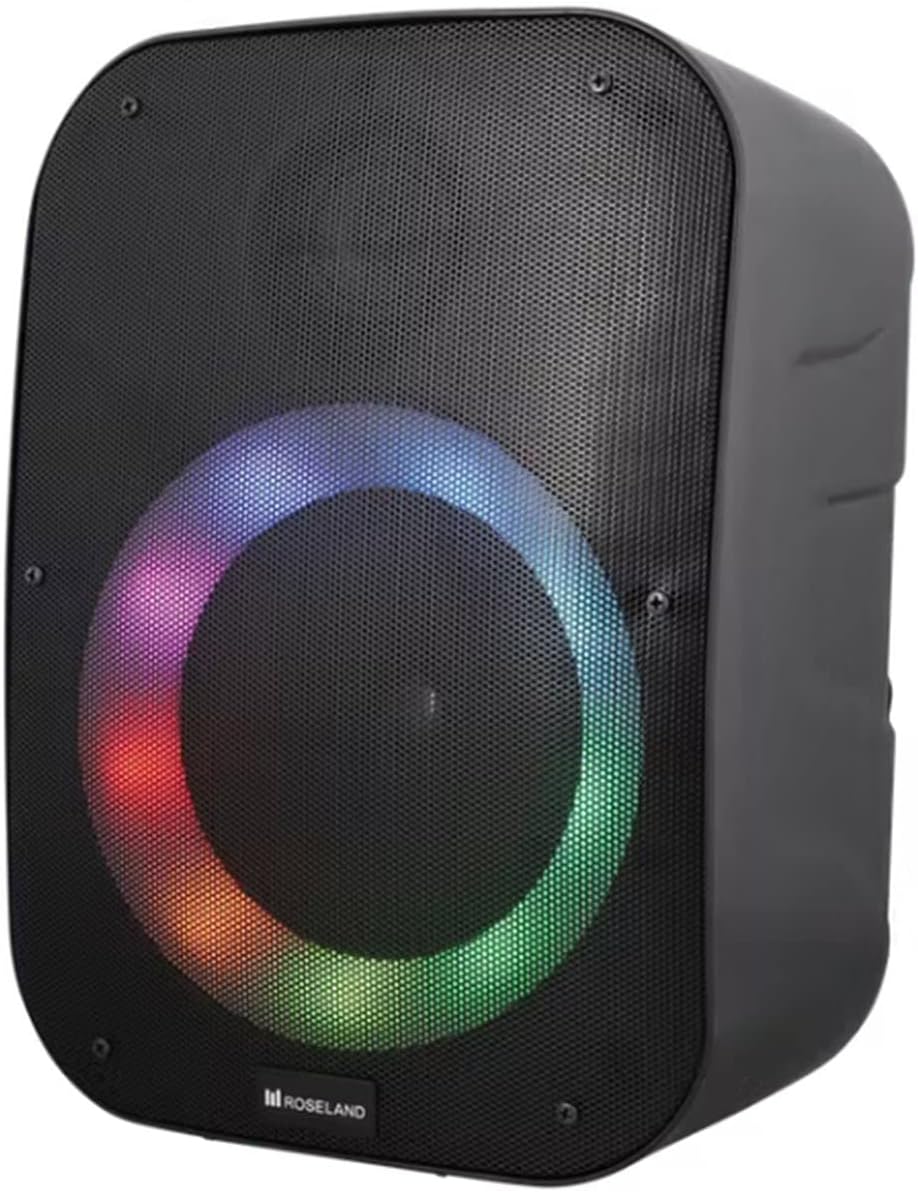
ภาพ: ด้านหน้า view of the Roseland Boombox showcasing its dynamic color-changing light feature.
Press the Light Mode Button on the control panel to cycle through various color-changing light patterns. Continue pressing to find your preferred mode or to turn the lights off.
7. การบำรุงรักษา
- การทำความสะอาด: ใช้ผ้านุ่มและแห้งเช็ดทำความสะอาดพื้นผิวของลำโพง ห้ามใช้น้ำยาทำความสะอาดหรือตัวทำละลายที่มีฤทธิ์กัดกร่อน
- พื้นที่จัดเก็บ: เก็บลำโพงไว้ในที่แห้งและเย็น หลีกเลี่ยงแสงแดดโดยตรงและอุณหภูมิที่สูงหรือต่ำเกินไปเมื่อไม่ได้ใช้งานเป็นเวลานาน
- การดูแลแบตเตอรี่ เพื่อยืดอายุการใช้งานแบตเตอรี่ ควรชาร์จลำโพงให้เต็มก่อนใช้งานครั้งแรก และควรชาร์จอย่างน้อยทุกสามเดือนหากไม่ได้ใช้งานเป็นประจำ
8 การแก้ไขปัญหา
| ปัญหา | สาเหตุที่เป็นไปได้ | สารละลาย |
|---|---|---|
| ลำโพงไม่เปิดเครื่อง | แบตเตอรี่อ่อน | Charge the speaker using the supplied USB-C cable. |
| ไม่มีเสียง. | ระดับเสียงต่ำเกินไป; โหมดไม่ถูกต้อง; อุปกรณ์ไม่ได้เชื่อมต่อ | Increase volume; ensure correct mode (Bluetooth/AUX/USB); re-pair Bluetooth device or check AUX/USB connection. |
| การจับคู่บลูทูธล้มเหลว | ลำโพงไม่ได้อยู่ในโหมดจับคู่ อุปกรณ์อยู่ไกลเกินไป มีสัญญาณรบกวน | Ensure speaker is in Bluetooth pairing mode; move device closer; turn off other Bluetooth devices. |
| การจับคู่ TWS ล้มเหลว | ลำโพงอยู่ห่างกันเกินไป หรือลำโพงตัวหนึ่งเชื่อมต่อกับอุปกรณ์อื่นอยู่แล้ว | Ensure both speakers are in TWS pairing mode and close to each other; disconnect any Bluetooth devices from both speakers before TWS pairing. |
9. ข้อมูลจำเพาะ
| คุณสมบัติ | รายละเอียด |
|---|---|
| ชื่อรุ่น | Roseland Boombox 20W TWS Bluetooth Speaker |
| ยี่ห้อ | โรสแลนด์ |
| กำลังขับของลำโพง | 20 วัตต์ |
| เทคโนโลยีการเชื่อมต่อ | Bluetooth, Auxiliary (AUX), USB |
| การสื่อสารแบบไร้สาย | บลูทูธ |
| โหมดเอาต์พุตเสียง | สเตอริโอ |
| การกำหนดค่าช่องเสียงรอบทิศทาง | 2.0 |
| วิธีการควบคุม | สัมผัส |
| แหล่งพลังงาน | Wireless (Rechargeable Battery) |
| อายุการใช้งานแบตเตอรี่ | นานถึง 5.5 ชั่วโมง |
| เวลาในการชาร์จ | ประมาณ 2.5 ชั่วโมง |
| คุณสมบัติพิเศษ | Bluetooth, USB Port, Color-changing Light, Waterproof |
| ข้อแนะนำการใช้ | สำหรับสมาร์ทโฟนหรือแท็บเล็ต |
| อุปกรณ์ที่รองรับ | Personal Computer, Television, Tablet, Smartphone, Laptop |
| ประเภทการติดตั้ง | ชั้นเมา |
| ASIN | B0B58VP4RH |
10. ข้อมูลการรับประกัน
This Roseland Boombox 20W TWS Bluetooth Speaker comes with a การรับประกันแบบจำกัดของผู้ผลิต 1 ปี นับจากวันที่ซื้อ การรับประกันนี้ครอบคลุมถึงความบกพร่องของวัสดุและฝีมือการผลิตภายใต้การใช้งานปกติ แต่ไม่ครอบคลุมความเสียหายที่เกิดจากการใช้งานผิดวิธี อุบัติเหตุ การดัดแปลงโดยไม่ได้รับอนุญาต หรือสาเหตุภายนอก
For warranty claims or support, please contact your retailer or the manufacturer's customer service with your proof of purchase.
11. ข้อมูลด้านความปลอดภัย
- อย่าวางลำโพงไว้ในที่ที่มีอุณหภูมิสูงหรือต่ำเกินไป แสงแดดโดยตรง หรือเปลวไฟ
- ห้ามถอดประกอบ ซ่อมแซม หรือดัดแปลงลำโพงด้วยตนเอง การกระทำดังกล่าวอาจทำให้การรับประกันเป็นโมฆะและก่อให้เกิดความเสี่ยงด้านความปลอดภัย
- เก็บลำโพงให้ห่างจากเด็กและสัตว์เลี้ยง
- Use only the supplied charging cable. Using incompatible chargers may damage the device or cause fire.
- หลีกเลี่ยงการฟังในระดับเสียงที่สูงเป็นเวลานานเพื่อป้องกันความเสียหายจากการได้ยิน
- Although waterproof, avoid submerging the speaker in water for prolonged periods or exposing it to high-pressure water jets.