
การแนะนำ
This manual provides detailed instructions for the proper assembly, operation, and maintenance of your PalliPartners Metal Detector Model 1064. Please read this manual thoroughly before using the device to ensure safe and efficient operation.
ข้อมูลด้านความปลอดภัย
คำเตือน:
- Do not submerge the control box underwater. The search coil is waterproof, but the control unit is not.
- Keep batteries away from heat, open flames, and conductive materials.
- ทิ้งแบตเตอรี่ตามระเบียบข้อบังคับในท้องถิ่น
- Always be aware of your surroundings when metal detecting. Avoid dangerous areas such as active construction sites or areas with unexploded ordnance.
- Obtain permission before detecting on private property.
เนื้อหาแพ็คเกจ
ตรวจสอบว่ามีรายการทั้งหมดอยู่ในแพ็คเกจของคุณ:
- 1 × PalliPartners Metal Detector (Model 1064)
- 1 × กระเป๋าถือ
- 1 × Shovel (durable and strong)
- 1 × Headset (compatible with the detector's jack)
- 2 × 9V Batteries (required and included)
- 1 × คู่มือผู้ใช้ (เอกสารนี้)
การประกอบและการติดตั้ง
ทำตามขั้นตอนต่อไปนี้เพื่อประกอบเครื่องตรวจจับโลหะของคุณ:
- ติดตั้งคอยล์ค้นหา: Connect the 12-inch waterproof search coil to the lower stem. Ensure it is securely fastened.
- เชื่อมต่อกล่องควบคุม: Slide the control box onto the upper stem and secure it. Connect the cable from the search coil to the control box.
- ติดตั้งแบตเตอรี่: Open the battery compartment on the control box and insert the two 9V batteries, observing polarity.
- Adjust the Stem: Adjust the stem length from 41.3 inches to 47.6 inches to a comfortable height for your use. This prevents strain during long detection sessions.
- ติดตั้งที่วางแขน: Secure the armrest to the upper stem for added comfort and stability.
- เชื่อมต่อหูฟัง: Plug the included headphones into the headset jack on the control box for private audio alerts.

This image shows the main components of the metal detector, including the control box with its LCD display, the adjustable stem, the armrest, and the 12-inch search coil. The search coil is designed to be waterproof, allowing for detection in shallow water, while the control box should remain dry.
คำแนะนำการใช้งาน
Before beginning your search, ensure the detector is properly assembled and batteries are installed. Turn on the device using the POWER button on the control panel.
การใช้งานพื้นฐาน:
- การปรับความไว: Use the "SENS" buttons to adjust the sensitivity level. Higher sensitivity can detect smaller or deeper objects but may also pick up more interference.
- การควบคุมระดับเสียง: Adjust the volume of the audio alerts using the "SENS/Volume Control Button" as indicated on the display.
- Sweeping Technique: Hold the detector with the search coil parallel to the ground, about 1-2 inches above the surface. Sweep the coil slowly from side to side in overlapping arcs. Maintain a consistent height and speed for optimal detection.
- Target Indication: When a metal object is detected, the device will emit an audio tone, and the LCD display will show a target ID number and an icon indicating the probable type of metal.

This image highlights the waterproof capability of the search coil, suitable for use in shallow water environments like beaches or streams. It also shows the thick sponge pad and arc upgraded handle for comfortable use.
วิดีโอการสอน:
วิดีโอ 1: จบแล้วview of the PalliPartners Metal Detector, demonstrating its features and basic operation, including the included accessories and adjustable design.
โหมดการทำงาน
The PalliPartners Metal Detector offers five distinct operation modes to optimize your search for various types of metals:
- All Metal Mode (A-M): In this mode, the metal detector will notify you whenever it detects any type of metal. This is ideal for general searching when you want to find all metallic objects without discrimination.
- โหมดการแยกแยะ (DISC): This mode allows you to discriminate against certain types of metal. You can set the detector to ignore unwanted metals (e.g., iron) and focus on specific targets.
- โหมดรอยบาก: Press the "NOTCH" button, then use the "+" or "-" buttons to select and eliminate specific target categories from detection. This is useful for filtering out common trash items.
- โหมดหน่วยความจำ: This mode allows the detector to remember and search for a specific type of metal you have previously identified, while ignoring others.
- โหมดเครื่องประดับ: Specifically designed to eliminate iron and respond primarily to other metals commonly found in jewelry.
- โหมดระบุตำแหน่งแม่นยำ (PP): After detecting a target, switch to Pinpoint mode to precisely locate the exact position of the buried object, making recovery easier.
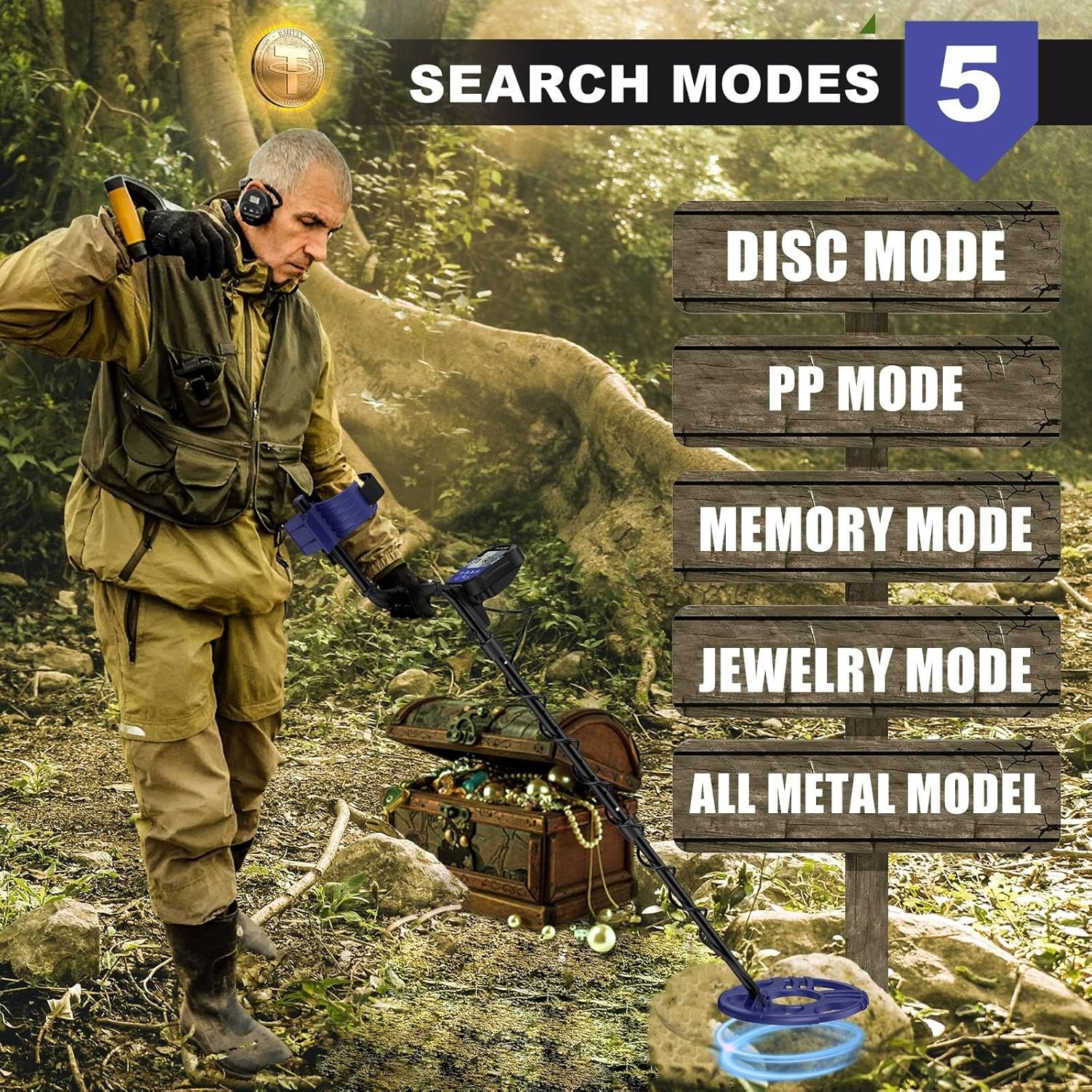
This image visually represents the different search modes, helping users understand their purpose and selection on the device.
การแสดงผลและการควบคุม
The intuitive LCD display provides clear information about detection mode, sensitivity, battery condition, and volume level, even in low light conditions.
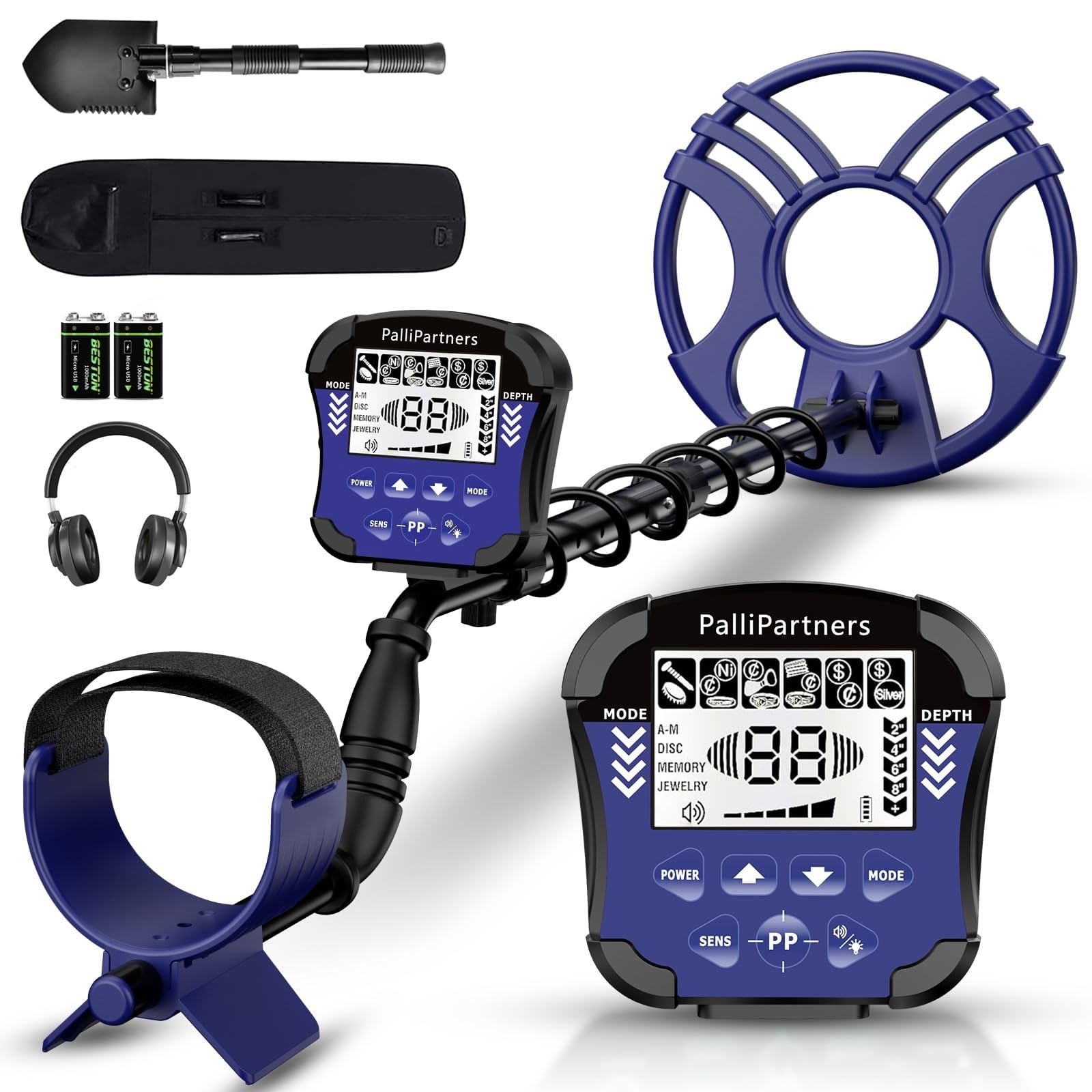
This image provides a clear diagram of the control panel, labeling each button and display indicator for easy reference during operation. It shows the Disc Numeric Indicator, Mode, Depth, and Low Battery Indicator.
ตัวชี้วัดที่สำคัญ:
- Sens Level Indicator: แสดงการตั้งค่าความไวในปัจจุบัน
- Coin Depth Indicator: Estimates the depth of detected coins.
- ตัวบ่งชี้ระดับเสียง: แสดงระดับเสียงปัจจุบัน
- ตัวบ่งชี้โหมด: Shows the active detection mode (All Metal, Disc, Notch, Memory, Jewelry, Pinpoint).
- ไฟแสดงสถานะแบตเตอรี่ต่ำ: แจ้งเตือนคุณเมื่อแบตเตอรี่ต้องเปลี่ยน
โทนเสียง:
The detector provides three distinct audio tones (low, medium, high) to help identify different types of metals, corresponding to target ID ranges.

This chart helps users interpret the audio tones and digital values displayed on the LCD screen to better identify detected objects.
การซ่อมบำรุง
Proper maintenance ensures the longevity and optimal performance of your metal detector:
- การทำความสะอาด: Wipe the search coil and stem with a damp cloth after each use, especially after detecting in wet or sandy conditions. Ensure the control box remains dry.
- พื้นที่จัดเก็บ: เก็บเครื่องตรวจจับไว้ในที่แห้งและเย็น หากเก็บรักษาเป็นเวลานาน ให้ถอดแบตเตอรี่ออกเพื่อป้องกันการรั่วไหล
- การเปลี่ยนแบตเตอรี่: เปลี่ยนแบตเตอรี่เมื่อไฟแสดงสถานะแบตเตอรี่ต่ำปรากฏขึ้นบนหน้าจอ LCD
- การดูแลสายเคเบิล: Avoid sharp bends or excessive pulling on the coil cable to prevent damage.
การแก้ไขปัญหา
หากคุณพบปัญหาเกี่ยวกับเครื่องตรวจจับโลหะ โปรดดูปัญหาและวิธีแก้ไขทั่วไปต่อไปนี้:
- ไม่มีไฟฟ้า:
- ตรวจสอบว่าได้ติดตั้งแบตเตอรี่อย่างถูกต้องและตรงขั้วหรือไม่
- Replace old or depleted batteries with new 9V batteries.
- Erratic Signals/False Positives:
- ลดการตั้งค่าความไวลง
- Ensure you are not wearing metal objects (jewelry, watches, phones) that could interfere with the signal.
- Avoid areas with high electrical interference (power lines, other electronic devices).
- Ensure the search coil is swept parallel to the ground and not lifted too high.
- ไม่ตรวจจับ:
- เพิ่มการตั้งค่าความไว
- Check if the search coil cable is securely connected to the control box.
- Verify that the detector is not in a highly discriminatory mode that might be filtering out desired targets.
- Weak or Faint Signals:
- Replace batteries, even if the low battery indicator is not yet active.
- เพิ่มความไว
ข้อมูลจำเพาะ
| คุณสมบัติ | ข้อมูลจำเพาะ |
|---|---|
| ยี่ห้อ | ปัลลีพันธมิตร |
| หมายเลขรุ่น | 1064 |
| สี | Black & Purple |
| Search Coil Diameter | 12 นิ้ว |
| ระดับการกันน้ำ | IP54 (for search coil only; control box is not waterproof) |
| ความลึกของการตรวจจับ | สูงถึง 8.7 นิ้ว |
| โหมดการทำงาน | 5 Modes (All Metal, Disc, Notch, Memory, Jewelry, Pinpoint) |
| แสดง | จอแสดงผล LCD พร้อมไฟแบ็คไลท์ |
| ปรับความยาวก้านได้ | 41.3 นิ้วถึง 47.6 นิ้ว |
| แหล่งพลังงาน | 2 x 9V Batteries (included) |
| น้ำหนักสินค้า | 3.9 ปอนด์ |
| ขนาดสินค้า | 21"L x 6"W x 7.8"H (folded/packaged) |
| ความถี่ในการใช้งาน | ความถี่ 9 กิโลเฮิรตซ์ |
ข้อมูลการรับประกัน
PalliPartners provides a 1-year limited warranty from the date of purchase against defects in materials and workmanship. This warranty does not cover damage caused by misuse, accident, unauthorized modification, or normal wear and tear. Please retain your proof of purchase for warranty claims.
การสนับสนุนลูกค้า
For any questions, technical assistance, or warranty claims, please contact PalliPartners customer support:
- อีเมล: support@pallipartners.com (exampเลอ)
- โทรศัพท์: 1-800-XXX-XXXX (เช่นampเลอ)
- Webเว็บไซต์: Visit the PalliPartners Store on Amazon
Our support team is available to assist you with any inquiries regarding your metal detector.