
การแนะนำ
Thank you for choosing the Vault Buds Duo Dual Driver Headphones. These in-ear headphones are engineered to deliver a rich and immersive audio experience, featuring dual dynamic drivers for enhanced sound clarity and bass. Designed for comfort and durability, they are compatible with a wide range of devices, making them ideal for everyday listening, gaming, and communication.
สินค้าเกินview
The Vault Buds Duo headphones feature a lightweight, in-ear design with a durable cable and an integrated in-line microphone for convenient control and communication.

The Vault Buds Duo headphones, showcasinด้วยดีไซน์สีดำเงาและรูปทรงแบบใส่ในหู

ภาพระยะใกล้ view of the dual 6mm dynamic drivers within the earbud housing, responsible for the enhanced audio quality.

The 45-degree angled gold-plated 3.5mm audio jack, designed for durability and optimal connection.
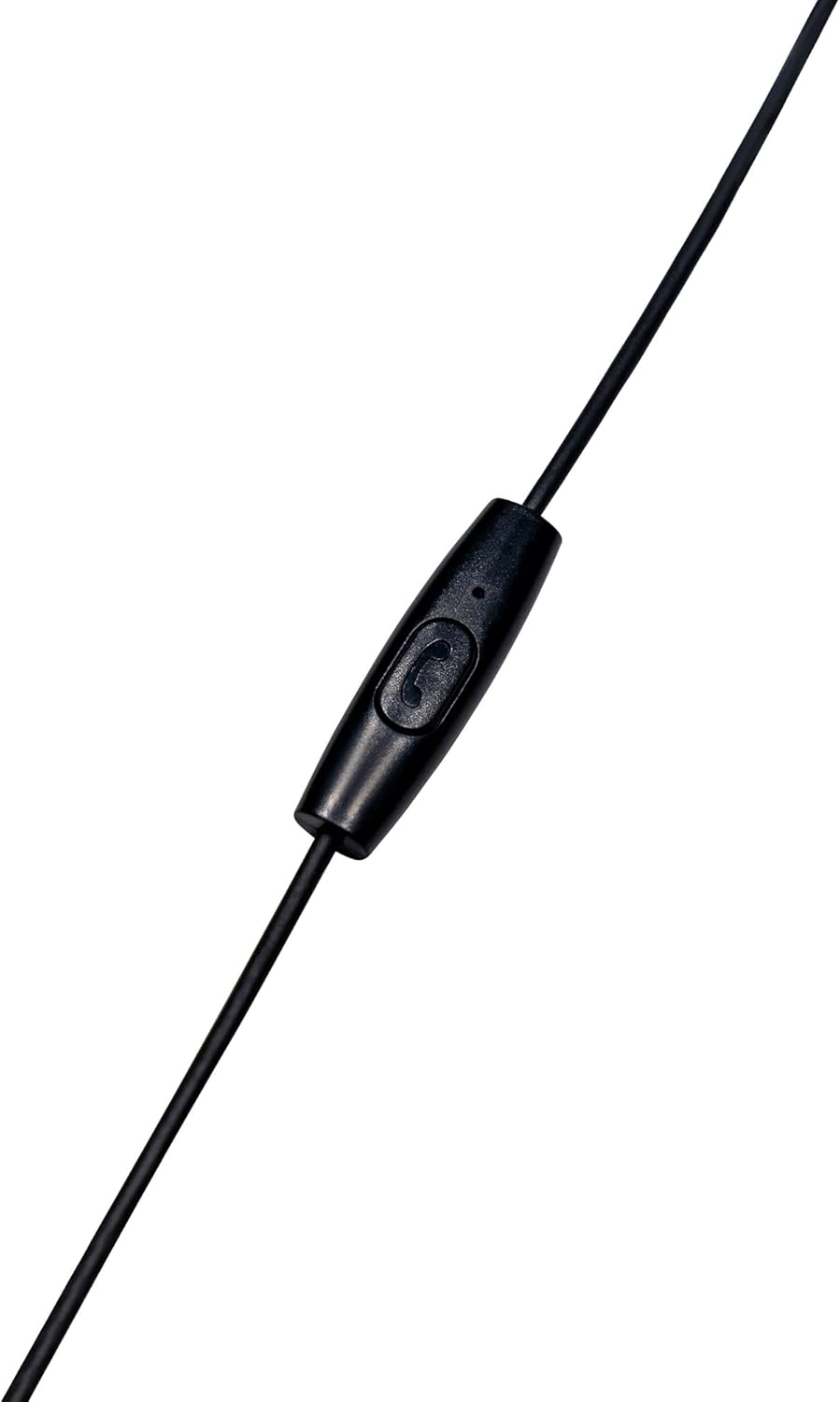
The in-line microphone and control button, allowing for hands-free calls and media management.
วิดีโอผลิตภัณฑ์อย่างเป็นทางการ
วิดีโอนี้มีเนื้อหาเกี่ยวกับview of the Vault Buds Duo Dual Driver Headphones, highlighting key features and design elements.
การตั้งค่า
- เลือกจุกหูฟัง: Choose the ear tip size that provides the most comfortable and secure fit for your ears. Multiple sizes are included to ensure optimal comfort and sound isolation.
- การใส่หูฟัง: Gently insert the earbuds into your ears. Ensure a snug fit to maximize sound quality and bass response.
- เชื่อมต่อกับอุปกรณ์: Plug the 3.5mm audio jack into the compatible audio port of your smartphone, tablet, PC, or laptop.
คำแนะนำการใช้งาน
The in-line microphone and control button allow for easy management of calls and media playback.
- เล่น/หยุดเพลง: Press the control button once to play or pause audio playback.
- รับ/วางสาย: Press the control button once to answer an incoming call or end an ongoing call.
- ปฏิเสธสาย: Press and hold the control button for approximately 2 seconds to reject an incoming call.
- เพลงถัดไป: Press the control button twice quickly to skip to the next audio track.
- แทร็กก่อนหน้า: Press the control button three times quickly to go back to the previous audio track.
การซ่อมบำรุง
- การทำความสะอาด: Regularly clean the ear tips with a soft, dry cloth. For deeper cleaning, remove the ear tips and wash them with mild soap and water, ensuring they are completely dry before reattaching. Do not use harsh chemicals or abrasive materials on the earbuds.
- พื้นที่จัดเก็บ: When not in use, store the headphones in a clean, dry place, preferably in a protective pouch, to prevent tangling and damage to the cable or earbuds.
- การดูแลสายเคเบิล: Avoid excessive pulling, twisting, or bending of the cable, especially near the connectors, to prolong its lifespan.
การแก้ไขปัญหา
- ไม่มีเสียง:
- ตรวจสอบให้แน่ใจว่าเสียบแจ็ค 3.5 มม. เข้ากับพอร์ตเสียงของอุปกรณ์อย่างแน่นหนาแล้ว
- ตรวจสอบการตั้งค่าระดับเสียงของอุปกรณ์ของคุณ
- ลองทดสอบหูฟังกับอุปกรณ์อื่นเพื่อตัดปัญหาที่เกิดจากตัวหูฟังเองออกไป
- คุณภาพเสียงไม่ดี:
- Ensure ear tips are correctly sized and seated for a proper seal in your ear canal.
- ทำความสะอาดเศษสิ่งสกปรกออกจากตะแกรงของหูฟัง
- ไมโครโฟนไม่ทำงาน:
- Ensure the 3.5mm jack is fully inserted. Some devices require a TRRS (Tip-Ring-Ring-Sleeve) jack for microphone functionality, which these headphones provide.
- ตรวจสอบการตั้งค่าอินพุตไมโครโฟนของอุปกรณ์ของคุณ
ข้อมูลจำเพาะ
| คุณสมบัติ | คำอธิบาย |
|---|---|
| ชื่อรุ่น | EP-1182 |
| ประเภทไดร์เวอร์เสียง | Dual Dynamic Driver |
| ขนาดไดร์เวอร์เสียง | 2 * 6 Millimeters |
| การตอบสนองความถี่ | 20เฮิรตซ์-20กิโลเฮิรตซ์ |
| อิมพีแดนซ์ | 32 โอห์ม |
| เทคโนโลยีการเชื่อมต่อ | มีสาย |
| แจ็คหูฟัง | แจ็ค 3.5 มม. |
| คุณสมบัติสายเคเบิล | Durable TPE Rubber, 1.2m length |
| ประเภทการควบคุม | Media Control (In-line microphone) |
| อุปกรณ์ที่รองรับ | Smartphones, Tablets, PC, Laptop (with 3.5mm audio input) |
| น้ำหนักสินค้า | 1.13 ออนซ์ |
การรับประกันและการสนับสนุน
This Vault Buds Duo Dual Driver Headphones product comes with a รับประกัน 2 ปี from Vault, covering damages and defects. For further assistance, troubleshooting, or warranty claims, please refer to the contact information provided on the product packaging or visit the official Vault webเว็บไซต์.
For additional information and support, please visit the product detail page on Amazon: หน้าผลิตภัณฑ์ของ Amazon


