
1. บทนำ
The JMT RJ45 Ethernet Extender is designed to extend the length of your Ethernet network cables by connecting two shorter cables. This device provides a reliable and stable connection, ensuring no loss of signal quality or speed over the extended distance. It is compatible with various Ethernet cable categories, including CAT5E, CAT6, and CAT8.
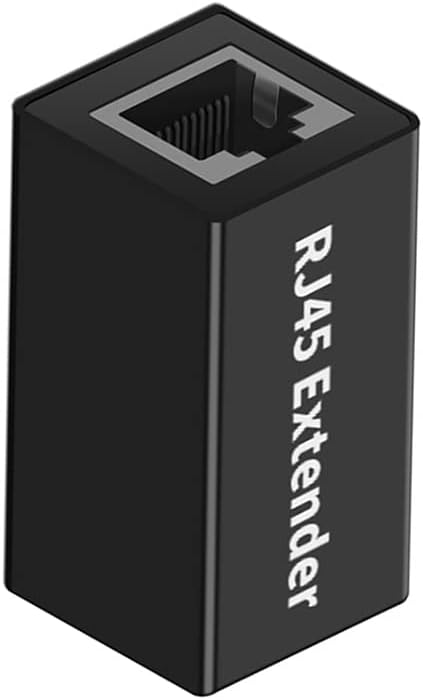
Image 1: JMT RJ45 Ethernet Extender. This image shows an isometric view of the black RJ45 extender, highlighting its compact design and the RJ45 port on one end.
2. เนื้อหาบรรจุภัณฑ์
Please verify that all items listed below are included in your package. If any item is missing or damaged, please contact customer support.
- 1 x JMT RJ45 Ethernet Extender (Model N47397)
3. คำแนะนำในการตั้งค่า
The JMT RJ45 Ethernet Extender is designed for simple plug-and-play operation, requiring no software installation or complex configuration.
- Identify your Ethernet cables: Ensure you have two standard RJ45 Ethernet cables that you wish to connect.
- Connect the first cable: Insert the RJ45 connector of your first Ethernet cable into one end of the JMT RJ45 Extender until it clicks securely into place.
- Connect the second cable: Insert the RJ45 connector of your second Ethernet cable into the other end of the JMT RJ45 Extender until it clicks securely into place.
- ตรวจสอบการเชื่อมต่อ: Once both cables are connected, your extended network connection should be active. No additional power or drivers are required.
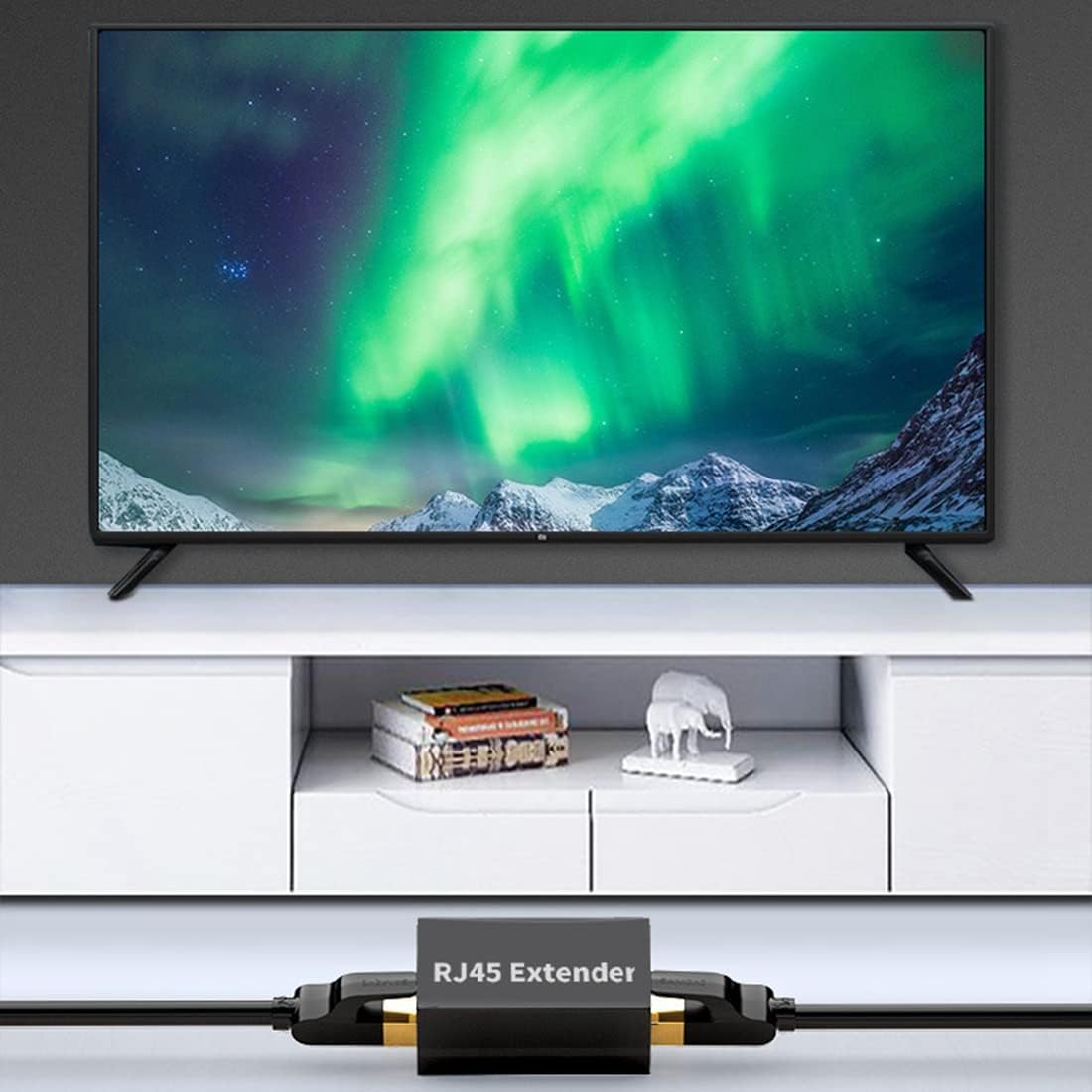
Image 2: JMT RJ45 Extender in use, connecting an Ethernet cable to a device near a television. This illustrates a typical application where the extender is used to reach a distant device.

Image 3: JMT RJ45 Extender connecting two Ethernet cables, one leading to a laptop. This image demonstrates the extender's use in a home office or desktop setup.
4. คู่มือการใช้งาน
Once properly connected, the JMT RJ45 Ethernet Extender operates automatically. It facilitates the seamless transmission of data between your connected devices.
- Lossless Internet Speed: The extender features a built-in metal shielding layer designed to prevent external electromagnetic interference, ensuring no loss of signal quality or internet speed.
- การถ่ายโอนข้อมูลความเร็วสูง: Supports high-speed data transfer without delay, allowing for efficient network performance.
- การส่งสัญญาณแบบขยายเวลา: The transmission distance for the extended Ethernet connection can be up to 100 meters, depending on the quality of the connected cables and network environment.
- ความเข้ากันได้กว้าง: This RJ45 extender is compatible with various network cable standards, including CAT5E, CAT6, and CAT8 Ethernet LAN cables.
5. การบำรุงรักษา
The JMT RJ45 Ethernet Extender requires minimal maintenance.
- การทำความสะอาด: If necessary, gently wipe the exterior of the extender with a dry, soft cloth. Avoid using liquid cleaners or abrasive materials.
- พื้นที่จัดเก็บ: Store the extender in a cool, dry place away from direct sunlight and extreme temperatures when not in use.
- การจัดการ: Avoid dropping the device or subjecting it to strong impacts, as this may damage the internal components or the RJ45 ports.

ภาพที่ 4: ภาพระยะใกล้ view of the JMT RJ45 Extender's aluminum alloy casing. This image highlights the durable material used in its construction.
6 การแก้ไขปัญหา
If you encounter issues with your JMT RJ45 Ethernet Extender, please refer to the following common troubleshooting steps:
| ปัญหา | สาเหตุที่เป็นไปได้ | สารละลาย |
|---|---|---|
| No network connection after connecting extender. |
|
|
| ความเร็วเครือข่ายช้า |
|
|
| การเชื่อมต่อไม่ต่อเนื่อง |
|
|
7. ข้อมูลจำเพาะ
| คุณสมบัติ | รายละเอียด |
|---|---|
| หมายเลขรุ่น | N47397 |
| ยี่ห้อ | JMT |
| พิมพ์ | RJ45 Ethernet Extender / Coupler |
| ประเภทขั้วต่อ | RJ45 Female to RJ45 Female |
| ความเข้ากันได้ | CAT5E, CAT6, CAT8 Ethernet LAN cables |
| วัสดุ | โลหะผสมอลูมิเนียม |
| สี | สีดำ |
| โปรโตคอลการเชื่อมโยงข้อมูล | อีเธอร์เน็ต |
| อัตราการถ่ายโอนข้อมูล | Up to 100 Megabits Per Second (dependent on connected cables and network) |
| ระยะการส่งข้อมูล | สูงสุด 100 เมตร (ประมาณ 328 ฟุต) |
| ขนาด (โดยประมาณ) | 37.0มม. (ยาว) x 23.7มม. (กว้าง) x 22.0มม. (สูง) |

Image 5: Diagram showing the approximate dimensions of the JMT RJ45 Extender in millimeters.
8. การรับประกันและการสนับสนุน
ข้อมูลการรับประกัน: Specific warranty details for the JMT RJ45 Ethernet Extender are typically provided at the point of purchase or can be found on the official JMT webไซต์ โปรดเก็บหลักฐานการซื้อไว้เพื่อใช้ในการเรียกร้องการรับประกัน
การสนับสนุนลูกค้า: For technical assistance, troubleshooting beyond this manual, or warranty inquiries, please contact JMT customer support through their official channels. You may also visit the JMT Store on Amazon สำหรับข้อมูลเพิ่มเติม