
การแนะนำ
The Victrola Journey+ Cassette Turntable offers a versatile audio experience, combining classic vinyl playback with modern features. This portable suitcase-style unit includes a 3-speed turntable, a built-in cassette player, Bluetooth connectivity for both input and output, auxiliary input, and RCA output. This manual provides detailed instructions for setting up, operating, and maintaining your device to ensure optimal performance and longevity.
ข้อมูลด้านความปลอดภัย
- อ่านคำแนะนำทั้งหมดก่อนใช้ผลิตภัณฑ์
- เก็บคู่มือไว้เพื่อใช้อ้างอิงในอนาคต
- ห้ามใช้อุปกรณ์นี้ใกล้น้ำ
- ทำความสะอาดด้วยผ้าแห้งเท่านั้น
- อย่าปิดกั้นช่องระบายอากาศใดๆ ติดตั้งตามคำแนะนำของผู้ผลิต
- ห้ามติดตั้งใกล้แหล่งความร้อน เช่น หม้อน้ำ เครื่องทำความร้อน เตา หรืออุปกรณ์อื่น ๆ (รวมถึง ampเครื่องให้ความร้อน) ที่ผลิตความร้อน
- ปกป้องสายไฟไม่ให้ถูกเหยียบหรือถูกหนีบ โดยเฉพาะที่ปลั๊ก เต้ารับไฟฟ้า และจุดที่สายไฟออกจากเครื่อง
- ใช้เฉพาะอุปกรณ์เสริม/สิ่งที่แนบตามที่ผู้ผลิตกำหนดเท่านั้น
- ถอดปลั๊กอุปกรณ์นี้ในระหว่างพายุฝนฟ้าคะนองหรือเมื่อไม่ได้ใช้งานเป็นเวลานาน
- แจ้งบริการทั้งหมดให้ช่างที่ผ่านการรับรองทราบ จำเป็นต้องให้บริการเมื่ออุปกรณ์ได้รับความเสียหายในลักษณะใดก็ตาม เช่น สายไฟหรือปลั๊กชำรุด ของเหลวหกหรือมีวัตถุตกลงไปในอุปกรณ์ อุปกรณ์โดนฝนหรือความชื้น ไม่สามารถทำงานได้ตามปกติ หรือตกหล่น
มีอะไรอยู่ในกล่อง
- Victrola Journey+ Cassette Turntable
- อะแดปเตอร์แปลงไฟ
- คู่มือการใช้งาน
- อะแดปเตอร์ 45 RPM
- Extra Stylus (Needle)
คุณสมบัติและส่วนประกอบของผลิตภัณฑ์
Familiarize yourself with the various parts of your Victrola Journey+ Cassette Turntable.

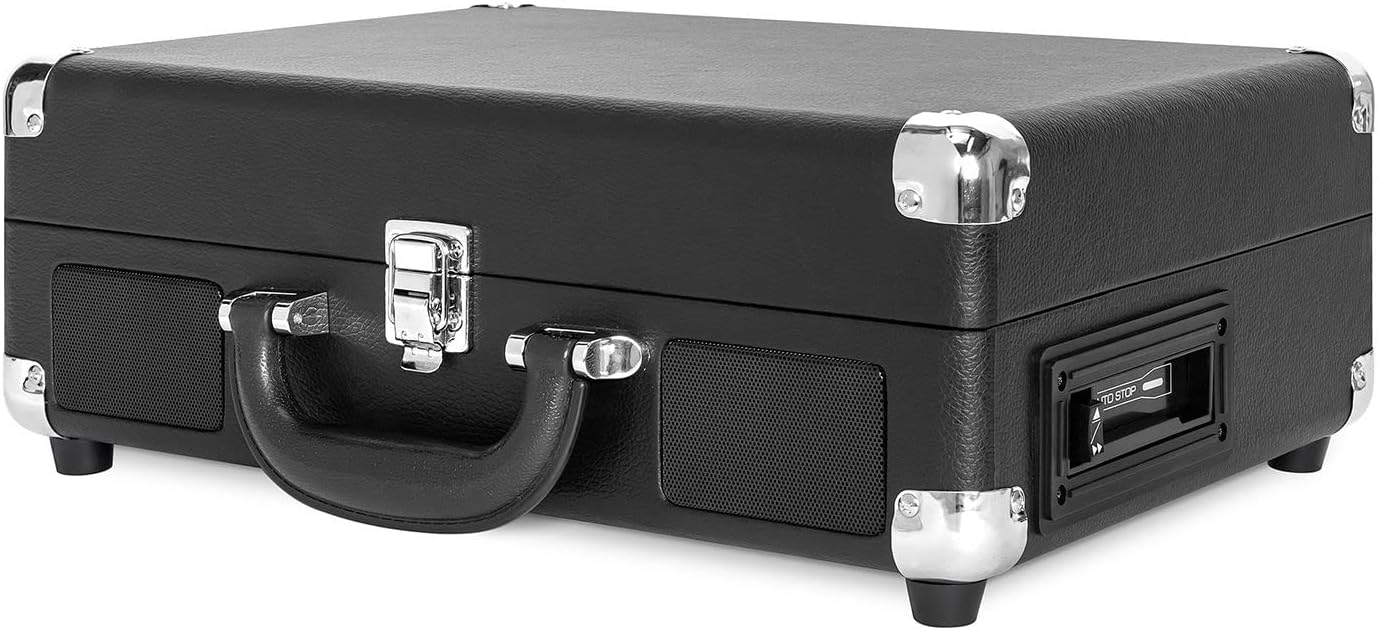

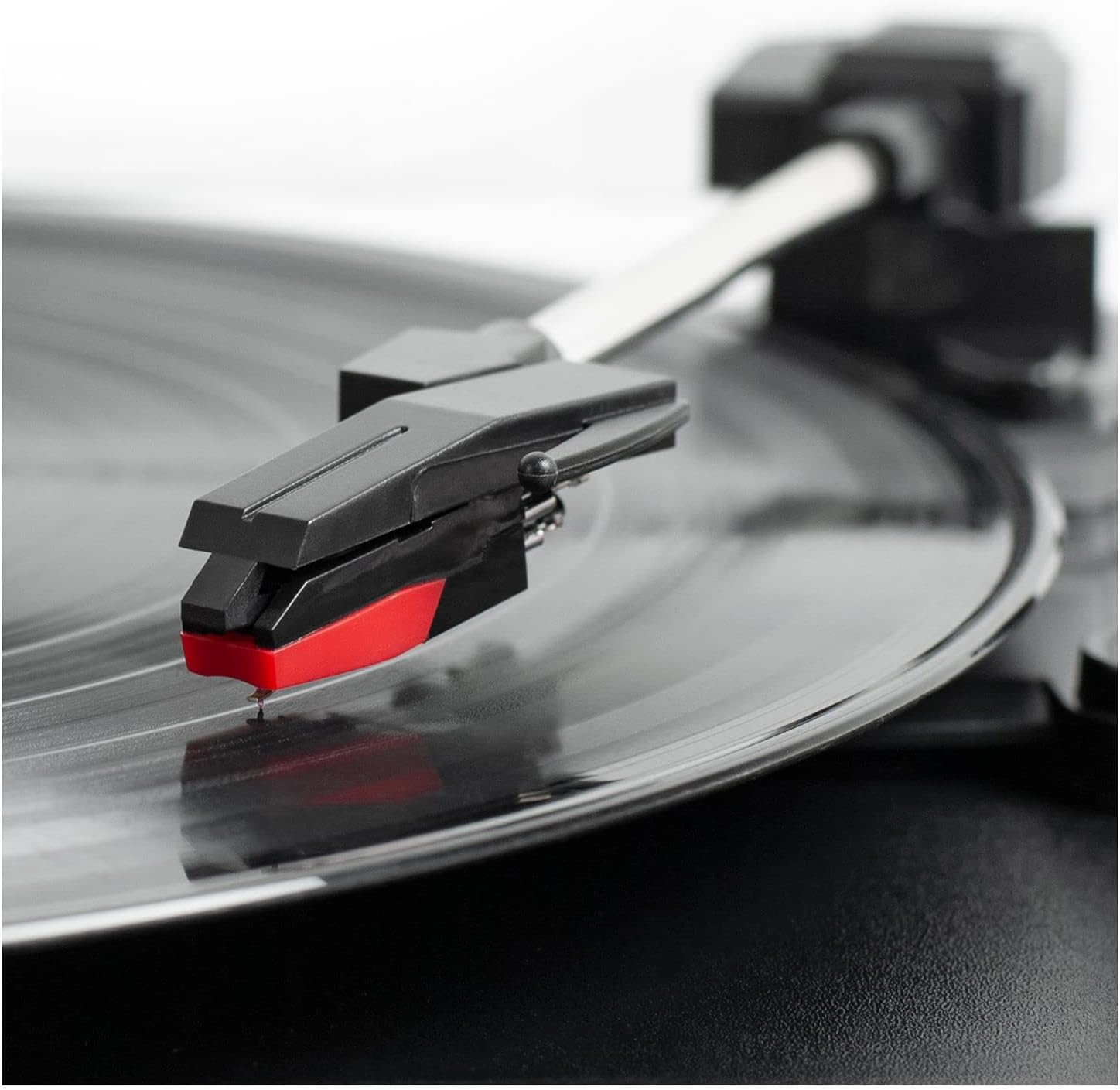
แผงควบคุมโอเวอร์view
- ปุ่มเปิดปิด/ปรับระดับเสียง: Turns the unit ON/OFF and adjusts the volume.
- ตัวเลือกความเร็ว: Switch between 33 1/3, 45, and 78 RPM for vinyl records.
- สวิตช์หยุดอัตโนมัติ: Enables or disables the auto-stop function for the turntable.
- สวิตช์ฟังก์ชั่น: Selects between PHONO/TAPE, LINE IN, BT IN, and BT OUT modes.
- แจ็คหูฟัง: สำหรับการฟังส่วนตัวโดยใช้หูฟัง
- Line In Jack: เชื่อมต่ออุปกรณ์เสียงภายนอกผ่านสายเคเบิลขนาด 3.5 มม.
- ปุ่มควบคุมเครื่องเล่นเทปคาสเซ็ต: Play, Fast Forward, Rewind, Stop/Eject.
- ช่องเสียบเอาต์พุต RCA (ซ้าย/ขวา): Connect to external speakers or an ampชีวิต.
- แจ็ค DC IN: เชื่อมต่ออะแดปเตอร์ไฟฟ้า
การตั้งค่า
- แกะ: Carefully remove the turntable from its packaging and ensure all accessories are present.
- การจัดวาง: วางเครื่องบนพื้นผิวเรียบและมั่นคง ห่างจากแสงแดดโดยตรง แหล่งความร้อน และฝุ่นละอองหรือการสั่นสะเทือนมากเกินไป
- การเชื่อมต่อไฟฟ้า: Connect the DC plug of the power adapter to the DC IN jack on the back of the unit. Plug the AC adapter into a wall outlet.
- ถอด Stylus Protector ออก: Gently remove the white plastic stylus protector from the needle.
- ปลดล็อคแขนโทนอาร์ม: คลายตัวล็อกแขนโทนอาร์มเพื่อให้แขนโทนอาร์มเคลื่อนที่ได้อย่างอิสระ
คำแนะนำการใช้งาน
การเล่นแผ่นเสียงไวนิล
- Open the lid and place a vinyl record on the turntable platter.
- Select the appropriate speed (33 1/3, 45, or 78 RPM) using the Speed Selector switch. Use the 45 RPM adapter for 7-inch records with large center holes.
- Turn the Power/Volume knob clockwise to turn on the unit and adjust to a low volume.
- Set the Function Switch to PHONO/TAPE.
- Lift the tonearm using the cueing lever and position it over the desired track on the record.
- ค่อยๆ วางแขนของเครื่องเล่นแผ่นเสียงลงบนแผ่นเสียงโดยใช้คันโยก แผ่นเสียงจะเริ่มเล่น
- ปรับระดับเสียงตามระดับการฟังที่คุณต้องการ
- At the end of the record, if the Auto Stop switch is ON, the platter will stop spinning. If OFF, the platter will continue to spin. Manually lift the tonearm and return it to the tonearm rest.
การใช้เครื่องเล่นเทป
- Set the Function Switch to PHONO/TAPE.
- Insert a cassette tape into the side-loading slot until it clicks into place.
- กดปุ่ม PLAY เพื่อเริ่มเล่น
- Use the Fast Forward (FF) and Rewind (REW) buttons to navigate tracks.
- กดปุ่ม STOP/EJECT เพื่อหยุดการเล่นและนำเทปออก
- ปรับระดับเสียงโดยใช้ปุ่มเปิด/ปิดเครื่อง/ระดับเสียง

อินพุตบลูทูธ (BT IN)
Stream music wirelessly from your Bluetooth-enabled device to the turntable's built-in speakers.
- หมุนปุ่มเปิด/ปิดและปรับระดับเสียงตามเข็มนาฬิกาเพื่อเปิดเครื่อง
- Set the Function Switch to BT IN. The Bluetooth indicator light will flash.
- Enable Bluetooth on your external device and search for "Victrola Journey+".
- Select "Victrola Journey+" to pair. Once paired, the indicator light will stop flashing.
- Start playing music on your device. Adjust the volume on both your device and the turntable.
Bluetooth Output (BT OUT - Vinyl Stream Technology)
Stream audio from your vinyl records to an external Bluetooth speaker.
- ตรวจสอบให้แน่ใจว่าลำโพงบลูทูธภายนอกของคุณอยู่ในโหมดจับคู่แล้ว
- Turn the Power/Volume knob clockwise to turn on the turntable.
- Set the Function Switch to BT OUT. The Bluetooth indicator light will flash.
- The turntable will automatically search for and connect to your external Bluetooth speaker. Once connected, the indicator light will stop flashing.
- Play a vinyl record as described above. The audio will stream to your external speaker.
- Adjust the volume on your external Bluetooth speaker.
Auxiliary Input (LINE IN)
Connect non-Bluetooth audio devices using a 3.5mm audio cable.
- Connect one end of a 3.5mm audio cable to the LINE IN jack on the turntable.
- ต่อปลายอีกด้านหนึ่งเข้ากับช่องเสียบหูฟังหรือช่องสัญญาณเสียงออกของอุปกรณ์ภายนอกของคุณ
- หมุนปุ่มเปิด/ปิดและปรับระดับเสียงตามเข็มนาฬิกาเพื่อเปิดเครื่อง
- Set the Function Switch to LINE IN.
- Start playing music on your external device. Adjust the volume on both your device and the turntable.
ช่องต่อ RCA
เชื่อมต่อเครื่องเล่นแผ่นเสียงเข้ากับอุปกรณ์ภายนอก ampใช้แอมป์หรือลำโพงแบบมีกำลังขับเพื่อคุณภาพเสียงที่ดีขึ้น
- Connect RCA cables (not included) to the RCA OUT jacks (red for right, white for left) on the back of the turntable.
- เชื่อมต่อปลายอีกด้านของสาย RCA เข้ากับช่องเสียบอินพุตที่ตรงกันบนอุปกรณ์ของคุณ ampเครื่องขยายเสียงหรือลำโพงที่มีกำลังขยาย
- Ensure the Function Switch is set to PHONO/TAPE for vinyl or cassette playback.
- ปรับระดับเสียงบนระบบเสียงภายนอกของคุณ
เอาท์พุตหูฟัง
For private listening, plug any standard 3.5mm headphones into the HEADPHONE jack.
การซ่อมบำรุง
- การทำความสะอาดหน่วย: Wipe the exterior with a soft, dry cloth. Do not use harsh chemicals or abrasive cleaners.
- การดูแลสไตลัส: The stylus is delicate. Handle it with care. Clean the stylus periodically with a soft brush, brushing from back to front. Replace the stylus if sound quality deteriorates or if it is visibly damaged.
- การดูแลรักษาเอกสาร: รักษาแผ่นเสียงให้สะอาดและปราศจากฝุ่น เก็บแผ่นเสียงในแนวตั้งในซองเพื่อป้องกันการบิดเบี้ยว
- การดูแลรักษาเทปคาสเซ็ต: Store cassettes away from direct sunlight and heat. Avoid touching the tape surface.
การแก้ไขปัญหา
| ปัญหา | สาเหตุที่เป็นไปได้ | สารละลาย |
|---|---|---|
| ไม่มีไฟฟ้า | ไม่ได้เสียบอะแดปเตอร์แปลงไฟ หรือปลั๊กไฟใช้งานไม่ได้ | ตรวจสอบให้แน่ใจว่าอะแดปเตอร์แปลงไฟเชื่อมต่อแน่นหนาและเสียบเข้ากับเต้ารับที่ใช้งานได้ |
| ไม่มีเสียงออกจากลำโพง | Volume too low; Function switch incorrect; External speakers not connected/powered. | Increase volume. Set Function switch to correct source (PHONO/TAPE, BT IN, LINE IN). Check external speaker connections and power. |
| บันทึกสะดุดหรือเสียงผิดเพี้ยน | Dirty or damaged record; Dirty or worn stylus; Unit not on a stable surface. | Clean record. Clean or replace stylus. Place unit on a stable, level surface. |
| ปัญหาการจับคู่บลูทูธ | Device too far; Incorrect mode selected; Device already paired. | Ensure device is within range. Select correct BT IN/OUT mode. Disconnect from other Bluetooth devices. |
| เทปคาสเซ็ตไม่เล่น | Tape inserted incorrectly; Function switch incorrect. | Ensure tape is fully inserted. Set Function switch to PHONO/TAPE. |
ข้อมูลจำเพาะ
- ยี่ห้อ: วิคโทรล่า
- หมายเลขรุ่น: VSC-500BTC-BLK
- เทคโนโลยีการเชื่อมต่อ: บลูทูธ
- แหล่งพลังงาน: สายไฟ
- ความเร็วรอบสูงสุด: 78 รอบต่อนาที
- คุณสมบัติพิเศษ: AUX Input, Built-In Speaker, Portable, RCA Output, Cassette Player, Vinyl Stream Technology
- วัสดุ: พลาสติก
- น้ำหนักสินค้า: 3.51 กิโลกรัม
- ขนาดรายการ (ยาว x กว้าง x สูง): ยาว 14 นิ้ว x กว้าง 11 นิ้ว x สูง 5 นิ้ว
- สื่อในตัว: Turntable, Cassette Player
- ส่วนประกอบที่รวมอยู่: Turntable, Power Adapter, 45 RPM Adapter, Extra Stylus
การรับประกันและการสนับสนุน
For warranty information, technical support, or service inquiries, please refer to the contact information provided in your product packaging or visit the official Victrola webไซต์นี้ โปรดเก็บหลักฐานการซื้อไว้เพื่อใช้ยืนยันการรับประกัน