
1. บทนำ
ขอบคุณสำหรับการซื้อasing the YOUTHINK Portable Shortwave Radio. This manual provides essential information for the safe and efficient operation of your device. Please read it thoroughly before use and retain it for future reference.
This portable radio offers AM/FM tuning, MP3 playback, and multiple power options, making it suitable for various listening environments.
2. ข้อมูลด้านความปลอดภัย
- อย่าวางวิทยุไว้ในที่ที่มีอุณหภูมิสูงหรือต่ำเกินไป แสงแดดโดยตรง หรือความชื้นสูง
- หลีกเลี่ยงการทำอุปกรณ์หล่นหรือกระแทกอย่างรุนแรง
- ห้ามถอดประกอบหรือดัดแปลงวิทยุด้วยตนเอง การกระทำดังกล่าวจะทำให้การรับประกันเป็นโมฆะและอาจทำให้เกิดความเสียหายได้
- ใช้เฉพาะแบตเตอรี่ชนิดที่ระบุไว้และวิธีการชาร์จที่กำหนดไว้เท่านั้น
- เก็บอุปกรณ์ให้ห่างจากน้ำและของเหลวอื่นๆ
- ทำความสะอาดวิทยุด้วยผ้านุ่มและแห้ง ห้ามใช้น้ำยาทำความสะอาดที่มีฤทธิ์กัดกร่อนหรือตัวทำละลาย
3. เนื้อหาบรรจุภัณฑ์
ตรวจสอบว่ามีรายการทั้งหมดอยู่ในแพ็คเกจของคุณ:
- YOUTHINK Portable Shortwave Radio
- สายชาร์จ USB
- Power Cord (if applicable, please check your product packaging)
- คู่มือการใช้งาน (เอกสารนี้)
Note: The 18650 lithium battery is typically included or sold separately. Please check your product packaging for confirmation.
4. สินค้าหมดview
ทำความคุ้นเคยกับส่วนประกอบและปุ่มควบคุมของวิทยุให้ดี

รูปที่ 4.1 : ด้านหน้า view of the YOUTHINK Portable Shortwave Radio with antenna extended, showing the speaker, LCD display, and control buttons.

รูปที่ 4.2: รายละเอียด view of the radio's control panel. Labels indicate: On/Off/Pause button, Previous Song button, Next Song button, Numeric keys (0-9), Volume Down (V-), Volume Up (V+), and Mode/Circulation (M) button.
ปุ่มควบคุม:
- On/Off/Pause Button: Press to power on/off the radio. During playback, press to pause/resume.
- ปุ่มตัวเลข (0-9): Used for direct frequency input or track selection in MP3 mode.
- Prev Song Button: Skips to the previous track in MP3 mode or tunes to the previous station.
- ปุ่มเพลงถัดไป: Skips to the next track in MP3 mode or tunes to the next station.
- ลดระดับเสียง (V-): ลดระดับเสียง
- เพิ่มระดับเสียง (V+): เพิ่มระดับเสียง
- Mode/Circulation (M) Button: Switches between radio modes (AM/FM) and MP3 playback. May also control playback circulation (repeat modes).
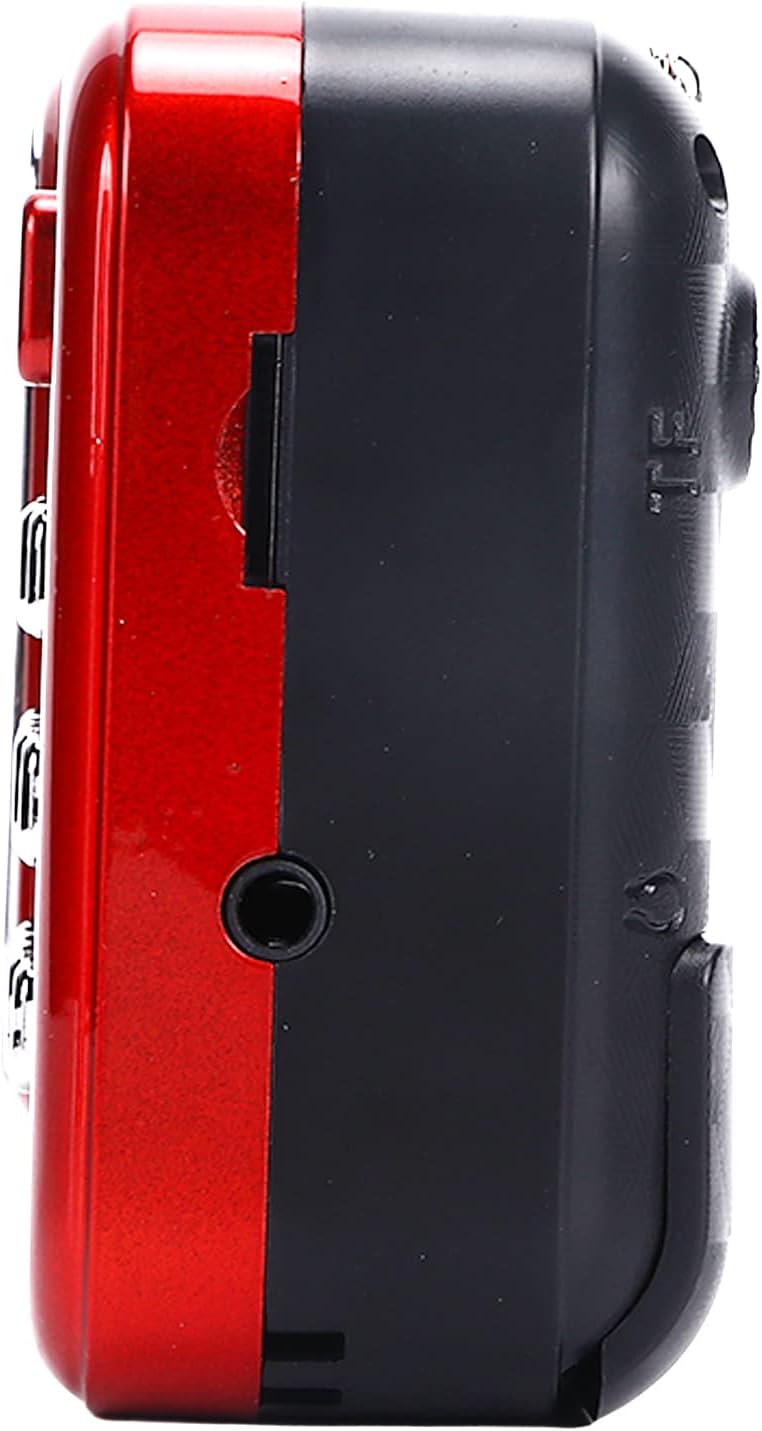
รูปที่ 4.3: ด้านข้าง view of the radio, highlighting the headphone jack for private listening.
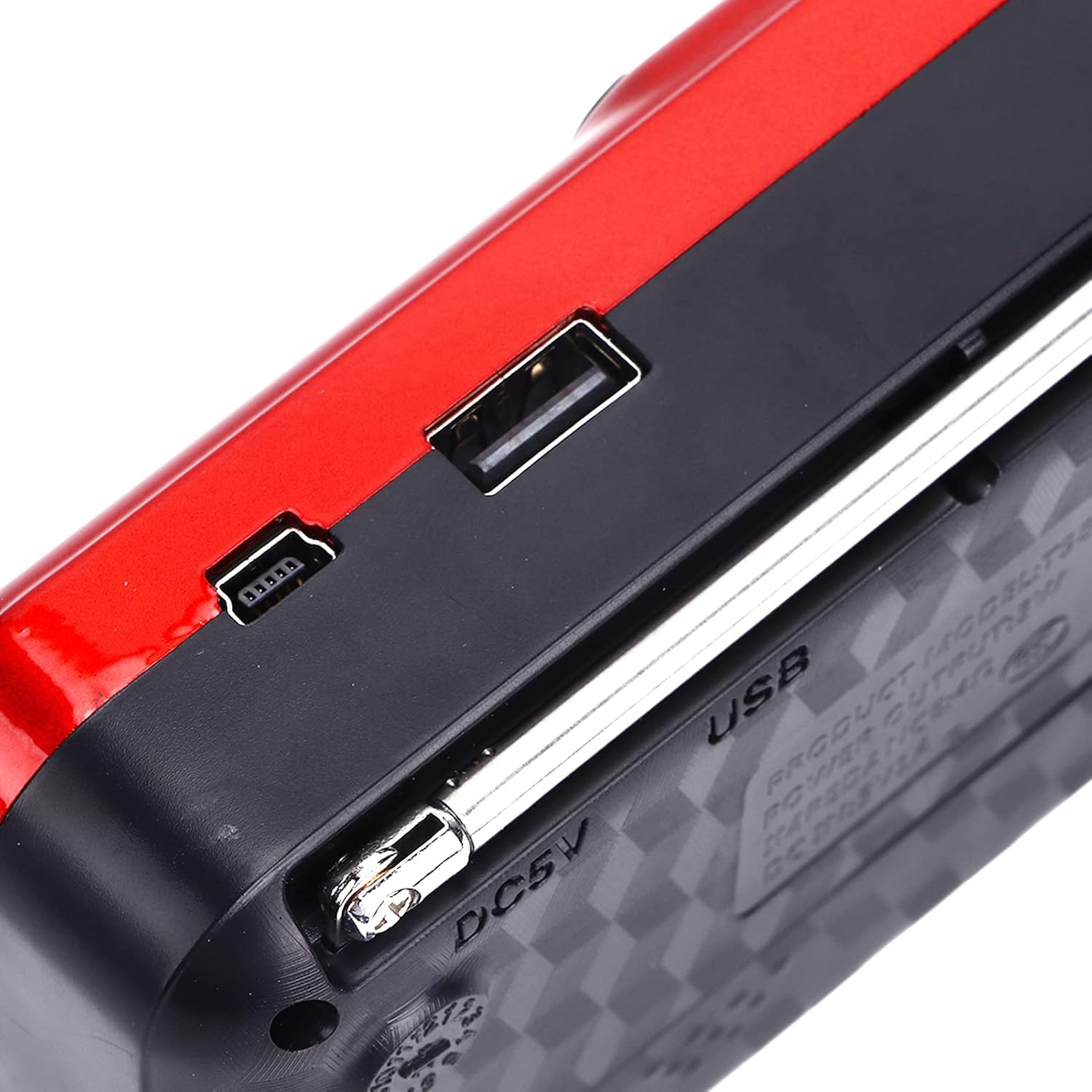
รูปที่ 4.4: ด้านบน view of the radio, showing the USB port and DC 5V charging port.
5. การตั้งค่า
5.1 การติดตั้งแบตเตอรี่
- ค้นหาฝาปิดช่องใส่แบตเตอรี่ที่ด้านหลังวิทยุ
- เลื่อนหรือยกฝาขึ้นเพื่อเปิดช่อง
- Insert one 18650 lithium battery, ensuring correct polarity (+/-) as indicated inside the compartment.
- ปิดฝาช่องใส่แบตเตอรี่ให้แน่น

Figure 5.1: Open battery compartment showing the insertion of an 18650 lithium battery.
The radio can operate for approximately 6-8 hours on a fully charged 18650 lithium battery.
5.2 การชาร์จแบตเตอรี่
- Connect the provided USB charging cable to the DC 5V port on the radio.
- Connect the other end of the USB cable to a compatible USB power source (e.g., computer, USB wall adapter, power bank, car charger).
- The LCD display may indicate charging status. Disconnect the charger once the battery is fully charged.
ปริมาณการชาร์จtagอี: DC 5V 1A.
6. คู่มือการใช้งาน
6.1 เปิด/ปิดเครื่อง
- กดปุ่มค้างไว้ เปิด/ปิด/หยุดชั่วคราว กดปุ่มเพื่อเปิดวิทยุ
- Press and hold the same button again to power off.
6.2 การปรับระดับเสียง
- กดปุ่ม V+ ปุ่มเพื่อเพิ่มระดับเสียง
- กดปุ่ม V- ปุ่มเพื่อลดระดับเสียง
6.3 Radio Mode (AM/FM)
- ขยายเสาอากาศแบบยืดหดเพื่อการรับสัญญาณที่ดีขึ้น
- กดปุ่ม โหมด (M) button to switch to FM or AM radio mode. The current mode will be displayed on the LCD screen.
- การสแกนอัตโนมัติ: ในโหมดวิทยุ ให้กดปุ่ม . ค้างไว้ เล่น/หยุดชั่วคราว button (often doubles as scan) to automatically scan and save available stations.
- การปรับด้วยตนเอง: ใช้ เพลงก่อนหน้า or เพลงต่อไป buttons to manually tune to the desired frequency.
- อินพุตความถี่โดยตรง: Use the numeric keys (0-9) to directly enter a radio frequency.
เล่น MP6.4 ได้ 3 ไฟล์
The radio supports MP3 format playback from a USB drive or TF (MicroSD) card (not included).
- Insert a USB drive into the USB port or a TF card into the TF card slot.
- กดปุ่ม โหมด (M) button to switch to MP3 playback mode. The radio will automatically detect and begin playing MP3 files.
- ใช้ เพลงก่อนหน้า และ เพลงต่อไป ปุ่มสำหรับนำทางระหว่างแทร็ก
- กดปุ่ม เปิด/ปิด/หยุดชั่วคราว ปุ่มเพื่อหยุดชั่วคราวหรือเล่นต่อ
- Use the numeric keys (0-9) to directly select a track number.
6.5 การใช้ไฟฉาย

Figure 6.1: The radio's integrated LED flashlight illuminating a dark area, useful for emergencies or low-light conditions.
The radio includes an integrated LED flashlight. To activate or deactivate the flashlight, locate the dedicated flashlight button or switch, usually on the side of the device.
6.6 การใช้หูฟัง
For private listening, plug standard 3.5mm headphones into the headphone jack located on the side of the radio.
7. การบำรุงรักษา
- การทำความสะอาด: Wipe the radio with a soft, dry cloth. Do not use liquid cleaners or aerosols.
- พื้นที่จัดเก็บ: When not in use for extended periods, store the radio in a cool, dry place. If using a removable battery, consider removing it to prevent leakage.
- การดูแลแบตเตอรี่ ควรชาร์จแบตเตอรี่เป็นประจำ แม้ไม่ได้ใช้งาน เพื่อรักษาอายุการใช้งาน หลีกเลี่ยงการชาร์จแบตเตอรี่จนหมดบ่อยเกินไป
8 การแก้ไขปัญหา
| ปัญหา | สาเหตุที่เป็นไปได้ | สารละลาย |
|---|---|---|
| วิทยุไม่สามารถเปิดได้ | แบตเตอรี่หมดหรือติดตั้งไม่ถูกต้อง | ชาร์จแบตเตอรี่หรือตรวจสอบให้แน่ใจว่าติดตั้งด้วยขั้วที่ถูกต้อง |
| การรับสัญญาณวิทยุไม่ดี | เสาอากาศไม่ได้ยืดออกหรือสัญญาณอ่อน | ยืดเสาอากาศแบบยืดหดได้ออกจนสุด ลองขยับตำแหน่งวิทยุดู |
| ไม่มีเสียงจากลำโพง | ระดับเสียงเบาเกินไป หรือเสียบหูฟังอยู่ | เพิ่มระดับเสียง ถอดหูฟังออกหากไม่ต้องการใช้ |
| เอ็มพี 3 fileเขาไม่ได้เล่นอยู่ | โหมดไม่ถูกต้อง ไม่รองรับ file format, or faulty USB/TF card. | Ensure radio is in MP3 mode. Verify files are in MP3 format. Try a different USB drive or TF card. |
9. ข้อมูลจำเพาะ
- แบบอย่าง: YOUTHINKmxkn0ugipz
- ยี่ห้อ: คุณคิด
- เทคโนโลยีจูนเนอร์: เอเอ็ม,เอฟเอ็ม
- รองรับแบนด์วิทยุ: เอเอ็ม,เอฟเอ็ม
- เทคโนโลยีการเชื่อมต่อ: ยูเอสบี
- แหล่งพลังงาน: Battery Powered (18650 Lithium Battery)
- ปริมาณการชาร์จtage: กระแสตรง 5V 1A
- กำลังขับ: 3W
- ความถี่ในการตอบสนอง: 100เฮิรตซ์-18กิโลเฮิรตซ์
- อัตราส่วนสัญญาณต่อสัญญาณรบกวน: ≤70เดซิเบล
- การเล่นเพลง: Supports MP3 Format
- ขนาดสินค้า : 4.65"L x 2.76"W x 1.38"H (Approx. 11.8 x 7 x 3.5 cm)
- น้ำหนักสินค้า: 5.9 ออนซ์ (ประมาณ 167 กรัม)
- คุณสมบัติพิเศษ: Portable, LCD Display, MP3 Player, Flashlight
10. การรับประกันและการสนับสนุน
For warranty information or technical support, please refer to the documentation provided with your purchase or contact YOUTHINK customer service through the retailer where the product was purchased.
โปรดเก็บหลักฐานการซื้อของคุณไว้เพื่อเรียกร้องการรับประกัน