
PowerDrive PWD400
PowerDrive PWD400 400 Watt Power Inverter Instruction Manual
รุ่น : PWD400
สินค้าเกินview
The PowerDrive PWD400 is a 400-watt power inverter designed to convert 12V DC power from your vehicle's battery into 110V AC power. This allows you to operate various AC devices and charge USB-powered electronics while on the go. It features two 3-prong AC outlets and dual USB ports (Standard 2.4A and USB-C 3.0A) for versatile power solutions.
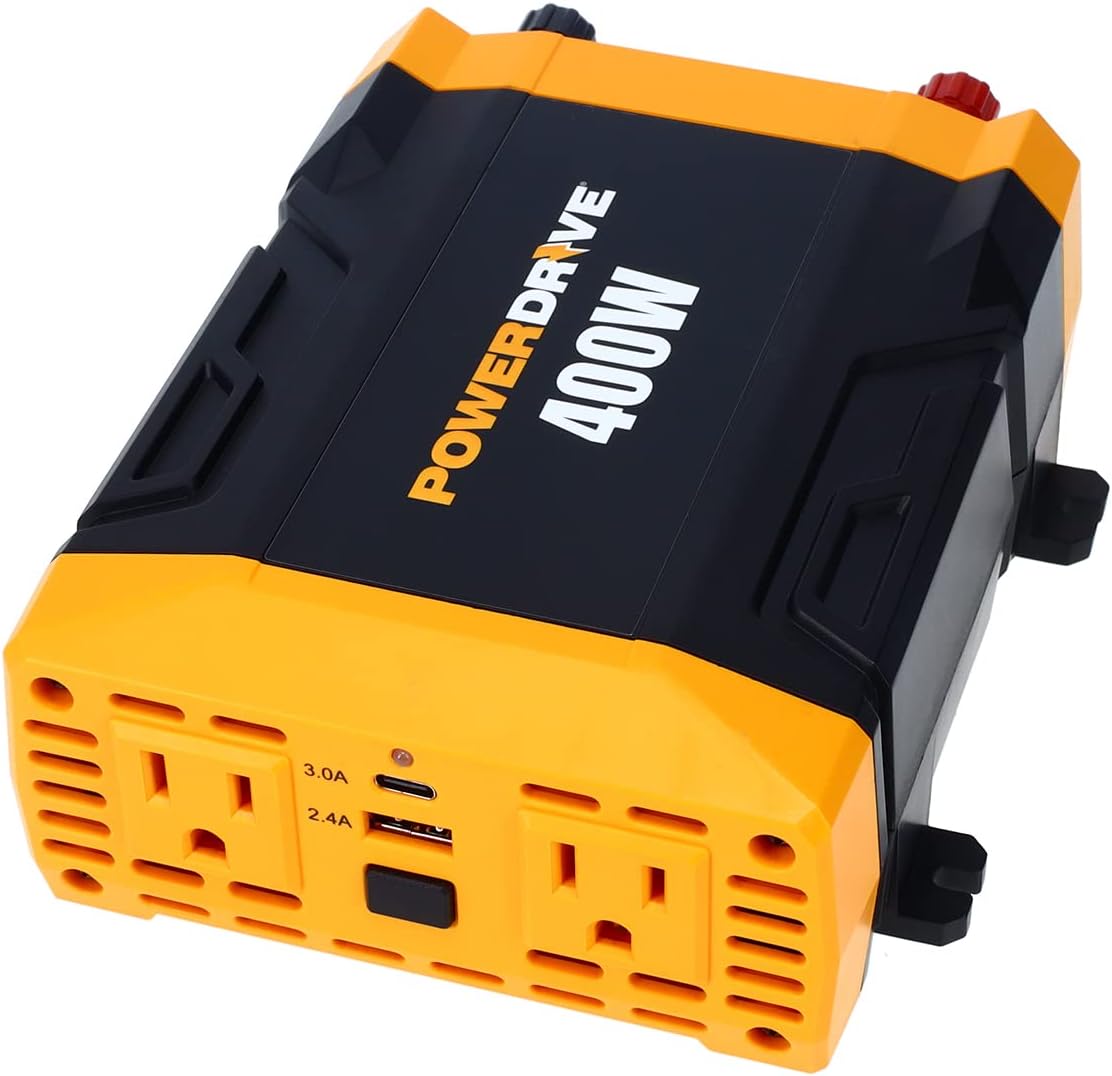
ภาพ: จากบนลงล่าง view of the PowerDrive PWD400 Power Inverter, highlighting its two AC outlets and dual USB ports.
มีอะไรอยู่ในกล่อง
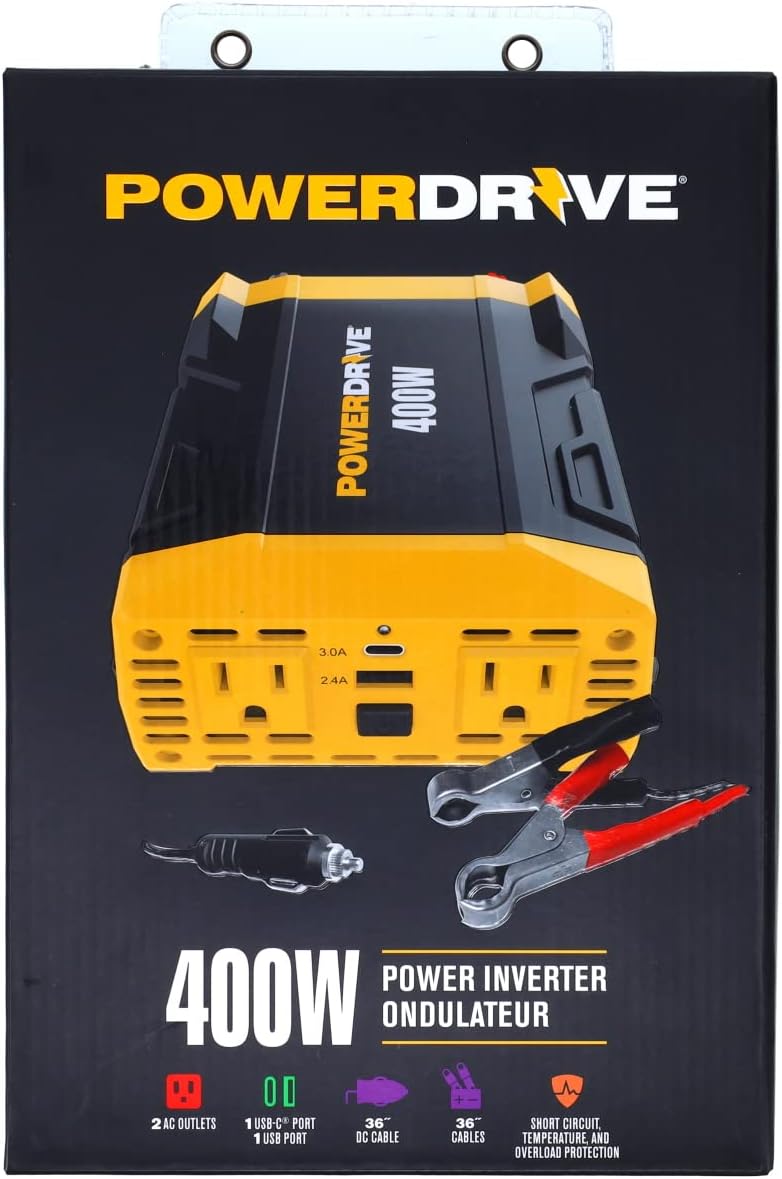
- PowerDrive PWD400 Power Inverter
- 12-volt plug (cigarette lighter adapter)
- 36-inch battery clamp สายเคเบิล
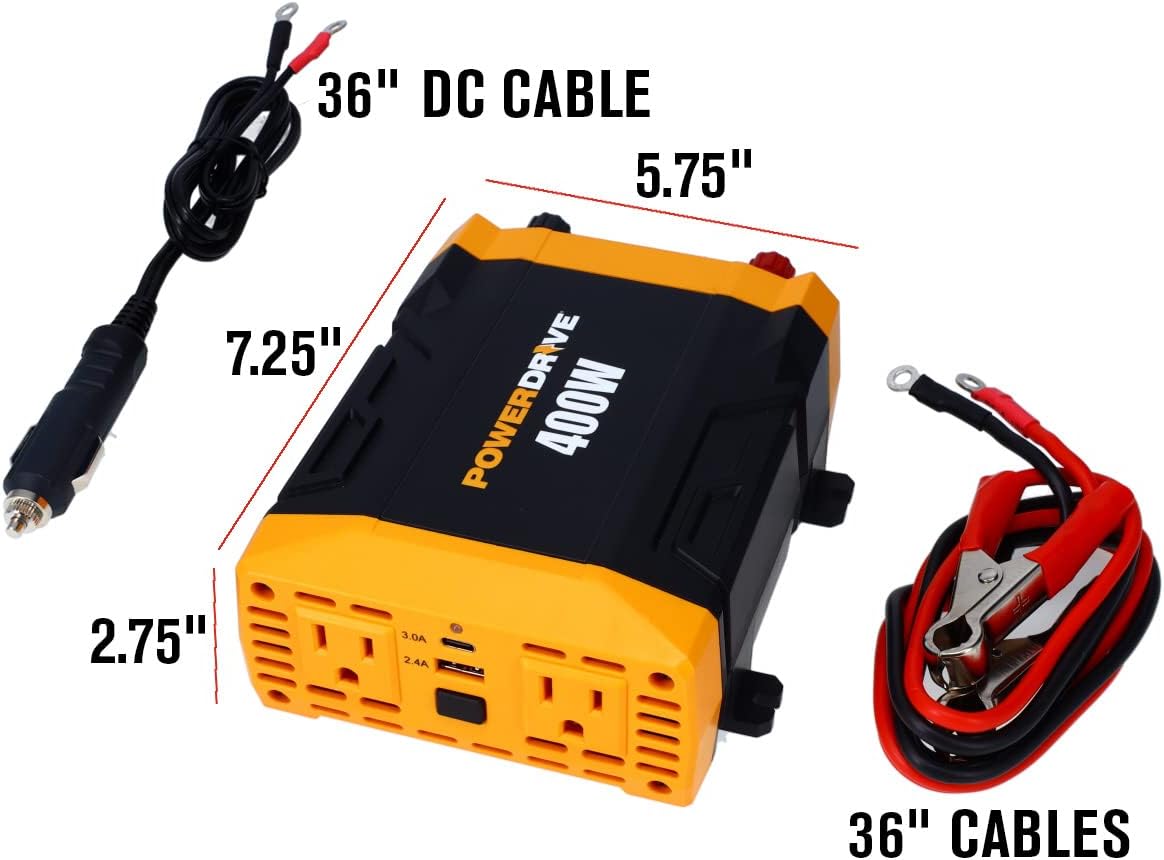
Image: The PowerDrive PWD400 inverter shown with its included 36-inch DC cable (cigarette lighter plug) and 36-inch battery clamp สายเคเบิล
การตั้งค่า
การเชื่อมต่อกับแหล่งพลังงาน 12V:
- Using the 12-volt plug (cigarette lighter adapter): Insert the 12-volt plug into your vehicle's cigarette lighter socket. Ensure a secure connection. This method is suitable for lower power applications.
- Using the 36-inch battery clamp สายเคเบิล: For higher power applications or direct battery connection, attach the red clamp to the positive (+) terminal of your 12V battery and the black clamp to the negative (-) terminal. Connect the other end of the cables to the corresponding terminals on the inverter. Ensure all connections are tight and secure.
สำคัญ: Always ensure your vehicle's engine is running when using the inverter for extended periods or with high-wattage devices to prevent draining the vehicle's battery.

Image: The PowerDrive PWD400 inverter connected to a 12V power source using the cigarette lighter plug.

Image: The PowerDrive PWD400 inverter connected to a battery using the included battery clamp สายเคเบิล
คำแนะนำการใช้งาน
- เปิดเครื่อง: After connecting the inverter to a 12V power source, press the power button on the inverter. The power indicator light should illuminate, indicating it is ready for use.
- การเชื่อมต่ออุปกรณ์ไฟฟ้ากระแสสลับ: Plug your AC devices (up to 400 watts continuous power) into the two 3-prong AC outlets. Ensure the total wattage of all connected devices does not exceed 400 watts.
- ชาร์จอุปกรณ์ USB: Connect your USB-powered devices to the 2.4A USB port or the 3.0A USB-C port. These ports are ideal for charging smartphones, tablets, and other compatible electronics.
- ปิดเครื่อง: When finished, disconnect all devices from the inverter, then press the power button to turn off the inverter. Finally, disconnect the inverter from the 12V power source.
ภาพ: รายละเอียด view of the PowerDrive PWD400's dual 3-prong AC outlets and the 2.4A USB and 3.0A USB-C ports.
การซ่อมบำรุง
- การทำความสะอาด: รักษาอินเวอร์เตอร์ให้สะอาด ปราศจากฝุ่นและสิ่งสกปรก ใช้ผ้าแห้งเนื้อนุ่มในการทำความสะอาด ห้ามใช้น้ำยาทำความสะอาด
- การเปลี่ยนฟิวส์: The PWD400 features removable ATC fuses for easy replacement. If the inverter stops functioning due to an overload or short circuit, check and replace the fuses as needed. Refer to the specifications for the correct fuse type and rating.
- พื้นที่จัดเก็บ: Store the inverter in a cool, dry place away from direct sunlight and moisture when not in use.
การแก้ไขปัญหา
The PowerDrive PWD400 is equipped with built-in protection features to ensure safe operation. If you encounter issues, consider the following:
- ไม่มีกำลังขับ:
- Ensure the inverter is securely connected to the 12V power source.
- Check if the vehicle's 12V socket or battery terminals are clean and free of corrosion.
- Verify that the power button on the inverter is pressed and the indicator light is on.
- Check the removable ATC fuses. Replace if blown.
- ระบบป้องกันการโอเวอร์โหลด:
- If the inverter shuts down, it may be due to an overload. Disconnect the devices, reduce the total wattage, and restart the inverter. The inverter protects against exceeding its 400-watt continuous power rating.
- การป้องกันอุณหภูมิเกิน:
- If the inverter becomes too hot, it will shut down to prevent damage. Allow it to cool down in a well-ventilated area before restarting. Ensure proper ventilation around the inverter during operation.
- การป้องกันไฟฟ้าลัดวงจร:
- The inverter is designed to protect against short circuits. If a short circuit occurs, the unit will shut down. Resolve the short circuit issue and restart the inverter.
ข้อมูลจำเพาะ
| คุณสมบัติ | ข้อมูลจำเพาะ |
|---|---|
| ชื่อรุ่น | พล.อ.400 |
| พลังงานต่อเนื่อง | 400 วัตต์ |
| อินพุต Voltage | กระแสตรง 12 โวลต์ |
| ปริมาณการส่งออกtage | กระแสสลับ 110 โวลต์ |
| AC Outlets AC | Two 3-prong outlets |
| พอร์ต USB | One Standard 2.4A USB, One 3.0A USB-C |
| รวมสายเคเบิล | 12-volt plug, 36-inch battery clamp สายเคเบิล |
| คุณสมบัติการป้องกัน | Short circuit, temperature, and overload protection |
| น้ำหนักสินค้า | 2.05 ปอนด์ |
| ขนาดสินค้า | 12 x 8 x 3 นิ้ว |
การรับประกันและการสนับสนุน
This PowerDrive PWD400 Power Inverter comes with a 1-year limited warranty. For technical support, troubleshooting assistance, or warranty claims, please refer to the contact information provided with your product packaging or visit the official PowerDrive webเว็บไซต์.
สำหรับข้อมูลและแหล่งข้อมูลเพิ่มเติม ท่านสามารถเยี่ยมชมได้ที่ PowerDrive Store on Amazon.
Ask a question about this manual
Ask about setup, troubleshooting, compatibility, parts, safety, or missing instructions. Manuals+ will review the question and use this page’s manual context to help answer it.