
1. สินค้าหมดview
The PTHTECHUS Kids Smart Watch is designed for children aged 4-12, offering a range of features including dual HD cameras, 24 educational puzzle games, an MP3 music player, video recording, a pedometer, alarm clock, and more. It features an HD touchscreen for easy navigation.

ภาพ: ด้านหน้า view of the PTHTECHUS Kids Smart Watch, highlighting its vibrant display and dual camera design.
2. เนื้อหาบรรจุภัณฑ์
- 1 x PTHTECHUS Kids Smart Watch
- 1 x สายชาร์จ
- 1 x คู่มือผู้ใช้
3. การตั้งค่าเริ่มต้น
3.1 การชาร์จนาฬิกา
Before first use, fully charge the smart watch. Connect the provided charging cable to the watch's USB charging port and plug the other end into a compatible USB power adapter (not included) or a computer's USB port. The charging indicator will appear on the screen.

ภาพ: รายละเอียด view of the watch's components, including the USB charging port located on the side.
3.2 การเปิด/ปิดเครื่อง
To power on the watch, press and hold the power button located on the side until the screen illuminates. To power off, press and hold the power button until the power-off option appears on the screen, then confirm.
3.3 การตั้งเวลาและวันที่
From the main screen, swipe to access the settings menu. Navigate to 'Time and Date' to adjust the current time, date, and time format (12-hour or 24-hour). Use the touchscreen to select and confirm your settings.
4. การใช้งานสมาร์ทวอทช์ของคุณ
4.1 การนำทางอินเทอร์เฟซ
The watch features an intuitive touchscreen interface. Swipe left or right on the home screen to browse through different watch faces. Swipe up or down to access the main application menu. Tap on an icon to open an application.

Image: The watch's home screen, showing the time and date, and illustrating the clear display.
4.2 Using the Dual Cameras
The watch is equipped with two HD cameras: one on the top for general photos and videos, and a selfie camera with fun stickers. To access the camera, tap the 'Camera' icon from the main menu. You can switch between cameras and apply various fun stickers before capturing moments.

Image: Highlighting the dual camera setup on the smart watch.

Image: Demonstrating the camera's ability to record happy moments and apply fun stickers.
4.3 การเล่นเกม
The watch includes 24 built-in educational puzzle games designed to train logic and reaction skills. Tap the 'Games' icon to view the list of available games. Select a game to start playing.

Image: A child engaged in playing one of the built-in games on the smart watch.
4.4 การเล่นเพลง
The smart watch functions as an MP3 music player. Music files (MP3 format) must be copied to the 'My Music' folder on the watch's memory card. Tap the 'Music' icon to access the player. You can play, pause, skip tracks, and adjust volume.
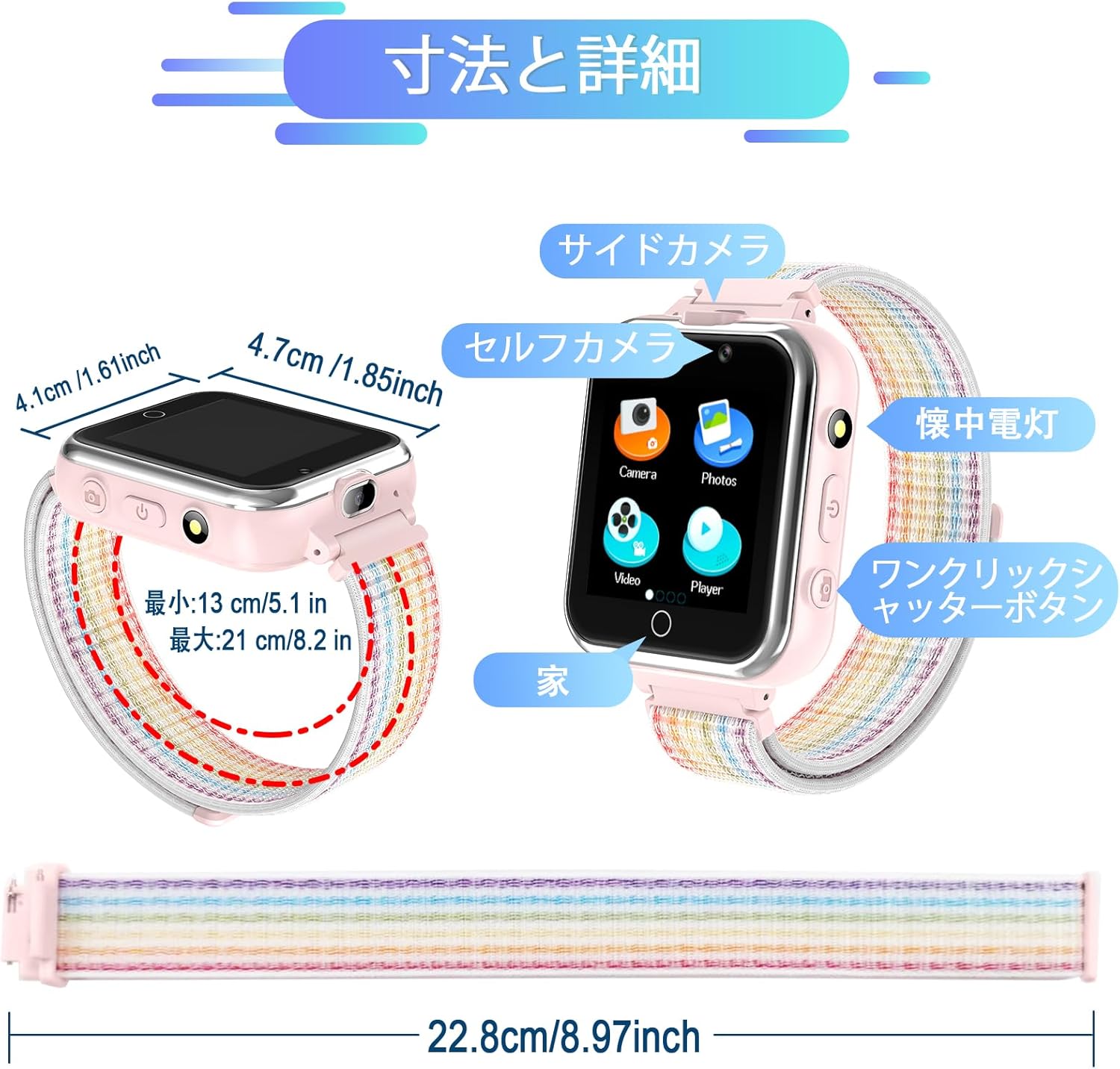
Image: The music player interface on the watch, showing playback controls.

Image: A child enjoying music playback through the smart watch.
4.5 ฟังก์ชันนับก้าว
The built-in pedometer tracks steps in real-time. Access the 'Pedometer' application to view your child's activity, including steps taken and calories burned.
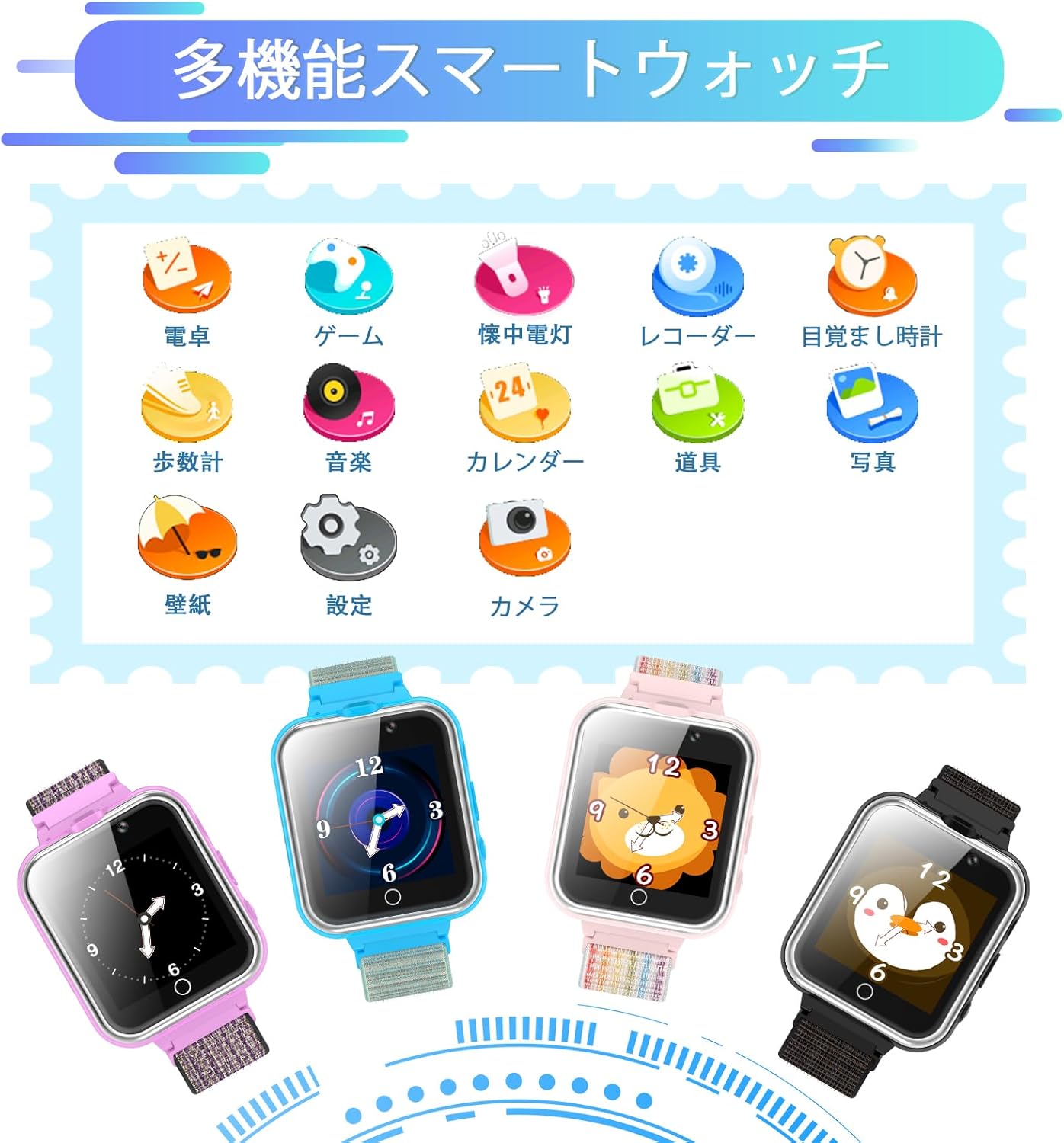
Image: The pedometer screen on the watch, showing activity metrics.

Image: A child utilizing the pedometer function during outdoor activity.
4.6 Alarm Clock and Other Tools
นาฬิกาเรือนนี้มีเครื่องมือที่มีประโยชน์หลายอย่าง:
- นาฬิกาปลุก: Set up to 3 alarms for reminders.
- เครื่องคิดเลข: ดำเนินการคำนวณทางคณิตศาสตร์พื้นฐาน
- ไฟฉาย: Activate a small light for convenience.
- ปฏิทิน: View the current date and month.
- เครื่องบันทึกเสียง: Record short audio notes.
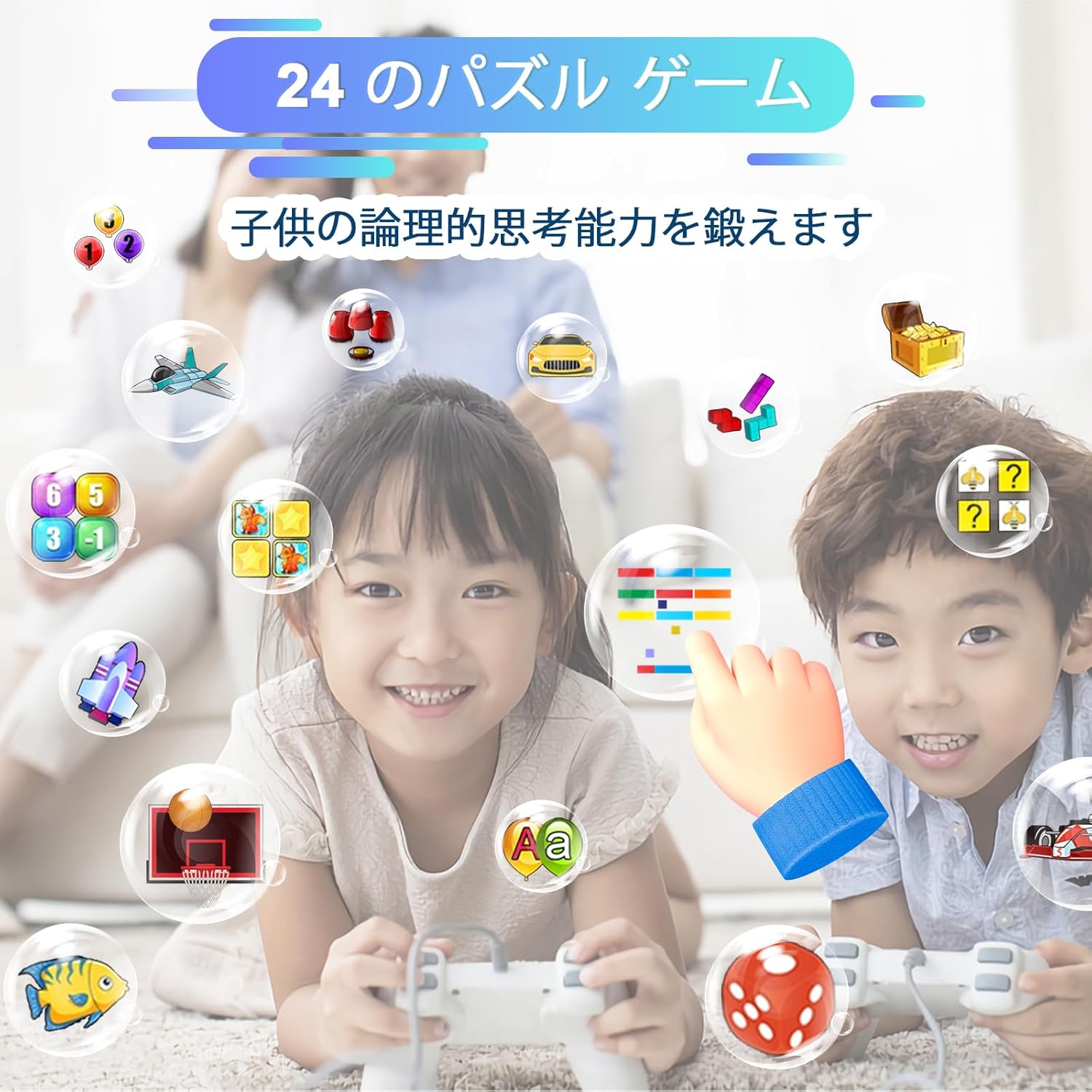
Image: A collection of utility icons on the watch screen, including calculator, alarm, and calendar.

Image: Illustrating the calculator and alarm clock features of the watch.
4.7 School Mode and Silent Profile
The watch includes a 'School Mode' and 'Silent Profile' to manage notifications and sounds during specific times. These can be configured in the settings menu to ensure the watch does not distract during school hours or quiet times.
4.8 Watch Operation Demonstration Video
Video: A comprehensive demonstration of the PTHTECHUS X32 Kids Smart Watch's various functions and operations, including navigation, camera, music, and tools.
5. การดูแลรักษา
- การทำความสะอาด: Wipe the watch with a soft, dry cloth. Avoid using harsh chemicals or abrasive cleaners.
- ความต้านทานน้ำ: The watch is not waterproof. Avoid exposing it to water, moisture, or extreme humidity.
- พื้นที่จัดเก็บ: ควรเก็บนาฬิกาไว้ในที่แห้งและเย็นเมื่อไม่ได้ใช้งาน
- แบตเตอรี่: เพื่อยืดอายุการใช้งานแบตเตอรี่ ควรหลีกเลี่ยงการปล่อยประจุแบตเตอรี่จนหมดบ่อยๆ ควรชาร์จแบตเตอรี่เป็นประจำ
6. การแก้ไขปัญหาทั่วไป
| ปัญหา | สารละลาย |
|---|---|
| นาฬิกาไม่เปิดใช้งาน | ตรวจสอบให้แน่ใจว่านาฬิกาชาร์จเต็มแล้ว กดปุ่มเปิด/ปิดค้างไว้หลายวินาที |
| หน้าจอไม่ตอบสนอง | รีสตาร์ทนาฬิกาโดยกดปุ่มเปิด/ปิดค้างไว้ หากนาฬิกาไม่ตอบสนอง ให้ปล่อยให้แบตเตอรี่หมดจนหมดแล้วจึงชาร์จใหม่ |
| ดนตรี fileเขาไม่ได้เล่นอยู่ | รับรองเสียงเพลง files are in MP3 format and copied to the 'My Music' folder on the memory card. |
| Camera not saving photos/videos. | Check if the memory card has sufficient storage space. |
7. ข้อมูลจำเพาะผลิตภัณฑ์
| คุณสมบัติ | รายละเอียด |
|---|---|
| ขนาดสินค้า | 8.66 x 1.18 x 0.39 นิ้ว |
| น้ำหนักสินค้า | 1.76 ออนซ์ (50 กรัม) |
| หมายเลขรุ่นสินค้า | x32GMW |
| แบตเตอรี่ | แบตเตอรี่ลิเธียมโพลิเมอร์ 1 ก้อน (รวมอยู่ด้วย) |
| ขนาดหน้าจอแสดงผล | 1.54 นิ้ว |
| ความจุของหน่วยความจำ | 500MB |
| คุณสมบัติพิเศษ | กล้อง |
| เทคโนโลยีการเชื่อมต่อ | ยูเอสบี |
| มาตรฐานการสื่อสารไร้สาย | บลูทูธ |
| จีพีเอส | ไม่มีจีพีเอส |
| ผู้ผลิต | พีทีเอชเทคทัส |
| ประเทศต้นกำเนิด | จีน |
8. ข้อมูลการรับประกัน
This product comes with a standard manufacturer's warranty. Please refer to the product packaging or contact the seller for specific warranty terms and conditions.
9. การสนับสนุนลูกค้า
For any questions, technical assistance, or support regarding your PTHTECHUS Kids Smart Watch, please contact the seller directly through the platform where the purchase was made. Provide your order details for faster service.