
1. บทนำ
This manual provides detailed instructions for the safe and effective operation of your Aputure LS 600D Professional 600W Daylight 5600K LED Video Light. Please read this manual thoroughly before use and retain it for future reference.
2. คำแนะนำด้านความปลอดภัย
- อย่ามองตรงไปยังแหล่งกำเนิดแสงเมื่อเปิดไฟอยู่
- Do not place the light near flammable liquids or gases.
- Ensure proper ventilation to prevent overheating. The unit uses natural heat dissipation.
- Use only the specified power cables and accessories.
- ควรเก็บอุปกรณ์ให้แห้ง อย่าให้โดนฝนหรือความชื้น
- Handle with care. The unit weighs 33 pounds. Ensure stable mounting.
3. เนื้อหาบรรจุภัณฑ์
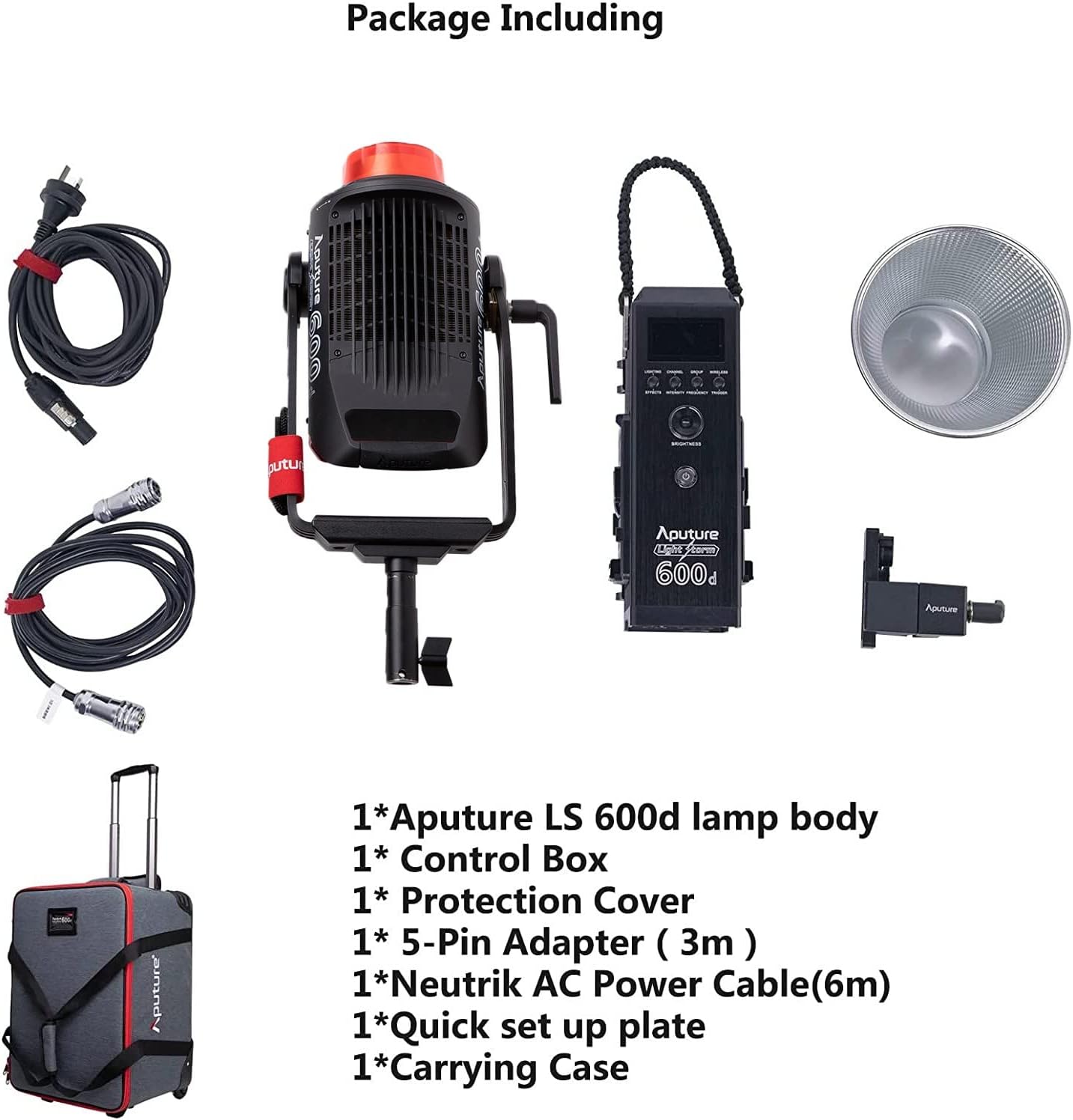
ตรวจสอบว่ารายการทั้งหมดที่ระบุไว้ด้านล่างนี้รวมอยู่ในแพ็คเกจของคุณ:
- Aputure LS 600d lamp ร่างกาย
- กล่องควบคุม
- ฝาครอบป้องกัน
- 5-Pin Adapter (3m)
- Neutrik AC Power Cable (6m)
- Quick set up plate
- กระเป๋าใส่อุปกรณ์
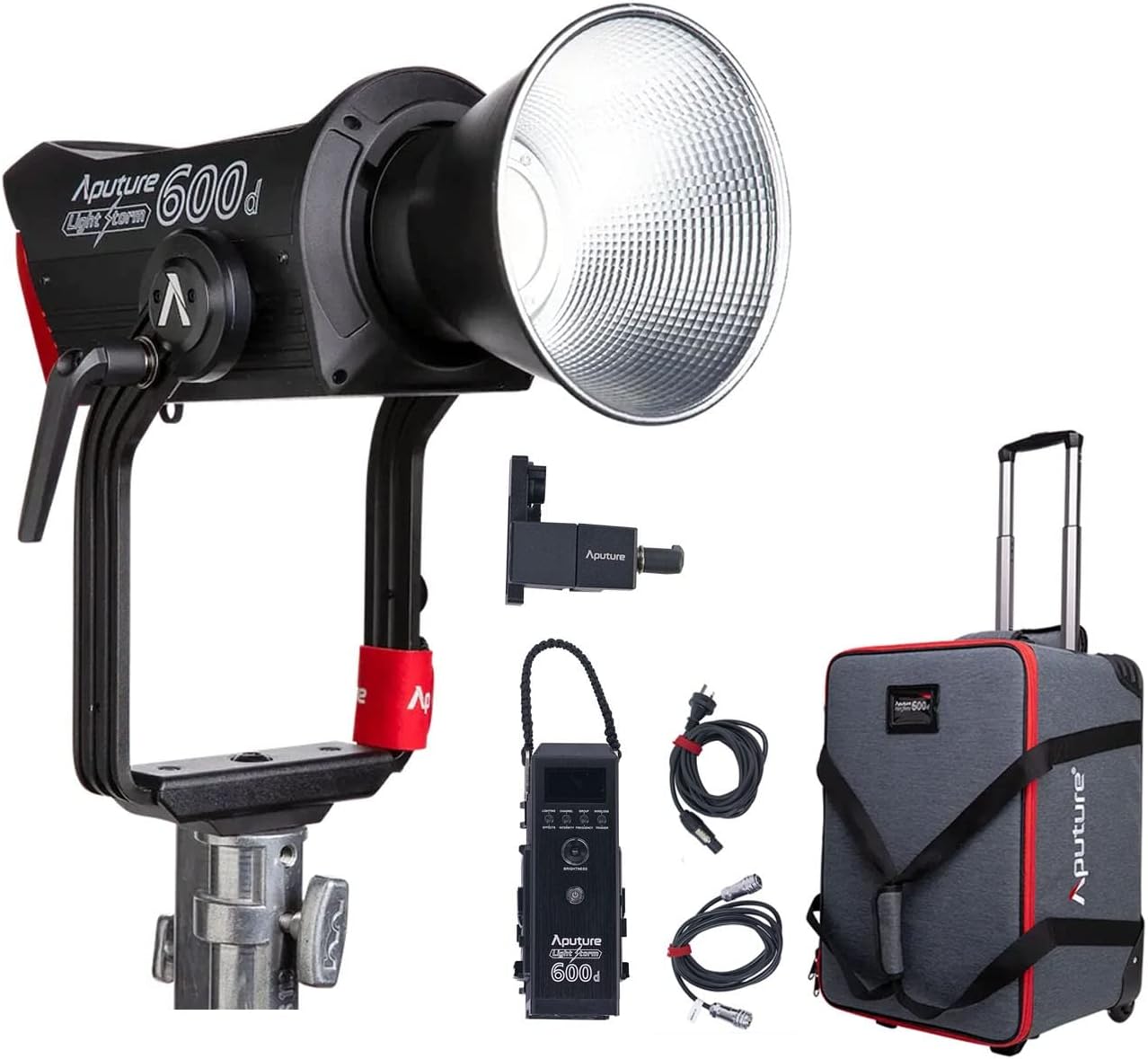
The image above displays the main light unit, control box, cables, reflector, and the wheeled carrying case.
4. สินค้าหมดview
The Aputure LS 600D is a high-output 600W COB LED light designed for professional video and photography. It features a daylight-balanced 5600K color temperature, high CRI/TLCI ratings, and multiple control methods.

คุณสมบัติที่สำคัญ ได้แก่:
- กำลังขับสูงสุด: ≤600วัตต์
- CCT: 5600K
- ศูนย์วิจัยกฤษณ์เคมี: ≥96
- TLCI: ≥96
- วิธีการทำความเย็น: การกระจายความร้อนแบบธรรมชาติ
- วิธีการควบคุม: Manual, Sidus Link APP, DMX512
- ช่วงการทำงานของบลูทูธ: ≤ 80m / 262.5ft
- Built-in Lighting FX: Paparazzi, Fireworks, Faulty Bulb, TV, Pulsing, Strobe, Explosion

5. การตั้งค่า
5.1 Assembling the Light Unit
- การติดตั้งLamp ร่างกาย: Attach the Aputure LS 600d lamp body to a sturdy light stand using its curved yoke and mounting bracket. Ensure it is securely tightened.
- การเชื่อมต่อกล่องควบคุม: Connect the control box to the lamp body using the provided 5-pin adapter cable.
- การเชื่อมต่อไฟฟ้า: Connect the Neutrik AC Power Cable to the control box and then to a suitable power outlet.
- Attaching the Hyper-Reflector: Align the Hyper-Reflector with the Bowens Mount on the front of the lamp body. Twist clockwise until it locks into place.
5.2 Using the Universal Bowens Mount
The LS 600D features a universal Bowens Mount, allowing compatibility with a wide range of light modifiers such as the F10 Fresnel for intense brightness or the Light Dome 150 for softer light.

To attach a Bowens mount accessory, align the accessory's mount with the light's mount, insert, and twist until it clicks securely.
6. คู่มือการใช้งาน
6.1 การควบคุมด้วยตนเอง
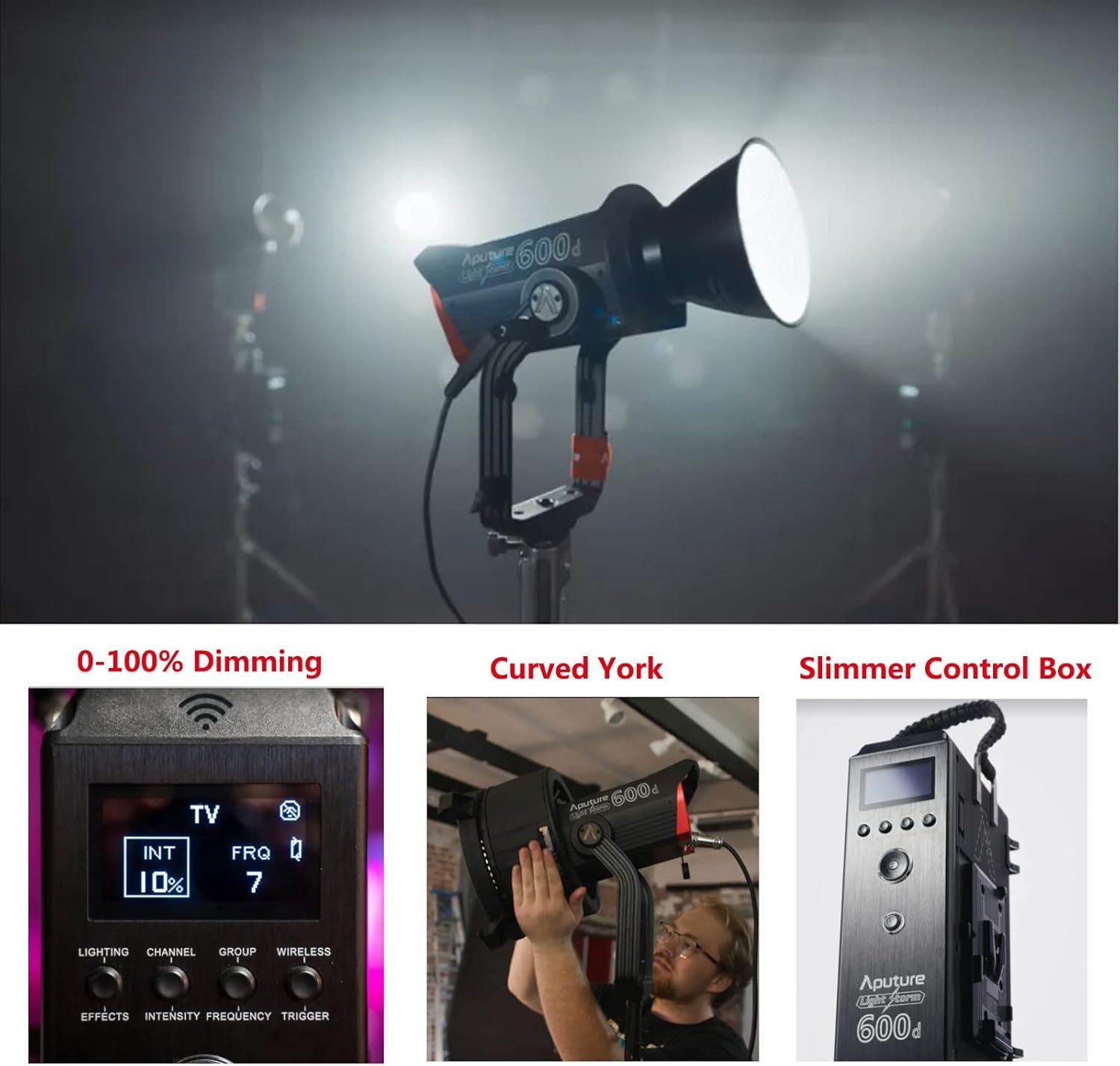
The control box allows for direct adjustment of light intensity, color temperature, and special effects.
- ปุ่มเปิด/ปิด: กดเพื่อเปิด/ปิดเครื่อง
- Brightness Dial: Rotate to adjust light intensity from 0-100%.
- หน้าปัด CCT: Adjusts the color temperature (fixed at 5600K for this model).
- Effects Button: Cycle through 8 built-in lighting effects (Paparazzi, Fireworks, Faulty Bulb, TV, Pulsing, Strobe, Explosion).
6.2 Sidus Link App Control
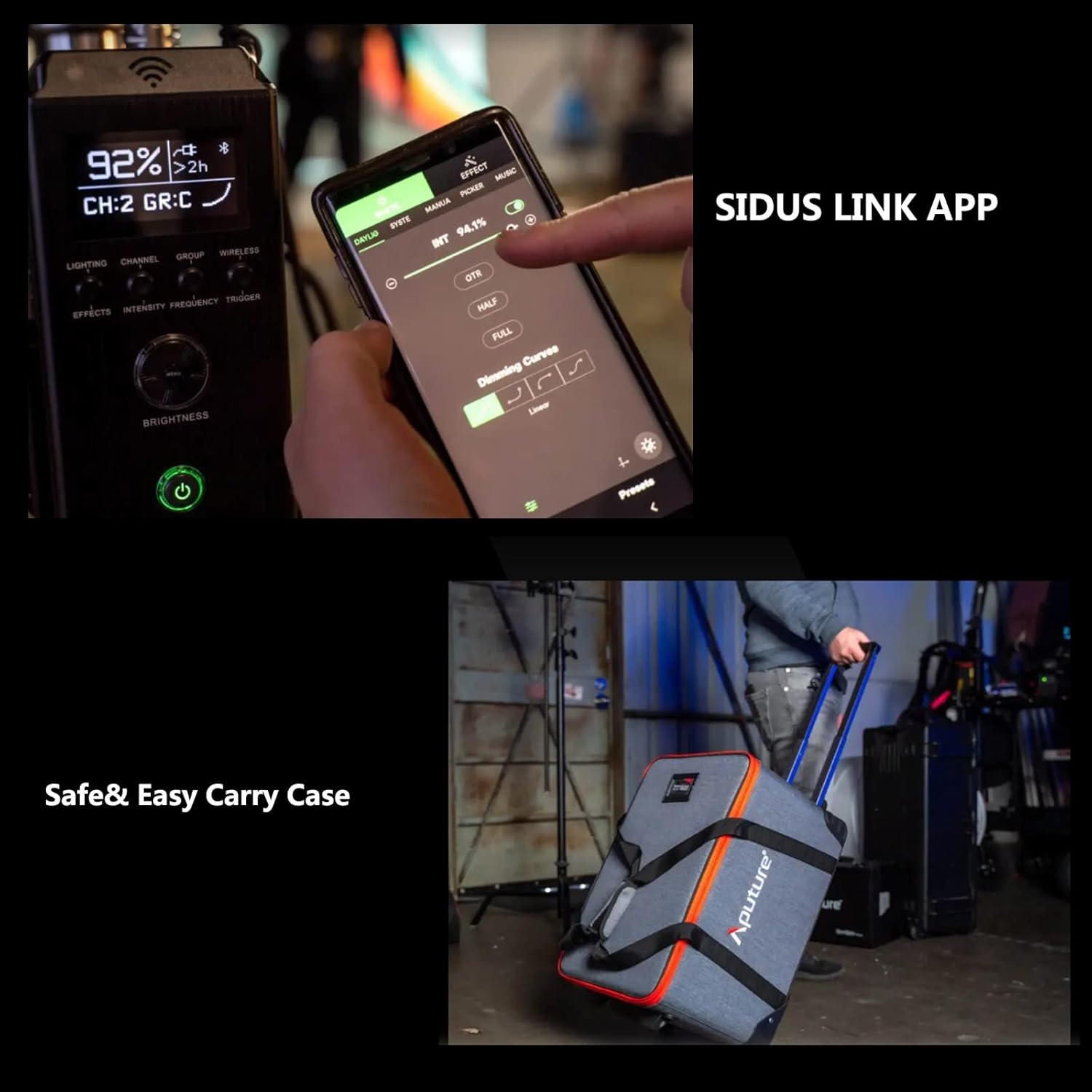
For advanced control and remote operation, download the Sidus Link App on your smartphone or tablet. The light supports Bluetooth control up to 80m (262.5ft).

The app allows for precise adjustments, custom effects, and multi-light control.
7. การบำรุงรักษา
- การทำความสะอาด: Use a soft, dry cloth to clean the light body and accessories. Do not use abrasive cleaners or solvents.
- พื้นที่จัดเก็บ: Store the light and its accessories in the provided carrying case in a cool, dry place when not in use.
- การตรวจสอบ: Regularly inspect cables and connections for any signs of damage.
8 การแก้ไขปัญหา
| ปัญหา | สาเหตุที่เป็นไปได้ | สารละลาย |
|---|---|---|
| ไฟไม่เปิด | ไม่มีไฟ การเชื่อมต่อหลวม | Check power cable, ensure secure connections. |
| แอปไม่สามารถเชื่อมต่อกับไฟได้ | Bluetooth off, out of range, app issue. | Ensure Bluetooth is enabled, move closer to the light, restart app/light. |
| ไฟกะพริบ | Unstable power, faulty cable. | Try a different power outlet, replace power cable. |
9. ข้อมูลจำเพาะ
| คุณสมบัติ | รายละเอียด |
|---|---|
| ขนาดสินค้า | ยาว 16.25 นิ้ว x กว้าง 9.59 นิ้ว x สูง 16.25 นิ้ว |
| น้ำหนักสินค้า | 33 ปอนด์ |
| หมายเลขรุ่นสินค้า | FP-AP-10056 |
| เทคโนโลยีการเชื่อมต่อ | บลูทูธ |
| ผู้ผลิต | อพูเจอร์ |
| วันที่พร้อมใช้งานครั้งแรก | 11 เมษายน 2022 |

10. การรับประกันและการสนับสนุน
สำหรับข้อมูลการรับประกันและการสนับสนุนทางเทคนิค โปรดดูที่เว็บไซต์อย่างเป็นทางการของ Aputure website or contact your local distributor. Protection plans are available for extended coverage.
เยี่ยมชม Aputure Store สำหรับผลิตภัณฑ์และทรัพยากรสนับสนุนเพิ่มเติม