
1. ข้อมูลด้านความปลอดภัย
โปรดอ่านและทำความเข้าใจคำแนะนำด้านความปลอดภัยทั้งหมดก่อนใช้ผลิตภัณฑ์นี้ การไม่ปฏิบัติตามคำแนะนำเหล่านี้อาจส่งผลให้เกิดไฟฟ้าช็อต ไฟไหม้ หรือบาดเจ็บสาหัสได้
- สำหรับใช้ภายในอาคารเท่านั้น: This surge protector is designed for indoor use in dry locations. Do not use it outdoors or in wet environments.
- หลีกเลี่ยงการโอเวอร์โหลด: Do not exceed the electrical ratings of 15A, 125V, or 1875W. Overloading can cause overheating and fire.
- ช่องต่อสายดิน: Only plug the surge protector into a properly grounded 3-prong wall outlet.
- เด็กและสัตว์เลี้ยง: เก็บให้พ้นจากมือเด็กและสัตว์เลี้ยง
- การตรวจสอบ: Regularly inspect the surge protector for any damage. Do not use if damaged.

2. สินค้าหมดview
The BN-LINK BNC-60/U168 is a versatile wall outlet extender designed to expand your power options while providing surge protection for your electronic devices. It features a compact design that plugs directly into a standard wall outlet, converting it into multiple power sources.

คุณสมบัติหลัก:
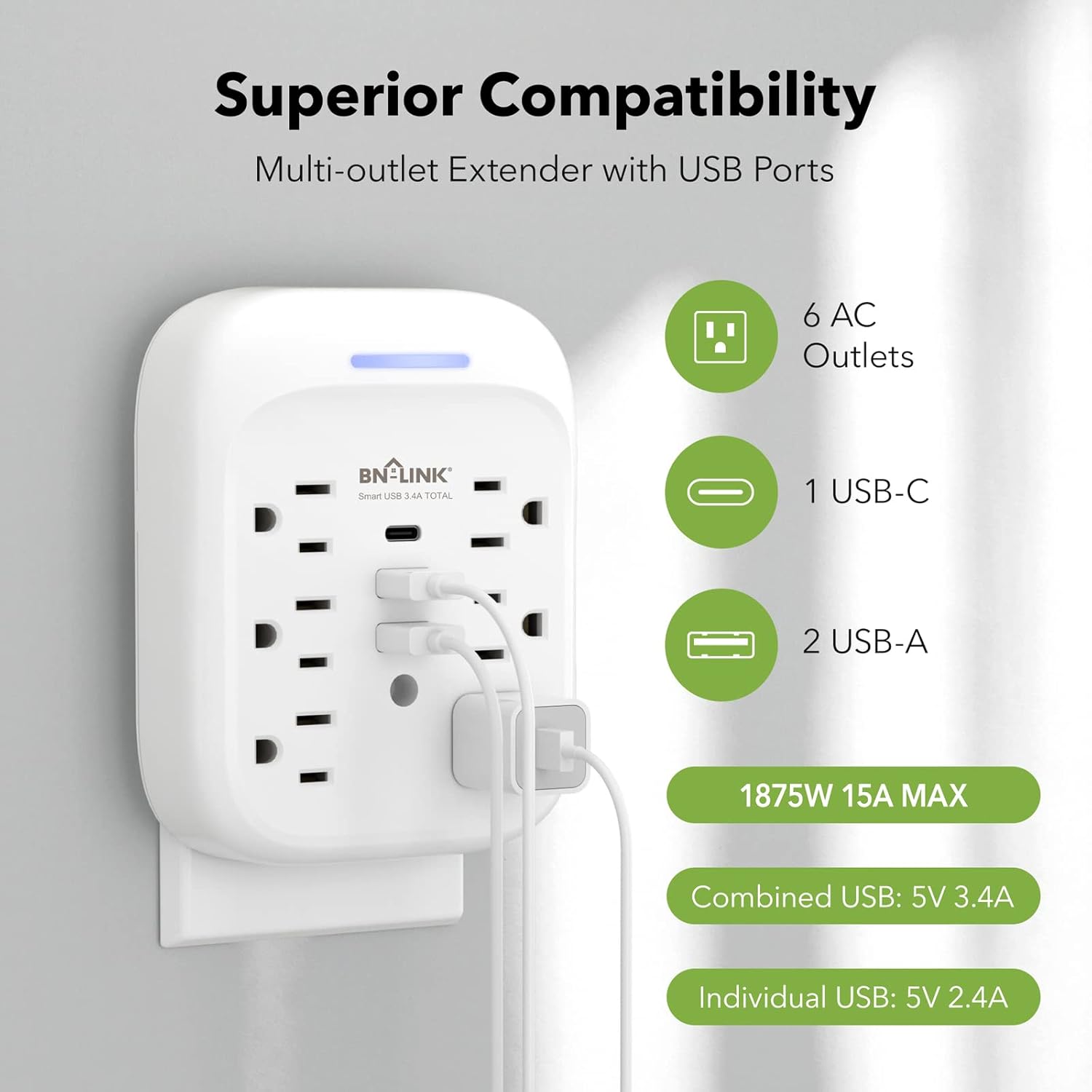
- โซลูชันด้านพลังงาน 9-in-1: Provides 6 AC outlets (15A/125V/1875W) and 3 USB ports (1 USB-C, 2 USB-A) for a total of 9 charging options.
- การป้องกันไฟกระชากขั้นสูง: Equipped with an 1800 Joule surge protection rating to safeguard your electronics from voltage spikes. Built-in safeguards protect against over-current, over-charging, and over-heating.
- การชาร์จ USB: Includes one USB-C port (up to 5V/3.4A total) and two USB-A ports (up to 5V/2.4A per port), with a combined total USB output of 5V/3.4A.
- Stable Wall-Mounted Design: Features a stable design with a mounting screw to securely fasten it to the wall outlet, preventing accidental dislodgement. A cuttable stabilizing post is also included for compatibility with various outlet types.
- Grounded Indicator: A blue indicator light confirms that your devices are grounded and protected.

3. การติดตั้ง
Follow these steps to properly install your BN-LINK Surge Protector:
- เตรียมทางออก: Ensure the wall outlet is a standard 3-prong grounded outlet. If your existing wall plate has a screw in the center, remove it using a screwdriver.
- เสียบปลั๊ก: Carefully align the prongs of the surge protector with the wall outlet and push firmly until it is fully seated.
- ยึดให้แน่นด้วยสกรู: Insert the provided mounting screw into the center hole of the surge protector and tighten it to secure the unit to the wall plate. This enhances stability and prevents the unit from pulling out.
- ตรวจสอบตัวบ่งชี้: Once plugged in and powered, the blue indicator light on the top of the unit will illuminate, confirming that the product is on and your devices are protected.

4. การดำเนินการ
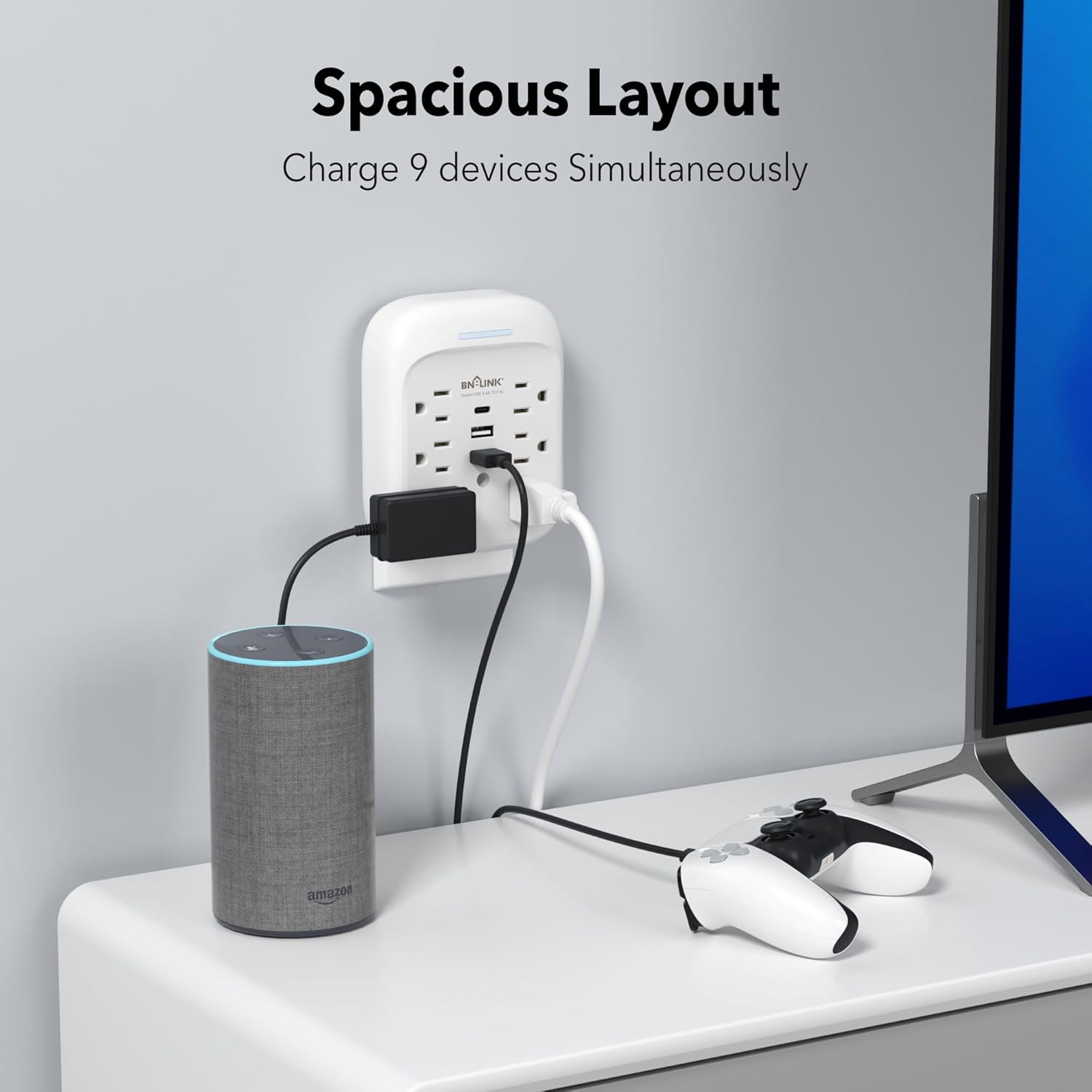
Once installed, the surge protector is ready for use. Simply plug your devices into the available AC outlets and USB ports.
- เต้ารับไฟฟ้ากระแสสลับ: Use the 6 AC outlets for standard electronic devices such as laptops, lamps, and small appliances. Ensure the total wattagอี ไม่เกิน 1875W.
- พอร์ต USB: Utilize the 1 USB-C and 2 USB-A ports for charging smartphones, tablets, smartwatches, and other USB-powered devices. The USB-C port provides up to 5V/3.4A, and each USB-A port provides up to 5V/2.4A, with a total combined USB output of 5V/3.4A.
- ประสิทธิภาพการชาร์จ: The smart USB ports automatically detect your device to deliver optimal charging speed.

5. การบำรุงรักษา
To ensure the longevity and safe operation of your surge protector, follow these maintenance guidelines:
- การทำความสะอาด: ถอดปลั๊กเครื่องออกจากเต้ารับก่อนทำความสะอาด ใช้ผ้าแห้งและนุ่มเช็ดทำความสะอาดภายนอก ห้ามใช้น้ำยาทำความสะอาดหรือวัสดุที่มีฤทธิ์กัดกร่อน
- พื้นที่จัดเก็บ: When not in use for extended periods, store the surge protector in a cool, dry place away from direct sunlight and moisture.
- หลีกเลี่ยงความเสียหาย: Do not drop, disassemble, or attempt to repair the unit yourself. This can void the warranty and pose safety risks.
6 การแก้ไขปัญหา
If you encounter issues with your BN-LINK Surge Protector, refer to the following common problems and solutions:
- No Power/Blue Indicator Off:
- Ensure the surge protector is firmly plugged into a working, grounded wall outlet.
- Check if the wall outlet itself is functioning by plugging in another device.
- If the blue indicator light remains off, the surge protection may have been compromised due to a significant power surge. The unit may still function as an outlet extender but without surge protection. Replace the unit if surge protection is desired. - อุปกรณ์ไม่ชาร์จ:
- Verify that the device's charging cable is properly connected to both the device and the surge protector's USB port or AC outlet.
- Try a different USB port or AC outlet on the unit.
- Test the device and cable with a different power source to rule out issues with the device or cable. - ความร้อนสูงเกินไป:
- Disconnect all devices immediately. The unit may be overloaded. Reduce the number of connected devices or their combined power draw.
- Ensure adequate ventilation around the unit.
หากปัญหายังคงอยู่ โปรดติดต่อฝ่ายสนับสนุนลูกค้าเพื่อขอความช่วยเหลือ
7. ข้อมูลจำเพาะ
| คุณสมบัติ | ข้อมูลจำเพาะ |
|---|---|
| ยี่ห้อ | บีเอ็น-ลิงค์ |
| แบบอย่าง | บีเอ็นซี-60/ยู168 |
| ระดับไฟฟ้า | 125VAC/60Hz, 15A, 1875W |
| ระดับพลังงานไฟกระชาก | 1800 จูล |
| เต้ารับไฟฟ้ากระแสสลับทั้งหมด | 6 |
| เอาท์พุต USB-C | 5V/3.4A (Total) |
| เอาต์พุต USB-A | 5V/2.4A (Max Per Port) |
| เอาต์พุต USB ทั้งหมด | 5V/3.4A |
| วัสดุ | โพลีคาร์บอเนต (พีซี) |
| ประเภทปลั๊กไฟ | แบบ B - 3 ขา (แบบอเมริกาเหนือ) |
| น้ำหนักสินค้า | 0.55 ปอนด์ |
| สี | สีขาว |

8. การรับประกันและการสนับสนุน
BN-LINK stands behind the quality of its products. This surge protector comes with a รับประกัน 15 เดือน ตั้งแต่วันที่ซื้อสินค้า
For technical assistance, troubleshooting, or any questions regarding your product, please contact BN-LINK customer support. Our team is available 24/7 to provide friendly and helpful service.
ข้อมูลติดต่อ: Please refer to the product packaging or the official BN-LINK webเว็บไซต์สำหรับรายละเอียดการติดต่อล่าสุด