
Sonodyne ALAAP
คู่มือผู้ใช้ลำโพงบลูทูธไร้สาย Sonodyne Alaap 80W
Model: ALAAP
1. บทนำ
Thank you for choosing the Sonodyne Alaap 80W Wireless Bluetooth Speaker. This manual provides essential information for setting up, operating, and maintaining your speaker to ensure optimal performance and longevity. Please read this manual thoroughly before using the product.
2. ข้อมูลด้านความปลอดภัย
โปรดปฏิบัติตามข้อควรระวังด้านความปลอดภัยต่อไปนี้เพื่อป้องกันความเสียหายต่อตัวเครื่องและเพื่อความปลอดภัยของผู้ใช้งาน:
- อย่าให้ลำโพงโดนน้ำ ความชื้น หรืออุณหภูมิที่สูงหรือต่ำเกินไป
- ตรวจสอบให้แน่ใจว่ามีการระบายอากาศที่เหมาะสม อย่าปิดกั้นช่องระบายอากาศใดๆ
- ใช้สายไฟที่ให้มากับตัวเครื่องเท่านั้น
- อย่าพยายามเปิดหรือซ่อมบำรุงเครื่องด้วยตัวเอง แนะนำให้ช่างผู้ชำนาญการเป็นผู้ดำเนินการซ่อมบำรุงทั้งหมด
- Keep the speaker away from heat sources such as radiators, heat registers, stoves, or other apparatus that produce heat.
- ทำความสะอาดด้วยผ้าแห้งเท่านั้น
3. เนื้อหาบรรจุภัณฑ์
ตรวจสอบว่ามีรายการทั้งหมดอยู่ในแพ็คเกจ:
- Sonodyne Alaap Speaker
- สายไฟ
- รีโมทคอนโทรล
- คู่มือการใช้งาน (เอกสารนี้)
4. สินค้าหมดview
The Sonodyne Alaap is an 80W wireless Bluetooth speaker designed for high-fidelity audio. It features a rigid wooden cabinet, Class D amplifiers, and multiple input options for versatile use.

Image: Sonodyne Alaap speaker in black, showcasing its design from an angled front view.
คุณสมบัติหลัก:
- Wide Stereo Sound-stage: Critical integration of transducer, enclosure, crossover, and DSP for high fidelity stereophonic sound.
- Highly Rigid Wooden Cabinet: A handmade enclosure designed to minimize cabinet vibration and enhance audio clarity.
- Class D High Power Ampเครื่องฟอก: Efficient design providing clarity and loudness.
- Glass-fiber Cone Woofer: Delivers deep bass and clear low-mids.
- Polycone Tweeters: Completes the sonic range with sparkling highs.
- Built-in Limiter: Ensures clear, distortion-less sound for extended listening.
- โหมดดูเอ็ท: Allows pairing of two Alaap speakers for an enhanced stereo experience.
- ตัวเลือกการเชื่อมต่อที่หลากหลาย: Bluetooth, USB Audio, Optical, and Analog stereo input.
- การชาร์จสมาร์ทโฟน: Integrated USB port for charging compatible devices.
- Full-featured Infra-red Remote Control: เพื่อการใช้งานที่สะดวกสบาย

Image: Diagram highlighting key acoustic features: wide stereo soundstage, rigid wooden cabinet, and precision drivers.

Image: Diagram illustrating Duet Mode functionality, Class D high power amplifier technology, and the built-in limiter.
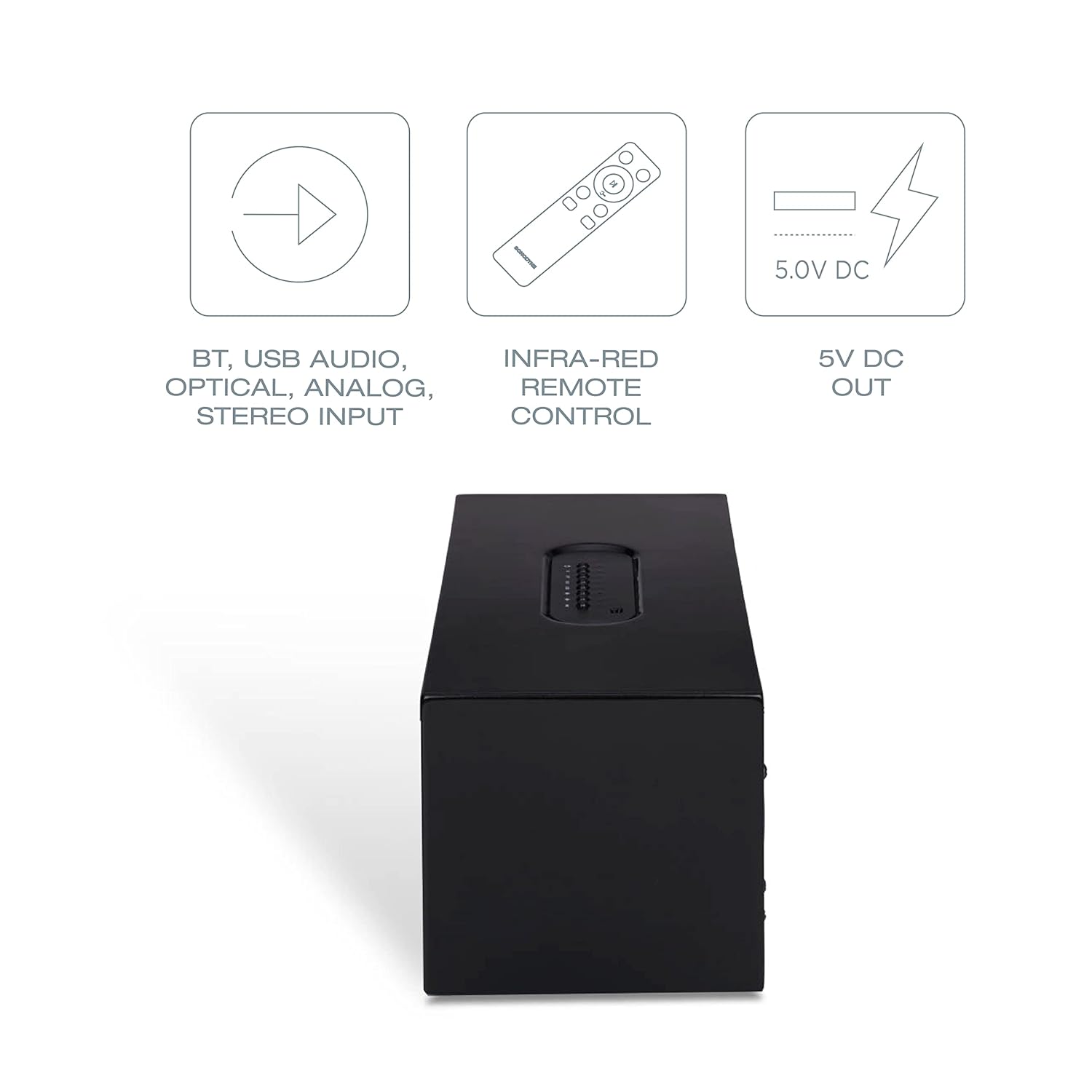
Image: Diagram showing various connectivity options: Bluetooth, USB Audio, Optical, Analog Stereo Input, along with the infra-red remote control and 5V DC output.
5. การควบคุมและการเชื่อมต่อ
Familiarize yourself with the physical controls and connection ports on your Sonodyne Alaap speaker.
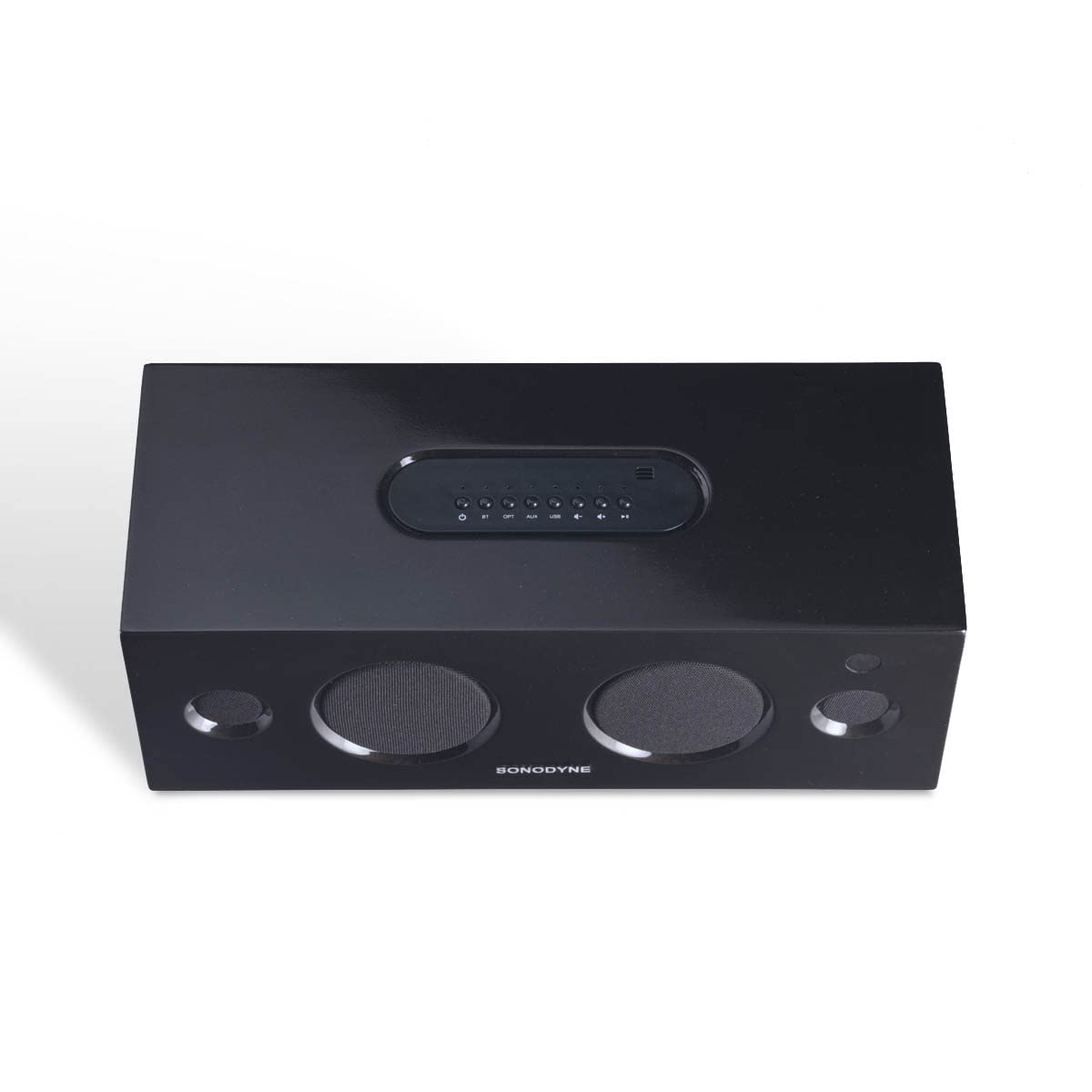
ภาพ: ด้านบน view of the Sonodyne Alaap speaker, highlighting the integrated control panel.

Image: Close-up of the top panel controls, including power, volume, and input selection buttons.

Image: Close-up of the rear panel, showing the power input, USB ports, optical input, and auxiliary input.

Image: The included infra-red remote control for convenient operation of the speaker.
6. การตั้งค่า
6.1. การเชื่อมต่อไฟฟ้า
- วางลำโพงบนพื้นผิวที่มั่นคงและเรียบ
- Connect the supplied power cord to the AC input on the rear of the speaker.
- เสียบปลายอีกด้านของสายไฟเข้ากับเต้ารับไฟฟ้ากระแสสลับ 230 โวลต์มาตรฐาน
6.2. เปิดเครื่องครั้งแรก
- Press the power button on the top panel of the speaker or on the remote control.
- The indicator light will illuminate, indicating the speaker is powered on.
7. คู่มือการใช้งาน
7.1. การจับคู่บลูทู ธ
- เปิดลำโพง
- Press the 'BT' button on the top panel or remote control to select Bluetooth input. The Bluetooth indicator will flash.
- Enable Bluetooth on your device (smartphone, tablet, etc.) and search for 'Sonodyne Alaap'.
- Select 'Sonodyne Alaap' from the list of available devices to pair. Once paired, the Bluetooth indicator will stop flashing and remain solid.
7.2. Duet Mode (Pairing Two Speakers)
To create a wider stereo soundstage, you can pair two Sonodyne Alaap speakers together:
- Ensure both Alaap speakers are powered on and not currently paired with any device.
- On one speaker (this will be the master), press and hold the 'Duet' button (if available, or refer to specific button combination in your quick start guide) until an audible prompt is heard.
- ทำซ้ำขั้นตอนเดียวกันกับลำโพงตัวที่สอง
- The speakers will attempt to connect to each other. Once connected, an audible confirmation will be heard, and their indicators will change.
- Now, pair your device to the master speaker via Bluetooth as described in Section 7.1. Audio will play through both speakers in stereo.
7.3. USB Audio Playback
- Connect a USB storage device containing audio files to one of the USB ports on the rear of the speaker.
- Press the 'USB' button on the top panel or remote control to select USB input.
- Use the playback controls (play/pause, next/previous track) on the speaker or remote to manage audio playback.
7.4. อินพุตออปติคัล
- Connect an optical cable from your audio source (e.g., TV, game console) to the 'OPTICAL' input on the rear of the speaker.
- Press the 'OPT' button on the top panel or remote control to select Optical input.
7.5. Analog Input (Aux)
- Connect a 3.5mm audio cable from your audio source to the 'AUX' input on the rear of the speaker.
- Press the 'AUX' button on the top panel or remote control to select Analog input.
7.6. การใช้รีโมทคอนโทรล
The included remote control allows for convenient operation from a distance. Functions include:
- เปิด/ปิดเครื่อง
- เพิ่ม/ลดระดับเสียง
- Input Selection (BT, USB, OPT, AUX)
- ปิดเสียง
- Playback Controls (Play/Pause, Next/Previous for USB/Bluetooth)
7.7. Smartphone Charging
The USB ports on the rear of the speaker can be used to charge compatible smartphones or other USB-powered devices. Simply connect your device's charging cable to the USB port.
8. การบำรุงรักษา
To maintain the appearance and performance of your Sonodyne Alaap speaker:
- การทำความสะอาด: Wipe the cabinet with a soft, dry cloth. Do not use liquid cleaners or abrasive materials.
- การจัดวาง: Avoid placing the speaker in direct sunlight or near heat sources. Ensure adequate airflow around the unit.
- พื้นที่จัดเก็บ: If storing the speaker for an extended period, disconnect it from power and store it in a cool, dry place.
9 การแก้ไขปัญหา
หากคุณพบปัญหาเกี่ยวกับลำโพงของคุณ โปรดดูปัญหาทั่วไปและวิธีแก้ไขต่อไปนี้:
| ปัญหา | สาเหตุที่เป็นไปได้ | สารละลาย |
|---|---|---|
| ไม่มีไฟฟ้า | ไม่ได้เสียบสายไฟ ปลั๊กไฟไม่ทำงาน | Ensure power cord is securely connected and the outlet is functional. |
| ไม่มีเสียง | Incorrect input selected; volume too low; source device issue. | Select the correct input source. Increase volume. Check audio output on source device. |
| การจับคู่บลูทูธล้มเหลว | ลำโพงไม่ได้อยู่ในโหมดจับคู่ อุปกรณ์อยู่ไกลเกินไป มีสัญญาณรบกวน | Ensure speaker is in Bluetooth pairing mode. Move device closer. Restart both speaker and device. |
| รีโมตคอนโทรลไม่ทำงาน | แบตเตอรี่หมด; มีสิ่งกีดขวาง; รีโมทอยู่นอกระยะ | Replace remote batteries. Remove obstructions. Ensure remote is within operating range and pointed at the speaker. |
| Duet Mode not connecting | ขั้นตอนการจับคู่ไม่ถูกต้อง ลำโพงอยู่ห่างกันเกินไป | Follow Duet Mode pairing instructions carefully. Ensure speakers are within close proximity. |
10. ข้อมูลจำเพาะ
Detailed technical specifications for the Sonodyne Alaap speaker:

Image: Dimensions of the Sonodyne Alaap speaker: 12.7 cm (Depth) x 35.7 cm (Width) x 14.4 cm (Height).
- ชื่อรุ่น : ALAAP
- วัสดุ: ไม้จริง
- ประเภทลำโพง: เฝ้าสังเกต
- Amplifier ประเภท: คลาส ดี
- ลำโพงกำลังขับสูงสุด: 80 วัตต์
- อัตราส่วนสัญญาณต่อเสียงรบกวน: 90 เดซิเบล
- เส้นผ่านศูนย์กลางวูฟเฟอร์: 3 นิ้ว
- เส้นผ่านศูนย์กลางทวีตเตอร์: 0.5 นิ้ว
- การกำหนดค่าช่องสัญญาณเสียงรอบทิศทาง: 2
- เทคโนโลยีการเชื่อมต่อ: บลูทูธ
- เทคโนโลยีการสื่อสารไร้สาย: บลูทูธ
- ช่องเสียบสัญญาณเสียงที่รองรับ: Auxiliary, USB, Optical, Bluetooth
- อุปกรณ์ที่รองรับ: สมาร์ทโฟน, แท็บเล็ต, โทรทัศน์
- วิธีการควบคุม: ระยะไกล
- แหล่งพลังงาน: Mains 230V AC
- ขนาดสินค้า (ลึก x กว้าง x สูง): 12.7 x 35.7 x 14.4 เซนติเมตร
- น้ำหนักสินค้า: 3.9 กิโลกรัม
- พอร์ต USB ทั้งหมด: 2
- กันน้ำได้: เลขที่
11. การรับประกันและการสนับสนุน
Your Sonodyne Alaap speaker comes with a รับประกัน 2 ปี. For warranty claims or technical support, please contact Sonodyne customer service.
ผู้ผลิต: Sonodyne Technologies Pvt. Ltd., 98 NB Block E New Alipore, Kolkata 700053
หากต้องการความช่วยเหลือเพิ่มเติม ท่านสามารถเยี่ยมชมเว็บไซต์อย่างเป็นทางการได้ Sonodyne Store on Amazon.
Ask a question about this manual
Ask about setup, troubleshooting, compatibility, parts, safety, or missing instructions. Manuals+ will review the question and use this page’s manual context to help answer it.