
การแนะนำ
This manual provides essential information for the setup, operation, and maintenance of your Positive Grid Spark Pearl 40-Watt Smart Guitar Amplifier. Please read this manual thoroughly to ensure proper use and to maximize your experience with the product. The Spark Pearl is a versatile practice amplifier designed for electric, bass, and acoustic guitars, featuring smart technology and integration with the Spark mobile application.
มีอะไรอยู่ในกล่อง
เมื่อแกะกล่องโปรดตรวจสอบว่ามีรายการทั้งหมดดังต่อไปนี้:
- สปาร์ค GO Ampชีวิต
- Removable Protective Sleeve
- Reversible Duo-Tone Strap
- สาย USB-C
- Woven Grille
- Hardshell Grille
- คู่มือเริ่มต้นอย่างรวดเร็ว
สินค้าเกินview
The Spark Pearl amplifier combines a compact design with powerful features, including a 40-watt output and smart app integration.

Image: The Spark Pearl amplifier shown with a smartphone connected to its mobile application.
แผงด้านหน้า

ภาพ: ด้านหน้า view of the Spark Pearl amplifier, highlighting its speaker grille and branding.
Top Panel Controls and Connections

Image: Close-up of the Spark Pearl's top panel, detailing the controls for gain, EQ, effects, volume, and input jacks.
The top panel features controls for amplifier settings and input/output connections:
- ปุ่มเปิด/ปิด: เปลี่ยนเป็น amplifier เปิดหรือปิด
- Amp ตัวเลือกประเภท: Rotary switch to select different amplifier models (Acoustic, Bass, Clean, Glassy, Crunch, Hi-Gain, Metal).
- ได้รับลูกบิด: Adjusts the input gain for your instrument.
- Bass, Mid, Treble Knobs: อีควอไลเซอร์สามแบนด์สำหรับปรับแต่งโทนเสียง
- ปุ่มปรับระดับเสียงหลัก: ควบคุมปริมาณการส่งออกโดยรวมของ ampชีวิต.
- Modulation, Delay, Reverb Knobs: Adjusts the intensity of built-in effects.
- ปุ่มควบคุมเอาต์พุต: Controls the output level to headphones or recording devices.
- Input Jack (6.35mm): Connect your instrument cable here.
- ปุ่มปรับระดับเสียงดนตรี: Controls the volume of Bluetooth audio or auxiliary input.
- แจ็คหูฟัง: สำหรับคลินิกส่วนตัว
- Tap/Tuner Button: Tap to set delay time, hold to activate tuner.
- Save Preset Buttons (1-4): Save and recall your custom tone presets.
การตั้งค่า
- การเชื่อมต่อไฟฟ้า: Connect the included power adapter to the Spark Pearl amplifier and then to a power outlet.
- การเชื่อมต่อเครื่องมือ: Plug your guitar, bass, or acoustic instrument into the 6.35mm Input Jack on the top panel.
- เปิดเครื่อง: Press the Power Button on the top panel to turn on the amplifier. The indicator light will illuminate.
- การติดตั้งแอปพลิเคชัน (ไม่บังคับ แต่แนะนำให้ทำ):
- Download the Spark mobile application from your device's app store (available for iOS and Android).
- Open the Spark app and follow the on-screen instructions to pair your Spark Pearl amplifier via Bluetooth. Ensure Bluetooth is enabled on your mobile device.
การดำเนินงาน
การทำงานพื้นฐาน
Once powered on and your instrument is connected, you can begin playing. Use the Amp Type Selector and the Gain, EQ (Bass, Mid, Treble), and Master Volume knobs to dial in your desired sound. Experiment with the Modulation, Delay, and Reverb effects knobs to add depth to your tone.
Using the Spark Mobile App
The Spark app unlocks the full potential of your amplifier, offering advanced tone shaping, learning tools, and backing tracks.
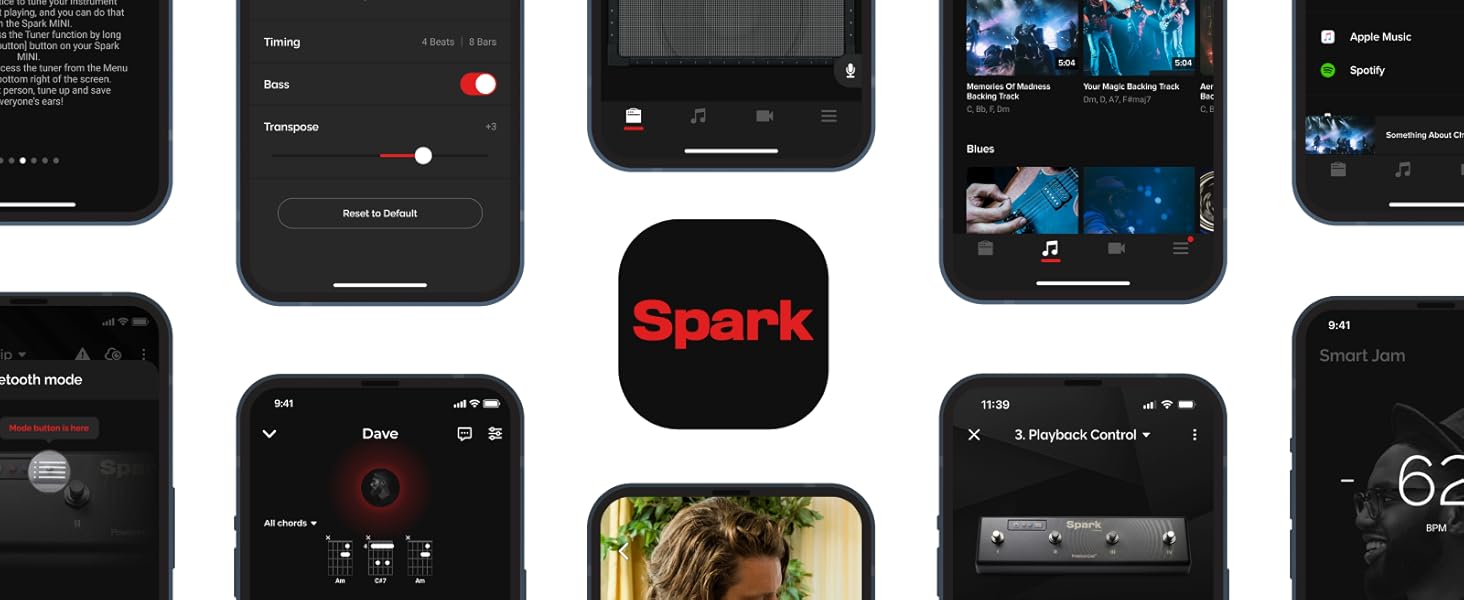
Image: A collage illustrating the diverse features and interface of the Spark mobile application.
- ToneCloud: Access over 50,000 amp and effects presets created by other users and professionals. You can also upload and share your own custom tones.
- Smart Jam: The app listens to your playing and generates authentic bass and drum backing tracks in real-time, allowing you to jam along.
- Auto Chords: Import songs from streaming services like Spotify, Apple Music, or YouTube. The app will automatically display the guitar chords in real-time, facilitating learning and practice.
- Virtual Effects Chain: ปรับแต่งของคุณ amp and effects settings with a detailed virtual pedalboard within the app.
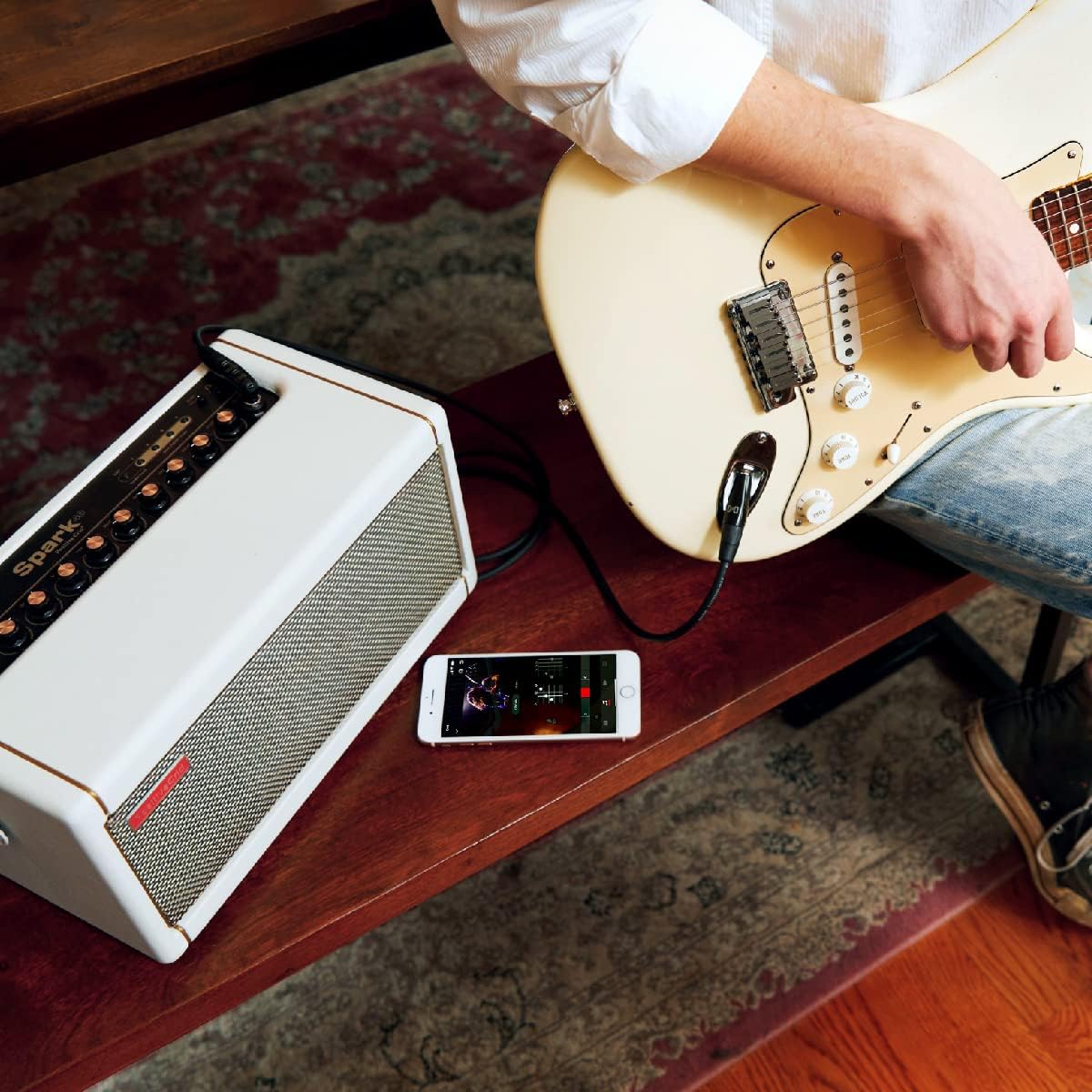
Image: A musician practicing with the Spark Pearl amplifier, using the mobile app for interactive learning.
ฟังก์ชันการทำงานของลำโพงบลูทูธ
The Spark Pearl can also function as a high-quality Bluetooth speaker. Pair your mobile device with the amplifier via Bluetooth and play music directly through its speakers. Adjust the music volume using the dedicated Music Volume knob on the top panel.
Recording via USB
Connect the Spark Pearl to your computer using the included USB-C cable. The amplifier can act as an audio interface, allowing you to record your playing directly into a Digital Audio Workstation (DAW) like PreSonus Studio One Prime (free copy included). Refer to your DAW's instructions for setting up an audio input device.

Image: The Spark Pearl amplifier set up for recording, connected to a laptop with a guitar and headphones.
การซ่อมบำรุง
- การทำความสะอาด: ใช้ผ้าแห้งเนื้อนุ่มทำความสะอาดด้านนอกของตัวเครื่อง ampควรใช้สารขยายสัญญาณ หลีกเลี่ยงการใช้สารทำความสะอาดที่มีฤทธิ์กัดกร่อนหรือตัวทำละลาย
- พื้นที่จัดเก็บ: จัดเก็บ ampเก็บเครื่องขยายเสียงไว้ในที่แห้งและเย็น หลีกเลี่ยงแสงแดดโดยตรงและอุณหภูมิที่สูงหรือต่ำเกินไป
- การจัดการ: จัดการกับ amplifier with care. Avoid dropping it or exposing it to excessive vibrations.
- การระบายอากาศ : ตรวจสอบให้แน่ใจว่ามีการระบายอากาศที่เหมาะสมรอบ ๆ ampระวังอย่าให้เครื่องขยายเสียงร้อนเกินไป อย่าปิดกั้นช่องระบายอากาศใดๆ
การแก้ไขปัญหา
| ปัญหา | สาเหตุที่เป็นไปได้ | สารละลาย |
|---|---|---|
| ไม่มีไฟฟ้า | Power cable not connected; Power outlet not working; Amplifier ปิด | Ensure power cable is securely connected. Test power outlet. Press the power button. |
| No sound from instrument | Instrument cable faulty; Instrument volume off; Amplifier volume low; Wrong input selected (if applicable). | Check instrument cable. Increase instrument volume. Increase Master Volume on amplifier. Ensure instrument is plugged into the correct input. |
| บลูทูธไม่เชื่อมต่อ | Bluetooth off on device; Ampเครื่องขยายเสียงไม่อยู่ในโหมดจับคู่; สัญญาณรบกวน | Ensure Bluetooth is enabled on your device. Restart both amplifier and device. Move closer to the ampชีวิต. |
| เสียงฮัมหรือเสียงหวีด | สัญญาณรบกวนลงดิน; สายเคเบิลชำรุด; สัญญาณรบกวนจากอุปกรณ์อิเล็กทรอนิกส์อื่นๆ | Try a different power outlet. Use shielded cables. Move ampวางเครื่องขยายเสียงให้ห่างจากอุปกรณ์อิเล็กทรอนิกส์อื่นๆ |
ข้อมูลจำเพาะ
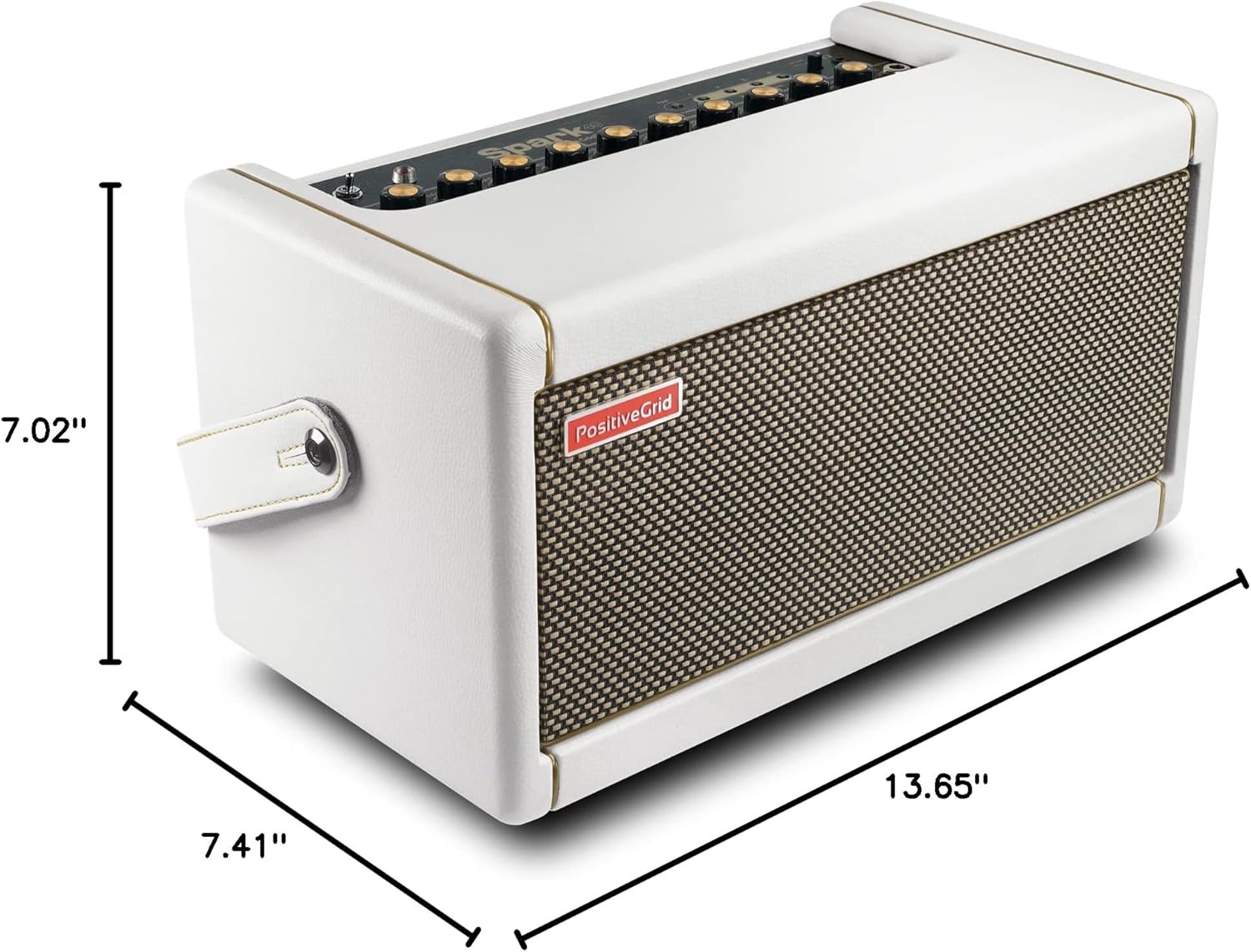
Image: The physical dimensions of the Spark Pearl ampแสดงตัวแสดงสถานะ
| คุณสมบัติ | รายละเอียด |
|---|---|
| หมายเลขรุ่น | 855316004552 |
| เอาท์พุต วัดtage | 40 วัตต์ |
| น้ำหนักสินค้า | 15.6 ปอนด์ |
| ขนาดสินค้า | 7.48 x 13.78 x 7.09 นิ้ว |
| สี | ไข่มุก |
| วัสดุ | โลหะ, พลาสติก |
| แหล่งพลังงาน | สายไฟ |
| อุปกรณ์ที่รองรับ | แล็ปท็อป, สมาร์ทโฟน, แท็บเล็ต |
| ประเภทขั้วต่อ | แจ็ค 6.35 มม. USB |
การรับประกันและการสนับสนุน
For information regarding product warranty, technical support, and additional resources, please visit the official Positive Grid webไซต์ เงื่อนไขการรับประกันอาจแตกต่างกันไปตามภูมิภาคและวันที่ซื้อ
Positive Grid Official Webเว็บไซต์: www.positivegrid.com