
1. บทนำและผลิตภัณฑ์view
The Lectron V-Box 48 Amp Electric Vehicle Charging Station is a powerful Level 2 EV charger designed for efficient and convenient home charging. It offers flexible installation options, robust safety features, and a user-friendly interface to ensure a seamless charging experience for your electric vehicle.

Figure 1: Lectron V-Box 48 Amp สถานีชาร์จรถยนต์ไฟฟ้า
This charging station is compatible with all J1772 EVs, making it a versatile solution for most electric and plug-in hybrid vehicles.
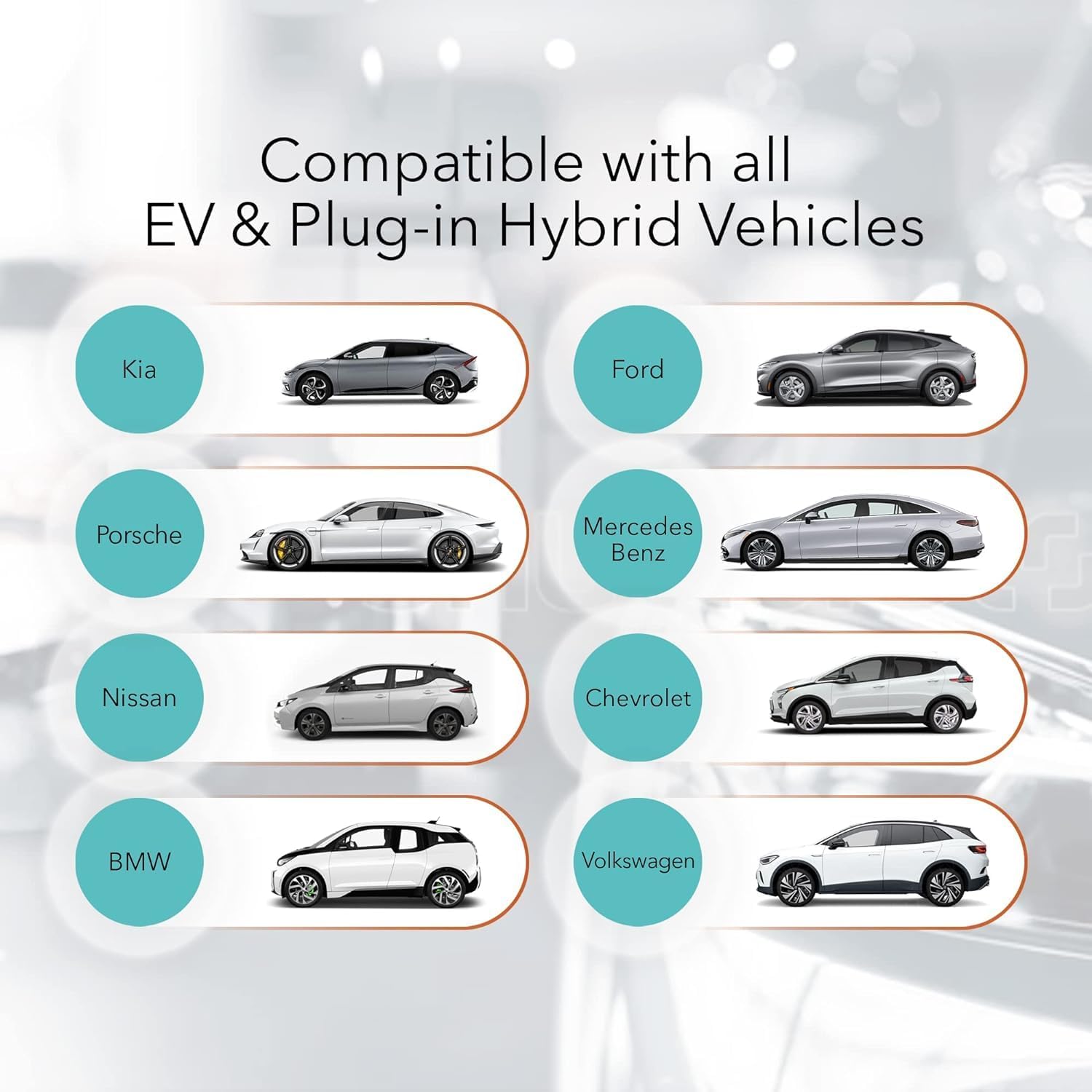
Figure 2: Compatibility with various EV and Plug-in Hybrid Vehicles.
2. ข้อมูลด้านความปลอดภัย
Please read all safety information carefully before installation and operation. This product is FCC and ETL certified (UL2594 standard) for safety and Energy Star certified for efficiency. It also boasts an IP55 weatherproof rating for durability.

Figure 3: Maximum Protection Features.
- Installation should only be performed by a licensed and qualified electrician in accordance with all national and local electrical codes.
- ปิดเซอร์กิตเบรกเกอร์ก่อนติดตั้งสายไฟทุกครั้ง
- Do not attempt to repair the charging station or handle yourself. Contact customer support for assistance.
- Never use the charging station with an extension cord.
- Never use the charging station with any AC adapter.
- ตรวจสอบให้แน่ใจว่าเสียบปลั๊กเข้ากับเต้ารับติดผนังจนสุดแล้ว
- Children should be supervised in the vicinity of the charging station.
- เพื่อลดความเสี่ยงจากการเกิดไฟไหม้ ให้เชื่อมต่อเฉพาะกับวงจรที่มีมาให้ 50 ampere maximum branch circuit overcurrent protection.
3. อะไรอยู่ในกล่อง
The Lectron V-Box charging station comes with all necessary components for installation and immediate use.
- 1 x V-BOX charging station
- 1 x แผ่นยึด
- ตะขอ J 1 อัน
- 1 x Set screws + anchors (plate)
- 1 x Set screws + anchors (J-Hook)

Figure 4: Lectron V-Box with included J-Hook for cable management.
For a detailed unboxing and overview of the included components, please refer to the official product video below:
Video 1: Lectron V-Box Level 2 EV Charger - 48 Amp EV Charging Station. This video provides a comprehensive look at the product, its features, and the unboxing experience.
4. การตั้งค่าและการติดตั้ง
The Lectron V-Box is designed for straightforward installation. Follow these steps for proper setup:
4.1 การติดตั้งเครื่อง
- Remove the mounting plate: Loosen the four screws on each side of the V-Box to detach the metal mounting plate from the back of the unit.
- ทำเครื่องหมายจุดเจาะ: Use the detached mounting plate as a template to mark the drilling locations on your desired wall surface. Ensure the location is suitable for electrical connections.
- เจาะรูและใส่พุก: Drill holes at the marked locations and insert the provided wall anchors.
- ติดตั้งแผ่นยึด: ยึดแผ่นยึดเข้ากับผนังโดยใช้สกรูที่ให้มา
- Mount the V-Box: Align the V-Box with the mounted plate and slide it down until it locks into place. Tighten the side screws to secure the unit.

Figure 5: Step-by-step guide for mounting the V-Box.
4.2 การเชื่อมต่อไฟฟ้า
The V-Box can be plugged into a NEMA 14-50 outlet (40A max) or hardwired (48A max). Ensure your electrical setup meets the requirements for the desired ampเร่าร้อน

Figure 6: NEMA 14-50 Plug connection for 48 Amp Level 2 charging.
การปรับแต่ง Amperage (Hardwired Installation Only)
By default, the V-Box is set to 48A. To adjust the amperage for hardwired installations, remove the plastic cover from the back of the V-Box and turn the dial to your preferred setting. This should only be done by a qualified electrician.
| หมุนการตั้งค่า | หมุนเวียน (Amps) |
|---|---|
| 0 | 16เอ |
| 1 | 24เอ |
| 2 | 32เอ |
| 3 | 40เอ |
| 4 | 48เอ |
5. คู่มือการใช้งาน
Using your Lectron V-Box is simple and intuitive.
5.1 Connecting to Your EV
- Ensure the V-Box is powered on using the button on the side. The display will illuminate.
- Open your EV's charging port.
- Insert the J1772 connector firmly into your EV's charging port. The V-Box display will show charging status, and the V-lights will pulsate.

Figure 7: Connecting the J1772 connector to an EV.
5.2 ทำความเข้าใจกับจอแสดงผล
The V-Box features a clear display that provides real-time charging information:
- Real-time current: แสดงปัจจุบัน amperage being drawn.
- เวลาในการชาร์จ: Shows the duration of the current charging session.
- ความจุในการชาร์จ: ระบุระดับการชาร์จแบตเตอรี่
- กระแสไฟที่กำหนด: Shows the maximum current setting.
- ฉบับเรียลไทม์tage: แสดงฉบับปัจจุบันtage จากแหล่งพลังงาน
- Grounding indicator: Confirms proper grounding.
- สถานะของค่าใช้จ่าย: Visual representation of battery fill level.
- อุณหภูมิ: Displays the operating temperature of the unit.

Figure 8: V-Box display showing real-time charging data.
6. การบำรุงรักษา
The Lectron V-Box is designed for durability and minimal maintenance. Keep the unit clean and free from debris. Regularly inspect the charging cable and connector for any signs of wear or damage. The IP55 weatherproof rating ensures protection against dust and water splashes, making it suitable for outdoor installation.
7 การแก้ไขปัญหา
If you encounter any issues with your Lectron V-Box, refer to the following common troubleshooting steps:
| ปัญหา | สาเหตุที่เป็นไปได้ | สารละลาย |
|---|---|---|
| เครื่องชาร์จไม่เปิด | No power from outlet; Unit is off | Check circuit breaker; Press power button on the side of the V-Box. |
| การชาร์จไม่เริ่มต้น | Connector not fully inserted; EV charging port issue; Amperage setting too high for circuit | Ensure firm connection; Check EV manual; Adjust amperage setting on V-Box (consult electrician). |
| ความเร็วในการชาร์จช้า | Amperage setting is low; Electrical circuit limitation | เพิ่มขึ้น amperage setting (if circuit allows); Consult electrician for circuit upgrade. |
| ข้อความแสดงข้อผิดพลาดบนจอแสดงผล | Internal fault; Grounding issue; Overcurrent/Overvoltage | Refer to the user manual for specific error codes; Consult a qualified electrician. |
8. ข้อมูลจำเพาะ
Detailed technical specifications for the Lectron V-Box 48 Amp Electric Vehicle Charging Station:
| คุณสมบัติ | รายละเอียด |
|---|---|
| ยี่ห้อ | เลคตรอน |
| หมายเลขรุ่น | EV-Charger48A-J1772 |
| อินพุต/เอาต์พุต Voltage | 200V - 240V |
| กระแสไฟสูงสุด | 48A (Hardwired), 40A (NEMA 14-50) |
| ความยาวสายเคเบิล | 20 ฟุต |
| ขั้วต่อ EV | เซฟ เจ 1772 |
| ประเภทปลั๊ก | เนมา 14-50 |
| น้ำหนักสินค้า | 19.36 ปอนด์ |
| ขนาดสินค้า | 18.5 x 10.24 x 12.2 นิ้ว |
| อุณหภูมิในการทำงาน | -22°F ถึง +122°F (-30°C ถึง +50°C) |
| วัสดุ | เอบีเอส + พีซีอัลลอยด์ |
| การรับรอง | FCC, ETL (UL2594), Energy Star, IP55 |
9. การรับประกันและการสนับสนุน
Lectron provides a 1-year warranty with every product purchase. For any questions, technical support, or warranty claims, please contact Lectron customer service. Refer to the official Lectron webเว็บไซต์สำหรับข้อมูลการติดต่อ
For additional resources and product information, visit the official Lectron Store: Lectron Store on Amazon.