
1. บทนำ
Thank you for choosing the FIFINE AmpliGame A6T USB Gaming Microphone. This high-quality condenser microphone is designed for gaming, streaming, recording, and video conferencing, offering clear audio capture and user-friendly features. This manual provides detailed instructions for setting up, operating, and maintaining your microphone to ensure optimal performance.

ภาพ: เดอะ ไฟน์ AmpliGame A6T USB Gaming Microphone, featuring its sleek design and included boom arm, recognized with an IF Design Award.
2. เนื้อหาบรรจุภัณฑ์
โปรดตรวจสอบว่าแพ็คเกจของคุณมีรายการทั้งหมดต่อไปนี้:
- ฟิไฟน์ AmpliGame A6T USB Gaming Microphone
- Adjustable Boom Arm Stand
- ตัวกรองป๊อป
- USB-C to USB-A Cable (approximately 2 meters)
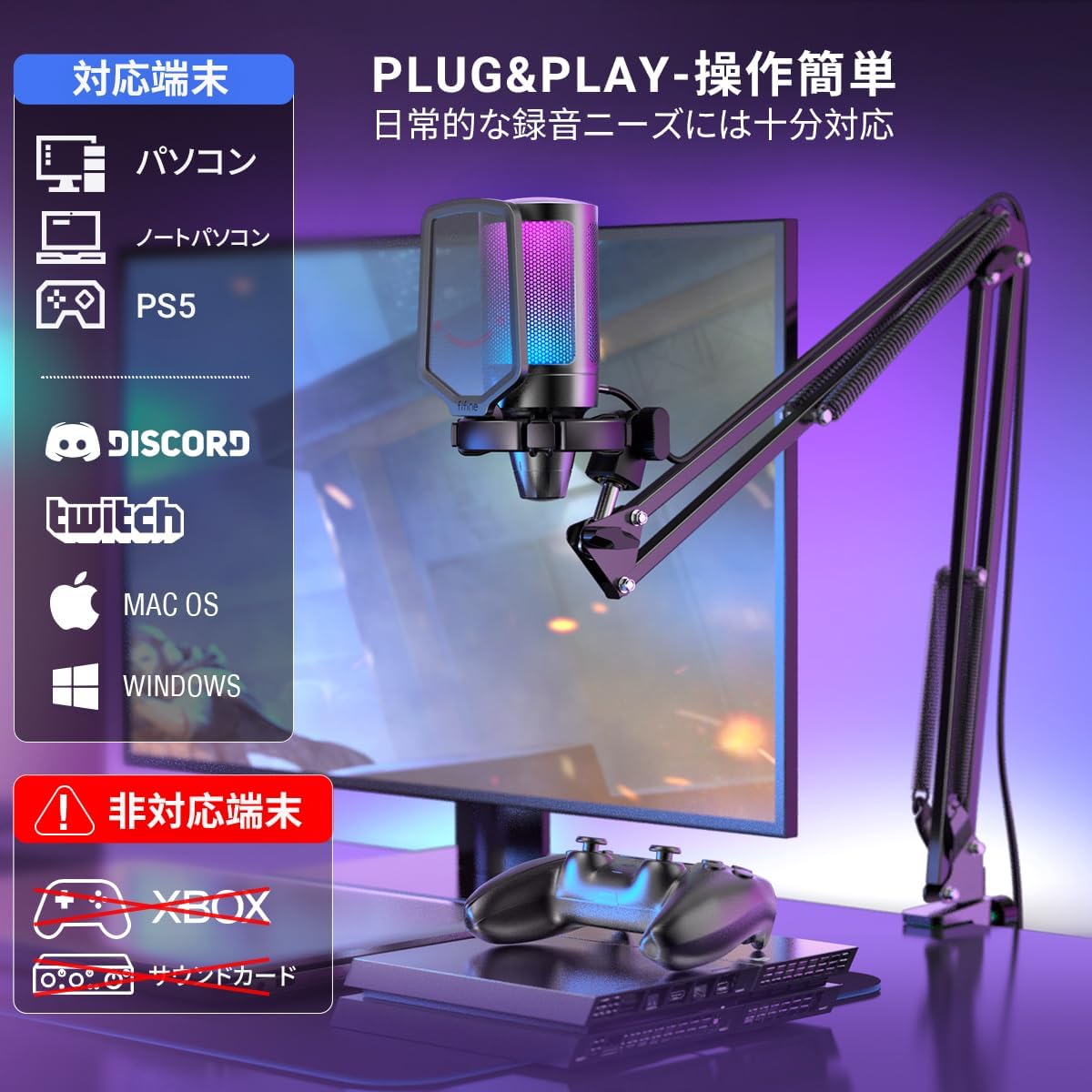
Image: All components included in the FIFINE AmpliGame A6T package, neatly arranged.
3. คำแนะนำในการตั้งค่า
- ประกอบแขนบูม: Securely attach the boom arm to your desk using the clamp. Adjust the arm to your desired position. The arm offers a wide range of adjustment to optimize microphone placement and save desk space.
- ติดไมโครโฟน: Mount the FIFINE A6T microphone onto the boom arm. Ensure it is securely fastened.
- ติดตั้งตัวกรองเสียงป๊อป: Attach the included pop filter to the microphone. This helps to reduce plosive sounds (P, B, T, K) for clearer audio.
- เชื่อมต่อกับอุปกรณ์: Connect the USB-C end of the provided cable to the microphone and the USB-A end to an available USB port on your computer (PC/Mac), PlayStation (PS4/PS5), or other compatible device.
- การจดจำระบบ: Your operating system should automatically recognize the microphone. No additional drivers are typically required.
- เลือกเป็นอุปกรณ์อินพุต: In your device's sound settings or your application's audio settings, select "FIFINE AmpliGame A6T" as your primary audio input device.

Image: The adjustable boom arm, illustrating its range of motion and how it can be positioned for optimal use.

Image: The microphone connected to a setup, highlighting its plug-and-play compatibility with various platforms.
4. คู่มือการใช้งาน
4.1. ฟังก์ชั่นปิดเสียง
The microphone features a touch-sensitive mute button located on the top. Tap it to instantly mute or unmute the microphone. The RGB lighting indicates the microphone's status:
- RGB Lighting ON: ไมโครโฟนทำงานและกำลังบันทึกอยู่
- RGB Lighting OFF: ไมโครโฟนปิดเสียงอยู่

Image: The touch-sensitive mute button, demonstrating the visual feedback provided by the RGB lighting.
4.2. ได้รับการควบคุม
A gain control knob is located at the bottom of the microphone. Rotate the knob to adjust the microphone's input sensitivity (gain). Turn clockwise to increase gain and counter-clockwise to decrease it. Adjust the gain to an appropriate level to avoid distortion or excessively low volume.

Image: The gain control knob, allowing for easy adjustment of microphone sensitivity directly on the device.
4.3. แสง RGB
The microphone features dynamic RGB lighting with a 7-color gradient effect, enhancing your gaming or streaming setup. The lighting is active when the microphone is unmuted and turns off when muted.
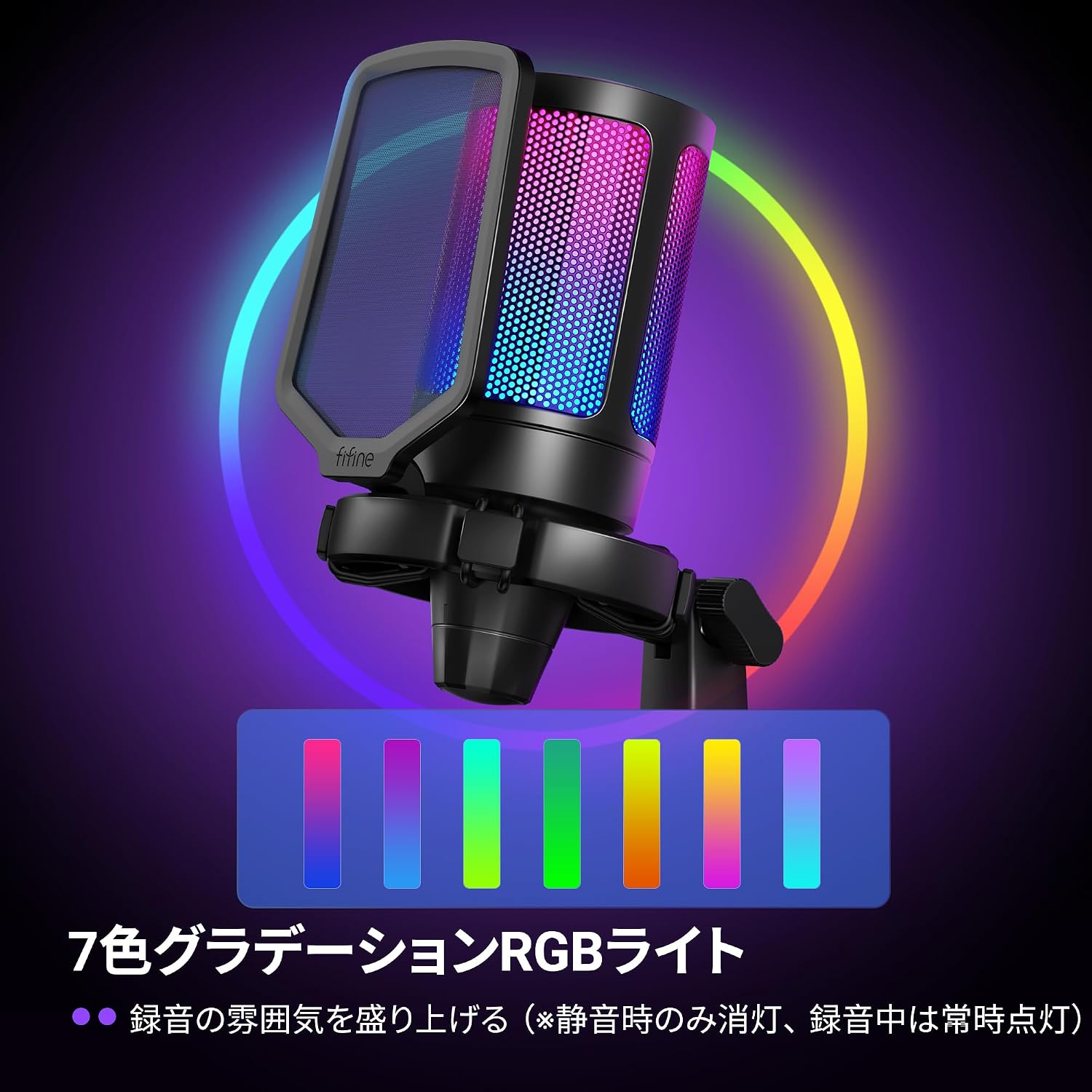
Image: The microphone illuminated with its vibrant 7-color RGB lighting.
4.4. รูปแบบขั้วรูปหัวใจ
The A6T microphone utilizes a cardioid polar pattern, which primarily picks up sound from the front of the microphone while minimizing sound from the sides and rear. This design is ideal for capturing your voice clearly and reducing unwanted background noise.

Image: A visual representation of the cardioid pickup pattern, demonstrating how the microphone focuses on sound directly in front of it.
5. การบำรุงรักษา
- การทำความสะอาด: Use a soft, dry cloth to clean the microphone body and stand. Avoid using harsh chemicals or abrasive materials.
- พื้นที่จัดเก็บ: เมื่อไม่ได้ใช้งาน ให้เก็บไมโครโฟนไว้ในสถานที่สะอาดและแห้ง ห่างจากอุณหภูมิและความชื้นที่สูงเกินไป
- การดูแลสายเคเบิล: หลีกเลี่ยงการงอหรือบิดสาย USB มากเกินไปเพื่อป้องกันความเสียหาย
6 การแก้ไขปัญหา
- ไม่มีเสียงออก:
- Ensure the microphone is properly connected to your device's USB port.
- Check if the microphone is muted (RGB lighting off). Tap the mute button to unmute.
- Verify that "FIFINE AmpliGame A6T" is selected as the input device in your operating system's sound settings and your application's audio settings.
- ปรับปุ่มควบคุมระดับเสียงบนไมโครโฟน
- Try connecting the microphone to a different USB port or another device to rule out port or device issues.
- Poor Audio Quality / Distortion:
- Adjust the gain control knob. If the audio is distorted, decrease the gain. If it's too quiet, increase the gain.
- ตรวจสอบให้แน่ใจว่าตัวกรองเสียง (pop filter) อยู่ในตำแหน่งที่ถูกต้องเพื่อลดเสียงระเบิด (plosives)
- Speak directly into the front of the microphone, utilizing its cardioid pickup pattern.
- ลดเสียงรบกวนพื้นหลังในสภาพแวดล้อมของคุณ
- ไฟ RGB ไม่ทำงาน:
- Ensure the microphone is unmuted. The RGB lighting is designed to turn off when muted.
- ตรวจสอบการเชื่อมต่อ USB
7. ข้อมูลจำเพาะ
| คุณสมบัติ | รายละเอียด |
|---|---|
| ยี่ห้อ | ฟิไฟน์ |
| ชื่อรุ่น | AmpliGame A6T |
| เทคโนโลยีการเชื่อมต่อ | USB (USB-A to Type-C) |
| การใช้ที่แนะนำ | Gaming, Streaming, Video Conferencing |
| คุณสมบัติพิเศษ | 192kHz เอสampling Rate, RGB Light, Arm-type Stand, Mute Function |
| อุปกรณ์ที่รองรับ | Game Consoles (PS4, PS5), Laptops, PCs |
| สี | Black (Arm Type) |
| รูปแบบขั้ว | ทิศทางเดียว (Cardioid) |
| อัตราส่วนสัญญาณต่อเสียงรบกวน (S/N) | 70 เดซิเบล |
| การตอบสนองความถี่ | 60เฮิรตซ์-18กิโลเฮิรตซ์ |
| แหล่งพลังงาน | สายไฟไฟฟ้า (ขับเคลื่อนด้วย USB) |
| วัสดุ | อะคริโลไนไตรล์ บิวทาไดอีน สไตรีน, โลหะ |

Image: Key performance specifications of the microphone, including sensitivity, signal-to-noise ratio, and sampอัตราลิง
8. ข้อมูลการรับประกัน
เดอะ ไฟน์ AmpliGame A6T USB Gaming Microphone comes with a การรับประกันจากผู้ผลิต 1 ปี นับจากวันที่ซื้อ การรับประกันนี้ครอบคลุมถึงความบกพร่องของวัสดุและฝีมือการผลิตภายใต้การใช้งานปกติ โปรดเก็บหลักฐานการซื้อไว้เพื่อขอรับสิทธิ์การรับประกัน
การรับประกันไม่ครอบคลุมถึง:
- ความเสียหายที่เกิดจากอุบัติเหตุ การใช้งานในทางที่ผิด น้ำท่วม ไฟไหม้ แผ่นดินไหว หรือสาเหตุภายนอกอื่นๆ
- Damage caused by operating the product outside the permitted or intended uses described by FIFINE.
- Damage caused by service (including upgrades and expansions) performed by anyone who is not a representative of FIFINE.
- Products or parts that have been modified to alter functionality or capability without the written permission of FIFINE.
9. การสนับสนุนลูกค้า
For technical assistance, warranty claims, or any questions regarding your FIFINE AmpliGame A6T USB Gaming Microphone, please contact FIFINE customer support.
ข้อมูลติดต่อ:
- การสนับสนุนทางออนไลน์: Visit the official FIFINE webไซต์สำหรับคำถามที่พบบ่อย ไดรเวอร์ และทรัพยากรสนับสนุน
- การสนับสนุนทางอีเมล์: ดูที่บรรจุภัณฑ์ผลิตภัณฑ์ของคุณหรือที่ทางการ webค้นหาที่อยู่อีเมลฝ่ายสนับสนุนที่เหมาะสมได้ที่เว็บไซต์นี้
- Operating Hours (FIFINE Japan): Monday - Friday (excluding holidays), 10:00 - 19:00 JST.
When contacting support, please have your product model (A6T) and proof of purchase ready.

Image: Guide on how to contact FIFINE customer support, including steps to find seller information on Amazon.


