1. บทนำ
The iVANKY 12-in-1 USB C Laptop Docking Station (Model VCC03) is designed to expand the connectivity of your USB-C enabled laptop. This versatile dock provides multiple ports for display, data transfer, network connectivity, and power delivery, transforming your laptop into a powerful workstation. Please read this manual carefully to ensure proper setup and operation.
2. คุณสมบัติของผลิตภัณฑ์
- Dual 4K@60Hz Displays: Connect two external monitors for extended workspace with 4K resolution at 60Hz. No driver download required.
- 85W Laptop Charging: Equipped with a 100W power adapter, the dock supports up to 85W power delivery to your laptop. An additional 18W PD port is available for charging mobile devices.
- การถ่ายโอนข้อมูลความเร็วสูง: Features 2 USB 3.0 ports and 2 USB 2.0 ports, supporting data transfer speeds up to 5Gbps.
- Fast Media Card Access: SD/TF card slots support speeds up to 104MB/s, ideal for photographers and content creators.
- กิกะบิตอีเธอร์เน็ต: An RJ45 Gigabit Ethernet port ensures stable and fast 1000Mbps wired network connectivity.
- ความเข้ากันได้ในวงกว้าง: Compatible with Windows laptops featuring USB-C 4.0, Thunderbolt 3/4, or full-functional USB-C ports. Also supports USB-C gaming devices.
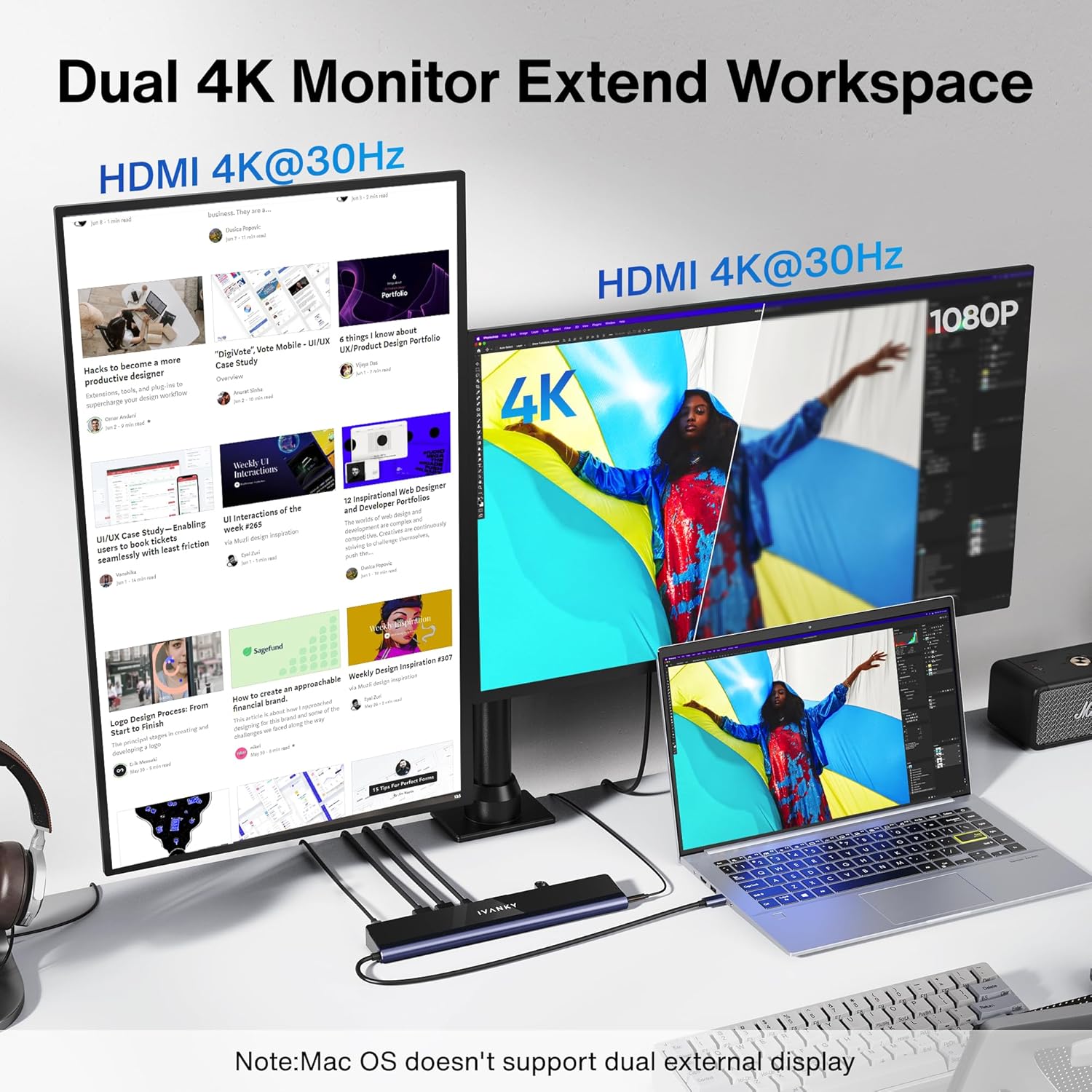
Image: iVANKY Docking Station enabling dual 4K external displays from a laptop.

Image: The docking station providing 85W power delivery to a laptop and 18W to a mobile phone.
3. เนื้อหาบรรจุภัณฑ์
- 1 x iVANKY 12-in-1 EdgeDock 1 Docking Station
- อะแดปเตอร์เพาเวอร์ 1 x 100W
- สายเคเบิล USB-C ถึง USB-C 1 เส้น
- 1 x คู่มือผู้ใช้
4. คู่มือการติดตั้ง
Follow these steps to set up your iVANKY docking station:
- เชื่อมต่อพลังงาน: Plug the 100W power adapter into the DC-IN port on the docking station and then into a power outlet.
- เชื่อมต่อกับแล็ปท็อป: Use the provided USB-C to USB-C cable to connect the docking station's host port to a compatible USB-C port on your laptop.
- เชื่อมต่อจอแสดงผล: Connect your external monitors to the HDMI ports on the docking station. Ensure your monitors support 4K@60Hz for optimal performance.
- เชื่อมต่ออุปกรณ์ต่อพ่วง: Plug in your USB devices (keyboard, mouse, external drives) into the available USB 3.0 or USB 2.0 ports. Insert SD or TF cards as needed.
- การเชื่อมต่อเครือข่าย: For a stable wired network, connect an Ethernet cable to the RJ45 Gigabit Ethernet port.
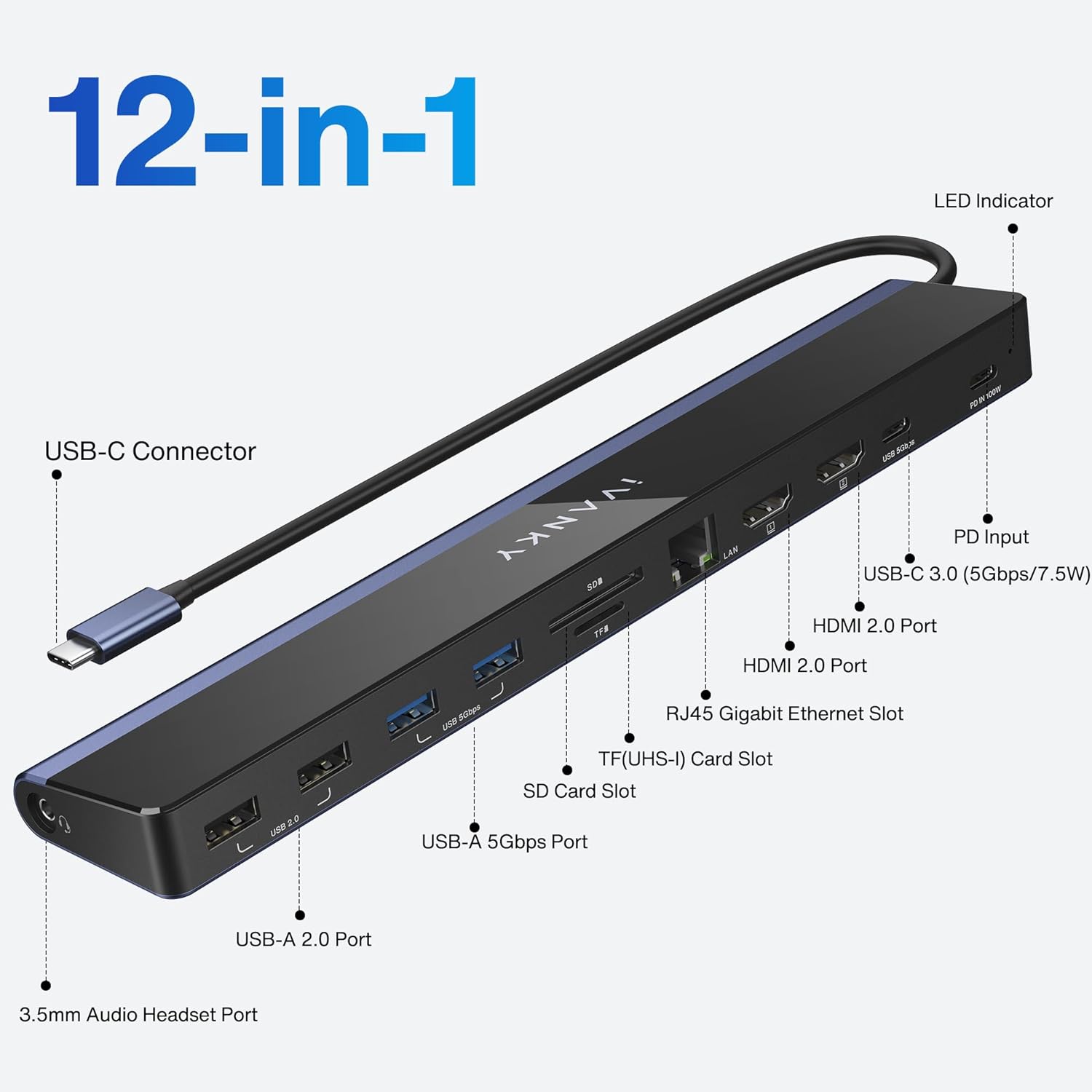
Image: Labeled ports on the iVANKY 12-in-1 Docking Station.
Video: Official iVANKY video demonstrating the USB C docking station setup and features.
5. คู่มือการใช้งาน
5.1 การตั้งค่าการแสดงผล
Connect up to two HDMI monitors to the docking station. Your laptop's display can be extended or mirrored across these external displays. The dock supports dual 4K@60Hz output without additional drivers.
5.2 ฟังก์ชันการชาร์จ
The 100W power adapter provides up to 85W of power to your connected laptop via the USB-C host cable. An additional 18W USB-C PD port is available for charging smartphones or tablets.
5.3 การถ่ายโอนข้อมูล
Utilize the USB 3.0 ports for high-speed data transfer up to 5Gbps for external hard drives or flash drives. USB 2.0 ports are suitable for connecting peripherals like keyboards and mice.
5.4 การเชื่อมต่อเครือข่าย
The RJ45 Gigabit Ethernet port provides a reliable and fast wired internet connection, which is often more stable than Wi-Fi, especially for large downloads or online gaming.
6. ความเข้ากันได้
The iVANKY VCC03 docking station is designed for broad compatibility with various USB-C enabled devices:
- แล็ปท็อประบบ Windows: Compatible with Windows laptops featuring a USB-C 4.0 port, Thunderbolt 3/4 port, or a full-functional USB-C port. This includes models from Dell (XPS/Inspiron/G/Alienware series), HP (Spectre/ENVY/Pavilion/OMEN/ZBook/Elite series), Lenovo (ThinkBook/Yoga/ThinkPad/Legion series), Microsoft Surface Pro 7/8, Microsoft Surface Go, and Asus.
- USB-C Gaming Devices: Supports devices like Steam Deck.
- บันทึก: This dock does not support Thunderbolt protocol input accessories.
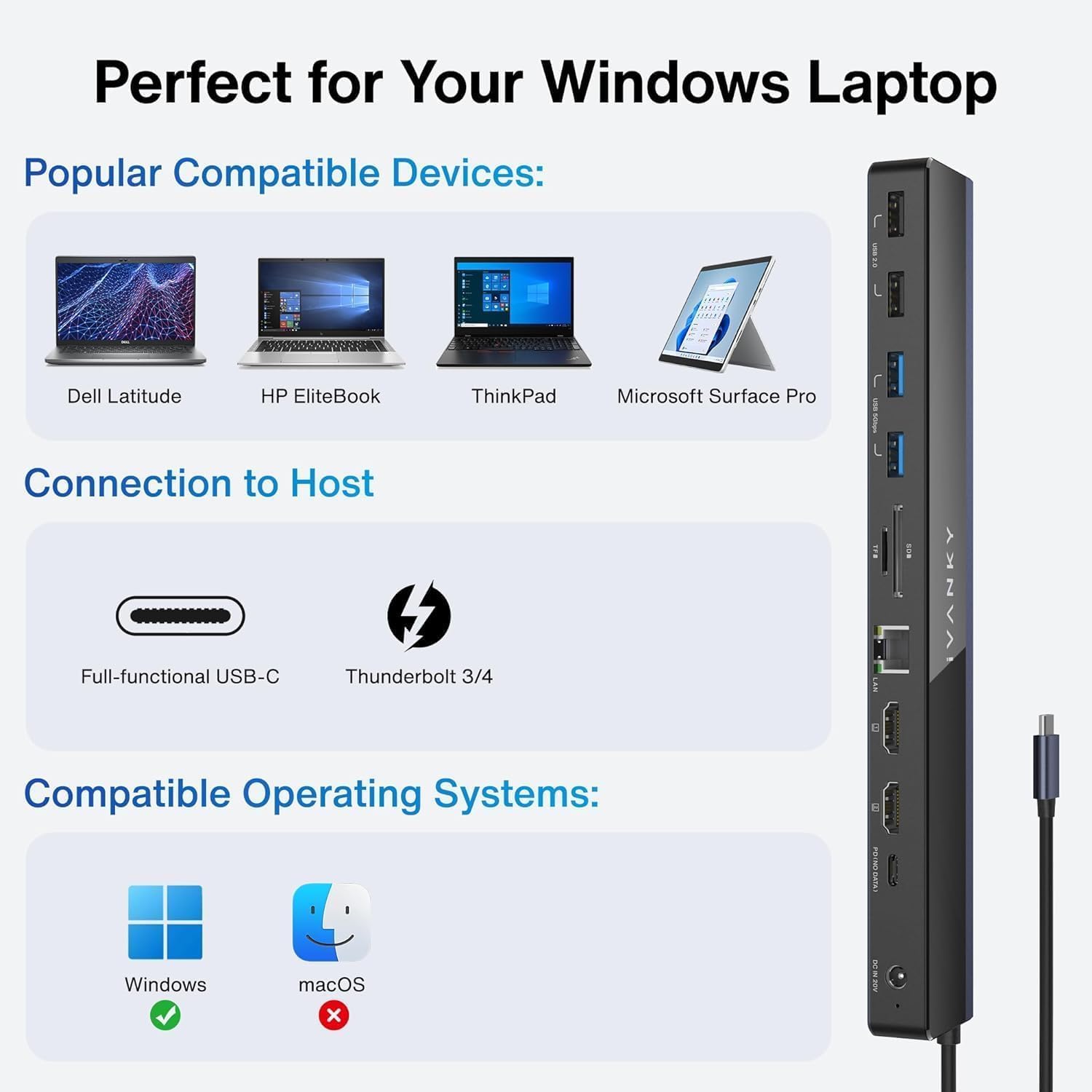
ภาพ: อดีตamples of compatible Windows laptops for the iVANKY Docking Station.
7. Important Notes & Troubleshooting
- If your laptop's original adapter is over 100W, it is recommended to use the original charger to charge your laptop and use another 100W PD charger to power the docking station.
- Avoid using adapters for extended displays, as this can cause malfunctions.
- This dock only supports laptops with a USB-C 4.0 port, Thunderbolt 3/4 port, or full-functional USB-C port.
8. ข้อมูลจำเพาะ
| คุณสมบัติ | รายละเอียด |
|---|---|
| หมายเลขรุ่น | วีซีซี03 |
| น้ำหนักสินค้า | 2.23 ปอนด์ |
| ขนาดสินค้า | ยาว 16.93 นิ้ว x กว้าง 1.72 นิ้ว |
| จำนวนพอร์ต | 12 |
| พอร์ต HDMI ทั้งหมด | 2 |
| พอร์ต USB รวม | 4 (2x USB 3.0, 2x USB 2.0) |
| พอร์ต USB-C PD | 18W for mobile charging |
| การส่งกำลัง | 85W to laptop (with 100W adapter) |
| อีเธอร์เน็ต | RJ45 กิกะบิต (1000Mbps) |
| เครื่องอ่านการ์ด | SD/TF (up to 104MB/s) |
| อินเทอร์เฟซเสียง | เสียงขนาด 3.5 มม. |
9. การรับประกันและการสนับสนุน
The iVANKY 12-in-1 EdgeDock 1 comes with a 24-month warranty. For any problems or questions, please contact customer service. You can expect a response within 24 hours during weekdays. If issues arise, a replacement will be provided.