
1. สินค้าหมดview
The MAXDONE Laminator Machine is a versatile and efficient device designed to protect your documents, photos, and other materials with a durable laminated finish. It supports various sizes up to A3 (13 inches wide) and offers both hot and cold lamination modes. With its rapid warm-up time and anti-jam features, it provides a seamless laminating experience for home, office, and school environments.

Figure 1: MAXDONE Laminator Machine
2. คุณสมบัติหลัก
- Faster Preheating and High-Speed Laminating: Achieves a 90-second warm-up time and laminates at 13.98 inches/min (355 mm/min), offering 25% faster speed than standard models.
- Quiet Operation and Intelligent Safety: Operates at less than 55dB for a quiet environment. Features an advanced NTC intelligent temperature control system for safe and efficient operation, including overheating, overcurrent, and short-circuit protection.
- Dual Modes for Cold and Thermal Lamination: Supports both thermal lamination for standard documents and cold lamination for heat-sensitive materials (requires self-adhesive pouches, sold separately).
- ABS Anti-Jam Button: Easily clear jammed paper by pressing the ABS button.
- Versatile Size Compatibility: Accommodates pouches up to 13 inches wide (A3) and handles 2.5-4 mil (60-100 mic) thick laminating sheets, suitable for A3, A4, A5, and A6 sizes.

Figure 2: NTC Intelligent Temperature Control for optimal performance.
3. การตั้งค่า
Before first use, ensure the laminator is placed on a stable, flat surface with adequate ventilation. Plug the power cord into a suitable electrical outlet. The device will begin its warm-up cycle.
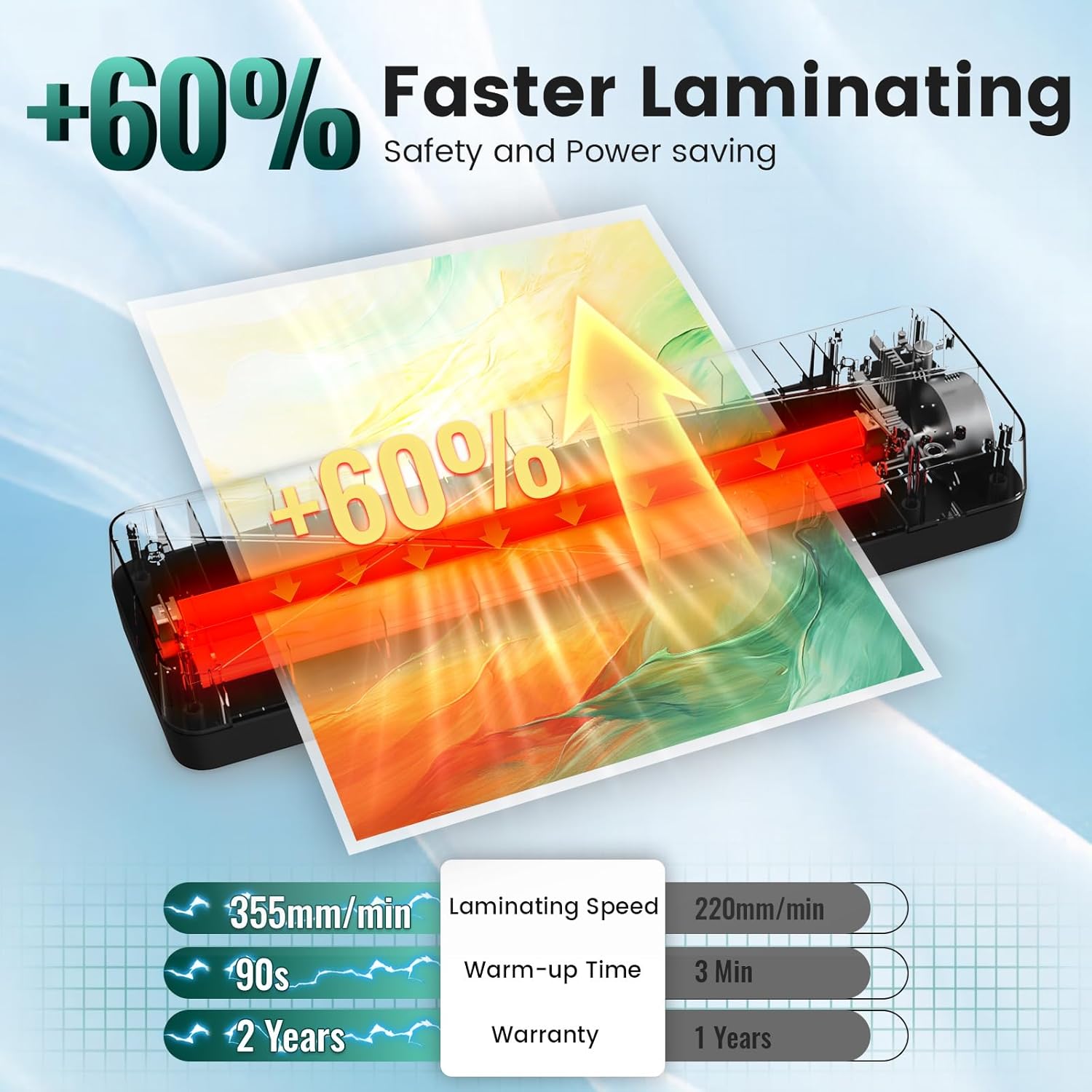
Figure 3: Visual guide for basic setup and operation.
วิดีโอแกะกล่องและตั้งค่าเบื้องต้น
Video 1: This video provides a detailed unboxing and initial setup guide for the MAXDONE A3 Laminator Machine, highlighting its features and accessories.
4. คู่มือการใช้งาน
Warm-up and Mode Selection
- Plug in the laminator and turn on the power switch.
- Select either 'COLD' or 'HOT' mode using the switch. The indicator light will turn red during warm-up.
- Wait for the indicator light to turn green, signaling that the laminator is ready for use (approx. 90 seconds for hot mode).
Lamination Process
- Place your document or photo inside a laminating pouch, ensuring it is centered and aligned with the sealed edge.
- Insert the sealed end of the pouch into the laminator's entry slot. The machine will automatically feed the pouch through.
- Support the pouch as it exits the machine to prevent bending or creasing.
- Allow the laminated item to cool completely on a flat surface before handling.
Using the ABS Anti-Jam Button
In case of a paper jam, immediately turn off the laminator. Press and hold the 'ABS' release button while gently pulling the jammed pouch out of the entry slot. This disengages the rollers, allowing for easy removal.

Figure 4: Location of the ABS Anti-Jam Button.
วีดีโอสาธิตการใช้งาน
Video 2: This video demonstrates the ease of use of the laminator, including warm-up, lamination, and using the corner rounder.
5. การบำรุงรักษา
To ensure optimal performance and longevity of your MAXDONE Laminator, follow these maintenance guidelines:
- การทำความสะอาด: After every 2 hours of continuous use, allow the machine to cool for 15 minutes. Run a cleaning cycle by inserting a blank paper through the laminator to remove any adhesive residue or dust from the rollers.
- พื้นที่จัดเก็บ: Store the laminator in a cool, dry place away from direct sunlight and excessive humidity.
- การจัดการ: Avoid dropping or subjecting the laminator to strong impacts.
6 การแก้ไขปัญหา
| ปัญหา | สาเหตุที่เป็นไปได้ | สารละลาย |
|---|---|---|
| เครื่องเคลือบไม่เปิด | ไม่มีแหล่งจ่ายไฟ | ตรวจสอบการเชื่อมต่อสายไฟและเต้ารับไฟฟ้าที่ผนัง |
| กระดาษติด. | Incorrect pouch insertion or material. | Press ABS button to release. Ensure document is aligned with sealed end of pouch. |
| Bubbles or wrinkles after lamination. | Incorrect temperature setting or dirty rollers. | Ensure correct temperature for pouch thickness. Run a cleaning sheet. |
| Laminator is too noisy. | การทำงานปกติ หรือ ปัญหาภายใน | The device operates below 55dB. If noise is excessive, contact support. |
7. ข้อมูลจำเพาะ
| ข้อมูลจำเพาะ | รายละเอียด |
|---|---|
| ยี่ห้อ | แม็กซ์โดน |
| หมายเลขรุ่น | บีแอลเอ็ม00132 |
| น้ำหนักสินค้า | 3.5 ปอนด์ |
| ขนาดสินค้า | 17.72 x 5.91 x 4.72 นิ้ว |
| ความเข้ากันได้ของขนาดแผ่น | A3, A4, A5, A6 (up to 13 inches wide) |
| ความหนาของกระเป๋า | 2.5-4 mil (60-100 mic) |
| เวลาวอร์มอัพ | 90 วินาที |
| ความเร็วในการเคลือบ | 13.98 inches/min (355 mm/min) |
| อุณหภูมิในการทำงานสูงสุด | 293 องศาฟาเรนไฮต์ |
8. การรับประกันและการสนับสนุน
MAXDONE offers a 2-Year Hassle-Free Service for this laminator machine. For any inquiries, troubleshooting assistance, or warranty claims, please visit the official MAXDONE Store on Amazon or contact customer support directly.