
1. บทนำ
Thank you for choosing the MAXDONE A3 Laminator (Model FN335). This device is designed to protect and preserve your important documents, photos, and other materials using both hot and cold lamination methods. Please read this manual carefully before operating the laminator to ensure safe and efficient use.
2. คำแนะนำด้านความปลอดภัยที่สำคัญ
- อ่านคำแนะนำทั้งหมดก่อนใช้งาน
- ควรเก็บเครื่องเคลือบให้ห่างจากน้ำหรือของเหลวอื่นๆ
- ห้ามใช้งานเครื่องเคลือบเอกสารหากสายไฟหรือปลั๊กชำรุด
- ตรวจสอบให้แน่ใจว่าได้วางเครื่องเคลือบฟิล์มบนพื้นผิวที่มั่นคงและเรียบ และมีการระบายอากาศที่เพียงพอ
- Do not touch the laminator's hot surfaces during or immediately after hot lamination.
- ถอดปลั๊กเครื่องเคลือบบัตรเมื่อไม่ใช้งานหรือก่อนทำความสะอาด
- เก็บให้พ้นจากมือเด็ก
- Only use laminating pouches recommended for your laminator.
- This appliance is equipped with Overheating Protection, Overvoltage Protection, Overcurrent Protection, and Short-Circuit Protection for enhanced safety.
3. เนื้อหาบรรจุภัณฑ์
Your MAXDONE A3 Laminator package typically includes:
- MAXDONE A3 Laminator (FN335)
- สายไฟ
- Laminating Pouches (starter pack)
- Trimmer กระดาษ
- ตัวปัดมุม
4. สินค้าหมดview
Familiarize yourself with the main components of your laminator:

ภาพ: ด้านหน้า view of the MAXDONE A3 Laminator, showing the feed slot, control panel, and output tray.
- ปุ่มเปิด/ปิด: Located on the right side of the control panel.
- ตัวเลือกโหมด: Switch between COLD and HOT lamination modes.
- ไฟแสดงสถานะ: Indicate power and readiness.
- ช่องป้อนอาหาร: บริเวณที่ใส่ซองเคลือบพลาสติก
- ถาดจ่ายกระดาษ: Where laminated documents exit.
- ปุ่มปลดล็อค ABS: Used to clear jammed documents.
5. การตั้งค่า
- แกะ: นำเครื่องเคลือบเอกสารและอุปกรณ์เสริมทั้งหมดออกจากบรรจุภัณฑ์อย่างระมัดระวัง
- การจัดวาง: Place the laminator on a stable, flat, and heat-resistant surface. Ensure there is enough space around the machine for proper ventilation and for documents to pass through freely.
- เชื่อมต่อพลังงาน: Plug the power cord into the laminator and then into a standard electrical outlet.
6. คู่มือการใช้งาน
6.1. Selecting Lamination Mode

Image: Diagram illustrating the two laminating modes: Hot Mode for menus, cards, letters, photos, certificates; and Cold Mode for specimens, receipts, tickets.
- การเคลือบร้อน: Ideal for most standard documents, photos, and certificates. Provides a permanent seal.
- เคลือบเย็น: Suitable for heat-sensitive materials or documents printed with thermal ink. Uses pressure-sensitive pouches.
6.2. Step-by-Step Lamination Process

Image: Visual guide showing four steps for easy operation: 1. Wait for red light to turn green, 2. Place document in pouch, 3. Insert pouch into laminator, 4. Finish.
- เปิดเครื่องและเลือกโหมด: Press the Power On/Off button. Select either HOT or COLD mode using the switch. For hot lamination, wait for the red indicator light to turn green, indicating the machine has reached the optimal temperature (approximately 90 seconds warm-up time).
- เตรียมเอกสาร: วางเอกสารของคุณลงในซองเคลือบพลาสติกอย่างเรียบร้อย ตรวจสอบให้แน่ใจว่าเอกสารอยู่ตรงกลางและมีขอบเรียบเสมอกันรอบขอบ
- กระเป๋าใส่ของ: Insert the sealed edge of the laminating pouch into the laminator's feed slot. The machine will automatically feed the pouch through.
- ดึง: Once the laminated document exits the output tray, allow it to cool on a flat surface before handling.
6.3. Using the ABS Release Button

Image: Illustration of the ABS Release Button and common causes of paper jams, such as rolled paper, warped pouches, incorrect insertion, or mismatched pouch size.
In case of a paper jam or misfeed, immediately press and hold the ปุ่มปลดล็อค ABS. This will disengage the rollers, allowing you to gently pull the jammed pouch out of the feed slot. Release the button once the pouch is clear.
6.4. Using Included Accessories
- เครื่องตัดกระดาษ: Use the included paper trimmer to cut documents or laminated items to your desired size. Always use on a flat, stable surface.
- ตัวปัดมุม: After lamination, use the corner rounder to create smooth, rounded corners on your documents for a professional finish and to prevent sharp edges.
7. การบำรุงรักษา
- การทำความสะอาด: ตรวจสอบให้แน่ใจว่าถอดปลั๊กเครื่องเคลือบและเย็นสนิทแล้วก่อนทำความสะอาด เช็ดภายนอกด้วยผ้านุ่มแห้ง ห้ามใช้น้ำยาทำความสะอาดหรือตัวทำละลายที่มีฤทธิ์กัดกร่อน
- การทำความสะอาดลูกกลิ้ง: ควรใช้แผ่นทำความสะอาด (มีจำหน่ายแยกต่างหาก) กับเครื่องเคลือบเป็นระยะ เพื่อขจัดคราบกาวที่ตกค้างอยู่บนลูกกลิ้ง
- พื้นที่จัดเก็บ: Store the laminator in a clean, dry place when not in use.
8 การแก้ไขปัญหา
If you encounter issues with your laminator, refer to the following common problems and solutions:
| ปัญหา | สาเหตุที่เป็นไปได้ | สารละลาย |
|---|---|---|
| Document jams or misfeeds |
| Press the ABS Release Button to clear the jam. Ensure documents are centered in the pouch, sealed edge first, and inserted straight. Use correct pouch size. |
| Laminated document has wrinkles or bubbles |
| Ensure the laminator is fully warmed up for hot lamination. Use appropriate pouch thickness (80-125mic). Ensure document is flat and smooth inside the pouch. |
| เครื่องเคลือบเอกสารไม่ร้อน |
| Check power connection. Ensure power switch is on. Try a different outlet. If problem persists, contact customer support. |
| Laminator is noisy | Normal operating noise is approximately 30dB (quiet library level). Excessive noise may indicate an issue. | If noise is unusually loud or grinding, unplug the device and contact customer support. |
9. ข้อมูลจำเพาะ

Image: The MAXDONE A3 Laminator shown with dimensions (42.8cm length, 12.2cm width, 6.5cm height) and features like moisture-proof, waterproof, anti-scratch, and fade-resistant lamination.
- แบบอย่าง: FN335
- ความกว้างของการเคลือบ: Up to 33 cm (A3 Wide)
- ความหนาของถุง: Suitable for 80-125 mic pouches
- ความเร็วในการเคลือบ: 355 มม./นาที
- ระยะเวลาการวอร์มอัพ: ประมาณ 90 วินาที
- ขนาด : 44.6 x 15 x 13.7 cm (Product); 42.8 x 12.2 x 6.5 cm (Approximate operational dimensions)
- น้ำหนัก: 1.65 กก.
- ระดับเสียง: ประมาณ 30dB
- Lamination Modes: ร้อนและเย็น
- คุณสมบัติด้านความปลอดภัย: NTC Intelligent Temperature Control, Overheating Protection, Overvoltage Protection, Overcurrent Protection, Short-Circuit Protection.
10. การรับประกันและการสนับสนุน
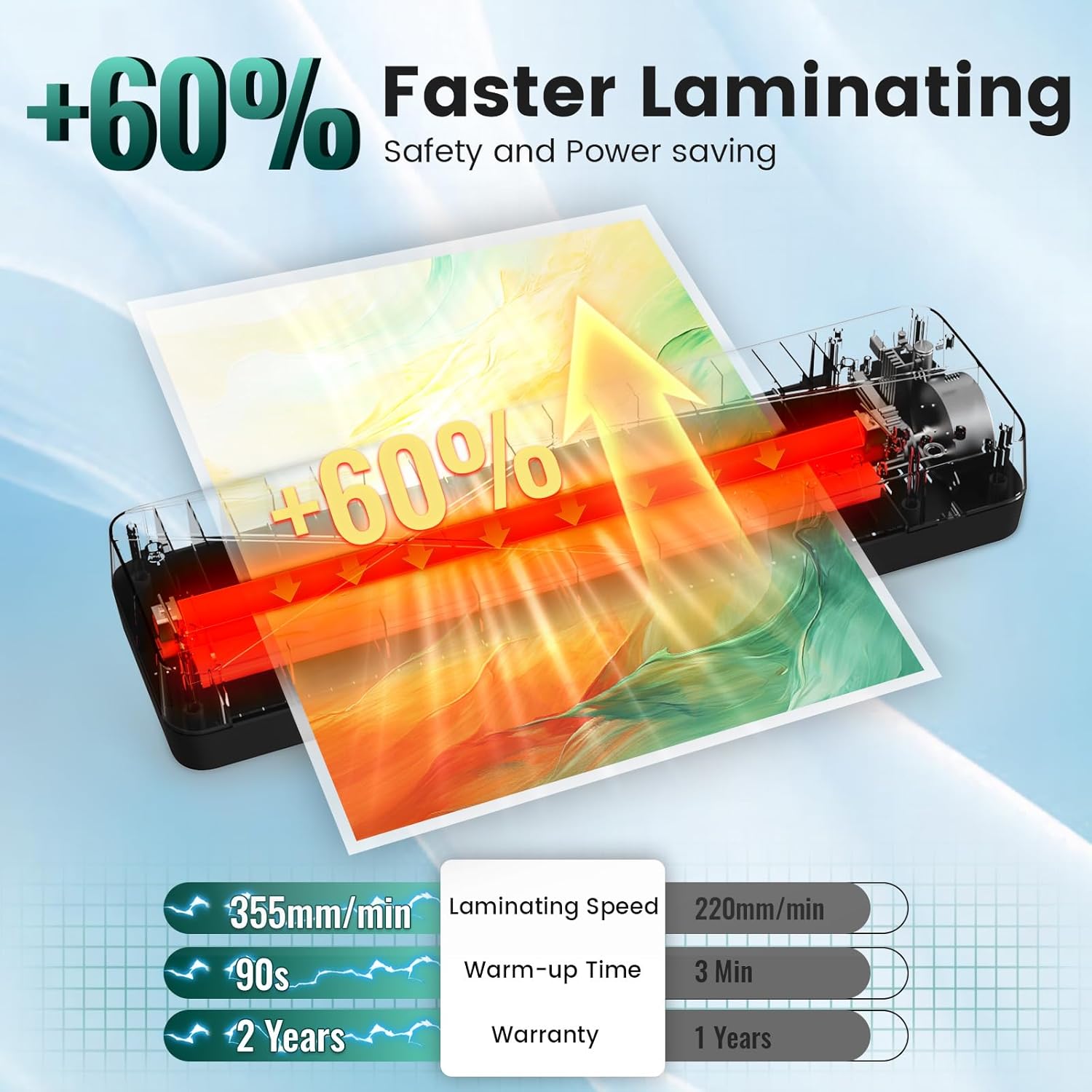
Image: Comparison showing 355mm/min laminating speed, 90s warm-up time, and a 2-year warranty.
The MAXDONE A3 Laminator (FN335) comes with a รับประกัน 2 ปี นับจากวันที่ซื้อ โดยครอบคลุมถึงข้อบกพร่องจากการผลิต โปรดเก็บหลักฐานการซื้อไว้เพื่อขอรับสิทธิ์การรับประกัน
For technical support, warranty service, or general inquiries, please contact MAXDONE customer service through the retailer where you purchased the product or visit the official MAXDONE webเว็บไซต์.