
การแนะนำ
The TELE System TS6815 is a DVB-T2 HEVC 10-bit digital terrestrial decoder designed to receive digital television broadcasts. It supports HD, HDR, and HLG technologies, offering enhanced viewing experiences. This manual provides essential information for setting up, operating, and maintaining your decoder.
มีอะไรอยู่ในกล่อง
- TELE System TS6815 Decoder
- รีโมทคอนโทรล
- แหล่งจ่ายไฟภายนอก
- คู่มือเริ่มต้นอย่างรวดเร็ว
สินค้าเกินview
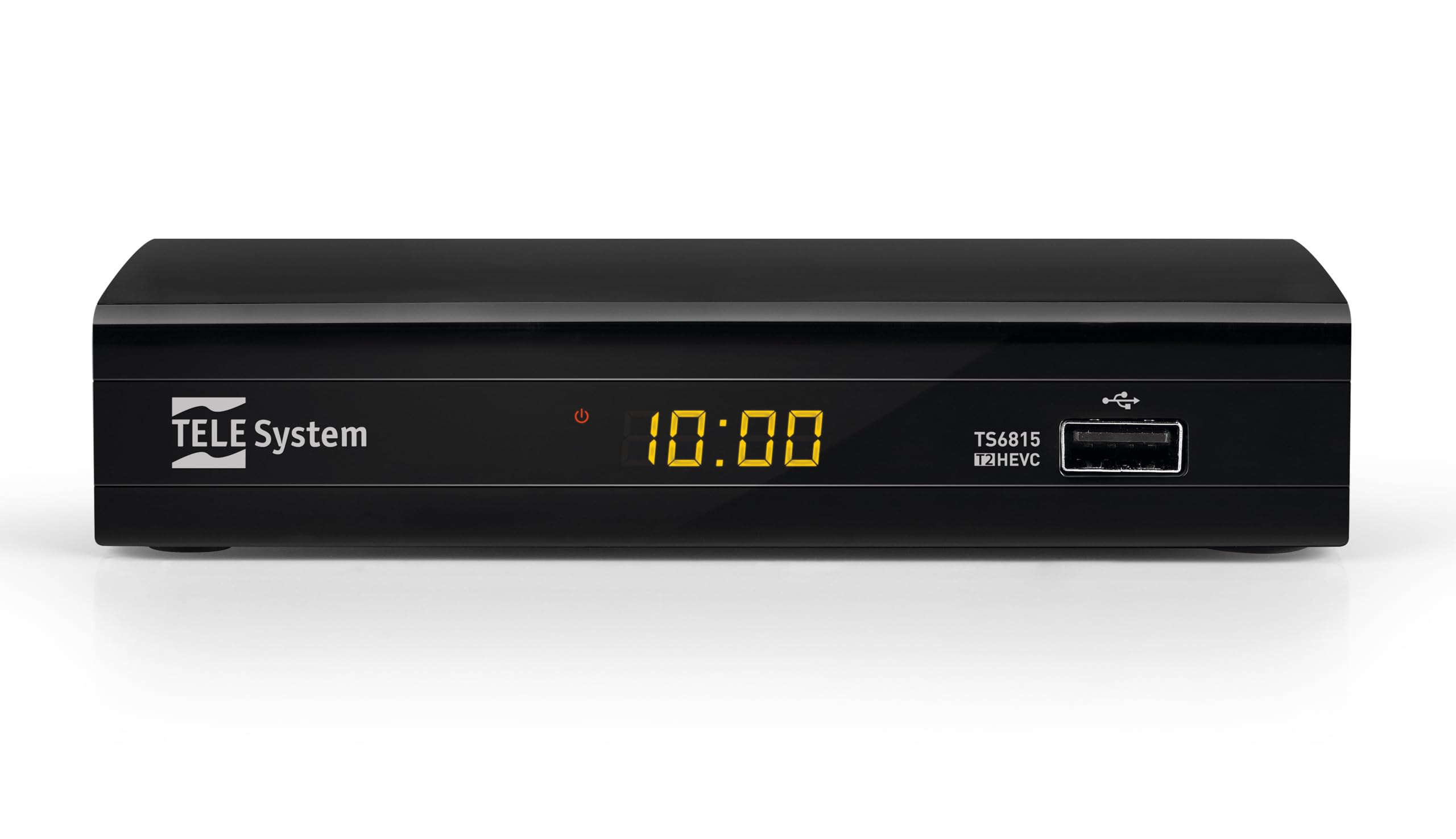
ด้านหน้า View: The front panel features the TELE System logo, model number TS6815, DVB-T2 HEVC branding, and a USB port for media playback and updates.

หลัง View: The rear panel includes an RF IN port for antenna connection, an HDMI output, a TV SCART connector, and a DC IN port for power.

รีโมทคอนโทรล: The included remote control allows for full functionality, including power, channel selection, volume adjustment, EPG access, and media playback controls.

ฉลากสินค้า: This label provides important information such as the model number (TS6815 T2HEVC/02), power input (DC 5V = 1A), and maximum power consumption (5W Max).
คำแนะนำการตั้งค่า
- เชื่อมต่อเสาอากาศ: Connect your terrestrial antenna cable to the RF IN port on the back of the decoder.
- เชื่อมต่อกับทีวี: Use an HDMI cable to connect the decoder's HDMI OUT port to an HDMI IN port on your television. Alternatively, use a SCART cable to connect the TV SCART port to your TV's SCART input.
- เชื่อมต่อพลังงาน: Plug the external power supply into the DC IN port on the decoder, then plug the power adapter into a wall outlet.
- เปิดเครื่อง: Turn on your television and select the correct HDMI or SCART input source. The decoder should power on automatically or can be turned on using the remote control.
- Initial Channel Scan (AUTOSCAN): Upon first use, the decoder will typically initiate an automatic channel scan. Follow the on-screen prompts. The AUTOSCAN feature will find all available channels, and LCN (Logical Channel Numbering) will organize them into a logical order.
- การตั้งค่าภาษาและภูมิภาค: Select your preferred language and region during the initial setup process.
คำแนะนำการใช้งาน
การทำงานพื้นฐาน
- เปิด/ปิดเครื่อง: กดปุ่ม พลัง ปุ่มบนรีโมทคอนโทรล
- การเลือกช่อง: ใช้ CH+ / ช- ใช้ปุ่มกดหรือแป้นตัวเลขเพื่อเปลี่ยนช่อง
- การควบคุมระดับเสียง: ใช้ เล่ม+ / ฉบับ- ปุ่มปรับระดับเสียง
- การเข้าถึงเมนู: กดปุ่ม เมนู ปุ่มสำหรับเข้าถึงเมนูหลักเพื่อตั้งค่าและดูฟีเจอร์ต่างๆ
- คู่มือโปรแกรมอิเล็กทรอนิกส์ (EPG): กดปุ่ม อีพีจี ปุ่มที่จะ view the program schedule for current and upcoming broadcasts.
การเล่นสื่อผ่าน USB
The decoder supports media playback from a USB storage device. Insert a USB drive into the front USB port.
- กดปุ่ม สื่อมวลชน button on the remote control to access the media player interface.
- นำทางผ่านของคุณ files (videos, music, photos) using the arrow keys and press OK to select and play.
Timeshift Function
The Timeshift function allows you to pause live TV and resume watching later. A USB storage device is required for this feature.
- ขณะรับชมรายการให้กดปุ่ม หยุดชั่วคราว button on the remote control to activate Timeshift.
- กด เล่น เพื่อเล่นต่อ
การแก้ไขปัญหา
- No Signal / Poor Image Quality:
- Ensure the antenna cable is securely connected to the RF IN port.
- Check your TV's HDCP compatibility.
- Try replacing the HDMI or SCART cable.
- In the decoder's AV settings, try changing the "color-space" option to RGB.
- If experiencing image fluidity issues, navigate to AV SET > Screen > Screen Options > Resolution and select a 50Hz format.
- Perform a new channel scan (AUTOSCAN) to refresh the channel list.
- HDMI Signal Issues (e.g., no signal after changing TV source):
- If the signal does not return after switching TV sources, try powering off and on both the TV and the decoder.
- Ensure the HDMI cable is not faulty.
- รีโมทคอนโทรลไม่ตอบสนอง:
- ตรวจสอบว่าใส่แบตเตอรี่ถูกต้องและไม่หมด เปลี่ยนแบตเตอรี่หากจำเป็น
- Ensure there are no obstructions between the remote control and the decoder's IR sensor.
- Decoder Not Compatible with UHD Channels:
- The TS6815 is an HD decoder, not a 4K (UHD) decoder. It is not designed to receive or display UHD channels.
ข้อมูลจำเพาะ
| คุณสมบัติ | คำอธิบาย |
|---|---|
| แบบอย่าง | TS6815 |
| ประเภทจูนเนอร์ | DVB-T/T2 |
| การถอดรหัสวิดีโอ | MPEG-2, MPEG-4 H264/AVC, H.265/HEVC Main10 |
| ความละเอียดวิดีโอ | Max. 1080p@50/60Hz |
| คุณสมบัติพิเศษ | HD, HDR, HLG, AUTOSCAN, LCN, EPG, Timeshift, Media Player |
| การเชื่อมต่อ | 1x HDMI, 1x SCART, 1x USB, Ethernet |
| โหมดเอาต์พุตเสียง | Surround (5.1 channels) |
| กำลังไฟเข้า | กระแสตรง 5V = 1A |
| การใช้พลังงาน | 5W สูงสุด |
| สี | สีดำ |
การรับประกันและการสนับสนุน
The TELE System TS6815 decoder comes with a 2-year manufacturer's warranty. For technical support, further assistance, or to access detailed instruction manuals in various languages, please refer to the official TELE System webเว็บไซต์หรือติดต่อฝ่ายบริการลูกค้าของพวกเขา
You can find additional information and support resources by visiting the TELE System Brand Store.