
1. สินค้าหมดview
The Cuifati 6.8-inch Portable DVD Player is a versatile high-definition playback device designed for various environments, including home, office, and car use. It combines a DVD player, TV player, FM radio receiver, card reader, and game console into one compact unit. Featuring a rechargeable lithium battery, it offers extended playback time for portable convenience.

Image: The Cuifati 6.8-inch Portable DVD Player in its open position, showcasing the screen and control panel. The device features a blue base and a black frame around the screen, presented against a stylized blue background.
เนื้อหาแพ็คเกจ:
- Cuifati 6.8-Inch Portable DVD Player
- Remote Control (with 1 AAA battery included)
- อะแดปเตอร์แปลงไฟ AC (110-240V)
- อะแดปเตอร์ไฟฟ้ารถยนต์
- Audio/Video (AV) Cable
- ตัวควบคุมเกม
- เสาอากาศภายนอก
- คู่มือการใช้งาน (เอกสารนี้)

ภาพ: ครอบคลุม view of the Cuifati 6.8-inch Portable DVD Player along with all its included accessories, such as the remote control, AC power adapter, car charger, AV cable, game controller, and external antenna.
2. การตั้งค่า
2.1 การชาร์จอุปกรณ์
Before initial use, fully charge the built-in lithium battery. Connect the provided AC power adapter to the player's power input and then to a standard wall outlet (110-240V). The device can also be charged using the car power adapter for in-vehicle use. A full charge provides approximately 30-60 minutes of continuous playback.

Image: Illustration of the Cuifati Portable DVD Player's power options, highlighting its compatibility with car chargers, AC power, and its integrated 1500mAh lithium battery.
2.2 การติดตั้งแบตเตอรี่รีโมทคอนโทรล
The remote control requires one AAA battery, which is included. Open the battery compartment on the back of the remote and insert the AAA battery, ensuring correct polarity.

ภาพ: รายละเอียด view of the remote control for the Cuifati Portable DVD Player, displaying its array of buttons for power, menu navigation, volume control, and media playback.
2.3 Connecting the External Antenna (for TV Function)
To use the TV function, connect the external antenna to the designated antenna input port on the side of the DVD player. Extend the antenna for optimal signal reception.

Image: The external antenna provided with the Cuifati Portable DVD Player, consisting of a black telescopic rod and a magnetic base for stable placement, connected by a cable.
3. คู่มือการใช้งาน
3.1 การเปิด/ปิดเครื่อง
กดปุ่ม พลัง button on the device or the remote control to turn the player on or off.
3.2 Loading a Disc
- เปิดฝาครอบถาดใส่แผ่นดิสก์
- สำคัญ: Ensure to remove any protective card or sticker from the disc tray before inserting a disc.
- Place the DVD or CD onto the spindle with the label side facing up.
- กดดิสก์ลงเบาๆ จนกระทั่งล็อคเข้าที่
- Close the disc tray cover. The player will automatically begin reading the disc.

ภาพ: ภาพระยะใกล้ view of the disc tray on the Cuifati Portable DVD Player, highlighting a yellow warning label that advises users to remove the protective card before attempting to play a disc.
3.3 Basic Playback Functions
- เล่น/หยุดชั่วคราว: กดปุ่ม เล่น/หยุดชั่วคราว ปุ่ม.
- หยุด: กดปุ่ม หยุด ปุ่ม.
- กรอไปข้างหน้า / ย้อนกลับ: ใช้ FF/REW ปุ่ม
- เพลงถัดไป / ก่อนหน้า: ใช้ ถัดไป / ก่อนหน้านี้ ปุ่ม
- การควบคุมระดับเสียง: ใช้ เล่ม+ และ ฉบับ- ปุ่ม
The player supports DVD, DVD±R, DVD±RW, CD-R, and VCD formats.

Image: An illustration demonstrating the wide range of DVD formats supported by the Cuifati Portable DVD Player, including CD, DVD, CD-R/RW, DVD+R/RW, VCD, and SVCD.
3.4 Using the TV Function
After connecting the external antenna, switch the player to TV mode. Use the เมนู button to access TV settings and perform an auto-scan for available channels. The player supports PAL/NTSC/SECAM full system TV standards.
3.5 Media Playback from USB/SD/MMC Cards
Insert a USB drive into the USB port or an SD/MMC card into the card reader slot. The player will automatically detect the media. Use the แหล่งที่มา or โหมด button to select the appropriate input (USB/SD/MMC) and navigate through your movies, music, or photos.
3.6 Game Function
Connect the included game controller to the player. Switch to game mode (refer to the on-screen menu if available) to access the built-in selection of 300 games.

Image: Two children are shown enjoying video games on the Cuifati Portable DVD Player, utilizing the provided game controller for interaction.
3.7 การหมุนหน้าจอ
The HD LCD widescreen display can rotate up to 270 degrees, allowing for various viewing angles and environments. Gently adjust the screen to your desired position.

Image: A visual representation of the Cuifati Portable DVD Player's screen, demonstrating its ability to rotate 180 and 270 degrees for versatile viewมุมการเอียง
3.8 การเชื่อมต่อกับจอแสดงผลภายนอก
Use the included Audio/Video (AV) cable to connect the portable DVD player to a larger screen, such as a television. Connect one end of the AV cable to the player's AV output and the other end to the AV input ports on your external display. Select the correct input source on your television to view เนื้อหา
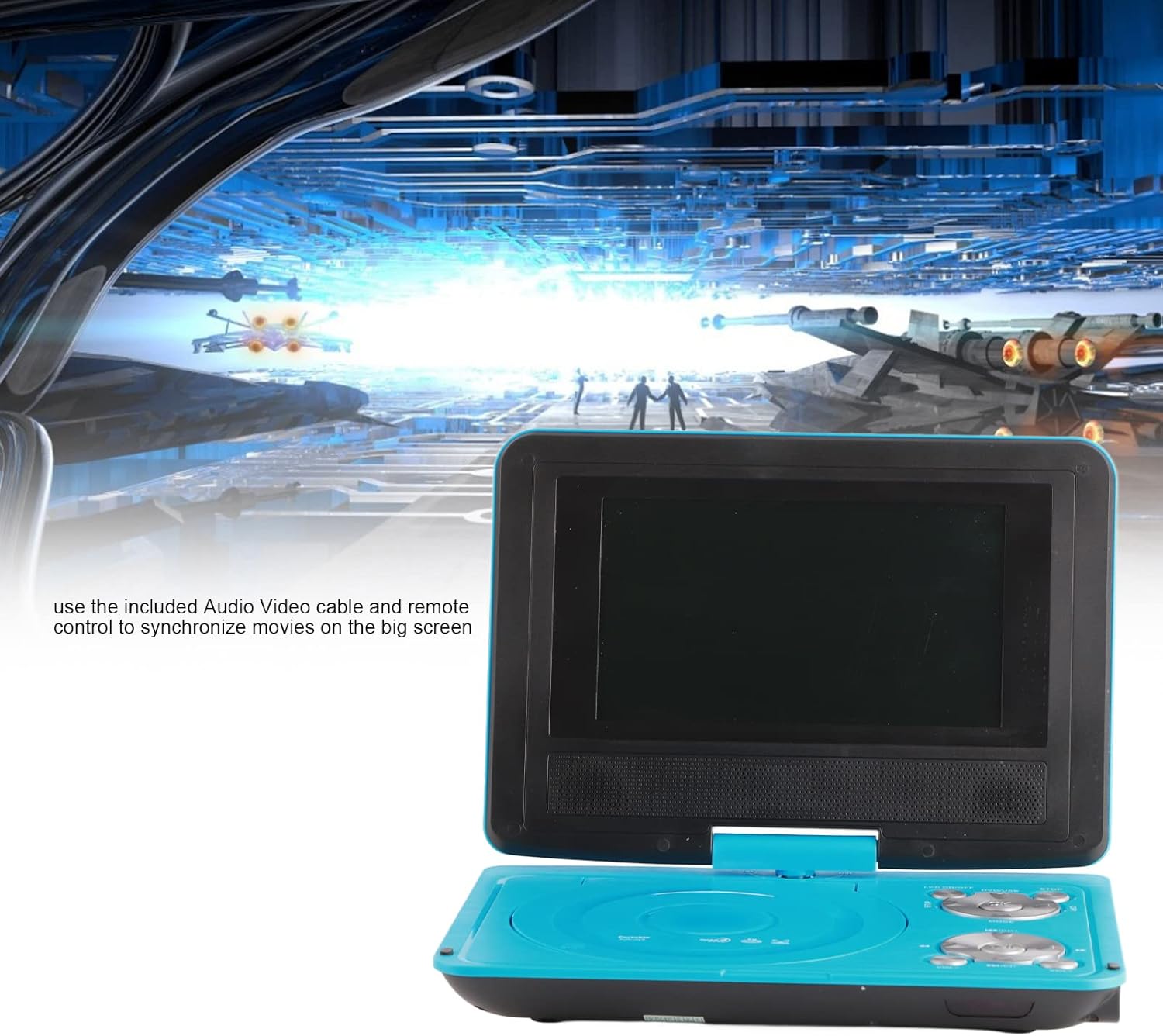
Image: The Cuifati Portable DVD Player displayed with text explaining how to use the included Audio/Video cable and remote control to connect and synchronize movies with a larger external screen.
3.9 ฟังก์ชันหน่วยความจำเมื่อปิดเครื่อง
The player features an intelligent power-off memory function. If the device is turned off during disc playback, it will automatically resume from the last played position when powered on again, eliminating the need to manually search for your previous spot.
4. การบำรุงรักษา
- การทำความสะอาดหน้าจอ: Use a soft, lint-free cloth to gently wipe the LCD screen. Do not use abrasive cleaners or solvents.
- การทำความสะอาดเครื่องเล่น: Wipe the exterior of the player with a soft, dry cloth. Avoid getting liquids into any openings.
- การดูแลรักษาแผ่นดิสก์: Handle discs by their edges. Keep them clean and free from scratches to ensure optimal playback. Store discs in their cases when not in use.
- การดูแลแบตเตอรี่ For prolonged storage, charge the battery periodically to maintain its health. Avoid exposing the device to extreme temperatures.
5 การแก้ไขปัญหา
- ไม่มีไฟฟ้า:
- Ensure the power adapter is securely connected to both the player and a working power outlet.
- Check if the built-in battery is charged.
- Verify the remote control battery is correctly installed and not depleted.
- No Disc Playback:
- ตรวจสอบให้แน่ใจว่าใส่ดิสก์อย่างถูกต้องโดยให้ด้านที่มีฉลากอยู่ด้านบน
- Check if the disc is clean and free from scratches or smudges.
- Verify the disc format is supported (DVD, DVD±R, DVD±RW, CD-R, VCD).
- Make sure any protective card or sticker has been removed from the disc tray.
- ไม่มีสัญญาณทีวี:
- Ensure the external antenna is securely connected and fully extended.
- Perform an auto-scan for channels in the TV settings menu.
- Adjust the antenna position for better reception.
- ไม่มีเสียง:
- เพิ่มระดับเสียงโดยใช้ เล่ม+ ปุ่ม.
- Check if headphones are connected, which may mute the internal speakers.
- If connected to an external display, ensure the TV's volume is up and the correct input is selected.
- Picture Distorted/No Picture:
- If using an external display, ensure the AV cable is correctly connected and the TV's input source is set to AV.
- For TV function, adjust the antenna or try rescanning channels.
6. ข้อมูลจำเพาะ
| ยี่ห้อ | กุยฟาติ |
| แบบอย่าง | 6.8-Inch Portable DVD Player (ASIN: B09RZRK8KX) |
| ขนาดหน้าจอ | 6.8 นิ้ว |
| ประเภทจอภาพ | จอแอลซีดี |
| การหมุนหน้าจอ | สูงถึง 270° |
| ประเภทสื่อที่รองรับ | DVD, DVD±R, DVD±RW, CD-R, VCD |
| ระบบโทรทัศน์ | ระบบ PAL/NTSC/SECAM |
| เครื่องอ่านการ์ด | Supports SD/MMC cards |
| พอร์ต USB | ใช่ |
| แบตเตอรี่ในตัว | Rechargeable Lithium Battery (approx. 30-60 min playback) |
| กำลังไฟเข้า | AC 110-240V, Car 12V |
| แบตเตอรี่รีโมทคอนโทรล | 1 x AAA (รวมอยู่ด้วย) |
| น้ำหนักสินค้า | 2.53 ปอนด์ |
| ขนาดแพ็คเกจ | 13.98 x 8.11 x 2.91 นิ้ว |
7. การรับประกันและการสนับสนุน
For warranty information and technical support, please refer to the documentation provided with your purchase or contact the seller directly. Specific warranty terms and conditions may vary.