
1. บทนำ
Thank you for choosing the JISULIFE FA26 Rechargeable 180° Foldable Portable Desk Fan. This manual provides essential information for the safe and efficient operation, maintenance, and troubleshooting of your device. Please read it thoroughly before use and retain it for future reference.
The JISULIFE FA26 is designed for versatility and convenience, featuring a 180-degree foldable structure, four adjustable airflow speeds, and a long-lasting 4500mAh rechargeable battery. Its compact and lightweight design makes it suitable for various environments, including home, office, travel, and outdoor activities, while operating with minimal noise.
2. สินค้าหมดview
The JISULIFE FA26 fan is engineered for portability and efficient cooling. Below are key components and features:
- ใบพัดลม: Five blades designed for optimal airflow.
- กระจังหน้าป้องกัน: Front and rear grilles ensure safety during operation.
- ปุ่มควบคุม: Single button for power on/off and speed adjustment.
- 180° Foldable Stand: Integrated stand allows for desk placement or hanging.
- พอร์ตชาร์จ: พอร์ต USB Type-C สำหรับชาร์จแบตเตอรี่ภายใน
- ไฟแสดงสถานะแบตเตอรี่: Small LED light to show charging status and battery level.
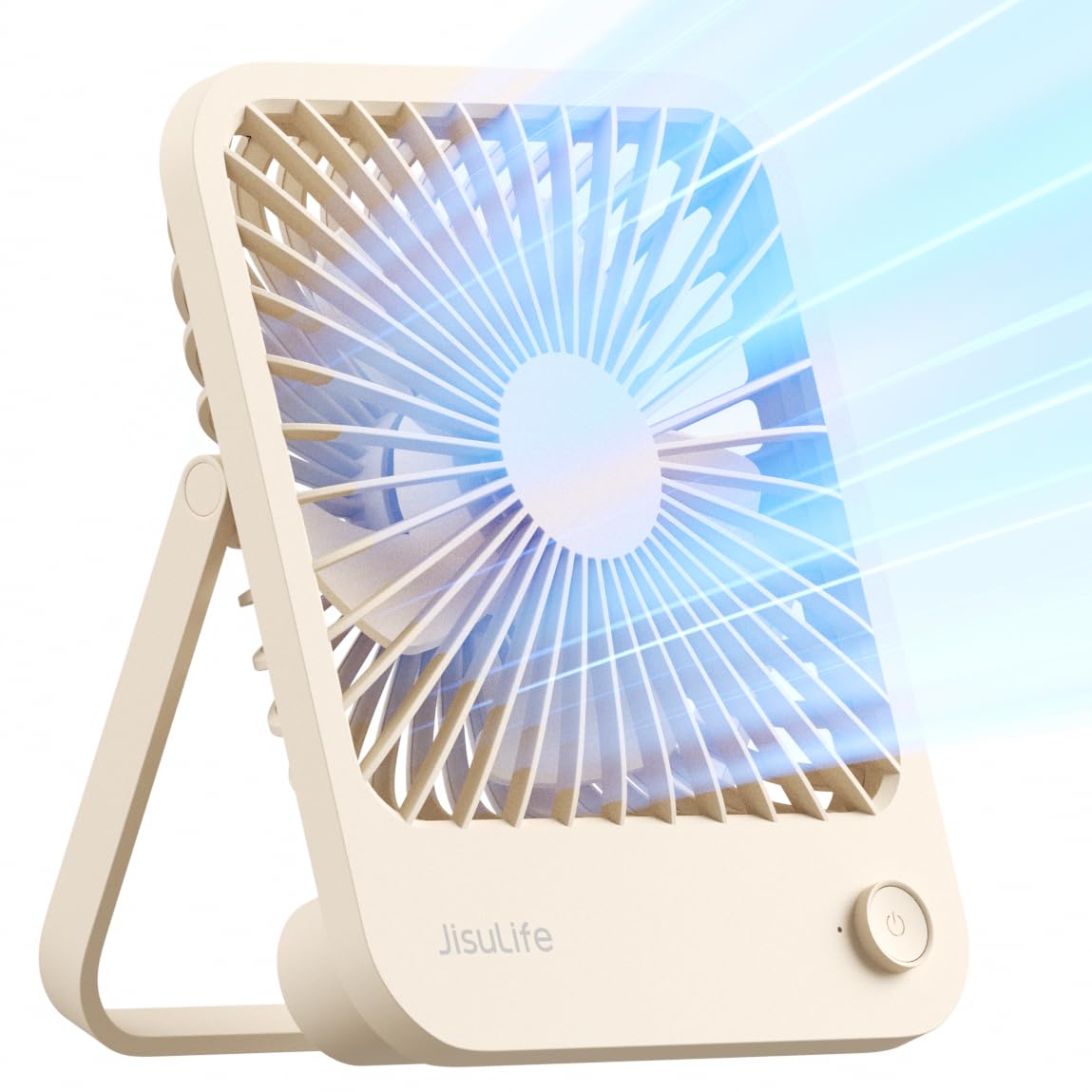
Figure 2.1: JISULIFE FA26 Portable Desk Fan (Brown).

Figure 2.2: The fan's versatile design allows for use in various settings, including campการไอเอ็นจี

Figure 2.3: The fan is ideal for desktop use, providing personal cooling.
3. การตั้งค่า
Before first use, ensure the fan is fully charged. The fan is designed for immediate use out of the box.
3.1 การชาร์จเริ่มต้น
- Connect the provided USB Type-C charging cable to the fan's charging port.
- Plug the other end of the cable into a compatible USB power source (e.g., computer, wall adapter, power bank).
- ไฟแสดงสถานะจะสว่างขึ้นขณะชาร์จ และจะเปลี่ยนสีหรือดับลงเมื่อชาร์จเต็มแล้ว โดยปกติการชาร์จเต็มจะใช้เวลาประมาณ 5.5 ชั่วโมง
3.2 การวางตำแหน่งพัดลม
The 180° foldable stand allows for flexible positioning:
- การใช้เดสก์ท็อป: Fold out the stand to position the fan upright on any flat surface.
- การใช้แขวน: The stand can also be used as a hook to hang the fan in various locations.

Figure 3.1: The fan's 180° foldable design for versatile placement.
4. คู่มือการใช้งาน
The fan features a simple one-button control for ease of use.
4.1 การเปิด/ปิดเครื่องและการปรับความเร็ว
- การเปิดเครื่อง: Press the control button once. The fan will start at Speed 1 (gentle breeze).
- การปรับความเร็ว: Press the control button repeatedly to cycle through the 4 available speeds:
- Speed 1: Gentle breeze
- Speed 2: Medium wind
- Speed 3: Strong wind
- Speed 4: Natural wind mode (variable speed for a more natural feel)
- วิธีปิดเครื่อง: After cycling through all 4 speeds, pressing the button one more time will turn the fan off.

Figure 4.1: The fan offers four speeds for customized comfort.
5. Charging the Fan
The JISULIFE FA26 is equipped with a 4500mAh rechargeable battery, providing extended operation time.
- อายุการใช้งานแบตเตอรี่: The fan can run for up to 13 hours on a single charge, depending on the speed setting.
- เวลาในการชาร์จ: การชาร์จเต็มจะใช้เวลาประมาณ 5.5 ชั่วโมง
- พอร์ตชาร์จ: Use the provided USB Type-C cable to charge the fan. Note: Some older models or review videos may show a Micro-USB port, but the current model uses USB Type-C as per specifications.
- ไฟแสดงสถานะการชาร์จ: A small LED light indicates the charging status. Refer to the specific product packaging or quick start guide for exact light behavior (e.g., red for charging, blue for full).

Figure 5.1: The fan features a built-in rechargeable battery for cordless operation.
6. การบำรุงรักษา
การบำรุงรักษาตามปกติจะช่วยให้พัดลมของคุณมีประสิทธิภาพสูงสุดและมีอายุการใช้งานยาวนาน
- การทำความสะอาด: Use a soft, dry cloth to wipe the exterior of the fan. Do not use abrasive cleaners or immerse the fan in water.
- การทำความสะอาดกระจังหน้า: Periodically, use a soft brush or compressed air to gently clean dust from the fan grilles and blades. Ensure the fan is turned off before cleaning.
- พื้นที่จัดเก็บ: เมื่อไม่ได้ใช้งานเป็นเวลานาน ควรเก็บพัดลมไว้ในที่แห้งและเย็น หลีกเลี่ยงแสงแดดโดยตรงและอุณหภูมิที่สูงหรือต่ำเกินไป
7 การแก้ไขปัญหา
If you encounter any issues with your JISULIFE FA26 fan, refer to the following troubleshooting guide:
| ปัญหา | สาเหตุที่เป็นไปได้ | สารละลาย |
|---|---|---|
| พัดลมไม่เปิด | แบตเตอรี่อ่อนหรือไม่มีประจุ | Charge the fan using the provided USB Type-C cable. |
| การไหลเวียนของอากาศที่อ่อนแอ | Low battery or fan speed setting is too low | Charge the fan or increase the fan speed by pressing the control button. |
| พัดลมมีเสียงดังผิดปกติ | การอุดตันในใบพัดหรือปัญหาภายใน | Turn off the fan and check for any obstructions. If the issue persists, contact customer support. |
| พัดลมไม่ชาร์จ | Faulty cable, adapter, or charging port | ลองใช้สาย USB Type-C หรืออะแดปเตอร์แปลงไฟอันอื่นดู ตรวจสอบให้แน่ใจว่าพอร์ตชาร์จสะอาดและปราศจากสิ่งสกปรก |
8. ข้อมูลจำเพาะ
| คุณสมบัติ | ข้อมูลจำเพาะ |
|---|---|
| ยี่ห้อ | จีซูไลฟ์ |
| ชื่อรุ่น | FA26 |
| แหล่งพลังงาน | ใช้พลังงานจากแบตเตอรี่ |
| ความจุของแบตเตอรี่ | ลิเธียมไออน 4500mAh (รวมอยู่ด้วย) |
| จำนวนระดับพลังงาน | 4 |
| ระดับเสียง | 40 เดซิเบล |
| ขนาดสินค้า | ลึก 1.38 นิ้ว x กว้าง 5.31 นิ้ว x สูง 6.46 นิ้ว |
| น้ำหนักสินค้า | 0.48 ปอนด์ (7.6 ออนซ์) |
| คุณสมบัติพิเศษ | Foldable, Manual, Portable, Powerful, Rechargeable |
| วิธีการควบคุม | สัมผัส (ปุ่มกด) |
| ส่วนประกอบที่รวมอยู่ | Desktop Fan, Type-C Charging Cable, Manual |
| เล่มที่tage | 5 โวลต์ (กระแสตรง) |
| ความเร็ว | 2750 รอบต่อนาที |
| ความจุการไหลของอากาศ | 250 ลูกบาศก์เมตรต่อชั่วโมง |
9. วิดีโอผลิตภัณฑ์
Video 9.1: Official product video demonstrating the 180-Degree Foldable Personal Desk Fan by JISULIFE-NA.
10. การรับประกันและการสนับสนุน
For warranty information or technical support, please refer to the contact details provided on the product packaging or visit the official JISULIFE webไซต์ โปรดเก็บใบเสร็จรับเงินไว้เป็นหลักฐานการซื้อ