
การแนะนำ
This manual provides essential information for the setup, operation, and maintenance of your Sharp 50EQ3EA Android TV. The Sharp 50EQ3EA is a 50-inch 4K Ultra HD Android TV featuring a frameless design, Quantum Dot display technology for superior color reproduction, and an integrated Harman/Kardon sound system with Dolby Atmos and DTS:X for an immersive audio experience. It operates on Android 11, offering access to numerous applications, Google Assistant, and Chromecast built-in. This television is designed to deliver high-quality visual and auditory entertainment.
การตั้งค่า
1. การเปิดออกและการตรวจสอบ
Carefully remove the TV and all accessories from the packaging. Ensure all components listed below are present and undamaged:
- Sharp 50EQ3EA Television
- รีโมทคอนโทรล
- แบตเตอรี่ AAA 2 ก้อน
- TV Stand Installation Kit
- Quick Start Guide (this document serves as a detailed guide)
2. การติดตั้งขาตั้ง
If you are not wall-mounting the TV, attach the included stand using the provided installation kit. Refer to the diagrams in the quick start guide for specific screw placement. Ensure the stand is securely fastened before placing the TV on a stable, level surface.
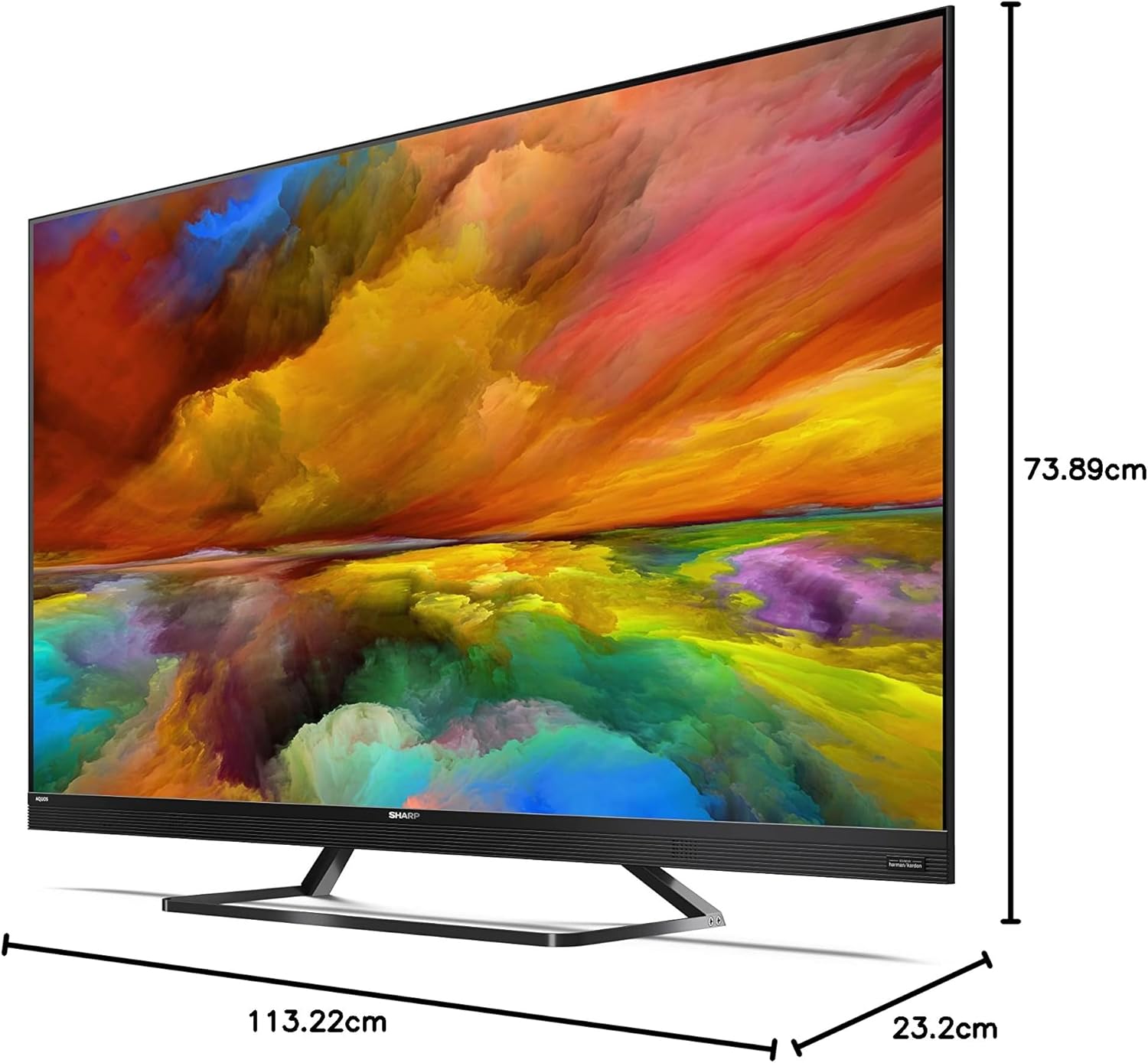
Image: The Sharp 50EQ3EA television with its stand, displaying overall dimensions for placement planning.
3. การเชื่อมต่อพลังงาน
Connect the power cord to the TV's power input and then to a suitable electrical outlet (220V AC, 50Hz). The TV will enter standby mode.
4. การเชื่อมต่ออุปกรณ์ภายนอก
Your Sharp 50EQ3EA TV offers various connectivity options:
- ช่องต่อ HDMI: Use one of the four HDMI 2.1 ports for high-definition devices like Blu-ray players, gaming consoles, or set-top boxes. These ports support eARC, ALLM, VRR, and QMS for enhanced audio and gaming.
- ยูเอสบี: Two USB ports are available for connecting USB storage devices to play media or for software updates.
- เสาอากาศ/ดาวเทียม: Connect your terrestrial (DVB-T/T2), cable (DVB-C), or satellite (DVB-S/S2) antenna/dish to the respective inputs for live TV channels.
- อีเธอร์เน็ต (LAN): เพื่อให้ได้การเชื่อมต่ออินเทอร์เน็ตแบบใช้สายที่เสถียร ให้เสียบสายอีเธอร์เน็ตเข้ากับพอร์ต LAN
- เอาต์พุตเสียง: Optical digital audio output and a headphone jack are available for external audio systems or headphones.
- บลูทูธ/ไวไฟ: The TV supports wireless connectivity for internet access and connecting Bluetooth devices.

Image: The back panel of the Sharp 50EQ3EA TV, highlighting the available connection ports.
5. การตั้งค่าเริ่มต้น
Upon first power-on, the TV will guide you through the initial setup process. This includes selecting your language, connecting to a Wi-Fi network, signing in with your Google account, and scanning for TV channels. Follow the on-screen instructions.
คำแนะนำการใช้งาน
1. รีโมทคอนโทรล
The TV comes with a remote control. Insert the two AAA batteries into the remote control. The remote supports both infrared and Bluetooth for control, including voice commands via Google Assistant.

Image: The two remote controls included with the Sharp 50EQ3EA TV, featuring dedicated buttons for popular streaming services.
2. ฟังก์ชั่นพื้นฐานของทีวี
- พลัง: Press the power button on the remote to turn the TV on or off (standby mode).
- ปริมาณ: ใช้ปุ่ม VOL +/- เพื่อปรับระดับเสียง
- ช่องทางการรับชม: ใช้ปุ่ม CH +/- เพื่อเปลี่ยนช่อง หรือใช้แป้นตัวเลขเพื่อเลือกช่องที่ต้องการ
- แหล่งที่มา: Press the SOURCE button to select input sources (HDMI, AV, TV Tuner).
- การนำทาง: ใช้ปุ่มควบคุมทิศทางและปุ่ม OK เพื่อเลื่อนดูเมนูและเลือกตัวเลือกต่างๆ
3. คุณสมบัติของสมาร์ททีวี (แอนดรอยด์ทีวี)
Your Sharp 50EQ3EA runs on Android 11, providing a smart and intuitive user experience.
- หน้าจอหลัก: Access the Android TV home screen to find recommended content, installed apps, and settings.
- ผู้ช่วย Google: Press the Google Assistant button on your remote and speak into the microphone to control your TV, search for content, or get information.
- Chromecast ในตัว: Cast content from your compatible mobile devices or computer directly to your TV.
- การใช้งาน: Access pre-installed apps like Netflix, YouTube, Google Play Movies & TV, Google Play Store, and Prime Video. You can download more apps from the Google Play Store.

Image: The Android TV home screen, showing easy access to popular streaming services and personalized content.
4. การตั้งค่ารูปภาพ
เพิ่มประสิทธิภาพของคุณ viewing experience through the picture settings menu:
- โหมดภาพ: Select from various preset modes (e.g., Standard, Movie, Game, Vivid) or customize your own.
- Quantum Dot (Q-COLOUR): This technology enhances color accuracy and vibrancy.
- รองรับ HDR: The TV supports HDR10, HLG, and Dolby Vision for improved contrast and color in compatible content.
- Active Motion 1000 & AQUOS Motion: These technologies ensure smooth and clear motion, reducing blur in fast-paced scenes.
- OPC (Optical Picture Control): The light sensor automatically adjusts screen brightness based on ambient light conditions for optimal viewการไอเอ็นจี
5. การตั้งค่าเสียง
Experience immersive audio with the integrated Harman/Kardon sound system:
- โหมดเสียง: เลือกโหมดเสียงที่ตั้งไว้ล่วงหน้า (เช่น มาตรฐาน เพลง ภาพยนตร์ เสียงพูด) หรือปรับการตั้งค่าอีควอไลเซอร์
- Harman/Kardon Audio: The system features front-firing tweeters and down-firing woofers for clear sound and solid bass.
- Dolby Atmos และ DTS:X: These technologies provide a 360-degree virtual surround sound experience.
- DTS เสมือน:X: Enhances audio depth and spaciousness.
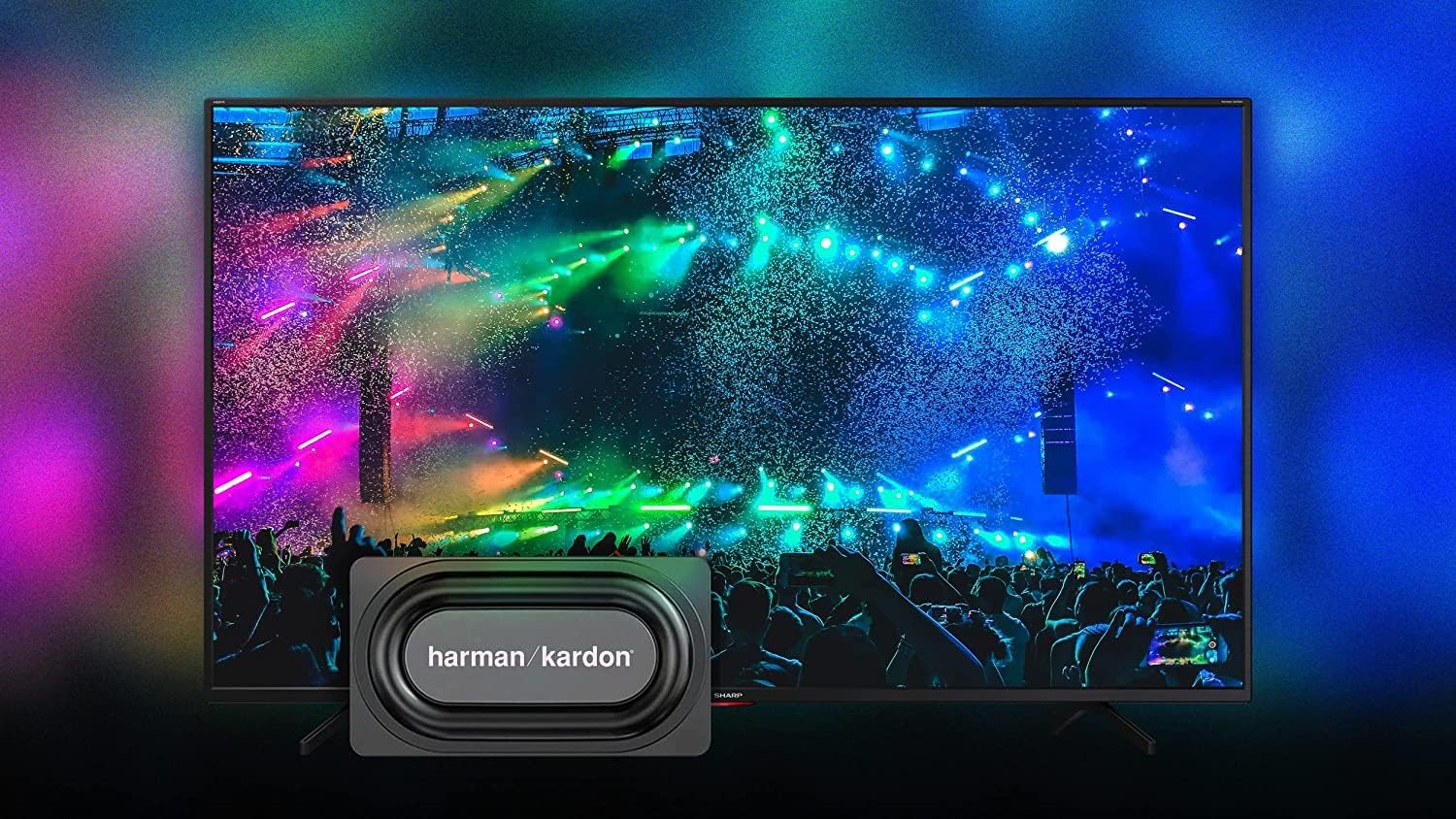
Image: The Sharp 50EQ3EA TV showcasing its Harman/Kardon sound system, designed for an immersive audio experience.
6. คุณสมบัติการเล่นเกม
The Sharp 50EQ3EA is equipped with features for an enhanced gaming experience:
- HDMI2.1: Four HDMI 2.1 ports support advanced gaming features.
- eARC (ช่องสัญญาณเสียงกลับที่ได้รับการปรับปรุง): Allows for high-quality audio passthrough to compatible sound systems.
- ALLM (โหมดเวลาแฝงต่ำอัตโนมัติ): สลับทีวีไปที่โหมดหน่วงต่ำโดยอัตโนมัติเมื่อตรวจพบคอนโซลเกม
- VRR (อัตราการรีเฟรชตัวแปร): Synchronizes the TV's refresh rate with the game console's output to reduce screen tearing and stuttering.
- QMS (Quick Media Switching): Reduces black screen periods when switching between different frame rates.
- Google Stadia Support: The TV supports Google Stadia for cloud gaming.
การซ่อมบำรุง
1. การทำความสะอาดหน้าจอ
ในการทำความสะอาดหน้าจอ ให้ปิดทีวีและถอดปลั๊กออกจากเต้าเสียบก่อน ใช้ผ้าแห้งนุ่มๆ ที่ไม่มีขนเช็ดหน้าจอเบาๆ สำหรับคราบฝังแน่น ให้เช็ดเบาๆ อีกครั้งampชุบผ้าด้วยน้ำหรือน้ำยาทำความสะอาดหน้าจอโดยเฉพาะ ห้ามฉีดน้ำยาลงบนหน้าจอโดยตรง
2. การทำความสะอาดตู้
เช็ดตู้ทีวีด้วยผ้าแห้งเนื้อนุ่ม หลีกเลี่ยงการใช้สารทำความสะอาดที่มีฤทธิ์กัดกร่อน แว็กซ์ หรือตัวทำละลาย เพราะอาจทำให้พื้นผิวเสียหายได้
3. การอัปเดตซอฟต์แวร์
ทีวีอาจได้รับการอัปเดตซอฟต์แวร์เพื่อปรับปรุงประสิทธิภาพและเพิ่มคุณสมบัติใหม่ ๆ โปรดตรวจสอบให้แน่ใจว่าทีวีของคุณเชื่อมต่อกับอินเทอร์เน็ตเพื่อรับการอัปเดตเหล่านี้ โดยปกติคุณสามารถตรวจสอบการอัปเดตได้ในเมนูการตั้งค่าของทีวี
การแก้ไขปัญหา
If you encounter issues with your Sharp 50EQ3EA TV, refer to the following common problems and solutions:
- ไม่มีไฟฟ้า:
• Ensure the power cord is securely plugged into both the TV and the wall outlet.
• Check if the wall outlet is functioning by plugging in another device.
• Try pressing the power button on the TV itself, not just the remote. - ไม่มีภาพ/หน้าจอดำ:
• Verify the correct input source is selected (e.g., HDMI 1, TV). Press the SOURCE button on the remote.
• Check all cable connections between the TV and external devices.
• Ensure the external device is powered on and functioning correctly.
• Adjust brightness and contrast settings in the picture menu. - ไม่มีเสียง:
• Increase the volume using the remote control.
• Ensure the TV is not muted. Press the MUTE button.
• Check audio cable connections if using external speakers.
• If using an external audio system, ensure it is powered on and the correct input is selected. - รีโมทคอนโทรลไม่ทำงาน:
• Replace the AAA batteries in the remote control.
• Ensure there are no obstructions between the remote and the TV's IR sensor.
• For Bluetooth remote, ensure it is paired with the TV. Refer to the TV's settings for Bluetooth device management. - ปัญหาการเชื่อมต่อเครือข่าย:
• For Wi-Fi, ensure your router is on and functioning. Try restarting the router.
• Re-enter the Wi-Fi password in the TV's network settings.
• For wired connection, ensure the Ethernet cable is securely connected.
• Try connecting to a different network if available to isolate the issue. - Picture Quality Issues (e.g., blurry, pixelated):
• Check the resolution of the content being played. 4K content will look best.
• Ensure the input source is providing a high-quality signal.
• Adjust picture settings like sharpness, noise reduction, and motion settings.
หากปัญหายังคงมีอยู่หลังจากลองวิธีแก้ไขเหล่านี้แล้ว โปรดติดต่อฝ่ายสนับสนุนลูกค้า
ข้อมูลจำเพาะ
Below are the key technical specifications for the Sharp 50EQ3EA Android TV:
| คุณสมบัติ | ข้อมูลจำเพาะ |
|---|---|
| หมายเลขรุ่น | 50EQ3EA |
| ขนาดหน้าจอ | 50 นิ้ว (126 ซม.) |
| เทคโนโลยีการแสดงผล | ควอนตัมดอทแอลอีดี |
| ปณิธาน | 4K Ultra HD (3840 x 2160) |
| อัตราการรีเฟรช | 60 เฮิรตซ์ |
| รองรับ HDR | HDR10, Dolby Vision, HLG |
| การปรับปรุงการเคลื่อนไหว | Active Motion 1000, AQUOS Motion |
| ระบบปฏิบัติการ | Android 11 (R) |
| คุณสมบัติอัจฉริยะ | Google Assistant, Chromecast Built-in, Google Stadia |
| ระบบเสียง | Harman/Kardon (2x 15W), Dolby Atmos, DTS:X, DTS Virtual:X |
| พอร์ต HDMI | 4 x HDMI 2.1 (eARC, ALLM, VRR, QMS) |
| พอร์ต USB | พอร์ต USB 2 จำนวน 2.0 พอร์ต |
| การเชื่อมต่อ | Wi-Fi, Bluetooth, Ethernet (RJ45) |
| จูนเนอร์ | UHD Triple Tuner DVB-T/T2/C/S/S2 (MPEG4 + H.265 HEVC 10-bit) |
| มาตรฐาน VESA | 200 x 200 มม. |
| ขนาด (รวมขาตั้ง) | 113.22 x 73.89 x 23.2 ซม. (กว้าง x สูง x ลึก) |
| น้ำหนัก | 11.8 กก. |
| การใช้พลังงาน | 83 วัตต์ |
| ชั้นพลังงาน | G |
การรับประกันและการสนับสนุน
ข้อมูลการรับประกัน
Specific warranty details for your Sharp 50EQ3EA TV are typically provided with your purchase documentation or can be found on the official Sharp webเว็บไซต์สำหรับภูมิภาคของคุณ โปรดเก็บหลักฐานการซื้อไว้เพื่อใช้ในการเคลมประกัน
การสนับสนุนลูกค้า
For technical assistance, troubleshooting beyond this manual, or warranty inquiries, please contact Sharp customer support. Contact information can usually be found on the Sharp official webไซต์หรือในเอกสารที่มาพร้อมทีวีของคุณ