
1. บทนำ
Thank you for choosing the GalaxyElec HOTRC A400 Digital Lipo Battery Balance Charger. This charger is designed for safe and efficient charging and discharging of 3S and 4S LiPo batteries, commonly used in RC FPV racing drones and quadcopters. Please read this manual thoroughly before operation to ensure proper use and to prevent damage to the charger or batteries.
2. คำแนะนำด้านความปลอดภัย
คำเตือน: Never use the charger unsupervised. Read the entire operating manual before using this charger. Operate the charger in a well-ventilated area, away from flammable materials. Failure to follow safety procedures may cause serious injury or property damage.
- Always connect the charger to a stable AC power source (100-240V).
- Ensure the battery type and cell count (3S or 4S) match the charger's designated port.
- ห้ามชาร์จแบตเตอรี่ที่ชำรุด บวม หรือรั่วซึม
- Keep the charger away from water, moisture, and direct sunlight.
- Do not cover the charger during operation to allow for proper heat dissipation.
- เก็บให้พ้นจากมือเด็ก
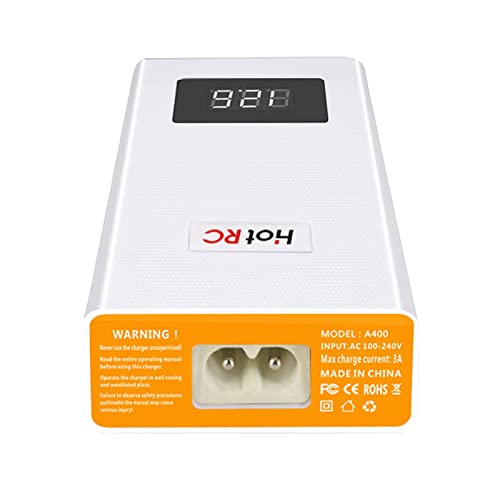
รูปที่ 2.1: ด้านหลัง view of the HOTRC A400 charger, displaying the AC power input port, model number, input voltage range, max charge current, and safety warnings.
3. เนื้อหาบรรจุภัณฑ์
ตรวจสอบว่ารายการทั้งหมดที่ระบุไว้ด้านล่างนี้รวมอยู่ในแพ็คเกจของคุณ:
- 1 x HOTRC A400 Lipo Battery Balance Charger
- สายไฟ AC 1 เส้น
- 1 x คู่มือการใช้งาน
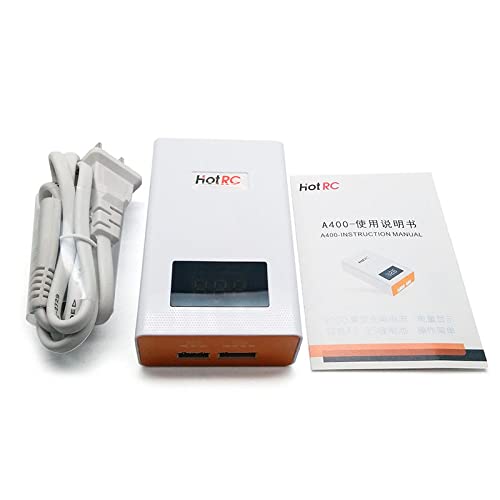
Figure 3.1: The HOTRC A400 charger alongside its power cable and a printed instruction manual, illustrating the typical package contents.
4. สินค้าหมดview
The HOTRC A400 charger features a compact design with a digital LED display for real-time voltage monitoring. It includes dedicated balance ports for 3S and 4S LiPo batteries.
- จอแสดงผล LED ดิจิตอล: Shows the total voltage ของแบตเตอรี่ที่เชื่อมต่อ
- 3 CELLS Port: For connecting 3-cell (3S) LiPo batteries.
- 4 CELLS Port: For connecting 4-cell (4S) LiPo batteries.
- อินพุตไฟ AC: เชื่อมต่อกับแหล่งจ่ายไฟหลัก
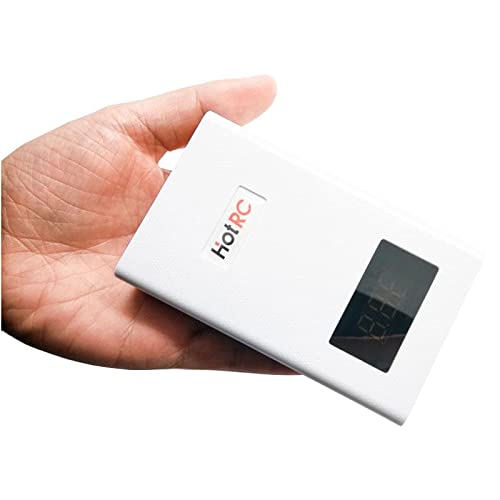
รูปที่ 4.1: ด้านหน้าและด้านข้าง view of the HOTRC A400 charger, showing its compact white casing with an orange front panel and digital display.
5. การตั้งค่า
- Place the charger on a stable, non-flammable surface in a well-ventilated area.
- Connect the provided AC power cable to the AC power input port on the rear of the charger.
- Plug the other end of the AC power cable into a standard wall outlet (AC 100-240V). The LED display will illuminate, indicating the charger is powered on and ready.
6. คู่มือการใช้งาน
6.1. Charging 3S LiPo Batteries
- ตรวจสอบให้แน่ใจว่าได้เสียบปลั๊กชาร์จแล้ว
- Connect your 3S LiPo battery's balance plug to the '3 CELLS' port on the front of the charger. Ensure the plug is inserted correctly, aligning the pins.
- The LED display will show the current total voltage of the battery. The charger will automatically begin balancing and charging the battery.
- Charging is complete when the LED display shows 12.6V (4.2V per cell for a 3S battery) and the indicator light turns green (if applicable, refer to specific model indicators).
- เมื่อชาร์จเสร็จแล้วให้ถอดแบตเตอรี่ออกจากเครื่องชาร์จ
6.2. Charging 4S LiPo Batteries
- ตรวจสอบให้แน่ใจว่าได้เสียบปลั๊กชาร์จแล้ว
- Connect your 4S LiPo battery's balance plug to the '4 CELLS' port on the front of the charger. Ensure the plug is inserted correctly, aligning the pins.
- The LED display will show the current total voltage of the battery. The charger will automatically begin balancing and charging the battery.
- Charging is complete when the LED display shows 16.8V (4.2V per cell for a 4S battery) and the indicator light turns green (if applicable, refer to specific model indicators).
- เมื่อชาร์จเสร็จแล้วให้ถอดแบตเตอรี่ออกจากเครื่องชาร์จ
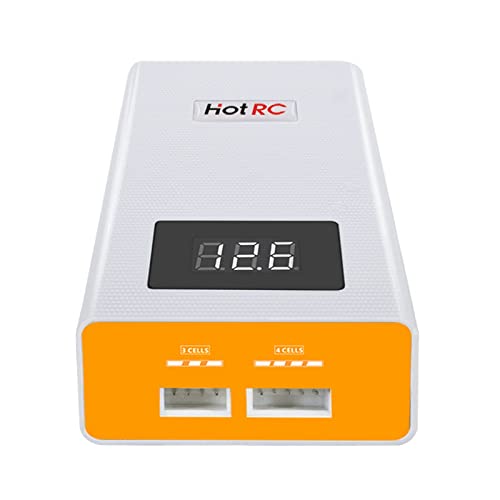
รูปที่ 6.1: ภาพระยะใกล้ด้านหน้า view of the HOTRC A400 charger, highlighting the '3 CELLS' and '4 CELLS' balance ports and the digital LED display.
6.3. LED Display and Indicators
- The digital LED display shows the real-time total voltage ของแบตเตอรี่ที่เชื่อมต่อ
- ระหว่างการชาร์จ หน้าจอจะแสดงค่าที่เพิ่มขึ้นasinกรัมปริมาตรtage.
- Once the battery reaches its full charge voltage (e.g., 12.6V for 3S, 16.8V for 4S), the charger will stop charging and maintain the balance.
6.4. Discharging Function
The HOTRC A400 charger includes a discharge function. To discharge a battery, simply connect it to the appropriate balance port (3S or 4S). The charger will automatically begin to discharge the battery to a safe storage voltage. Monitor the display to see the voltage decrease. Disconnect the battery once the desired storage voltage is reached or when the charger indicates completion.
7. การบำรุงรักษาและการจัดเก็บ
- Clean the charger regularly with a dry, soft cloth. Do not use solvents or abrasive cleaners.
- เก็บเครื่องชาร์จไว้ในที่แห้งและเย็น ปราศจากแสงแดดโดยตรงและอุณหภูมิที่สูงหรือต่ำเกินไป
- ตรวจสอบให้แน่ใจว่าพอร์ตทั้งหมดไม่มีฝุ่นและเศษขยะ
- เมื่อไม่ได้ใช้งาน ให้ถอดอุปกรณ์ชาร์จออกจากเต้ารับไฟฟ้า
8 การแก้ไขปัญหา
- เครื่องชาร์จไม่เปิดเครื่อง: Check the AC power cable connection to both the charger and the wall outlet. Ensure the outlet is functional.
- ไม่ชาร์จแบตเตอรี่: Verify that the battery's balance plug is fully and correctly inserted into the corresponding 3S or 4S port. Check if the battery is severely over-discharged or damaged.
- ปริมาตรไม่ถูกต้องtagอีจอแสดงผล: Ensure the battery is properly connected. If the issue persists, the battery or charger may require service.
- ความร้อนสูงเกินไป: Disconnect the charger immediately. Ensure it is in a well-ventilated area and not covered. Allow it to cool down before resuming use. If overheating continues, discontinue use.
9. ข้อมูลจำเพาะ
| ข้อมูลจำเพาะ | ค่า |
|---|---|
| ชื่อสินค้า | HOTRC A400 Battery Charger |
| น้ำหนัก | 138กรัม |
| ขนาด | ขนาดโดยประมาณ 100 x 60 x 30 มม. |
| กระแสไฟชาร์จสูงสุด | 3A |
| ประเภทแบตเตอรี่ | 3S/4S LiPo |
| Balanced Current | 300mAh / มือถือ |
| กำลังชาร์จสูงสุด | 40วัตต์ |
| Charge Stop Voltage | 4.2V ±0.02V per cell |
| วัสดุของเปลือกหอย | วัสดุทนไฟ ABS + PC |
| อินพุต Voltage | ไฟฟ้ากระแสสลับ 100-240 โวลต์ |
| ปริมาณการส่งออกtage | 11.1 Volts (DC) for 3S, 14.8 Volts (DC) for 4S (nominal) |
| จำนวนพอร์ต | 2 (1x 3S, 1x 4S) |
| การอ้างอิงผู้ผลิต | ZZYtsFPV-10851 |
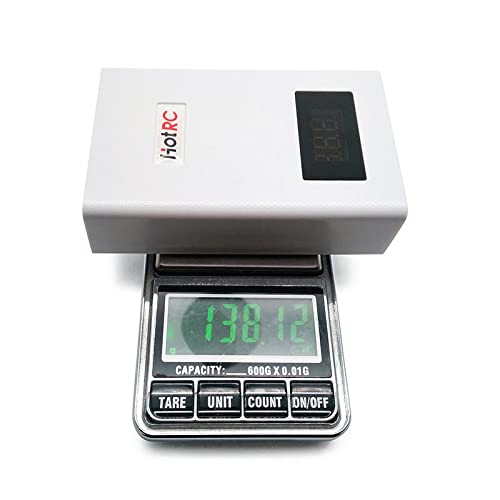
Figure 9.1: The HOTRC A400 charger placed on a digital scale, showing its weight of approximately 138 grams, emphasizing its lightweight design.
10. การรับประกันและการสนับสนุน
This product comes with a standard manufacturer's warranty. For specific warranty details, please refer to the documentation provided at the time of purchase or contact your retailer. For technical support or inquiries, please reach out to the customer service department of GalaxyElec or your authorized dealer.