
BTMETER BT-570T-APP
BTMETER BT-570T-APP Clamp คู่มือการใช้มัลติมิเตอร์
คู่มือการใช้งานและการบำรุงรักษาฉบับสมบูรณ์
1. บทนำ
The BTMETER BT-570T-APP is a versatile AC/DC 1000A Clamp Multimeter designed for accurate electrical measurements. It features 4000 counts digital display, data logging capabilities, and Bluetooth connectivity for remote monitoring via a smartphone or tablet application. This manual provides detailed instructions for the safe and effective use of your device.
Key functionalities include measuring AC/DC current, AC/DC voltage, resistance, capacitance, frequency, temperature, and continuity. It is suitable for various applications including HVAC, household electrical work, and commercial troubleshooting.
2. ข้อมูลด้านความปลอดภัย
โปรดปฏิบัติตามข้อควรระวังด้านความปลอดภัยต่อไปนี้เสมอ เพื่อป้องกันการบาดเจ็บส่วนบุคคลหรือความเสียหายต่อมิเตอร์:
- ห้ามป้อนค่าเกินขีดจำกัดสูงสุดสำหรับช่วงการวัดใดๆ
- ควรใช้ความระมัดระวังเป็นพิเศษเมื่อทำงานกับวงจรที่มีไฟฟ้าอยู่
- ตรวจสอบให้แน่ใจว่าได้ตั้งค่ามิเตอร์ไปที่ฟังก์ชันและช่วงการวัดที่ถูกต้องก่อนทำการวัด
- ตรวจสอบสายทดสอบว่ามีรอยชำรุดเสียหายหรือไม่ก่อนใช้งานทุกครั้ง เปลี่ยนใหม่หากฉนวนชำรุด
- ห้ามใช้งานมิเตอร์หากพบว่ามิเตอร์ชำรุดหรือทำงานไม่ถูกต้อง
- Adhere to IEC 61010-1, CAT IV 600V, CAT III 1000V safety standards.
- When measuring current, ensure only the LIVE conductor is clamped for accurate readings. Clamping both hot and neutral conductors will result in a zero reading.
3. สินค้าหมดview
The BTMETER BT-570T-APP is designed for ease of use and durability. Familiarize yourself with its components:

Figure 3.1: Key Components of the BT-570T-APP
- เอซี/ดีซี คลamp: For non-contact current measurement. Jaw caliber size is 1.77 inches (45mm).
- สิ่งกระตุ้น: เปิดและปิด clamp กราม.
- แป้นหมุนเลือกฟังก์ชัน: Selects measurement modes (Voltagเช่น กระแสไฟฟ้า ความต้านทาน ฯลฯ)
- จอแสดงผล LCD ย้อนแสง: Shows measurement readings clearly, even in low light.
- แจ็คอินพุต: For connecting test leads and temperature probe.
- ปุ่ม: HOLD, SELECT RANGE, REL/Duty, Max/Min/Average.
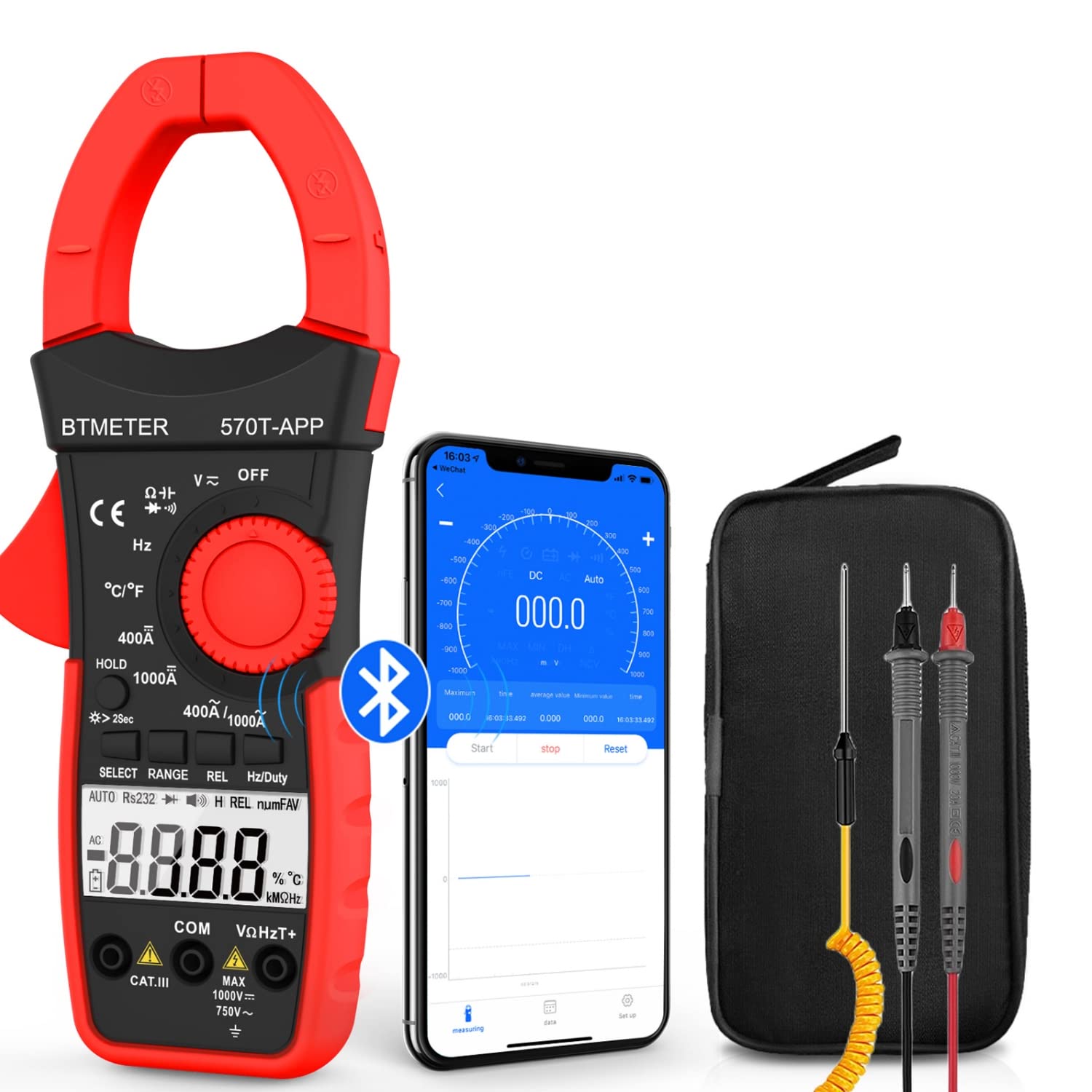
Figure 3.2: Product Contents and Bluetooth Connectivity
The package includes the BT-570T-APP clamp multimeter, test leads, a thermocouple probe, and a carrying case for convenient storage and transport.
4. การตั้งค่า
4.1 การติดตั้งแบตเตอรี่
The meter requires batteries for operation. Open the battery compartment on the back of the device, insert the batteries according to the polarity indicators, and secure the cover.
4.2 การติดตั้งแอปและการเชื่อมต่อบลูทูธ
The BT-570T-APP supports remote control and data logging via a mobile application. Follow these steps to connect:
- Download the "Intelligent Clamp Meter" app from the App Store (iOS) or Google Play (Android).
- ตรวจสอบให้แน่ใจว่าได้เปิดใช้งาน Bluetooth บนสมาร์ทโฟนหรือแท็บเล็ตของคุณแล้ว
- Turn on the BT-570T-APP multimeter.
- Open the app on your device. It should automatically detect and connect to the multimeter.
- เมื่อเชื่อมต่อแล้ว คุณสามารถ view measurements, graph data, and save readings in Excel or TXT format.
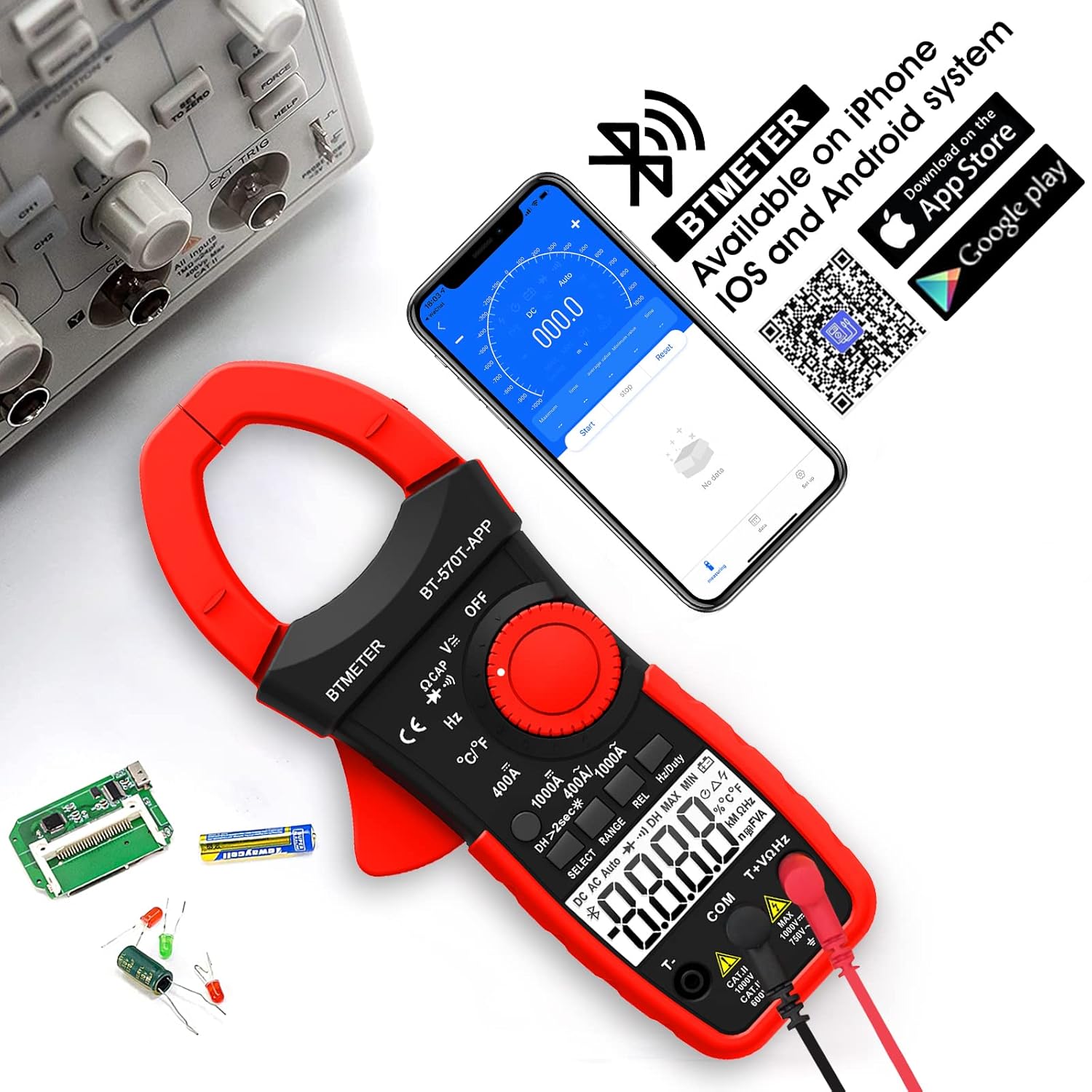
Figure 4.1: App Download and Bluetooth Pairing
5. คู่มือการใช้งาน
5.1 การวัดกระแสไฟฟ้ากระแสสลับ/กระแสตรง (Cl)amp)
สำหรับการวัดกระแสไฟฟ้า AC หรือ DC สูงสุด 1000A:
- Turn the function dial to the "400A" or "1000A" AC/DC current range.
- Press the SELECT button to toggle between AC and DC current if necessary.
- เปิด clamp ขากรรไกรโดยใช้ไกปืน
- Enclose only one conductor (e.g., the live wire) within the clamp- อย่าคลิamp multiple wires as this will result in inaccurate readings.
- อ่านค่าปัจจุบันบนจอ LCD

Figure 5.1: Measuring AC/DC Current with the Clamp
5.2 ฉบับtagการวัด (AC/DC)
เพื่อวัดกระแสไฟ AC หรือ DC voltage up to 1000V:
- Insert the red test lead into the VΩHzT+ jack and the black test lead into the COM jack.
- หมุนแป้นหมุนฟังก์ชั่นไปที่ "V~" (ระดับเสียง AC)tage) หรือ "V-" (DC Vol)tage) ช่วง
- ต่อสายทดสอบแบบขนานเข้ากับวงจรหรือชิ้นส่วนที่ต้องการทดสอบ
- อ่านเล่มที่tagค่า e บนจอ LCD
5.3 การวัดความต้านทาน
To measure resistance up to 60M ohms:
- Insert the red test lead into the VΩHzT+ jack and the black test lead into the COM jack.
- Turn the function dial to the "Ω" (Resistance) range.
- Ensure the circuit is de-energized before connecting the test leads across the component.
- อ่านค่าความต้านทานบนจอ LCD
5.4 การวัดความจุ
To measure capacitance up to 200µF:
- Insert the red test lead into the VΩHzT+ jack and the black test lead into the COM jack.
- Turn the function dial to the "CAP" (Capacitance) range.
- คายประจุตัวเก็บประจุให้หมดก่อนเชื่อมต่อสายทดสอบ
- ต่อสายวัดทดสอบเข้ากับขั้วของตัวเก็บประจุ
- อ่านค่าความจุบนจอ LCD
5.5 การวัดความถี่
To measure frequency up to 9.999MHz:
- Insert the red test lead into the VΩHzT+ jack and the black test lead into the COM jack.
- Turn the function dial to the "Hz" (Frequency) range.
- เชื่อมต่อสายทดสอบเข้ากับแหล่งสัญญาณ
- อ่านค่าความถี่บนจอ LCD
5.6 การวัดอุณหภูมิ
To measure temperature from -4°F to 1832°F (-20°C to 1000°C):
- Insert the thermocouple probe into the T+ and COM jacks, observing polarity.
- Turn the function dial to the "°C/°F" (Temperature) range.
- Press the SELECT button to switch between Celsius and Fahrenheit.
- Place the tip of the thermocouple probe on or in the object whose temperature is to be measured.
- อ่านค่าอุณหภูมิจากหน้าจอ LCD

รูปที่ 5.2: การวัดอุณหภูมิ
5.7 การทดสอบความต่อเนื่อง
To test for circuit continuity:
- Insert the red test lead into the VΩHzT+ jack and the black test lead into the COM jack.
- Turn the function dial to the "Diode/Continuity" range.
- เชื่อมต่อสายทดสอบข้ามวงจรหรือส่วนประกอบ
- The buzzer will sound if the resistance is less than 50Ω, indicating continuity.

Figure 5.3: Auditory Continuity Test
5.8 Data Logging and Bluetooth Features
The BT-570T-APP offers advanced data logging capabilities via its mobile application:
- การตรวจสอบระยะไกล: View real-time measurements on your phone or tablet from a distance.
- แผนภูมิแสดงแนวโน้ม: The app automatically graphs measurement trends over time.
- การส่งออกข้อมูล: Export logged data in Excel (.xlsx) or TXT (.txt) formats for analysis.
- การเก็บข้อมูล: Press the "HOLD" button to freeze the current reading on the display.
- REL (การวัดเชิงสัมพัทธ์): Press "REL" to zero out the current reading, useful for measuring changes relative to a reference point.
- ค่าสูงสุด/ต่ำสุด/ค่าเฉลี่ย: Record the maximum, minimum, and average values during a measurement session.

Figure 5.4: Remote Control and Data Download via App
6. การบำรุงรักษา
- การทำความสะอาด: Wipe the meter with a dry, clean cloth. Do not use abrasive cleaners or solvents.
- การเปลี่ยนแบตเตอรี่: Replace batteries when the low battery indicator appears on the display. Ensure proper polarity.
- พื้นที่จัดเก็บ: If storing for extended periods, remove the batteries to prevent leakage. Store in a cool, dry place away from direct sunlight.
- การสอบเทียบ: สำหรับการใช้งานระดับมืออาชีพ แนะนำให้ทำการสอบเทียบเป็นระยะโดยช่างเทคนิคที่มีคุณสมบัติเหมาะสม เพื่อรักษาความแม่นยำ
7 การแก้ไขปัญหา
| ปัญหา | สาเหตุที่เป็นไปได้ | สารละลาย |
|---|---|---|
| มิเตอร์ไม่เปิดใช้งาน | แบตเตอรี่เสียหรือติดตั้งไม่ถูกต้อง | เปลี่ยนแบตเตอรี่โดยตรวจสอบให้แน่ใจว่าใส่ขั้วถูกต้อง |
| Inaccurate current reading (e.g., zero reading). | Clamping multiple conductors (hot and neutral). | Ensure only a single live conductor is clampบก. |
| การเชื่อมต่อบลูทูธล้มเหลว | Bluetooth disabled on phone/tablet; app issue; meter too far. | Ensure Bluetooth is on, restart app/meter, move closer, check app permissions. |
| Data not saving/exporting from app. | App bug; insufficient storage; incorrect save location. | Ensure app is updated. Check phone storage. Refer to app's help section for data export paths. Some users report issues with iOS data saving, try Android if available. |
| หน้าจอแสดง "OL" (Overload) | ค่าที่วัดได้เกินช่วงที่เลือกไว้ | Select a higher range or ensure the input is within the meter's capabilities. |
8. ข้อมูลจำเพาะ
| พารามิเตอร์ | ค่า |
|---|---|
| หมายเลขรุ่น | BT-570T-APP |
| ช่วงกระแสไฟฟ้า AC/DC | 400A / 1000A (100mA / 1A resolution) |
| กระแสสลับ/กระแสตรง โวลtagอี เรนจ์ | สูงถึง 1000V |
| ช่วงความต้านทาน | สูงสุด 60MΩ |
| ช่วงความจุ | สูงสุด 200µF |
| ช่วงความถี่ | สูงสุดถึง 9.999MHz |
| ช่วงอุณหภูมิ | -4°F ถึง 1832°F (-20°C ถึง 1000°C) |
| จำนวนการแสดงผล | 4000 นับ |
| Jaw Caliber Size | 1.77 นิ้ว (45 มม.) |
| ระดับความปลอดภัย | IEC 61010-1, CAT IV 600V, CAT III 1000V, Class 2, Double insulation |
| แหล่งพลังงาน | ใช้พลังงานจากแบตเตอรี่ |
| น้ำหนักสินค้า | 11.68 ออนซ์ |
| ขนาดแพ็คเกจ | 10.2 x 5 x 2.28 นิ้ว |
9. การรับประกันและการสนับสนุน
BTMETER provides a 12-month quality warranty for the BT-570T-APP Clamp Multimeter. Life-time technical support is also available.
For technical assistance, warranty claims, or any inquiries, please contact BTMETER customer support through their official webเว็บไซต์หรือข้อมูลการติดต่อที่ให้มาพร้อมกับการซื้อของคุณ
มีแผนการคุ้มครองเพิ่มเติมให้เลือกสำหรับความคุ้มครองเพิ่มเติม:
- แผนคุ้มครอง 3 ปี
- แผนคุ้มครอง 4 ปี
- Complete Protect Plan (monthly billing)
Please refer to the specific terms and conditions of these protection plans for full details.
Ask a question about this manual
Ask about setup, troubleshooting, compatibility, parts, safety, or missing instructions. Manuals+ will review the question and use this page’s manual context to help answer it.