
1. บทนำ
Thank you for choosing the Hodozzy Digital Wireless Reversing Camera Kit. This system is designed to provide a clear and stable view of your vehicle's surroundings, enhancing safety during reversing and maneuvering. It is suitable for a wide range of 12V-24V vehicles, including cars, RVs, trucks, trailers, buses, and caravans.
This manual provides detailed instructions for installation, operation, and maintenance to ensure optimal performance and longevity of your device. Please read it thoroughly before use.
2. เนื้อหาบรรจุภัณฑ์
โปรดตรวจสอบว่ารายการทั้งหมดที่ระบุไว้ด้านล่างมีอยู่ในแพ็คเกจของคุณหรือไม่:
- 1 x 7-inch TFT LCD Monitor
- 2 x Wireless Reversing Cameras
- เครื่องชาร์จในรถยนต์ 1 ชิ้น
- 2 x Power Cords for Cameras
- 1 x Monitor Mounting Bracket
- 1 x Sunshade for Monitor
- 2 x เสาอากาศ
- 1 x คู่มือผู้ใช้
- Installation Kits (screws, adhesive sticker)

Figure 2.1: Hodozzy Digital Wireless Reversing Camera Kit Components
3. ข้อมูลจำเพาะ
| คุณสมบัติ | ข้อมูลจำเพาะ |
|---|---|
| หมายเลขรุ่น | Z2091 |
| ขนาดจอภาพ | จอ LCD TFT ขนาด 7 นิ้ว |
| ความละเอียดของกล้อง | 720P (Effective Capture Resolution) |
| Camera Sensor Technology | ซีมอส |
| ระดับการกันน้ำ | IP69 |
| View มุม | 130 องศา |
| การมองเห็นตอนกลางคืน | Yes (Color Night Vision with 8 LED lights) |
| ช่วงสัญญาณไร้สาย | 20-40 feet (up to 70m in open area without interference) |
| กำลังไฟเข้า | 12V-24V DC |
| โหมดการแสดงผลจอภาพ | Full screen, Dual split, Quad split (with additional cameras) |
| ฟังก์ชั่นการบันทึก | Yes (with SD card, up to 128GB) |

รูปที่ 3.1: ขนาดผลิตภัณฑ์
4. การตั้งค่าและการติดตั้ง
This system is designed for easy installation. Follow these steps carefully:
4.1 การติดตั้งกล้อง
- ตำแหน่งการติดตั้ง: Choose a suitable location for each camera at the rear of your vehicle. Ensure the camera has a clear, unobstructed view. The cameras are IP69 waterproof, shockproof, and dustproof, suitable for various weather conditions.
- การติดตั้งที่ปลอดภัย: Use the provided screws and brackets to securely attach the cameras. Adjust the camera angle for optimal viewการไอเอ็นจี
- การเชื่อมต่อไฟฟ้า: Connect the camera's power cable to a 12V-24V DC power source. For continuous monitoring, connect to a constant power source. For reversing assistance, connect to the vehicle's reverse lights (positive and negative wires).

Figure 4.1: IP69 Waterproof and Durable Cameras

Figure 4.2: Camera Waterproof Rating

Figure 4.3: 130° Wide View มุม
4.2 การติดตั้งจอภาพ
- การติดตั้ง: Attach the monitor to your dashboard or windshield using the provided mounting bracket. Ensure it is in a position that does not obstruct your view ขณะกำลังขับรถ
- การเชื่อมต่อไฟฟ้า: Plug the monitor's car charger into your vehicle's cigarette lighter socket or connect it to an ACC/fuse/radio power source.
- เสาอากาศ: Screw the antenna onto the monitor for optimal wireless signal reception.

Figure 4.4: Wireless Connection and Power Diagram

Figure 4.5: Wireless Signal Range
5. คู่มือการใช้งาน
5.1 การเปิด/ปิดเครื่อง
Once connected to power, the monitor will automatically turn on when the vehicle is started or when the reverse gear is engaged (if wired to reverse lights). Press the 'POWER' button on the monitor to manually turn it on or off.
5.2 โหมดการแสดงผล
จอภาพขนาด 7 นิ้วรองรับโหมดการแสดงผลหลายโหมด:
- เต็มจอ: แสดงภาพจากกล้องตัวเดียว view.
- Dual Split: แสดงภาพจากกล้องสองตัว viewพร้อมกัน
- ควอดสปลิท: แสดงผลกล้องได้สูงสุดถึงสี่ตัว views simultaneously (requires additional cameras, sold separately).
Use the 'CH' button on the monitor to cycle through the available camera channels (CH1, CH2, CH3, CH4) and the 'MODE' button to switch between full screen, dual split, and quad split display modes.

Figure 5.1: Full Screen and Split Screen Display

Figure 5.2: 4-Channel System Overview
5.3 Auxiliary Lines
The monitor can display auxiliary parking lines to assist with reversing. You can enable or disable these lines by pressing the dedicated button on the monitor.
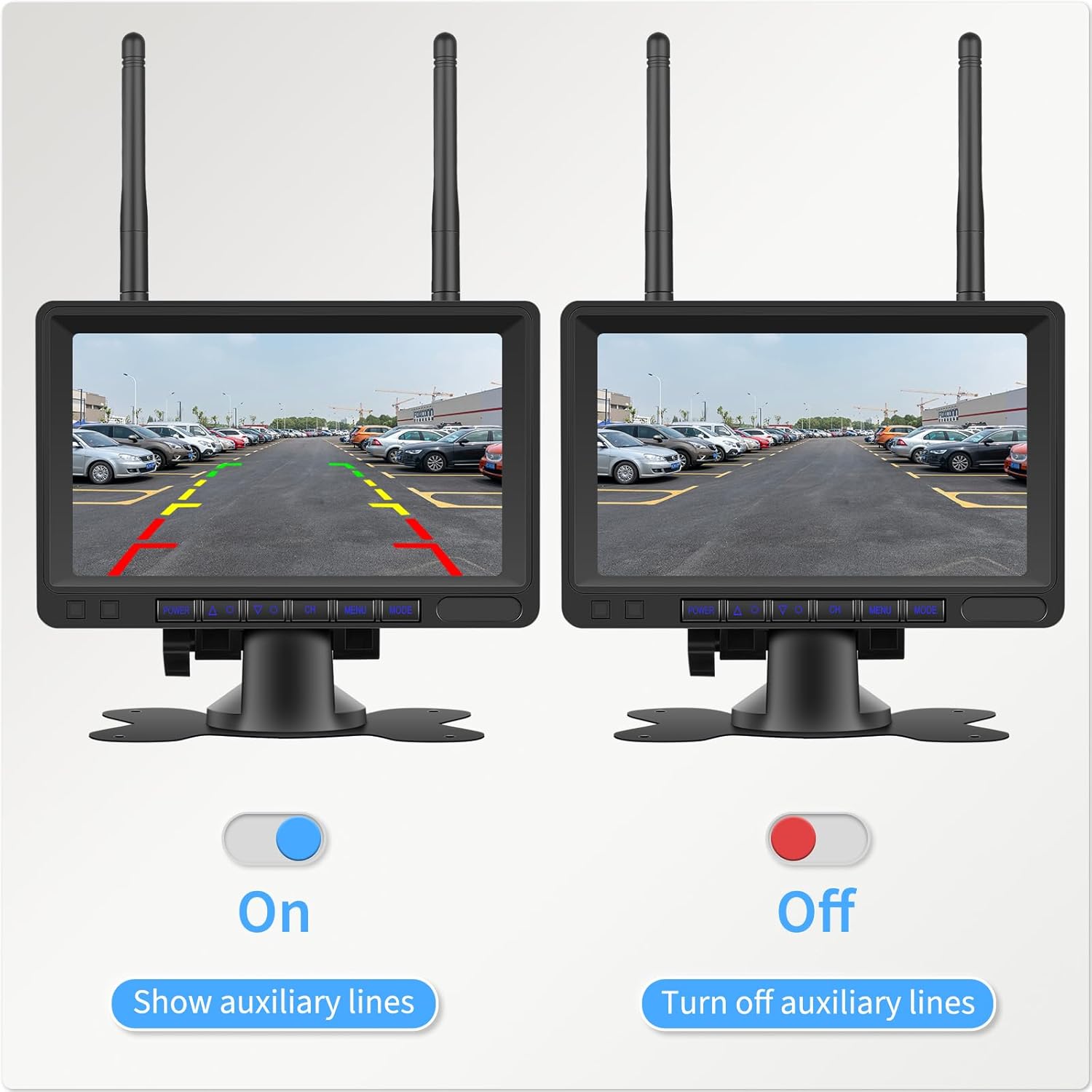
Figure 5.3: Auxiliary Lines On/Off

Figure 5.4: Guide Lines Control
5.4 Image Flip
The monitor allows you to flip the camera image (horizontal, vertical, or both) to suit your mounting orientation and preference. Use the 'MENU' button to access settings and adjust the image flip option.

Figure 5.5: Image Flip Options
5.5 การบันทึกวิดีโอ
The monitor supports video recording to an SD card (up to 128GB, not included). Insert an SD card into the designated slot on the monitor to enable recording. The system will record footage from the active camera channels.

Figure 5.6: Video Recording Function

Figure 5.7: SD Card Slot for Recording
5.6 การมองเห็นตอนกลางคืน
The cameras are equipped with 8 LED lights and advanced chips to provide clear color night vision, ensuring visibility even in low-light conditions.
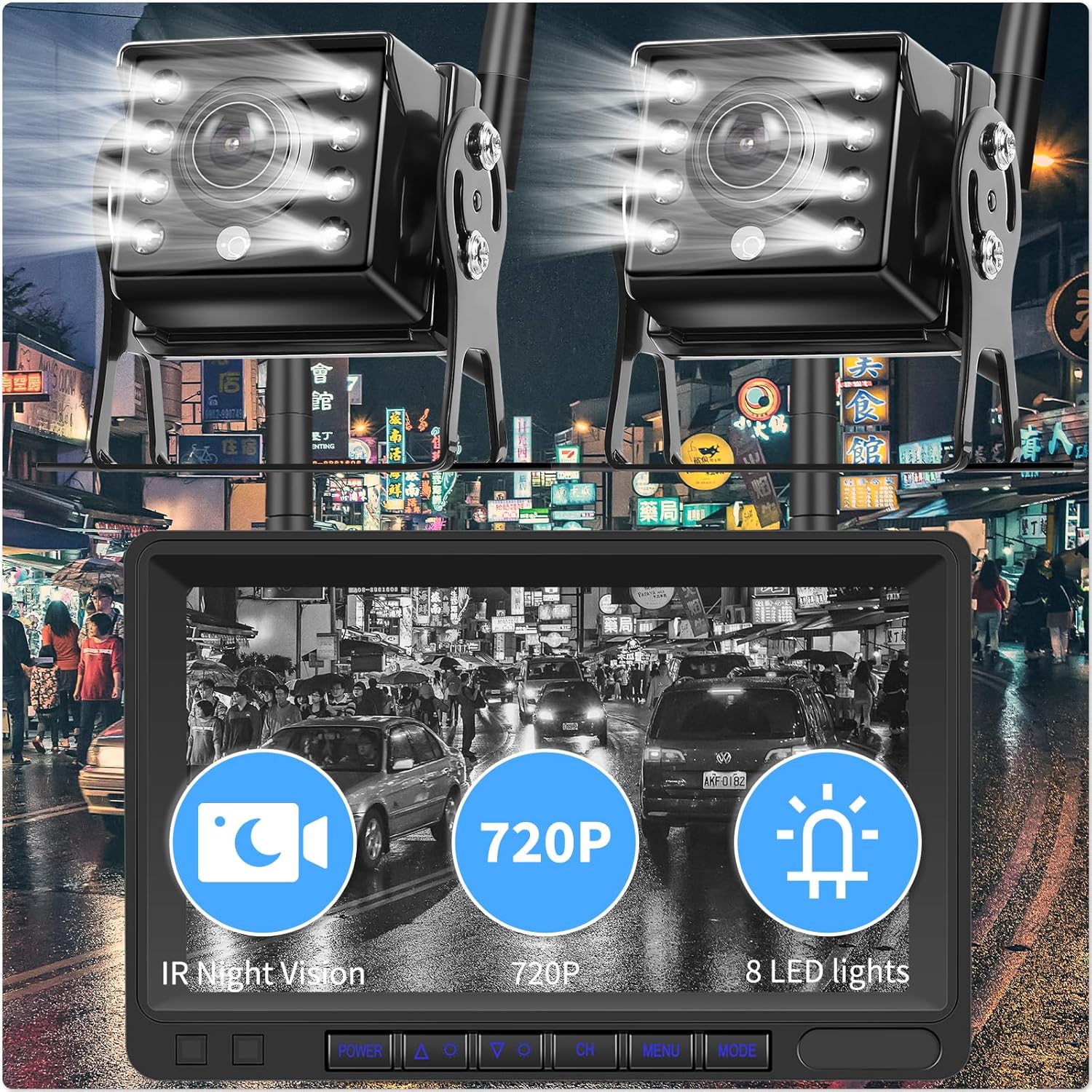
Figure 5.8: 720P Night Vision with 8 LED Lights

Figure 5.9: Color Night Vision Display
6. การบำรุงรักษา
To ensure the longevity and optimal performance of your Hodozzy Reversing Camera Kit, follow these maintenance guidelines:
- การทำความสะอาด: ทำความสะอาดเลนส์กล้องและหน้าจอมอนิเตอร์เป็นประจำด้วยผ้าเนื้อนุ่มและแห้งamp ใช้ผ้าเช็ดทำความสะอาด หลีกเลี่ยงน้ำยาทำความสะอาดที่มีฤทธิ์กัดกร่อนหรือตัวทำละลายที่อาจทำให้พื้นผิวเสียหายได้
- การเชื่อมต่อสายเคเบิล: ตรวจสอบการเชื่อมต่อสายเคเบิลทั้งหมดเป็นระยะ เพื่อให้แน่ใจว่าแน่นหนาและปราศจากสนิมหรือความเสียหาย
- Camera Housing: Although the cameras are IP69 waterproof, inspect their housing for any cracks or damage that could compromise their water resistance, especially after exposure to harsh conditions.
- การอัปเดตซอฟต์แวร์: ตรวจสอบของผู้ผลิต website for any available software updates for your device.
7 การแก้ไขปัญหา
If you encounter issues with your reversing camera kit, please refer to the following common problems and solutions:
| ปัญหา | สาเหตุที่เป็นไปได้ | สารละลาย |
|---|---|---|
| ไม่มีภาพบนจอภาพ |
|
|
| ภาพสั่นไหวหรือภาพไม่เสถียร |
|
|
| Night vision not clear |
|
|
| การบันทึกไม่ทำงาน |
|
|
If these solutions do not resolve the issue, please contact Hodozzy customer support for further assistance.
8. การรับประกันและการสนับสนุน
Hodozzy provides a 12-month replacement service and lifetime after-sales support for this product. If you encounter any defective product or issues, please do not hesitate to contact us. Our customer service team is available 24 hours a day to assist you.
ข้อมูลติดต่อ:
- อีเมล: hodozzyofficial@163.com
- Online Support: Refer to the contact details provided in your package or on the official Hodozzy webเว็บไซต์.

Figure 8.1: Hodozzy Customer Support Information