
Sifely Sifely R
Sifely Wireless Key Fob User Manual
Model: Sifely R
การแนะนำ
This user manual provides comprehensive instructions for the Sifely Wireless Key Fob (Model: Sifely R). This key fob is designed to offer a convenient and contactless method for unlocking Sifely Smart Locks from a distance of up to 30 feet. It integrates seamlessly with your existing Sifely Smart Lock system via the "Sifely Smart Lock" application.
โปรดอ่านคู่มือนี้อย่างละเอียดก่อนใช้งานอุปกรณ์ เพื่อให้มั่นใจได้ว่าอุปกรณ์จะทำงานได้อย่างถูกต้องและยืดอายุการใช้งานให้ยาวนานที่สุด
เนื้อหาแพ็คเกจ
- 1 x Sifely Wireless Key Fob (Model: Sifely R)
- แบตเตอรี่ลิเธียมเมทัล 1 ก้อน (ติดตั้งไว้ล่วงหน้า)
- 1 x คู่มือเริ่มต้นใช้งานฉบับย่อ (โปรดดูคู่มือฉบับนี้สำหรับคำแนะนำโดยละเอียด)
สินค้าเกินview

ภาพ: ด้านหน้า view of the Sifely Wireless Key Fob, showing the lock and unlock buttons.
The Sifely Wireless Key Fob features two primary buttons: one for locking and one for unlocking your Sifely Smart Lock. It is compact and designed for easy portability, often attached to a keychain.
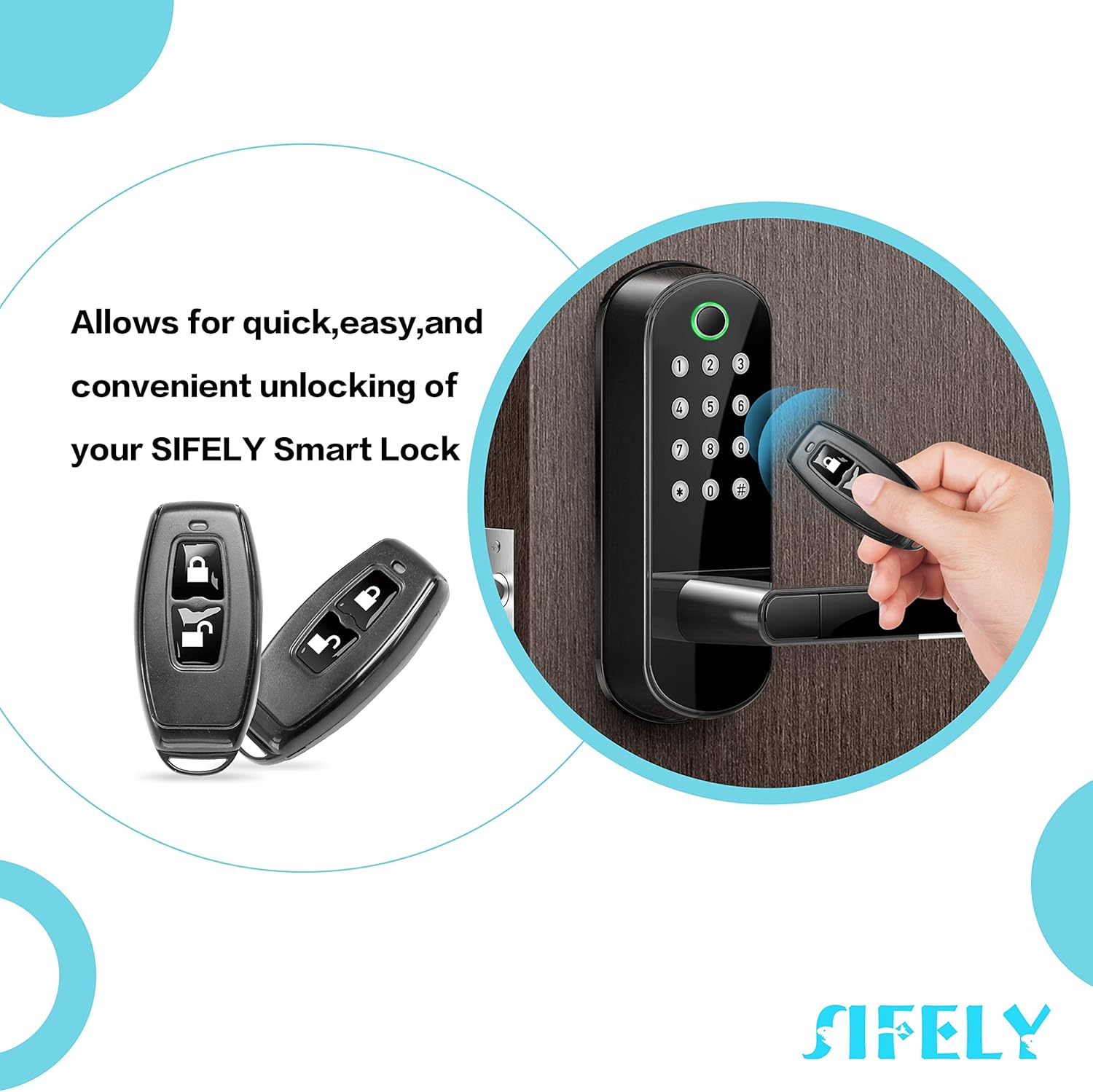
Image: Illustration of the Sifely Wireless Key Fob being used to unlock a Sifely Smart Lock, demonstrating its quick and convenient functionality.
This image illustrates the key fob's primary function: providing quick, easy, and convenient unlocking of your Sifely Smart Lock without needing to use the app or keypad directly at the door.
การตั้งค่า
- Download the Sifely Smart Lock App: Ensure you have the "Sifely Smart Lock" application installed on your smartphone. This app is available for both iOS and Android devices.
- โปรดตรวจสอบให้แน่ใจว่าได้เปิดใช้งานบลูทูธแล้ว: On your smartphone, enable Bluetooth to allow the app to communicate with your Sifely Smart Lock and the key fob.
- Add the Key Fob in the App:
- Open the Sifely Smart Lock app.
- Navigate to the specific Sifely Smart Lock you wish to pair the key fob with.
- Look for an option such as "Add Remote" or "Add Key Fob" within the lock's settings. (Note: If this option is not present, your lock may require a Sifely Gateway for remote functionality. Refer to your lock's manual or Sifely support for details.)
- Follow the on-screen prompts to complete the pairing process. This typically involves pressing a button on the key fob when instructed by the app.
- ทดสอบฟังก์ชันการทำงาน: After successful pairing, test the key fob by pressing the lock and unlock buttons to ensure it controls your Sifely Smart Lock as expected.
คำแนะนำการใช้งาน
The Sifely Wireless Key Fob provides simple, one-touch control over your Sifely Smart Lock.
- การปลดล็อคประตู:
กดปุ่ม ปลดล็อค button (typically indicated by an open padlock icon) once. The Sifely Smart Lock will disengage, allowing you to open the door. Ensure you are within the effective range (up to 30 feet) of the lock.
- ล็อคประตู:
กดปุ่ม ล็อค button (typically indicated by a closed padlock icon) once. The Sifely Smart Lock will engage, securing the door. This is useful for locking the door as you leave or if you forgot to lock it after entering.
For optimal performance, ensure there are no significant obstructions between the key fob and the smart lock.
การซ่อมบำรุง
- การทำความสะอาด: Wipe the key fob with a soft, dry cloth. Avoid using abrasive cleaners or solvents, as these can damage the surface.
- การเปลี่ยนแบตเตอรี่: The key fob uses a Lithium Metal battery. When the battery is low, you may notice a decrease in range or responsiveness. Refer to the "Specifications" section for battery type. To replace, carefully open the key fob casing (often by prying gently along the seam with a small, flat tool) and replace the battery, ensuring correct polarity.
- พื้นที่จัดเก็บ: Store the key fob in a dry place, away from extreme temperatures and direct sunlight.
- ความทนทานทางกายภาพ: While designed for daily use, avoid excessive force or impact, as the plastic housing can be fragile, particularly the key ring attachment point.
การแก้ไขปัญหา
| ปัญหา | สาเหตุที่เป็นไปได้ | สารละลาย |
|---|---|---|
| Key fob does not respond. | แบตเตอรี่หมดหรือเหลือน้อย | เปลี่ยนแบตเตอรี่ |
| Key fob out of range. | Move closer to the Sifely Smart Lock. | |
| จับคู่ไม่ถูกต้อง | Re-pair the key fob using the Sifely Smart Lock app. | |
| Key fob works intermittently. | แบตเตอรี่อ่อน | เปลี่ยนแบตเตอรี่ |
| การรบกวนจากอุปกรณ์อื่น ๆ | Ensure no strong wireless signals are interfering. Try using the fob in a different location relative to the lock. | |
| "Add Remote" option not available in app. | Sifely Gateway required for remote functionality with your specific lock model. | Check your Sifely Smart Lock's manual or contact Sifely support to confirm if a Gateway is needed for key fob integration. |
ข้อมูลจำเพาะ
- ชื่อรุ่น : Sifely R Model
- หมายเลขชิ้นส่วน: Sifely R
- ยูพีซี: 767501154570
- ยี่ห้อ: Sifely
- น้ำหนักสินค้า: 0.317 ออนซ์
- ขนาดแพ็คเกจ: 3.27 x 2.2 x 0.55 นิ้ว
- วัสดุ: ABS Plastic or TPU
- สี: สีดำ
- จำนวนปุ่ม: 2 (Lock and Unlock)
- ประเภทแบตเตอรี่: แบตเตอรี่ลิเธียมโลหะ 1 ก้อน (รวมอยู่ด้วย)
- การเชื่อมต่อ: ไร้สาย (Bluetooth)
- ช่วงการทำงาน: สูงสุด 30 ฟุต (ประมาณ 9 เมตร)
การรับประกันและการสนับสนุน
Sifely offers the following for your Wireless Key Fob:
- รับประกันคืนเงินภายใน 30 วัน: หากคุณไม่พอใจกับการซื้อของคุณ คุณสามารถส่งคืนได้ภายใน 30 วันเพื่อรับเงินคืนเต็มจำนวน
- รับประกันสินค้า 1 ปี: The key fob is covered by a 1-year warranty from the date of purchase against manufacturing defects.
- การสนับสนุนลูกค้าตลอดอายุการใช้งาน: Sifely provides lifetime customer support for the product.
For warranty claims, technical assistance, or any inquiries, please contact Sifely Customer Support through the "Sifely Smart Lock" app or visit the official Sifely webเว็บไซต์สำหรับข้อมูลการติดต่อ
Note: The key ring attachment point on the key fob is made of plastic and may be susceptible to breakage under excessive stress. This is generally not covered under warranty if due to physical misuse.
Ask a question about this manual
Ask about setup, troubleshooting, compatibility, parts, safety, or missing instructions. Manuals+ will review the question and use this page’s manual context to help answer it.