
1. สินค้าหมดview
The Apple iPhone 13 Pro Max, released in September 2021, is a high-performance smartphone designed for advanced users. This device combines a powerful processor with an exceptional camera system and a vibrant display, all encased in a durable design.
คุณสมบัติหลัก:
- แสดง: 6.7-inch Super Retina XDR display with ProMotion, offering superfast downloads and high-quality streaming.
- โปรเซสเซอร์: A15 Bionic chip with a new 6-core CPU (2 performance, 4 efficiency cores), new 5-core GPU, and new 16-core Neural Engine.
- ระบบกล้อง: Advanced triple-camera system with Cinematic mode for professional video, Dolby Vision HDR video recording up to 4K at 60 fps, and 6X optical zoom range.
- แบตเตอรี่: เล่นวิดีโอได้นานถึง 28 ชั่วโมง
- ความทนทาน: Ceramic Shield front cover and surgical-grade stainless steel frame, with IP68 water and dust resistance.
- ความปลอดภัย: Face ID for secure authentication.
รายละเอียดทางกายภาพ:
The iPhone 13 Pro Max features a sleek design with flat edges and a textured matte glass back. The device weighs approximately 7 ounces (200 grams) and has dimensions of 5.78 x 2.81 x 0.3 inches. It is available in various colors, including Gold, Graphite, Silver, and Sierra Blue.
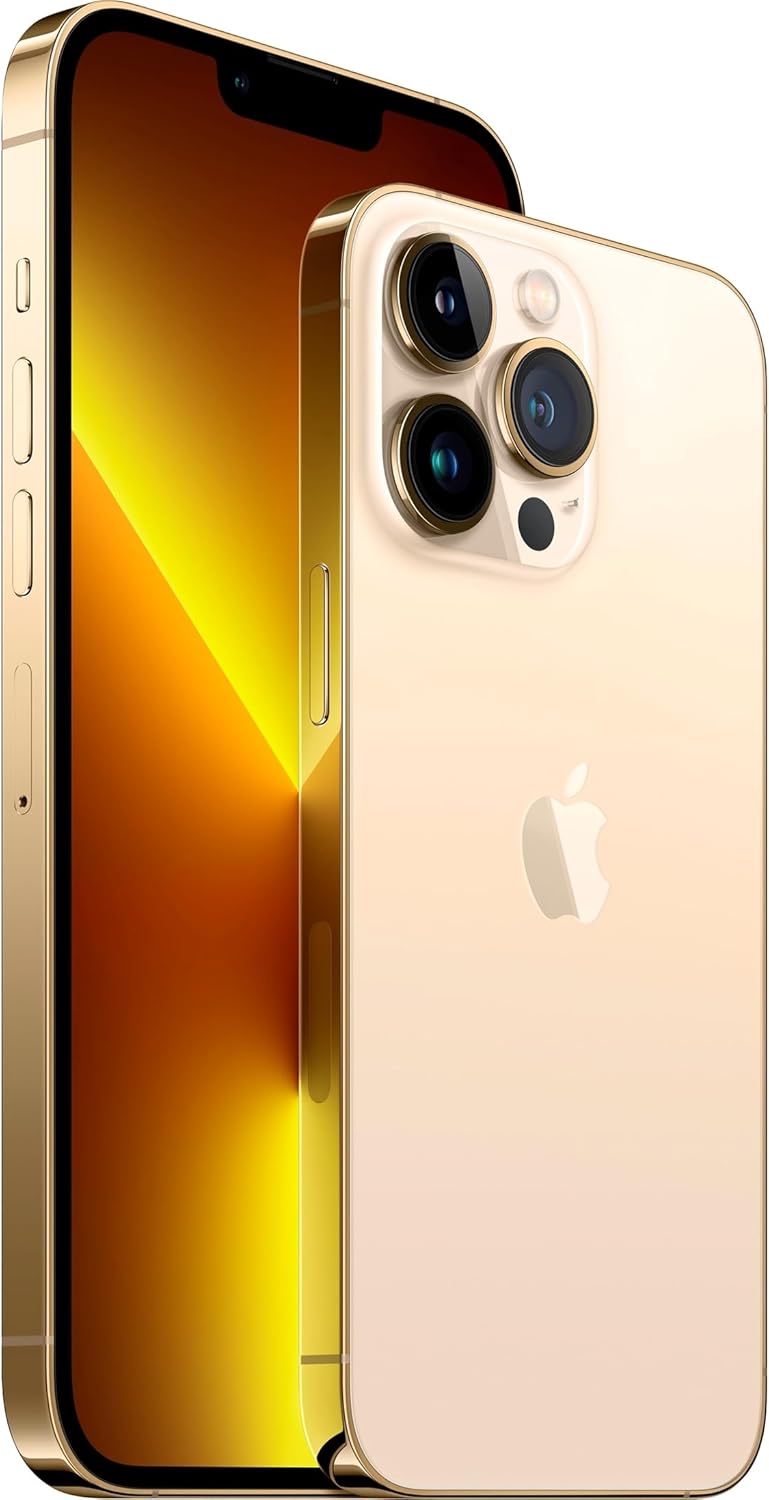
ภาพ: ด้านหน้าและด้านหลัง view of the Apple iPhone 13 Pro Max in Gold, showcasing its triple camera system and display.
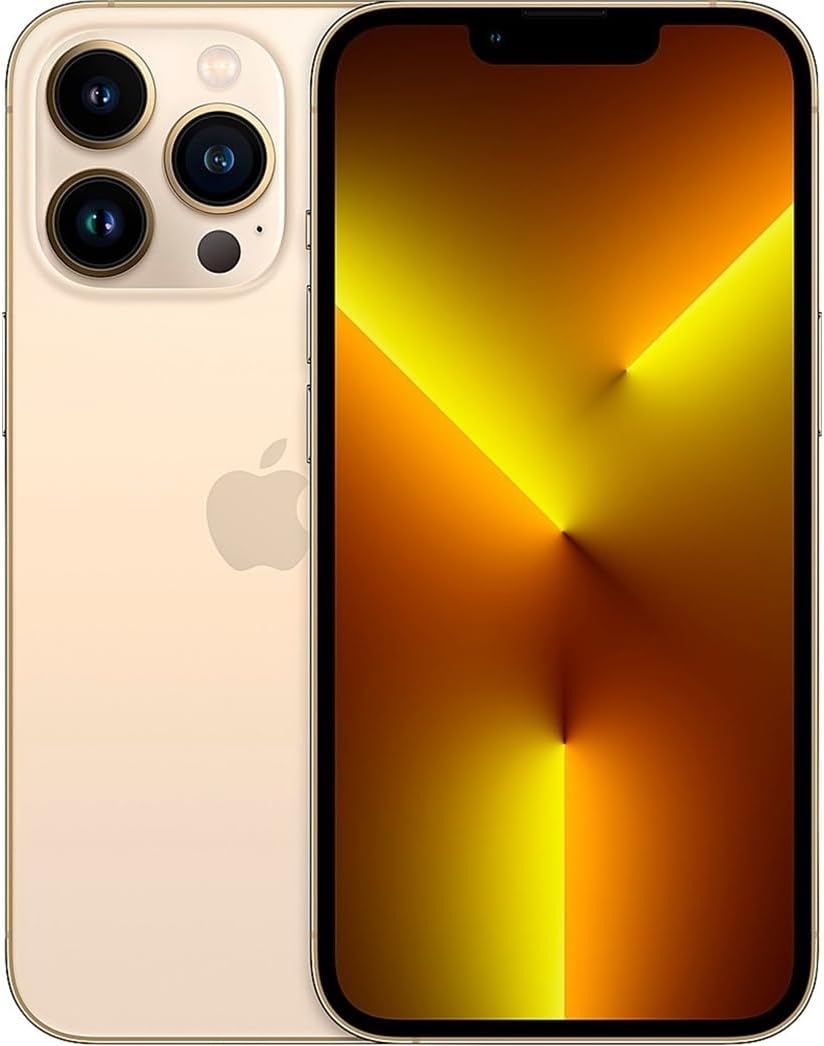
ภาพ: ด้านหน้า view of the Apple iPhone 13 Pro Max in Gold, displaying the screen.
2. อะไรอยู่ในกล่อง
เมื่อแกะกล่อง Apple iPhone 13 Pro Max คุณจะพบสิ่งของต่อไปนี้:
- Apple iPhone 13 Pro Max device
- Charging Cable (USB-C to Lightning)
- เครื่องมือถอดซิมการ์ด
หมายเหตุ: อะแดปเตอร์แปลงไฟและหูฟังจำหน่ายแยกต่างหาก
3. คู่มือการติดตั้ง
3.1 การเปิดเครื่องครั้งแรก
- กดปุ่มค้างไว้ ปุ่มด้านข้าง on the right side of the device until the Apple logo appears.
- ปฏิบัติตามคำแนะนำบนหน้าจอเพื่อเลือกภาษาและภูมิภาคของคุณ
3.2 ใส่ซิมการ์ด
- Locate the SIM tray on the left side of the iPhone.
- Insert the SIM removal tool into the small hole on the SIM tray and press firmly until the tray ejects.
- วางการ์ด nano-SIM ของคุณลงในถาดโดยให้หน้าสัมผัสสีทองคว่ำลง
- ใส่ถาดซิมกลับเข้าไปใน iPhone อย่างระมัดระวัง
3.3 การตั้งค่าพื้นฐาน
After inserting the SIM card, continue with the on-screen setup process:
- เชื่อมต่อกับเครือข่าย Wi-Fi
- Set up Face ID (facial recognition) for secure unlocking and purchases.
- สร้างรหัสผ่านเพื่อความปลอดภัยเพิ่มเติม
- Restore data from a previous iPhone backup (iCloud or computer) or set up as a new iPhone.
- ลงชื่อเข้าใช้ด้วย Apple ID ของคุณหรือสร้างใหม่
- Configure location services, Siri, and other settings as prompted.
4. คู่มือการใช้งาน
4.1 การนำทางและท่าทาง
- หน้าจอหลัก: ปัดขึ้นจากขอบด้านล่างของหน้าจอเพื่อไปยังหน้าจอหลัก
- ตัวสลับแอป: ปัดขึ้นจากขอบล่างและหยุดตรงกลางหน้าจอเพื่อ view open apps. Swipe left or right to switch between them, or swipe up on an app to close it.
- ศูนย์ควบคุม: Swipe down from the top-right corner of the screen to access quick settings like Wi-Fi, Bluetooth, brightness, and volume.
- การแจ้งเตือน: ปัดลงจากด้านบนตรงกลางหน้าจอเพื่อ view การแจ้งเตือนของคุณ
4.2 การใช้งานกล้อง
The iPhone 13 Pro Max features a versatile camera system:
- เปิด แอปกล้องถ่ายรูป.
- Swipe left or right to switch between modes (Photo, Video, Cinematic, Portrait, Pano, Slo-Mo, Time-Lapse).
- แตะที่ ปุ่มชัตเตอร์ เพื่อถ่ายภาพหรือเริ่ม/หยุดบันทึกวิดีโอ
- Use the zoom options (0.5x, 1x, 3x) or pinch the screen to adjust zoom.
- For Cinematic mode, tap the icon to enable depth-of-field effects in videos.
4.3 การจัดการแบตเตอรี่
เพื่อยืดอายุแบตเตอรี่:
- เปิดใช้งาน โหมดพลังงานต่ำ via Control Center or Settings > Battery.
- Adjust screen brightness (lower brightness consumes less power).
- ปิด Wi-Fi หรือ Bluetooth เมื่อไม่ได้ใช้งาน
- ตรวจสอบ สุขภาพแบตเตอรี่ in Settings > Battery > Battery Health & Charging.
5. การบำรุงรักษา
5.1 การทำความสะอาด iPhone ของคุณ
- Unplug all cables and turn off your iPhone.
- Use a soft, lint-free cloth (e.g., a lens cloth) to gently wipe the screen and exterior.
- หลีกเลี่ยงการใช้วัสดุที่มีฤทธิ์กัดกร่อน สเปรย์ สารละลาย หรือน้ำยาทำความสะอาดที่มีส่วนผสมของแอมโมเนีย
- อย่าฉีดน้ำยาทำความสะอาดลงบน iPhone โดยตรง
5.2 การอัปเดตซอฟต์แวร์
Regularly update your iPhone's software to ensure optimal performance, security, and access to new features:
- ไปที่ การตั้งค่า > ทั่วไป > อัปเดตซอฟต์แวร์.
- หากมีการอัปเดต ให้แตะ ดาวน์โหลดและติดตั้ง. Ensure your iPhone is connected to Wi-Fi and has sufficient battery charge or is connected to power.
5.3 ความทนทานต่อน้ำและฝุ่นละออง
The iPhone 13 Pro Max is rated IP68, meaning it can withstand submersion in water up to 6 meters for up to 30 minutes. However, water and dust resistance are not permanent conditions and may decrease over time with normal wear. To prevent liquid damage:
- Avoid swimming or bathing with your iPhone.
- Avoid exposing your iPhone to pressurized water or high-velocity water.
- Avoid using your iPhone in a sauna or steam room.
- Avoid intentionally submerging your iPhone in water.
- If your iPhone gets wet, wipe it with a soft, lint-free cloth. Do not charge it until it is completely dry.
6 การแก้ไขปัญหา
6.1 ปัญหาทั่วไปและแนวทางแก้ไข
- อุปกรณ์ไม่ตอบสนอง: กดปุ่มเพิ่มระดับเสียงแล้วปล่อยอย่างรวดเร็ว กดปุ่มลดระดับเสียงแล้วปล่อยอย่างรวดเร็ว จากนั้นกดปุ่มด้านข้างค้างไว้จนกว่าคุณจะเห็นโลโก้ Apple
- แบตเตอรี่หมดเร็ว: Check battery usage in Settings > Battery to identify apps consuming the most power. Enable Low Power Mode.
- ปัญหาการเชื่อมต่อ Wi-Fi/บลูทูธ: Try toggling Wi-Fi/Bluetooth off and on in Control Center or Settings. Restart your iPhone and/or your router.
- แอปขัดข้อง: Ensure apps are updated to their latest versions. Restart the app or your iPhone.
6.2 รีเซ็ตเป็นค่าโรงงาน
A factory reset erases all data and settings from your iPhone and restores it to its original state. This should be considered a last resort for persistent software issues.
- ไปที่ การตั้งค่า > ทั่วไป > โอนหรือรีเซ็ต iPhone > ลบเนื้อหาและการตั้งค่าทั้งหมด.
- Follow the on-screen prompts. You may need to enter your Apple ID password.
7. ข้อมูลจำเพาะ
| คุณสมบัติ | รายละเอียด |
|---|---|
| ชื่อรุ่น | ไอโฟน 13 โปรแม็กซ์ |
| ขนาดหน้าจอ | 6.7 นิ้ว |
| ความจุของหน่วยความจำ | 128GB |
| ขนาดสินค้า | 5.78 x 2.81 x 0.3 นิ้ว |
| น้ำหนักสินค้า | 7 ออนซ์ |
| แบตเตอรี่ | ต้องใช้แบตเตอรี่ลิเธียมไอออน 1 ก้อน (รวมอยู่ด้วย) |
| ผู้ให้บริการไร้สาย | ที-โมบาย |
| เทคโนโลยีเซลลูล่าร์ | 5G |
| เทคโนโลยีการเชื่อมต่อ | Wi-Fi, CDMA, GSM, LTE |
| SIM card slot count | ซิมคู่ |
| สี | ทอง |
| ผู้ผลิต | คอมพิวเตอร์แอปเปิ้ล |
| วันที่พร้อมใช้งานครั้งแรก | 11 พฤศจิกายน 2021 |
8. การรับประกันและการสนับสนุน
8.1 การรับประกันต่ออายุของ Amazon
This Apple iPhone 13 Pro Max is an Amazon Renewed product. It comes with the Amazon Renewed Guarantee, which provides a replacement or refund within 90 days of receipt if the product does not work as expected.
8.2 การสนับสนุนจาก Apple
For technical assistance, software issues, or further product information, you can visit the official Apple Support webไซต์หรือติดต่อฝ่ายบริการลูกค้าของ Apple