
1. ข้อมูลด้านความปลอดภัยที่สำคัญ
Please read all safety and operating instructions carefully before using this television. Keep this manual for future reference. Always follow basic safety precautions to reduce the risk of fire, electric shock, and injury.
- อย่าให้เครื่องนี้โดนฝนหรือความชื้น
- อย่าปิดกั้นช่องระบายอากาศใดๆ ติดตั้งตามคำแนะนำของผู้ผลิต
- ห้ามติดตั้งใกล้แหล่งความร้อน เช่น หม้อน้ำ เครื่องทำความร้อน เตา หรืออุปกรณ์อื่น ๆ (รวมถึง ampเครื่องให้ความร้อน) ที่ผลิตความร้อน
- ป้องกันสายไฟเดินหรือถูกบีบโดยเฉพาะที่ปลั๊กเต้ารับอำนวยความสะดวกและจุดที่ออกจากเครื่อง
- ใช้เฉพาะอุปกรณ์เสริม/สิ่งที่แนบตามที่ผู้ผลิตกำหนดเท่านั้น
- ส่งต่อการบริการทั้งหมดไปยังช่างบริการที่ผ่านการรับรอง จำเป็นต้องเข้ารับบริการเมื่ออุปกรณ์ได้รับความเสียหายแต่อย่างใด
2. อะไรอยู่ในกล่อง
Carefully unpack your new Sansui TV and ensure all items listed below are present.
- 1 x Sansui 4K Ultra HD Android LED TV (JSW50ASUHD)
- ฐานตั้งโต๊ะ 2 ชิ้น
- 1 x Wall Mounting Set
- 4 x Screws for stand/mount
- 1 x คู่มือผู้ใช้
- ใบรับประกัน 1 ใบ
- 1 x รีโมทคอนโทรล
- แบตเตอรี่ AAA 2 ก้อน (สำหรับรีโมท)
- 1 x สายไฟ
- 1 x สาย AV ขนาดเล็ก
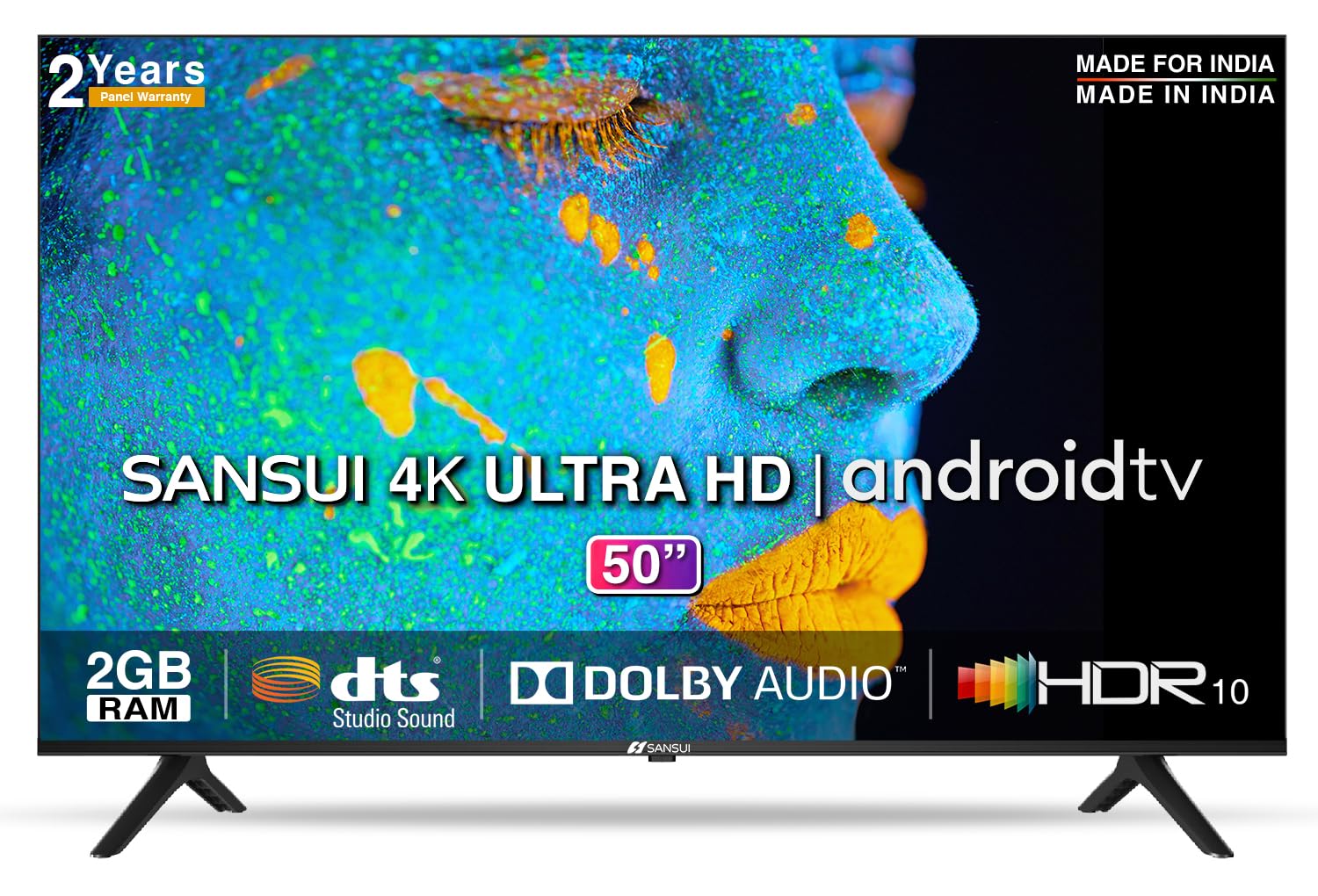
Image: Sansui 50-inch 4K Ultra HD Android LED TV with its table stand.
3. สินค้าหมดview
3.1. คุณสมบัติหลัก
- แสดง: 4K Ultra HD (3840x2160) resolution, 60Hz refresh rate, Wide Viewing Angle, A+ Grade Panel, Wide Colour Gamut, HDR 10, Crystal Clear Display, High Brightness, Bezel-less Design.
- เสียง: Dolby Audio, DTS Studio Sound, 20 Watts Audio Output.
- คุณสมบัติสมาร์ททีวี: Android 10.0 (Certified by Google), Google Assistant, Alexa Enabled Support, Built-in Chromecast, CA53 Quad Core Processor, 2GB RAM, 8GB ROM.
- แอพที่รองรับ: Prime Video, Netflix, Disney + Hotstar, YouTube, Google Play.
- การเชื่อมต่อ: 3 HDMI ports, 2 USB ports, 3.5mm audio jack, Bluetooth, Wi-Fi, RJ45 (Ethernet), Antenna.

Image: Visual representation of the TV's main features and capabilities.
3.2. ขนาด
The TV features a 50-inch screen (127 cm diagonal) with a bezel-less design for an immersive viewการสร้างประสบการณ์

Image: Detailed dimensions of the Sansui 50-inch TV, including width, height, and depth with and without the stand.
4. การตั้งค่า
4.1. Installing the Table Stand
- วางจอทีวีลงบนพื้นผิวที่นุ่มและเรียบเพื่อป้องกันความเสียหาย
- จัดฐานขาตั้งโต๊ะให้ตรงกับช่องที่ด้านล่างของทีวี
- Secure the bases using the provided screws. Ensure they are tightened firmly.
4.2. การติดตั้งบนผนัง (ทางเลือก)
If you choose to wall mount your TV, please use the provided wall mounting set and screws. The VESA mount standard is 800 x 400 mm. It is recommended to seek professional assistance for wall mounting to ensure proper and safe installation.
4.3. อุปกรณ์เชื่อมต่อ
The TV offers various connectivity options for your external devices.
- พลัง: เชื่อมต่อสายไฟเข้ากับช่องรับไฟของทีวี จากนั้นจึงเชื่อมต่อกับเต้ารับที่ผนัง
- ช่องต่อ HDMI: Use HDMI cables to connect devices like set-top boxes, gaming consoles, or Blu-ray players to the 3 HDMI ports.
- ยูเอสบี: Connect USB drives or other USB devices to the 2 USB ports for media playback.
- เสียงออก: Use the 3.5mm jack to connect headphones or external audio systems.
- อีเธอร์เน็ต (RJ45): เพื่อให้การเชื่อมต่ออินเทอร์เน็ตเสถียรยิ่งขึ้น ให้เชื่อมต่อสายอีเธอร์เน็ตจากเราเตอร์เข้ากับพอร์ต RJ45
- เสาอากาศ: Connect your antenna cable to the RF input for terrestrial broadcasting.
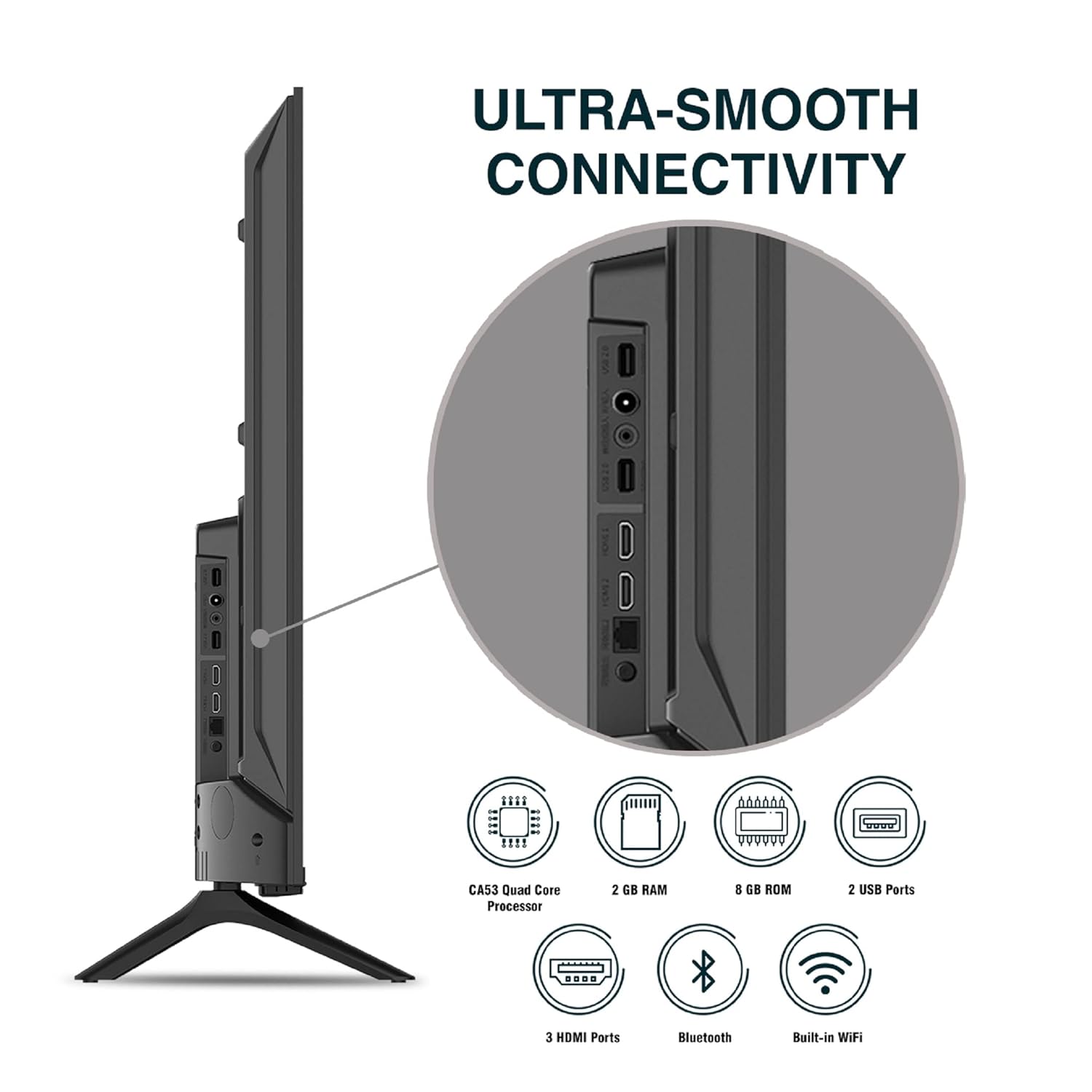
ภาพ: รายละเอียด view ของพอร์ตเชื่อมต่อของทีวี
5. คู่มือการใช้งาน
5.1. การทำงานพื้นฐาน
- เปิด/ปิดเครื่อง: Press the power button on the remote control or on the TV to turn it on or off.
- ตั้งค่าเริ่มต้น: Upon first power-on, follow the on-screen instructions to set up language, network connection, and Google account.
- แหล่งสัญญาณเข้า: Press the 'Input' button on the remote to select between HDMI, AV, TV, or other connected sources.
- การควบคุมระดับเสียง: ใช้ปุ่มเพิ่ม/ลดระดับเสียงบนรีโมท
5.2. การใช้งานรีโมทอัจฉริยะ
The included remote control features voice control and dedicated hotkeys for quick access to popular streaming services.
- การควบคุมด้วยเสียง: Press the Google Assistant button (microphone icon) and speak your commands to search for content, control smart home devices, or ask questions.
- ปุ่มลัด: Directly launch Netflix, Prime Video, YouTube, and Google Play with a single press.
- การนำทาง: Use the directional pad and 'OK' button to navigate the Android TV interface.

Image: Sansui Smart Remote Control with voice control and app hotkeys.
5.3. Android TV Interface and Smart Features
Your Sansui TV runs on Android 10.0, providing access to a wide range of apps and smart functionalities.
- หน้าจอหลัก: The home screen displays your favorite apps, recommended content, and input sources.
- ร้านค้า Google Play: Download and install additional apps, games, and content from the Google Play Store.
- Chromecast ในตัว: Cast content (videos, photos, music) from your smartphone, tablet, or computer directly to the TV.
- Google Assistant/Alexa: Use voice commands via the remote or a compatible Alexa device to control your TV and other smart home devices.

Image: Android TV home screen showing available applications.
6. การบำรุงรักษา
Proper care and maintenance will extend the life of your TV.
- การทำความสะอาดหน้าจอ: เช็ดหน้าจอเบาๆ ด้วยผ้าเนื้อนุ่มที่ไม่เป็นขุย สำหรับคราบฝังแน่น ให้ใช้น้ำยาทำความสะอาดหน้าจอสำหรับทีวีโดยเฉพาะ โดยทาลงบนผ้าก่อนแล้วค่อยเช็ดลงบนหน้าจอ
- ทำความสะอาดตู้: ใช้ผ้าแห้งนุ่มเช็ดทำความสะอาดตู้ทีวี ห้ามใช้สารทำความสะอาดที่มีฤทธิ์กัดกร่อนหรือตัวทำละลาย
- การระบายอากาศ : ตรวจสอบให้แน่ใจว่าช่องระบายอากาศไม่มีฝุ่นและเศษขยะเพื่อป้องกันความร้อนสูงเกินไป
- สายไฟ: Regularly check the power cord for any damage. If damaged, replace it with an authorized part.
7 การแก้ไขปัญหา
หากพบปัญหาใด ๆ โปรดดูปัญหาและวิธีแก้ไขที่พบบ่อยต่อไปนี้
| ปัญหา | สาเหตุที่เป็นไปได้ | สารละลาย |
|---|---|---|
| ไม่มีไฟฟ้า | สายไฟหลุด; ปัญหาเต้ารับไฟฟ้า | ตรวจสอบการเชื่อมต่อสายไฟ ทดสอบเต้ารับกับอุปกรณ์อื่น |
| No Picture, Only Sound | แหล่งอินพุตไม่ถูกต้อง ปัญหาอุปกรณ์ภายนอก | Select correct input source; Check external device connection and power. |
| No Sound, Only Picture | Volume muted/low; External audio system issue | Unmute or increase volume; Check external audio system connections. |
| รีโมตคอนโทรลไม่ทำงาน | แบตเตอรี่หมด กีดขวางระหว่างรีโมทกับทีวี | เปลี่ยนแบตเตอรี่; นำสิ่งกีดขวางออกให้หมด |
| ปัญหาการเชื่อมต่อ Wi-Fi | รหัสผ่านไม่ถูกต้อง; ปัญหาเกี่ยวกับเราเตอร์; สัญญาณรบกวน | Re-enter password; Restart router; Move TV closer to router or use Ethernet. |
หากปัญหายังคงมีอยู่หลังจากลองวิธีแก้ไขเหล่านี้แล้ว โปรดติดต่อฝ่ายสนับสนุนลูกค้า
8. ข้อมูลจำเพาะ
Detailed technical specifications for the Sansui JSW50ASUHD TV.
| คุณสมบัติ | คำอธิบาย |
|---|---|
| ชื่อรุ่น | SANSUI LED - JSW50ASUHD |
| ขนาดหน้าจอ | 50 นิ้ว (127 ซม.) |
| เทคโนโลยีการแสดงผล | นำ |
| ปณิธาน | 4K อัลตร้า HD (3840x2160) |
| อัตราการรีเฟรช | 60 เฮิรตซ์ |
| ระบบปฏิบัติการ | แอนดรอยด์ 10.0 (ได้รับการรับรองจาก Google) |
| โปรเซสเซอร์ | CA53 ควอดคอร์ |
| แรม | 2GB |
| ROM (หน่วยความจำ) | 8GB |
| เอาท์พุตเสียง | 20 วัตต์ |
| เทคโนโลยีเสียง | ระบบเสียง Dolby Audio, DTS Studio Sound |
| พอร์ต HDMI | 3 |
| พอร์ต USB | 2 |
| การเชื่อมต่อแบบไร้สาย | ไวไฟ, บลูทูธ |
| การเชื่อมต่ออื่น ๆ | Ethernet (RJ45), 3.5mm Audio Jack, Antenna |
| รองรับ HDR | HDR10 |
| ประเภทการติดตั้ง | ติดตั้งบนผนังและบนโต๊ะ |
| มาตรฐาน VESA Mount | 800 x 400 มม. |
| การใช้พลังงาน | 120 วัตต์ |
| น้ำหนักสินค้า | 9650 กรัม |
| สี | Mystique Black |
9. การรับประกันและการสนับสนุน
Your Sansui TV comes with a comprehensive warranty and dedicated customer support.
- การรับประกัน: 1 year comprehensive warranty and 1 year additional on panel from the date of purchase.
- การสนับสนุนการรับประกัน: For warranty-related queries, please contact Sansui Toll Free No.: 1800-419-3777.
- ข้อมูลติดต่อผู้นำเข้า: Jaina India Pvt Ltd., D170, Okhla Industrial Area, Phase-1, New Delhi-110020 INDIA | Email: sansuicare@jainaindia.com.
โปรดเก็บใบเสร็จรับเงินของคุณไว้สำหรับการเรียกร้องการรับประกัน