
ASA JTV3220DC
คู่มือผู้ใช้โทรทัศน์ LED DC รุ่น Jensen JTV3220DC ขนาด 32 นิ้ว
Model: JTV3220DC
การแนะนำ
ขอบคุณสำหรับการซื้อasing the Jensen JTV3220DC 32" LED DC Television. This manual provides essential information for the safe and efficient operation of your new television. Please read this manual thoroughly before using the product and retain it for future reference.
ข้อมูลด้านความปลอดภัย
ปฏิบัติตามข้อควรระวังด้านความปลอดภัยต่อไปนี้เสมอเพื่อป้องกันไฟฟ้าช็อต ไฟไหม้ หรือการบาดเจ็บ:
- อย่าให้โทรทัศน์โดนฝนหรือความชื้น
- Do not block ventilation openings. Ensure adequate space around the television for proper airflow.
- Use only the power supply specified for this unit (12V DC).
- อย่าเปิดโทรทัศน์asinก. ส่งต่อการบริการทั้งหมดไปยังเจ้าหน้าที่บริการที่มีคุณสมบัติเหมาะสม
- ปกป้องสายไฟจากการถูกเหยียบหรือถูกหนีบ
- ทำความสะอาดด้วยผ้าแห้งเท่านั้น
มีอะไรอยู่ในกล่อง
ตรวจสอบว่ามีรายการทั้งหมดอยู่:
- Jensen JTV3220DC 32" LED DC Television
- Remote Control (Dual function)
- สายไฟ DC
- ยืน
สินค้าเกินview

รูปที่ 1 : ด้านหน้า View. This image shows the front of the Jensen JTV3220DC television, featuring its 32-inch screen. The screen displays a vibrant, high-definition image of a futuristic city with a spacecraft, demonstrating the television's visual capabilities.
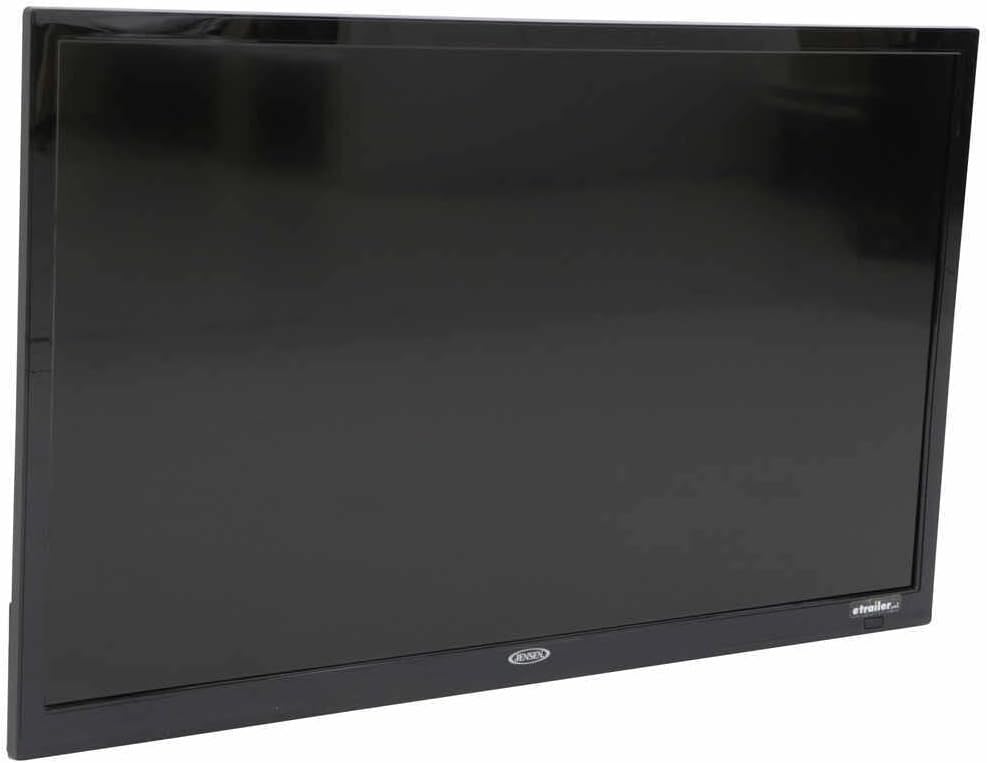
รูปที่ 2: ไซด์โปรfile. ภาพนี้แสดงด้านข้าง view of the Jensen JTV3220DC television, highlighting its slim design and black bezel. The angle emphasizes the compact nature of the unit, suitable for various installations.

รูปที่ 3: การเชื่อมต่อแผงด้านหลัง This close-up image displays the rear input and output ports of the Jensen JTV3220DC. Visible connections include HDMI (with ARC support), USB, Composite Video, Component Video, RF, and various audio inputs and outputs, indicating comprehensive connectivity options.
คุณสมบัติหลัก:
- การทำงานของ DC Power
- ไฟ LED สีขาว
- High Performance LCD Panel
- ความละเอียด Full HD 1366 x 768
- 16.7 Million Colors Display
- Integrated HDTV (ATSC) Tuner
- HD Ready (1080p, 720p, 480p)
- jCOM HDMI Function with JENSEN HDMI-equipped DVD players
- Audio Return Channel (ARC) supported with HDMI2
- VESA 100mm x 100mm Mounting Pattern
การตั้งค่า
การติดตั้งขาตั้ง:
- วางโทรทัศน์คว่ำหน้าลงบนพื้นผิวที่นุ่มและสะอาดอย่างระมัดระวัง เพื่อป้องกันความเสียหายของหน้าจอ
- Align the stand with the mounting holes on the bottom of the television.
- ยึดขาตั้งด้วยสกรูที่ให้มา อย่าขันแน่นเกินไป
การเชื่อมต่อพลังงาน:
Connect the supplied DC power cord to the 12V DC input on the television and to a compatible 12V DC power source.
การเชื่อมต่ออุปกรณ์ภายนอก:
- ช่องต่อ HDMI: Connect HDMI cables from your devices (e.g., DVD player, game console) to the HDMI 1 or HDMI 2 (ARC) ports.
- ยูเอสบี: เสียบไดรฟ์ USB เข้ากับพอร์ต USB เพื่อเล่นสื่อ
- เสาอากาศ/สายเคเบิล: Connect an antenna or cable TV feed to the RF input.
- Composite/Component Video: Use the corresponding RCA jacks for older video devices.
คำแนะนำการใช้งาน
เปิด/ปิดเครื่อง:
กดปุ่ม พลัง button on the remote control or on the television to turn the unit on or off.
การเลือกแหล่งสัญญาณเข้า:
กดปุ่ม ป้อนข้อมูล or แหล่งที่มา button on the remote control to cycle through available input sources (TV, HDMI 1, HDMI 2, USB, AV, Component).
Channel Scan (TV Mode):
- Switch the input source to TV.
- เข้าถึง เมนู และนำทางไปที่ ช่อง or การตั้งค่า ส่วน.
- เลือก การสแกนอัตโนมัติ or โปรแกรมอัตโนมัติ to search for available channels.
การควบคุมระดับเสียง:
ใช้ เล่ม+ และ ฉบับ- ปุ่มบนรีโมทคอนโทรลเพื่อปรับระดับเสียง
การนำทางเมนู:
ใช้ปุ่มลูกศรและ ตกลง/ENTER button on the remote to navigate through the on-screen menu for picture, sound, and other settings.
การซ่อมบำรุง
การทำความสะอาดหน้าจอ:
เช็ดหน้าจอเบาๆ ด้วยผ้านุ่มที่ไม่เป็นขุย สำหรับรอยฝังแน่น ให้เช็ดเบาๆampชุบผ้าด้วยน้ำหรือน้ำยาทำความสะอาดหน้าจอชนิดพิเศษ ห้ามฉีดน้ำยาลงบนหน้าจอโดยตรง
ทำความสะอาดตู้:
Wipe the television cabinet with a soft, dry cloth. Avoid using abrasive cleaners or solvents.
พื้นที่จัดเก็บ:
If storing the television for an extended period, disconnect it from the power source and store it in a cool, dry place, ideally in its original packaging.
การแก้ไขปัญหา
| ปัญหา | สาเหตุที่เป็นไปได้ | สารละลาย |
|---|---|---|
| ไม่มีไฟฟ้า | Power cord not connected; Power source issue. | Ensure DC power cord is securely connected. Verify 12V DC power source is active. |
| ไม่มีภาพ/เสียง | แหล่งสัญญาณเข้าไม่ถูกต้อง; การเชื่อมต่อสายเคเบิลหลวม | Press INPUT/SOURCE button to select correct input. Check all cable connections. |
| คุณภาพของภาพไม่ดี | Weak antenna signal; Incorrect display settings. | Adjust antenna position or check signal strength. Adjust picture settings (brightness, contrast, etc.) in the menu. |
| รีโมตคอนโทรลไม่ทำงาน | แบตเตอรี่หมด กีดขวางระหว่างรีโมทกับทีวี | Replace batteries. Remove any obstructions and ensure direct line of sight to the TV's IR sensor. |
ข้อมูลจำเพาะ
| คุณสมบัติ | ข้อมูลจำเพาะ |
|---|---|
| ขนาดเส้นทแยงมุม | 31.5 นิ้ว (82 ซม.) |
| ปณิธาน | 1366 x 768 (ฟูลเอชดี) |
| ความสว่าง | 200 นิต |
| อัตราส่วนคอนทราสต์ | 3000:1 น. |
| View มุม | Top 89° / Bottom 89° / Left 89° / Right 89° |
| รูปแบบการแสดงผล | 16:9 น. |
| เวลาตอบสนอง | 6.5มิลลิวินาที |
| ระบบวิดีโอ/จอแสดงผล | NTSC/ATSC/PAL |
| เอาท์พุตเสียง | 8W x 2 |
| ระบบไฟฟ้า | กระแสตรง 12 โวลต์ |
| การใช้พลังงาน | 20mA standby / 3.17A max |
| อุณหภูมิในการทำงาน | -4°F ถึง 149°F (-20°C ถึง 65°C) |
| อุณหภูมิในการจัดเก็บ | -22°F ถึง 158°F (-30°C ถึง 70°C) |
| ความชื้นสัมพัทธ์สูงสุด | 85% |
| Overall Dimensions (without stand) | กว้าง 28.8 นิ้ว x สูง 17.2 นิ้ว x ลึก 3.2 นิ้ว |
| Product Weight (unpackaged) | 9.9 ปอนด์ |
การรับประกันและการสนับสนุน
This Jensen product is covered by a manufacturer's warranty. For specific warranty terms and conditions, please refer to the warranty card included with your product or visit the official ASA (Jensen) website. For technical support, service, or replacement parts, please contact ASA customer service directly. Keep your purchase receipt as proof of purchase for warranty claims.
แหล่งข้อมูลออนไลน์: For the most up-to-date information, FAQs, and additional support, please visit the official ASA webเว็บไซต์.
Ask a question about this manual
Ask about setup, troubleshooting, compatibility, parts, safety, or missing instructions. Manuals+ will review the question and use this page’s manual context to help answer it.