
1. บทนำ
This manual provides essential information for the proper use and maintenance of your Gateway 15.6-inch FHD Ultra Slim Laptop, Model GTW15G. This device is equipped with an AMD Ryzen 5 3450U Mobile Processor, 8GB of DDR4 RAM, and a 256GB Solid State Drive (SSD). It features a 15.6-inch Full HD (1920x1080) IPS display, a built-in fingerprint scanner, and runs on Windows 10, with an available free upgrade to Windows 11.
Please read this manual thoroughly before operating your laptop to ensure optimal performance and longevity.
2. การตั้งค่า
2.1 การแกะกล่องและการตรวจสอบเบื้องต้น
Carefully remove the laptop and all accessories from the packaging. Verify that all components are present and undamaged. The package should include the laptop, power adapter, and this user manual.
2.2 การเชื่อมต่ออะแดปเตอร์ไฟฟ้า
Before first use, connect the power adapter to the laptop's charging port and then to a power outlet. Allow the battery to charge for at least 30 minutes before powering on for the first time.

Figure 2.1: Gateway 15.6-inch Ultra Slim Laptop overview.
2.3 First Power On and Windows Setup
Press the power button located on the keyboard. The laptop will boot up and guide you through the Windows 10 initial setup process. Follow the on-screen instructions to configure your region, language, network connection, and user account.
2.4 Fingerprint Scanner Setup (Windows Hello)
During or after the initial Windows setup, you can configure the built-in fingerprint scanner for secure login using Windows Hello. Navigate to การตั้งค่า > บัญชี > ตัวเลือกการลงชื่อเข้าใช้ and follow the prompts to set up your fingerprint.
3. คู่มือการใช้งาน
3.1 การเปิด/ปิดเครื่องและโหมดสลีป
- เปิดเครื่อง: กดปุ่มเปิด/ปิด
- ปิดระบบ: คลิกที่ เริ่ม ปุ่มแล้ว Power > Shut down.
- โหมดสลีป: Close the lid or click the เริ่ม ปุ่มแล้ว พลังงาน > นอนหลับ.
3.2 Using the Precision Touchpad
The laptop features a precision touchpad for navigation. It supports multi-touch gestures for scrolling, zooming, and other functions. Refer to Windows settings for customizing touchpad gestures.
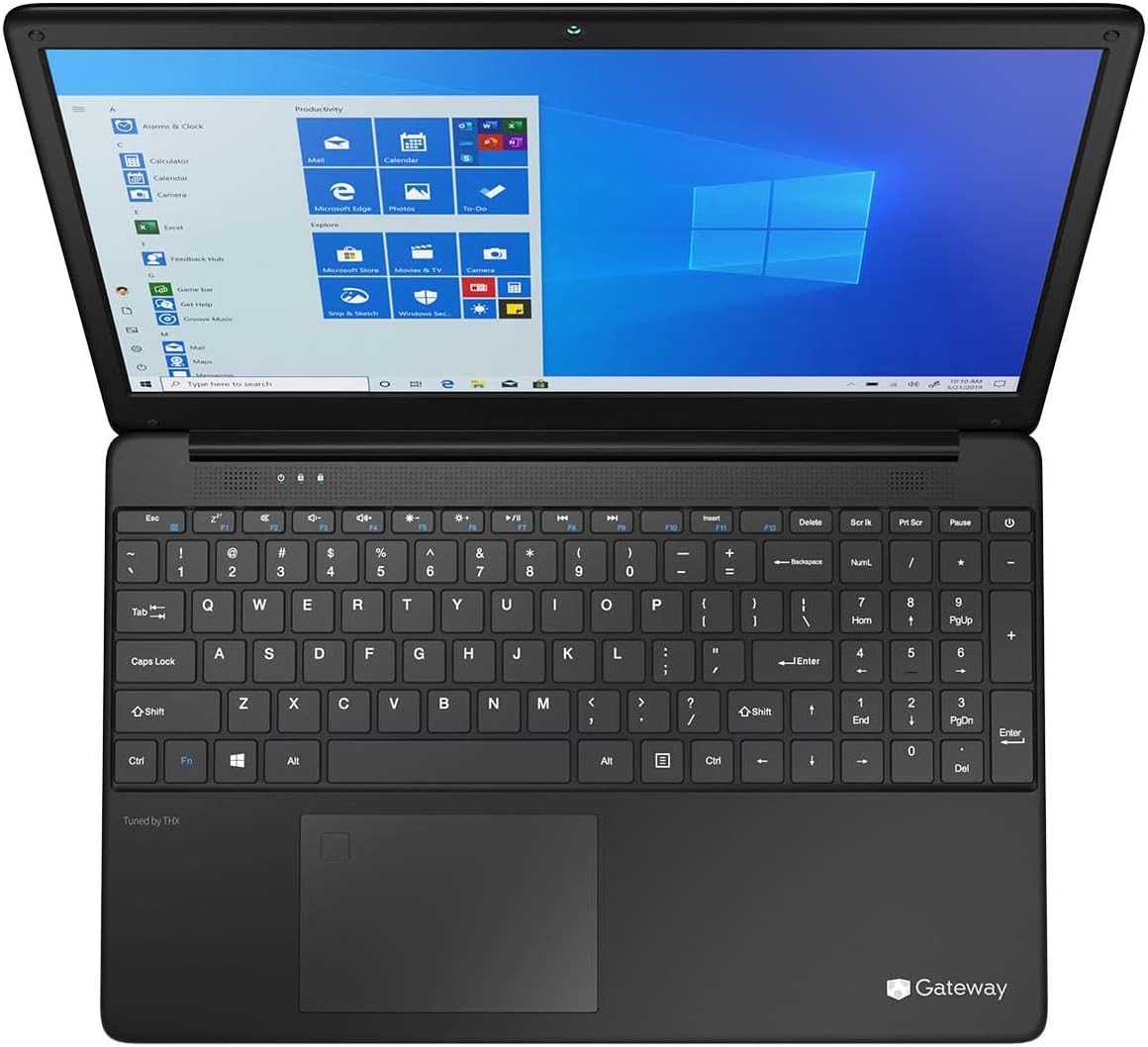
Figure 3.1: Keyboard and Precision Touchpad layout.
3.3 การเชื่อมต่ออุปกรณ์ภายนอก
แล็ปท็อปมีพอร์ตต่างๆ สำหรับเชื่อมต่ออุปกรณ์ต่อพ่วง:
- พอร์ต USB 3.0 (x2): สำหรับเชื่อมต่ออุปกรณ์ USB เช่น ฮาร์ดไดรฟ์ภายนอก เมาส์ หรือคีย์บอร์ด
- พอร์ต USB Type-C (1 ช่อง): Supports both charging and data transfer.
- HDMI Output (x1): เชื่อมต่อกับจอภาพภายนอกหรือทีวี
- Micro SD Slot (x1): Supports Micro SD cards up to 512 GB for expanded storage.
- ล็อคเคนซิงตัน: เพื่อความปลอดภัยทางกายภาพ
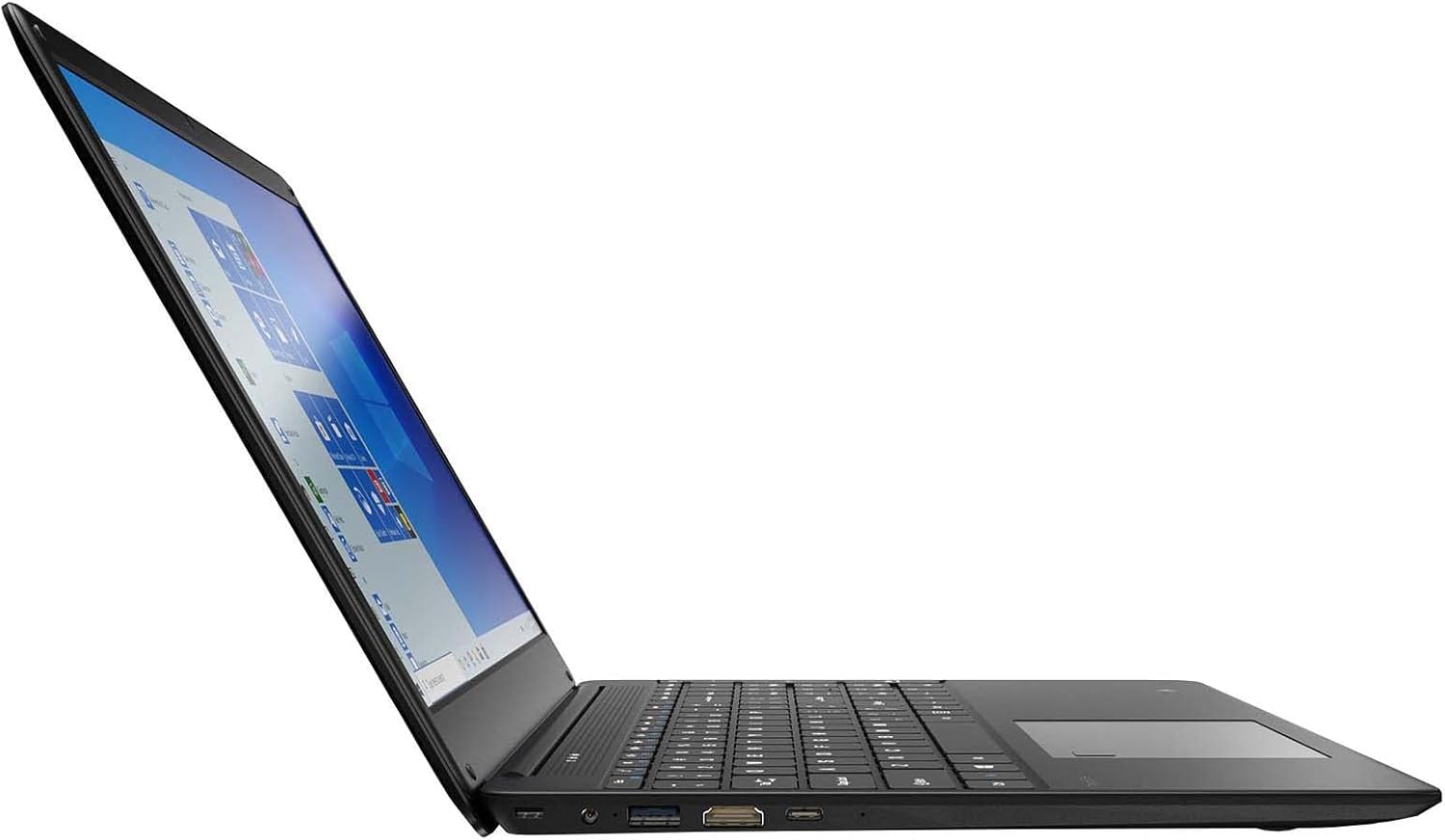
Figure 3.2: Left side ports (USB, HDMI, USB Type-C).
3.4 การเชื่อมต่อแบบไร้สาย
The laptop supports Wi-Fi and Bluetooth 5.1 for wireless connections. Access network settings via the Windows taskbar or การตั้งค่า > เครือข่ายและอินเทอร์เน็ต to connect to Wi-Fi networks or pair Bluetooth devices.
3.5 คุณสมบัติด้านเสียง
The built-in stereo speakers are tuned by THX Audio, providing enhanced sound quality. Adjust volume using the function keys on the keyboard or through Windows sound settings.
4. การบำรุงรักษา
4.1 การทำความสะอาดแล็ปท็อป
- หน้าจอ: ใช้ผ้านุ่มไม่เป็นขุยเช็ดเล็กน้อยampล้างออกด้วยน้ำหรือน้ำยาทำความสะอาดหน้าจอ ห้ามฉีดน้ำยาลงบนหน้าจอโดยตรง
- ตัวเครื่องและคีย์บอร์ด: ใช้ผ้านุ่มและแห้ง สำหรับคราบฝังแน่น ให้เช็ดเบาๆamp สามารถใช้ผ้าได้ หลีกเลี่ยงสารเคมีรุนแรง
- ช่องระบายอากาศ: Periodically clean the ventilation openings with compressed air to prevent dust buildup, which can affect cooling.
4.2 การดูแลแบตเตอรี่
เพื่อยืดอายุการใช้งานแบตเตอรี่ให้ยาวนานที่สุด:
- หลีกเลี่ยงการปล่อยแบตเตอรี่จนหมดบ่อยครั้ง
- อย่าวางแล็ปท็อปไว้ในที่ที่มีอุณหภูมิสูงหรือต่ำเกินไป
- หากจะเก็บแล็ปท็อปไว้เป็นเวลานาน ควรตรวจสอบให้แน่ใจว่าแบตเตอรี่มีประจุอยู่ประมาณ 50-70%
- Optimize power settings in Windows to conserve battery power.
4.3 การอัปเดตซอฟต์แวร์
Regularly check for and install Windows updates to ensure your system has the latest security patches and performance improvements. Navigate to การตั้งค่า > การอัปเดตและความปลอดภัย > Windows Update.
4.4 การสำรองข้อมูล
สำรองข้อมูลสำคัญของคุณไปยังไดรฟ์ภายนอกหรือที่เก็บข้อมูลบนคลาวด์เป็นประจำเพื่อป้องกันการสูญหายของข้อมูล
5 การแก้ไขปัญหา
หัวข้อนี้จะกล่าวถึงปัญหาทั่วไปที่คุณอาจพบกับแล็ปท็อปของคุณ
5.1 แล็ปท็อปไม่สามารถเปิดเครื่องได้
- ตรวจสอบให้แน่ใจว่าอะแดปเตอร์ไฟฟ้าเชื่อมต่อกับแล็ปท็อปและเต้ารับไฟฟ้าที่ใช้งานได้แน่นหนา
- ตรวจสอบว่าเต้ารับไฟฟ้าใช้งานได้โดยเสียบอุปกรณ์อื่น
- Allow the laptop to charge for some time before attempting to power it on again.
5.2 ปัญหาการเชื่อมต่อ Wi-Fi
- ตรวจสอบว่า Wi-Fi เปิดใช้งานอยู่ในการตั้งค่า Windows หรือไม่
- รีสตาร์ทเราเตอร์และโมเด็มของคุณ
- โปรดตรวจสอบให้แน่ใจว่าคุณอยู่ในระยะสัญญาณของเครือข่าย Wi-Fi และได้ป้อนรหัสผ่านที่ถูกต้องแล้ว
- เรียกใช้ตัวแก้ไขปัญหาเครือข่าย Windows (การตั้งค่า > เครือข่ายและอินเทอร์เน็ต > สถานะ > เครื่องมือแก้ไขปัญหาเครือข่าย).
5.3 ประสิทธิภาพช้า
- ปิดแอปพลิเคชันที่ไม่จำเป็นซึ่งทำงานอยู่เบื้องหลัง
- ตรวจสอบและติดตั้งการอัปเดต Windows ที่รอดำเนินการอยู่
- ตรวจสอบให้แน่ใจว่ามีพื้นที่ว่างบน SSD ของคุณเพียงพอ
- สแกนหามัลแวร์หรือไวรัส
5.4 ความร้อนสูงเกินไป
If the laptop feels excessively warm, ensure that the ventilation vents are not blocked. Operate the laptop on a hard, flat surface to allow for proper airflow. Avoid using it on soft surfaces like beds or couches that can obstruct vents.
5.5 ประเด็นอื่นๆ
For issues not covered here, refer to the Windows help documentation or contact Gateway customer support.
6. ข้อมูลจำเพาะ
| คุณสมบัติ | ข้อมูลจำเพาะ |
|---|---|
| ชื่อรุ่น | Gateway GWTN156 (GTW15G) |
| ขนาดจอแสดงผล | 15.6 นิ้ว |
| ความละเอียดหน้าจอ | 1920 x 1080 พิกเซล (FHD) |
| โปรเซสเซอร์ | AMD Ryzen 5 3450U (2.1 GHz, Up to 3.50 GHz) |
| แรม | แรม 8GB DDR4 |
| พื้นที่จัดเก็บ | SSD ความจุ 256GB |
| โคโปรเซสเซอร์กราฟิก | กราฟิก AMD Radeon Vega 8 |
| ระบบปฏิบัติการ | Windows 10 (Free Upgrade to Windows 11) |
| ประเภทไร้สาย | ไวไฟ, บลูทูธ 5.1 |
| พอร์ต | 1x HDMI, 1x USB Type-C (Charge + Data), 2x USB 3.0, 1x Micro SD Slot (Up to 512 GB) |
| คุณสมบัติพิเศษ | Built-in Fingerprint Scanner (Windows Hello), Stereo Speakers Tuned by THX Audio, HD Webลูกเบี้ยว |
| น้ำหนักสินค้า | 5.5 ปอนด์ |
| ขนาดแพ็คเกจ | 16.65 x 11.73 x 2.8 นิ้ว |
7. การรับประกันและการสนับสนุน
For warranty information and technical support, please refer to the official Gateway website or contact Gateway customer service directly. Keep your proof of purchase for warranty claims.
This product may be eligible for separate protection plans. Details regarding these plans are available from your retailer at the time of purchase.