
1. บทนำ
This manual provides detailed instructions for the Zostuic Digital Camera, Model DC302-4FEN. This compact camera is designed for ease of use, featuring a 44.0MP photo resolution and 2.7K high-definition video recording capabilities. It includes functions such as 16X digital zoom, webcam mode, self-timer, and anti-shake, making it suitable for various photography and videography needs for beginners and enthusiasts.
2. ข้อมูลด้านความปลอดภัย
Please read and understand the following safety precautions before using the camera to ensure safe and optimal performance.
- Do not expose the camera to water or moisture. This product is ไม่ทนน้ำ.
- หลีกเลี่ยงการทำกล้องตกหรือได้รับแรงกระแทกรุนแรง
- ควรเก็บกล้องให้ห่างจากแสงแดดโดยตรงและอุณหภูมิสูง
- Use only the specified batteries and charging accessories.
- อย่าพยายามถอดประกอบหรือดัดแปลงกล้อง
- เก็บให้พ้นมือเด็กเล็กเนื่องจากมีชิ้นส่วนขนาดเล็ก
3. เนื้อหาบรรจุภัณฑ์
ตรวจสอบว่ารายการทั้งหมดที่ระบุไว้ด้านล่างนี้รวมอยู่ในแพ็คเกจของคุณ:

Zostuic Digital Camera (Pink)

Included Accessories: 2 Li-ion Batteries, USB Cable, Adapter, Lanyard, Camera Bag, User Manual
- Zostuic Digital Camera (Model DC302-4FEN)
- 2 x Rechargeable Lithium Batteries
- สาย USB
- อะแดปเตอร์แปลงไฟ
- สายคล้องคอ
- กระเป๋ากล้อง
- คู่มือการใช้งาน (เอกสารนี้)
4. สินค้าหมดview
ทำความคุ้นเคยกับส่วนประกอบหลักและปุ่มควบคุมของกล้องให้ดี
ภาพ: ด้านหน้าและด้านหลัง view of the Zostuic Digital Camera, showing the lens, flash, LCD screen, and control buttons.

Image: Visual representation of key camera features: 2.88" LCD Screen, Beauty Face mode, 44.0 Mega Pixels resolution, Self-Timer function, and inclusion of 2 Batteries.
4.1. ส่วนประกอบของกล้อง
- ด้านหน้า: Lens, Flash, Microphone.
- สูงสุด: Power Button, Shutter Button, Zoom Lever.
- กลับ: 2.4-inch LCD Display, Mode Dial/Buttons (Menu, Playback, Delete, Navigation), Speaker.
- ด้านข้าง: USB Port (for charging and data transfer).
- ด้านล่าง: Battery/SD Card Compartment, Tripod Mount (1/4 inch standard screw port).
5. การตั้งค่า
5.1. การติดตั้งแบตเตอรี่
- เปิดฝาช่องใส่แบตเตอรี่ที่อยู่ด้านล่างของกล้อง
- Insert the lithium battery (NP-6L) into the compartment, ensuring the correct orientation as indicated inside the compartment.
- ปิดฝาช่องใส่แบตเตอรี่จนกระทั่งได้ยินเสียงคลิกสนิท
5.2. Installing the Memory Card (SD Card)
The camera supports Class 10 or above SD memory cards from 4GB to 128GB (SD card is not included).
- เปิดฝาช่องใส่แบตเตอรี่
- หาช่องเสียบการ์ด SD ที่อยู่ถัดจากแบตเตอรี่
- ใส่การ์ด SD โดยให้หน้าสัมผัสโลหะหันไปทางด้านหน้าของกล้องจนกระทั่งล็อคเข้าที่
- ปิดฝาช่องใส่แบตเตอรี่

Image: Visual guide showing how to open the battery/SD card compartment, insert the battery, and insert the SD card.
5.3. การชาร์จแบตเตอรี่
- Connect the camera to the power adapter using the provided USB cable.
- เสียบอะแดปเตอร์เข้ากับเต้ารับไฟฟ้า
- ไฟแสดงสถานะการชาร์จจะสว่างขึ้น และจะดับลงหรือเปลี่ยนสีเมื่อชาร์จเสร็จ
- A full charge allows for a long time of continuous shooting.
6. คู่มือการใช้งาน
6.1. เปิด/ปิดเครื่อง
กดปุ่มค้างไว้ ปุ่มเปิดปิด on the top of the camera to turn it on or off.
6.2. Taking Photos (44MP)
- เปิดกล้อง
- จัดกรอบภาพของคุณโดยใช้หน้าจอ LCD
- กดปุ่ม ปุ่มชัตเตอร์ ครึ่งทางลงสู่สมาธิ
- กดปุ่ม ปุ่มชัตเตอร์ completely down to capture the photo.
6.3. Recording Videos (2.7K)
- เปิดกล้อง
- กดปุ่ม ปุ่มโหมด (if available, or navigate through menu) to switch to video recording mode.
- กดปุ่ม ปุ่มชัตเตอร์ เพื่อเริ่มการบันทึก
- กดปุ่ม ปุ่มชัตเตอร์ อีกครั้งเพื่อหยุดการบันทึก
- The camera supports pausing during video recording.
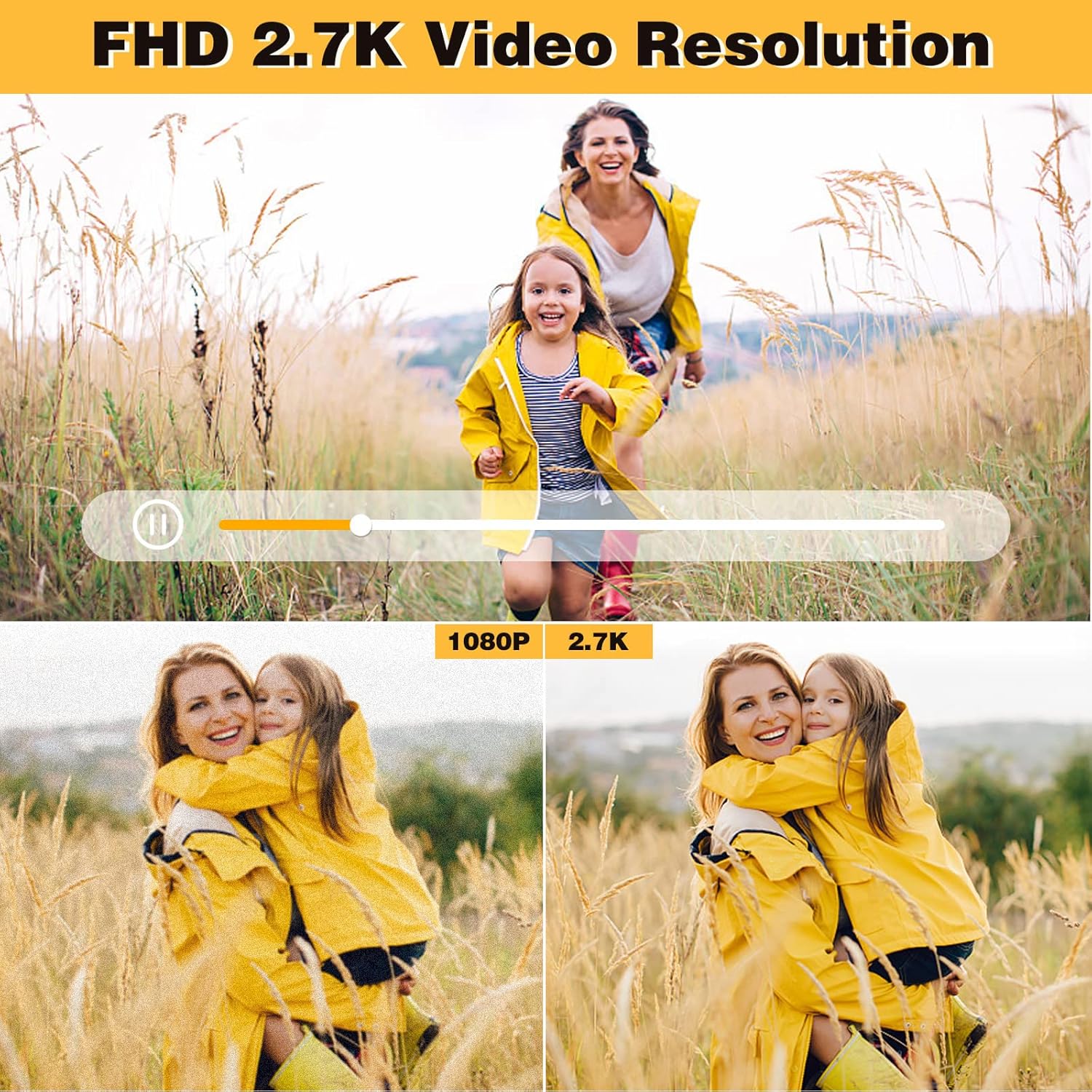
Image: Demonstrates the superior clarity of 2.7K video resolution compared to 1080P, highlighting the camera's high-definition video capability.
6.4. Zoom Function (16X Digital Zoom)
ใช้ ก้านซูม (often around the shutter button) to zoom in or out digitally. The camera features a 16X digital zoom.

Image: Illustrates the effect of 16X digital zoom, showing a subject appearing closer.

Image: A series of three images demonstrating the visual effect of 4X, 8X, and 16X digital zoom on a running dog.
6.5. Webฟังก์ชั่นลูกเบี้ยว
กล้องสามารถใช้เป็น webกล้องสำหรับไลฟ์สตรีมมิ่งหรือวิดีโอคอล
- ตรวจสอบให้แน่ใจว่าปิดกล้องแล้ว
- เชื่อมต่อกล้องเข้ากับคอมพิวเตอร์โดยใช้สาย USB
- ควรพิจารณาว่ากล้องเป็น webระบบปฏิบัติการของคอมพิวเตอร์ของคุณเป็นผู้ควบคุม
- You can now use it with video conferencing software or live streaming platforms.
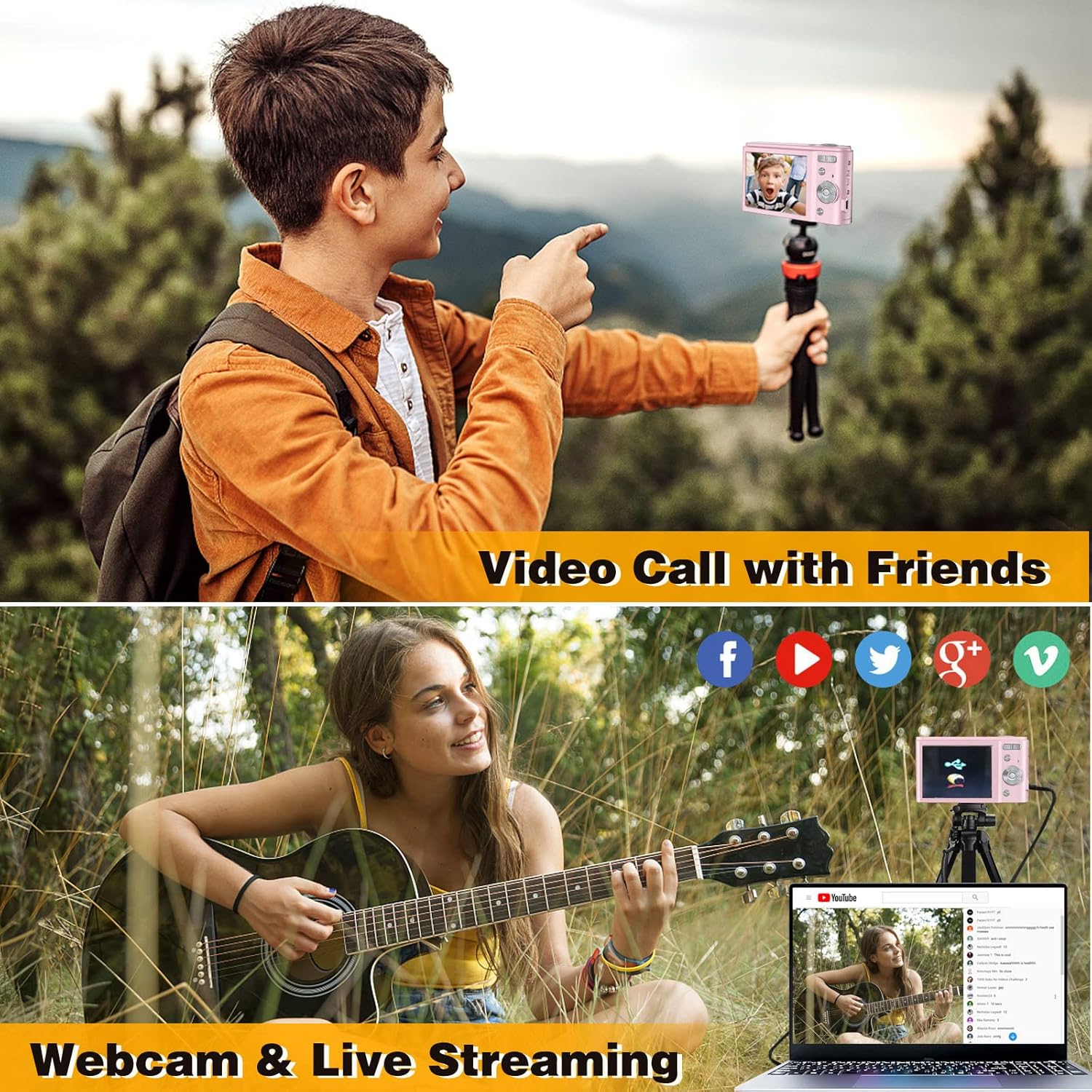
Image: Depicts the camera connected to a laptop, illustrating its use for video calls and live streaming on various social media platforms.
6.6. ตั้งเวลาถ่าย
The self-timer function allows you to delay the shutter release by a few seconds.
- Access the menu and navigate to the self-timer setting.
- Select your desired delay (e.g., 2 seconds, 5 seconds, 10 seconds).
- กดปุ่ม ปุ่มชัตเตอร์กล้องจะนับถอยหลังก่อนถ่ายภาพ
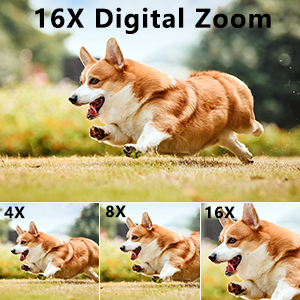
Image: Shows the self-timer options (2, 5, 10 seconds) with a camera set up on a tripod, ready for a timed shot.
6.7. แสงแฟลช
The built-in flash can be used in low-light conditions.
- Access the flash settings in the menu.
- Select from modes such as Auto Flash, Fill-in Flash (On), or Flash Off.
6.8. ฟังก์ชันป้องกันการสั่น
This function helps reduce blur caused by camera movement.
- Enable or disable the anti-shake function through the camera's settings menu.
6.9. การตรวจจับใบหน้า
The camera can detect faces in the frame to optimize focus and exposure.
- Enable or disable face detection in the camera's settings.
6.10. ถ่ายภาพต่อเนื่อง
ถ่ายภาพต่อเนื่องอย่างรวดเร็วโดยการกดปุ่มชัตเตอร์ค้างไว้
- Select continuous shooting mode from the camera's menu.
- กดปุ่มค้างไว้ ปุ่มชัตเตอร์ to capture multiple images in quick succession.

Image: Illustrates continuous shooting by showing a sequence of images of dogs running, captured rapidly.

Image: Composite image demonstrating various camera functions: Flash Light in use, Continuous Shooting capturing multiple moments, Anti-Shaking (ON vs OFF), and Face Detection highlighting faces.
6.11. การเล่น
View ภาพถ่ายและวิดีโอที่คุณบันทึกไว้
- กดปุ่ม ปุ่มเล่น (often indicated by a play icon).
- ใช้ปุ่มนำทางเพื่อเลื่อนดูสื่อของคุณ
- กดปุ่ม ปุ่มลบ to remove unwanted files.
7. การบำรุงรักษา
7.1. การทำความสะอาดกล้อง
- ใช้ผ้าแห้งนุ่มๆ เช็ดทำความสะอาดตัวกล้อง
- For the lens, use a specialized lens cleaning cloth and solution. Do not use abrasive materials.
- หลีกเลี่ยงการใช้น้ำยาทำความสะอาดหรือตัวทำละลายเคมี
7.2. การจัดเก็บ
- เก็บกล้องไว้ในที่แห้งและเย็น หลีกเลี่ยงแสงแดดโดยตรงและอุณหภูมิที่สูงหรือต่ำเกินไป
- หากจัดเก็บเป็นเวลานาน ควรถอดแบตเตอรี่ออกเพื่อป้องกันการรั่วไหล
- Use the provided camera bag for protection during transport.
8 การแก้ไขปัญหา
| ปัญหา | สาเหตุที่เป็นไปได้ | สารละลาย |
|---|---|---|
| กล้องไม่สามารถเปิดได้ | แบตเตอรี่หมดหรือใส่ไม่ถูกต้อง | ชาร์จแบตเตอรี่ แล้วใส่แบตเตอรี่กลับเข้าไปให้ถูกต้อง |
| ไม่สามารถถ่ายภาพ/วิดีโอได้ | การ์ดหน่วยความจำเต็ม ไม่ได้ใส่ หรือเสียหาย | ลบที่ไม่จำเป็น files. Insert a valid SD card. Format the SD card (this will erase all data). |
| ภาพมีความเบลอ | กล้องสั่น เลนส์สกปรก หรือไม่ได้โฟกัส | Enable anti-shake. Clean the lens. Ensure proper focus before shooting. |
| Camera freezes on "Welcome" screen. | ความผิดพลาดของซอฟต์แวร์หรือปัญหาเกี่ยวกับแบตเตอรี่ | Remove and reinsert the battery. If the issue persists, contact customer support. |
| Webcam function not working. | Incorrect connection or driver issue. | Ensure camera is off before connecting to PC. Try a different USB port. Check PC device manager for drivers. |
9. ข้อมูลจำเพาะ
| คุณสมบัติ | รายละเอียด |
|---|---|
| ชื่อรุ่น | DC302-4FEN |
| ความละเอียดของภาพ | 44.0 ล้านพิกเซล (สูงสุด) Web(ความละเอียดภาพของกล้อง) |
| ความละเอียดวิดีโอ | 2.7K |
| ซูมดิจิตอล | 16X |
| ขนาดหน้าจอ | 2.4 นิ้ว (จอแสดงผล LCD) |
| เซ็นเซอร์รับภาพ | ซีมอส |
| ระบบป้องกันภาพสั่นไหว | ดิจิตอล |
| สื่อบันทึกข้อมูล | SD Card (Class 10 or above, 4GB to 128GB, not included) |
| ประเภทแบตเตอรี่ | Rechargeable Lithium Ion (NP-6L) |
| การเชื่อมต่อ | ยูเอสบี |
| คุณสมบัติพิเศษ | Webcam Function, Self-Timer, Face Detection, Continuous Shooting, Flash Light, Anti-Shake |
| ระดับความต้านทานต่อน้ำ | ไม่ทนน้ำ |
| ขนาด | Ultracompact form factor (specific dimensions not provided in input) |
10. การรับประกันและการสนับสนุน
Zostuic provides a 1-year quality guarantee for this product. For any issues or inquiries, please do not hesitate to contact Zostuic customer support.
For further assistance, please visit the official Zostuic store or contact their customer service channels.
Note: Warranty terms and conditions may vary. Please refer to the official Zostuic website or contact customer service for the most up-to-date information.