1. ยินดีต้อนรับ
Thank you for choosing the Generic X8 Max Smartwatch. This manual provides essential information for setting up, operating, and maintaining your device. Please read it carefully to ensure optimal performance and longevity of your smartwatch.
2. ข้อมูลด้านความปลอดภัยที่สำคัญ
- ห้ามถอดประกอบ ซ่อมแซม หรือดัดแปลงอุปกรณ์โดยเด็ดขาด การกระทำดังกล่าวอาจทำให้เกิดความเสียหาย ไฟไหม้ หรือไฟฟ้าช็อตได้
- เก็บอุปกรณ์ให้ห่างจากอุณหภูมิที่สูง แสงแดดโดยตรง และความชื้นสูง
- ควรหลีกเลี่ยงการกระแทกหรือการตกหล่นของอุปกรณ์อย่างรุนแรง
- This device is not a medical instrument. The health data provided is for reference only and should not be used for medical diagnosis or treatment.
- Ensure the charging contacts are clean and dry before charging to prevent corrosion or damage.
- If you experience skin irritation or discomfort, discontinue use and consult a physician.
3. เนื้อหาบรรจุภัณฑ์
ตรวจสอบว่ามีรายการทั้งหมดอยู่ในแพ็คเกจของคุณ:
- X8 Max Smartwatch
- สายรัดซิลิโคน
- สายชาร์จแม่เหล็ก
- คู่มือการใช้งาน (เอกสารนี้)
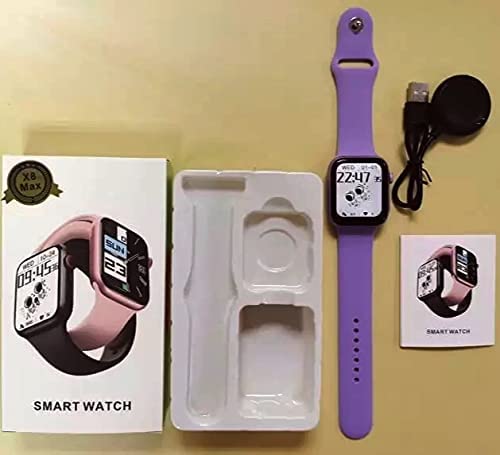
Image: The X8 Max Smartwatch, its silicone strap, magnetic charging cable, and the user manual, laid out as they appear in the product packaging.
4. การตั้งค่าเริ่มต้น
4.1. การชาร์จสมาร์ทวอทช์
Before first use, fully charge your smartwatch. Connect the magnetic charging cable to the charging contacts on the back of the watch and plug the USB end into a standard USB power adapter (not included).
- โดยทั่วไปการชาร์จเต็มจะใช้เวลาประมาณ 2 ชั่วโมง
- ไอคอนแบตเตอรี่บนหน้าจอจะแสดงสถานะการชาร์จ
4.2. การเชื่อมต่อกับสมาร์ทโฟนของคุณ
To unlock the full features of your X8 Max Smartwatch, connect it to your smartphone via the companion application.
- ดาวน์โหลดแอป: Scan the QR code in the manual or on the watch screen (if available) or search for the designated app name (e.g., 'FitPro' or similar, refer to packaging for exact name) in the Apple App Store (for iOS) or Google Play Store (for Android).
- เปิดใช้งานบลูทูธ: ตรวจสอบให้แน่ใจว่าได้เปิดใช้งาน Bluetooth บนสมาร์ทโฟนของคุณแล้ว
- เปิดแอป: Launch the installed application on your smartphone.
- จับคู่อุปกรณ์: Follow the in-app instructions to add a new device. Select 'X8 Max' or the corresponding device name from the list of available Bluetooth devices.
- ยืนยันการจับคู่: A pairing request may appear on both your phone and watch. Confirm the pairing on both devices.
5. การทำงานพื้นฐาน
5.1. การเปิดและปิดเครื่อง
- เปิดเครื่อง: กดปุ่มด้านข้างค้างไว้สองสามวินาทีจนกว่าหน้าจอจะสว่างขึ้น
- หมดแรง: From the watch face, swipe down to access quick settings, or navigate to the 'Settings' menu. Select 'Power Off' and confirm. Alternatively, press and hold the side button and select 'Power Off' when prompted.
5.2. การนำทางบนหน้าจอ
The X8 Max Smartwatch features a 1.75-inch HD IPS touchscreen display for intuitive interaction.
- ปัดขึ้น: เข้าถึงการแจ้งเตือน
- เลื่อนลง: Access quick settings (brightness, battery, DND, etc.).
- ปัดไปทางซ้าย/ขวา: Cycle through main functions and widgets (e.g., activity, heart rate, music control).
- แตะ: เลือกรายการหรือเปิดแอปพลิเคชัน
- ปุ่มด้านข้าง: Press once to return to the watch face or to wake the screen. Press and hold for power options.
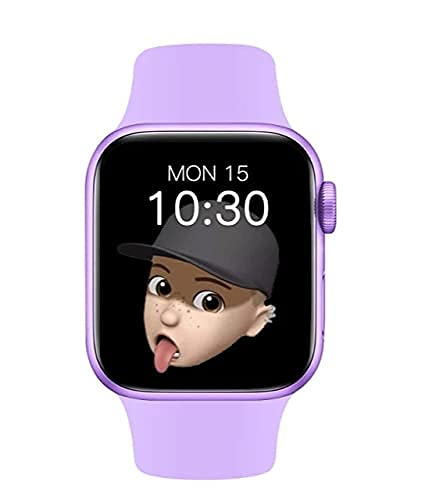
Image: The X8 Max Smartwatch display, illustrating the vibrant 1.75-inch HD IPS screen with a customizable watch face.
6. คุณสมบัติด้านสุขภาพและฟิตเนส
The X8 Max Smartwatch includes various sensors to help you monitor your health and fitness.
6.1 ตรวจสอบอัตราการเต้นของหัวใจ
The optical heart rate sensor provides real-time heart rate data. To measure, ensure the watch is snugly fitted on your wrist. Navigate to the heart rate function on the watch or through the app to initiate a measurement.
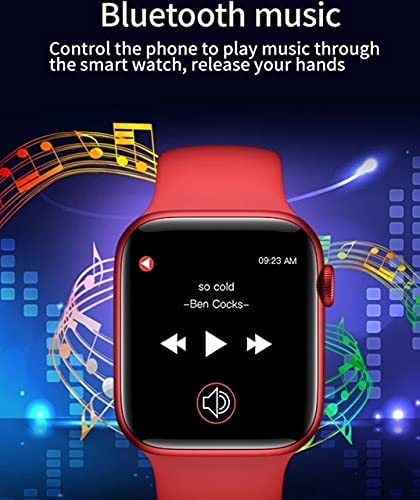
Image: A visual representation of the smartwatch's health monitoring feature, emphasizing the optical heart rate sensor for accurate data collection.
6.2. Blood Pressure and Blood Oxygen Monitoring
The smartwatch can estimate blood pressure and blood oxygen levels. For best results, remain still during measurement. These readings are for reference only and should not replace professional medical advice.
6.3. Activity Tracking (Multi-sport Mode)
Track various activities such as walking, running, cycling, and more. Select the desired sport mode on your watch to record duration, calories burned, and other relevant metrics. Data can be synchronized and viewed in detail within the companion app.
7. Bluetooth Connectivity Features
7.1. การโทรผ่านบลูทูธ
Once paired with your smartphone, the X8 Max Smartwatch allows you to make and receive calls directly from your wrist.
- การรับสายโทรศัพท์: เมื่อมีสายเรียกเข้า ให้แตะไอคอนสีเขียวบนหน้าจอนาฬิกาเพื่อรับสาย
- โทรออก: เข้าถึงแอปโทรออกหรือรายชื่อผู้ติดต่อบนนาฬิกาของคุณเพื่อเริ่มการโทร
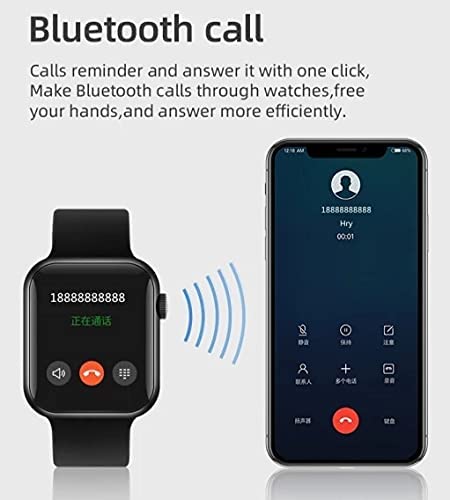
Image: The smartwatch displaying an incoming call, with a smartphone nearby, illustrating the Bluetooth calling feature.
7.2. การควบคุมการเล่นเพลง
Control music playing on your connected smartphone directly from your smartwatch.
- Navigate to the music control interface on your watch.
- You can play, pause, skip tracks, and adjust volume.
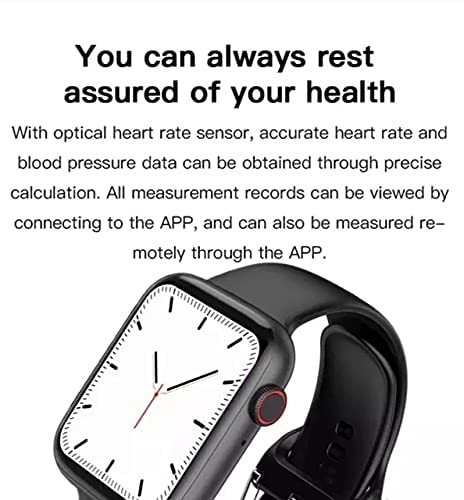
Image: The smartwatch screen displaying music playback controls, allowing users to manage their smartphone's music remotely.
8. การดูแลรักษา
- การทำความสะอาด: ทำความสะอาดสมาร์ทวอทช์และสายนาฬิกาเป็นประจำด้วยผ้าแห้งนุ่มๆ หากจำเป็น ให้ใช้ผ้าที่ชื้นเล็กน้อยเช็ดทำความสะอาดamp เช็ดด้วยผ้าและเช็ดให้แห้งสนิท หลีกเลี่ยงสารเคมีรุนแรงหรือวัสดุที่มีฤทธิ์กัดกร่อน
- ความต้านทานน้ำ: The X8 Max Smartwatch is designed to be waterproof for daily use (e.g., hand washing, rain). Avoid prolonged immersion in water, hot water, or steam. Do not operate buttons underwater.
- พื้นที่จัดเก็บ: ควรเก็บนาฬิกาไว้ในที่แห้งและเย็นเมื่อไม่ได้ใช้งาน
- แบตเตอรี่: To preserve battery life, avoid fully discharging the battery frequently. Charge the device regularly.
9 การแก้ไขปัญหา
If you encounter issues with your smartwatch, refer to the following common solutions:
| ปัญหา | สารละลาย |
|---|---|
| นาฬิกาไม่เปิด | ตรวจสอบให้แน่ใจว่านาฬิกาชาร์จเต็มแล้ว เสียบเข้ากับที่ชาร์จอย่างน้อย 30 นาที |
| ไม่สามารถจับคู่กับสมาร์ทโฟนได้ | Check if Bluetooth is enabled on your phone. Ensure the watch is within range. Restart both the watch and phone. Clear previous pairings in phone's Bluetooth settings. |
| ข้อมูลสุขภาพที่ไม่ถูกต้อง | Ensure the watch is worn snugly on your wrist, not too tight or too loose. Remain still during measurements. Remember, data is for reference only. |
| ไม่ได้รับการแจ้งเตือน | Check app settings to ensure notification permissions are granted. Ensure the app is running in the background and not optimized for battery saving. |
| หน้าจอไม่ตอบสนอง | Restart the smartwatch. If the issue persists, ensure the screen is clean and dry. |
10. ข้อมูลจำเพาะผลิตภัณฑ์
| คุณสมบัติ | ข้อมูลจำเพาะ |
|---|---|
| แบบอย่าง | 26 (X8 Max) |
| แสดง | 1.75-inch HD IPS LCD, 240 x 230 Resolution |
| ความเข้ากันได้ | แอนดรอยด์, ไอโอเอส |
| การเชื่อมต่อ | บลูทูธ (ไร้สาย) |
| ความจุของแบตเตอรี่ | 180 มิลลิวินาทีamp ชั่วโมง |
| คุณสมบัติพิเศษ | Blood Pressure Monitor, Heart Rate Monitor, Bluetooth Calling, Music Control, Multi-sport Modes |
| ขนาด (กxยxส) | 8 x 5 x 10 เซนติเมตร |
| วัสดุ | อื่น |
11. การรับประกันและการสนับสนุนลูกค้า
ผลิตภัณฑ์นี้มาพร้อมกับการรับประกันมาตรฐานจากผู้ผลิต โปรดดูรายละเอียดเงื่อนไขและข้อกำหนดเฉพาะในบัตรรับประกันที่อยู่ในบรรจุภัณฑ์ สำหรับการสนับสนุนทางเทคนิค ความช่วยเหลือในการแก้ไขปัญหา หรือการเรียกร้องการรับประกัน โปรดติดต่อผู้ค้าปลีกหรือผู้ผลิตโดยตรง
Manufacturer: BALAJI PLACEMENT SERVICES
หากต้องการความช่วยเหลือเพิ่มเติม โปรดไปที่หน้าสนับสนุนผลิตภัณฑ์อย่างเป็นทางการ website or contact customer service through the details provided with your purchase.