
1. บทนำ
Thank you for choosing the Cecotec Surface Precision 9350 Digital Bathroom Scale. This manual provides essential information for the safe and efficient use of your new scale. Please read these instructions carefully before use and retain them for future reference.
The Surface Precision 9350 is a digital bathroom scale featuring a large 300 x 300 mm surface, an ultra-flat design, and a 6 mm tempered glass platform. It includes an invisible LED display for clear readings and a rechargeable lithium battery via USB, eliminating the need for disposable batteries. The scale offers a wide measurement range from 5 kg to 180 kg with 100 g increments and allows easy unit conversion between kilograms and pounds. Equipped with four high-precision sensors, it ensures stable and accurate measurements. Additional features include automatic disconnection, auto-on functionality, and indicators for overload and low battery.
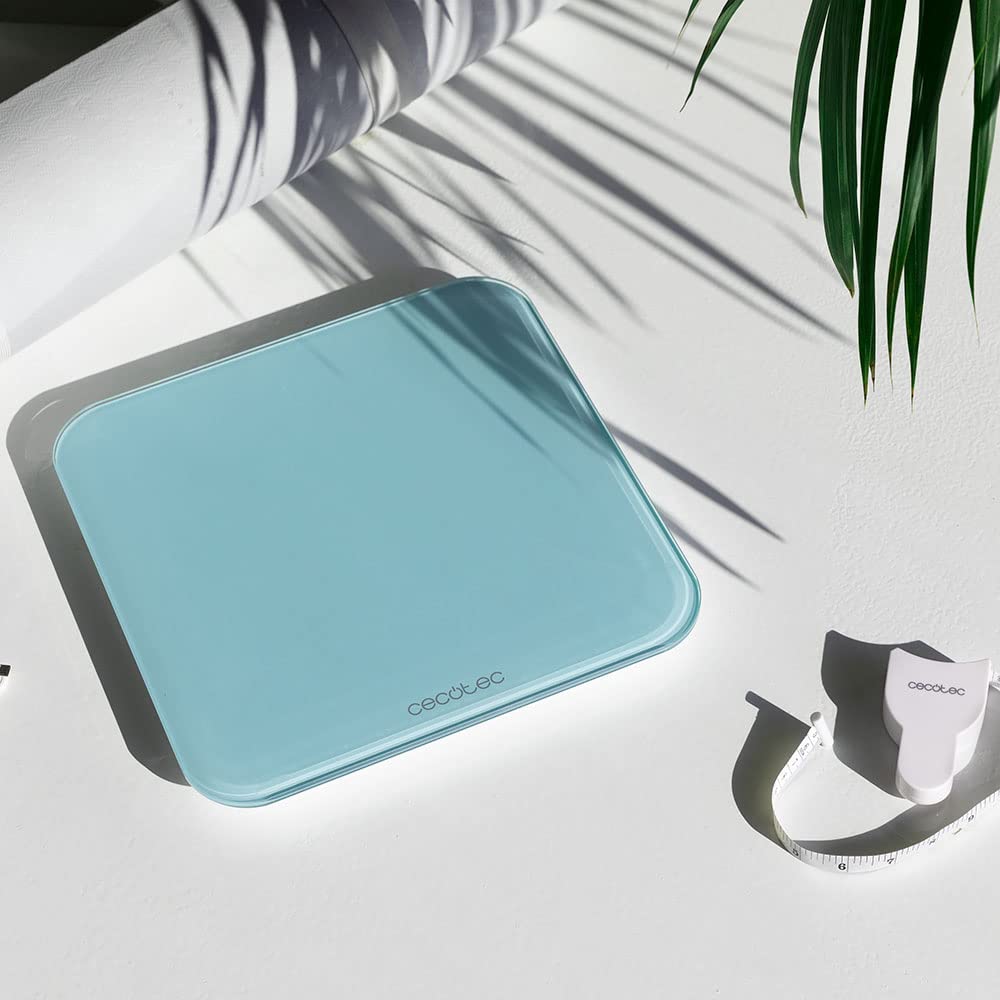
Image: The Cecotec Surface Precision 9350 digital bathroom scale, showcasing its sleek design and included measuring tape.
2. คำแนะนำด้านความปลอดภัย
- Always place the scale on a hard, flat, and stable surface. Uneven or soft surfaces (like carpet) can affect accuracy.
- The glass surface can be slippery when wet. Ensure the scale surface is dry before stepping on it to prevent accidents.
- ห้ามรับน้ำหนักเกินพิกัดสูงสุด 180 กก. (400 ปอนด์)
- Avoid jumping on the scale or dropping heavy objects on it, as this may damage the glass platform or internal components.
- This scale is intended for personal use only and should not be used for commercial purposes or medical diagnosis.
- ควรเก็บเครื่องชั่งให้ห่างจากอุณหภูมิที่สูงจัด แสงแดดโดยตรง และความชื้นสูง
- อย่าพยายามถอดประกอบหรือซ่อมเครื่องชั่งด้วยตนเอง โปรดติดต่อช่างผู้ชำนาญการเพื่อขอความช่วยเหลือ
- เก็บให้พ้นจากมือเด็ก
3. สินค้าหมดview
The Cecotec Surface Precision 9350 features a minimalist design with advanced functionality. Key components include:
- แพลตฟอร์มกระจกนิรภัย: Large, durable, and easy to clean weighing surface.
- Invisible LED Display: Provides clear weight readings when in use, discreetly hidden when off.
- พอร์ตชาร์จ USB: Located on the side or back for convenient recharging of the internal lithium battery.
- Unit Conversion Button: Allows switching between kilograms (kg) and pounds (lb).
- เซนเซอร์ความแม่นยำสูง: Four sensors ensure accurate and consistent measurements.

ภาพ: ด้านบน view of the Cecotec Surface Precision 9350 digital scale, displaying "0.0 kg" on its integrated LED screen.
4. การตั้งค่า
4.1 การชาร์จเริ่มต้น
Before first use, ensure the scale is fully charged. Connect the provided USB cable to the scale's charging port and to a standard USB power adapter (not included) or a computer USB port. The LED display may indicate charging status. A full charge typically takes a few hours.

ภาพ: ภาพระยะใกล้ view of the USB charging port on the side of the Cecotec digital scale, with a white USB cable plugged in.
4.2 การจัดวาง
Place the scale on a hard, flat, and stable surface. Avoid carpets, rugs, or uneven flooring, as these can lead to inaccurate readings.
4.3 Unit Selection (kg/lb)
On the underside of the scale, locate the unit conversion button. Press this button to toggle between kilograms (kg) and pounds (lb) according to your preference. The selected unit will be displayed on the LED screen.
5. คู่มือการใช้งาน
5.1 การวัดผล
- ตรวจสอบให้แน่ใจว่าวางเครื่องชั่งไว้บนพื้นผิวที่มั่นคงและเรียบ
- ค่อยๆ ก้าวเท้าเปล่าลงไปตรงกลางเครื่องชั่ง เครื่องชั่งจะเปิดใช้งานโดยอัตโนมัติ
- Stand still and wait for your weight to be displayed on the LED screen. The reading will flash a few times before stabilizing.
- Once the reading is stable, you can step off the scale. The scale will automatically turn off after a few seconds to conserve battery.

Image: A person's bare feet positioned on the Cecotec digital scale, with a weight measurement visible on the LED display.

Image: A person carefully stepping onto the Cecotec digital scale to initiate a weight measurement.

Image: A person standing on the Cecotec digital scale, demonstrating its use in an outdoor setting near a pool.
6. การบำรุงรักษาและการดูแล
- การทำความสะอาด: เช็ดพื้นผิวของเกล็ดด้วยผ้าเนื้อนุ่มและแห้งamp ผ้า ห้ามใช้น้ำยาทำความสะอาดที่มีฤทธิ์กัดกร่อนหรือจุ่มตะกรันลงในน้ำ
- พื้นที่จัดเก็บ: Store the scale in a cool, dry place. Avoid storing it vertically for extended periods, as this may affect sensor calibration.
- แบตเตอรี่: Recharge the scale when the low battery indicator appears on the display. Regular charging helps maintain battery health.
7 การแก้ไขปัญหา
| ปัญหา | สาเหตุที่เป็นไปได้ | สารละลาย |
|---|---|---|
| แสดง "โล" | แบตเตอรี่อ่อน | ชาร์จเครื่องชั่งโดยใช้สาย USB |
| แสดงคำว่า "เอ่อ" | การวัดค่าเกินพิกัดหรือไม่เสถียร | Ensure weight does not exceed 180 kg. Step off and re-weigh, ensuring you stand still on a flat surface. |
| การอ่านที่ไม่ถูกต้อง | Scale on uneven/soft surface, not calibrated, or moved. | Place scale on a hard, flat surface. Step on briefly to turn on, then step off and wait for "0.0" to appear before re-weighing. This re-calibrates the scale. |
| ไม่เปิดสเกล | แบตเตอรี่หมดเกลี้ยงแล้ว | Charge the scale for at least 30 minutes before attempting to use it. |
8. ข้อมูลจำเพาะ
| คุณสมบัติ | รายละเอียด |
|---|---|
| หมายเลขรุ่น | 04602 |
| ยี่ห้อ | เซโคเทค |
| ขนาด (กว้าง x ยาว x สูง) | 34.3 x 33.5 x 5.4 ซม. |
| น้ำหนัก | 1.8 กิโลกรัม |
| จำกัด น้ำหนัก | 180 Kilograms (400 lb) |
| การวัดที่เพิ่มขึ้น | 100 กรัม (0.2 ปอนด์) |
| วัสดุ | กระจกนิรภัย |
| ประเภทจอภาพ | LED (Invisible) |
| แหล่งพลังงาน | Rechargeable Lithium Battery (USB) |
| คุณสมบัติพิเศษ | Automatic Disconnection, Auto-on, Overweight Indicator, Low Battery Indicator |
9. การรับประกันและการสนับสนุน
Cecotec offers a commitment to product longevity, with spare parts availability for 10 years within the EU. For any issues not covered in the troubleshooting section, or for warranty claims, please contact Cecotec customer support. Refer to your purchase documentation for specific warranty terms and contact information.
Always ensure you have your model number (04602) and proof of purchase ready when contacting support.