
1. บทนำ
Welcome to the TicWatch Pro 3 Ultra GPS user manual. This guide provides essential information for setting up, operating, and maintaining your smartwatch. The TicWatch Pro 3 Ultra GPS is a high-performance smartwatch designed for men, featuring advanced health and fitness tracking, long battery life, and smart functionalities powered by Wear OS by Google and the Qualcomm Snapdragon Wear 4100 platform.
2. การตั้งค่า
2.1 อะไรอยู่ในกล่อง
Your TicWatch Pro 3 Ultra GPS package includes the following items:
- 1x TicWatch Pro 3 Ultra GPS Smartwatch
- สายชาร์จ USB 1x
- 1x คู่มือฉบับย่อ

Image: Contents of the TicWatch Pro 3 Ultra GPS retail box, including the smartwatch, charging cable, and quick start guide.
2.2 การชาร์จเริ่มต้น
Before first use, fully charge your smartwatch. Connect the USB charging cable to the charging port on the back of the watch and plug the other end into a compatible USB power adapter (not included). The watch display will indicate charging status.
2.3 การจับคู่กับสมาร์ทโฟนของคุณ
To unlock the full potential of your TicWatch Pro 3 Ultra GPS, pair it with your Android smartphone. (Note: Some features like sending texts and making calls are Android-only.)
- Download the 'Wear OS by Google' app and the 'Mobvoi' app from the Google Play Store on your smartphone.
- ตรวจสอบให้แน่ใจว่าได้เปิดใช้งาน Bluetooth บนสมาร์ทโฟนของคุณแล้ว
- Turn on your TicWatch Pro 3 Ultra GPS.
- Open the 'Wear OS by Google' app on your phone and follow the on-screen instructions to pair your watch.
- Complete the setup process within the Mobvoi app to enable all health and fitness tracking features.
3. การใช้งานสมาร์ทวอทช์ของคุณ
3.1 การแสดงผลและการนำทาง
The watch features a 1.4-inch AMOLED display for vibrant colors and a secondary FSTN screen for power efficiency. The display has automatically adjustable brightness and is protected by Corning Gorilla anti-fingerprint glass.
- จอแสดงผล AMOLED: Provides high-resolution visuals (454x454 pixels) for detailed information.
- FSTN Screen: A low-power display that shows essential information like time, steps, and heart rate, significantly extending battery life.
- Customizable Backlight: The FSTN screen's backlight can be customized with various colors for better visibility in different lighting conditions, especially in the dark.

Image: The TicWatch Pro 3 Ultra GPS displaying its FSTN screen with various customizable backlight color options.
3.2 Basic Smart Functions
- การแจ้งเตือน: Receive calls, texts, and social media messages directly on your watch. (Note: Sending texts and making calls are Android-only features.)
- Google Pay (NFC): Utilize the built-in NFC for quick and easy payments in stores.
- ลำโพงและไมโครโฟนในตัว: Allows for hands-free calls and voice commands.
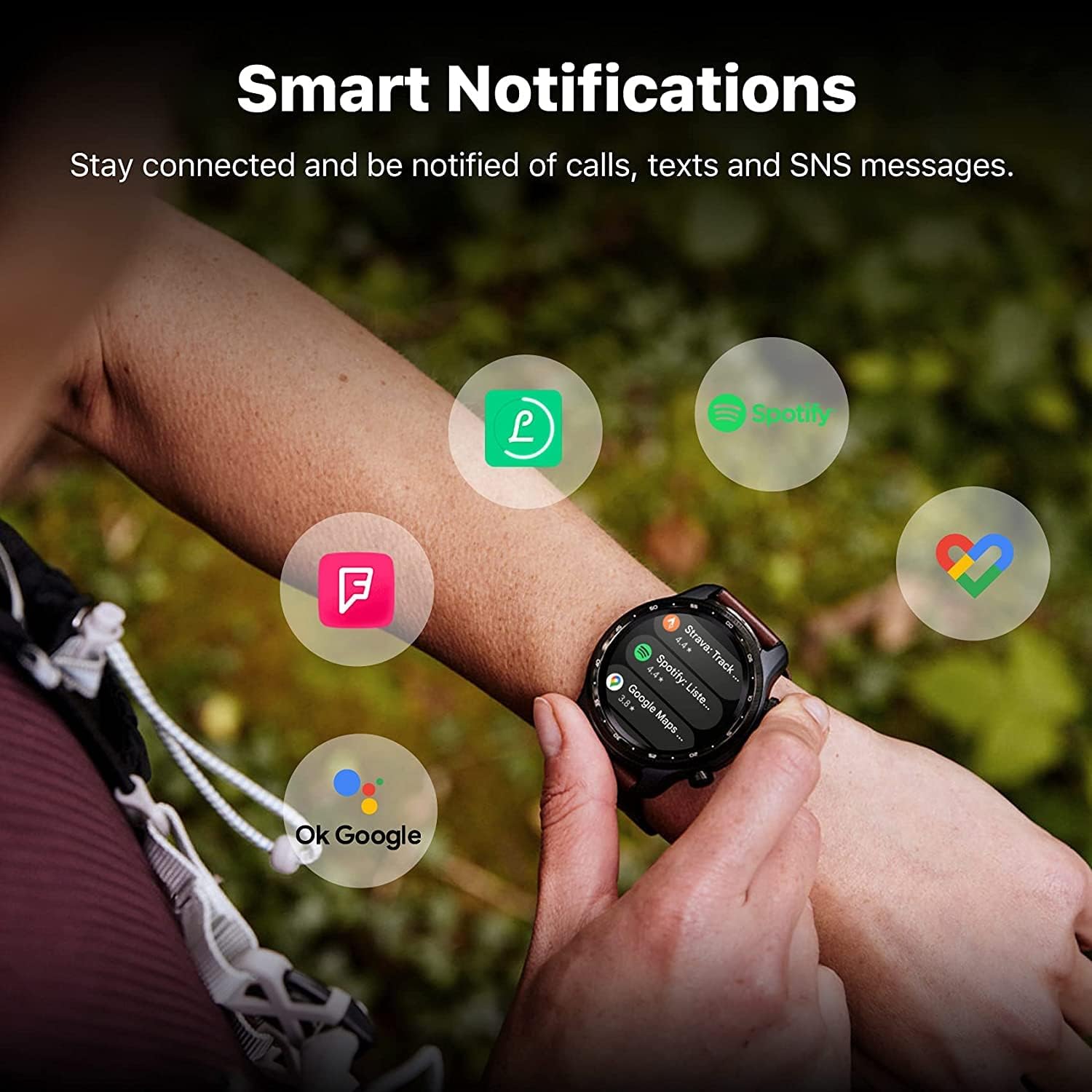
Image: The TicWatch Pro 3 Ultra GPS showing smart notifications from popular applications, keeping you connected.
3.3 การติดตามสุขภาพและการออกกำลังกาย
The TicWatch Pro 3 Ultra GPS offers comprehensive health and fitness monitoring:
- การตรวจสอบอัตราการเต้นของหัวใจ: Continuous 24-hour heart rate tracking with an advanced sensor. It records changes and can alert you to unusual patterns.
- การตรวจวัดออกซิเจนในเลือด (SpO2): Track your blood oxygen saturation levels.
- การจัดการความเครียด: Assess mental stress and track daily energy levels.
- การติดตามการนอนหลับ: ตรวจสอบรูปแบบและคุณภาพการนอนหลับของคุณ
- 100+ Professional Sports Modes: Track various activities with detailed metrics.
- GPS ในตัว: Supports GPS, Beidou, Glonass, Galileo, and QZSS for accurate outdoor activity tracking.
- บารอมิเตอร์: For altitude and atmospheric pressure readings.
หมายเหตุสำคัญ: The health tracking features are not intended to diagnose or treat any medical condition or for any other medical purpose. Consult a medical professional for health concerns.

Image: The watch interface showing heart health, sleep data, and workout modes, highlighting its wellness management capabilities.

Image: The watch displaying stress management tools, including guided breathing exercises and stress level indicators.
3.4 Battery Modes
The TicWatch Pro 3 Ultra GPS features two primary battery modes:
- โหมดอัจฉริยะ: Offers full smartwatch functionality with up to 72 hours of battery life.
- โหมดที่จำเป็น: Utilizes the FSTN display for basic time and health tracking, extending battery life up to 45 days.
4. การบำรุงรักษา
4.1 ความต้านทานต่อน้ำ
The TicWatch Pro 3 Ultra GPS is IP68 water and dust resistant, making it suitable for:
- Swimming (pool swimming)
- การล้างมือ
- Exposure to sweat
คำเตือน: Not suitable for diving, high-pressure water activities, or hot water environments (e.g., saunas, hot showers) as steam can damage the seals.

Image: The smartwatch shown in a water-splashed environment, emphasizing its IP68 waterproof capabilities for activities like swimming and handwashing.
4.2 การทำความสะอาดและการดูแล
To ensure longevity and proper function:
- เช็ดนาฬิกาและสายเป็นประจำด้วยผ้านุ่มๆamp ผ้า.
- หลีกเลี่ยงการใช้สารเคมีรุนแรงหรือวัสดุที่มีฤทธิ์กัดกร่อน
- ตรวจสอบให้แน่ใจว่าหน้าสัมผัสการชาร์จสะอาดและแห้งก่อนชาร์จ
5 การแก้ไขปัญหา
5.1 ปัญหาทั่วไปและแนวทางแก้ไข
- อายุการใช้งานแบตเตอรี่สั้น: Ensure you are not running too many background apps. Consider using Essential Mode when full smart functionality is not required. Disable always-on display or reduce screen brightness.
- ปัญหาการเชื่อมต่อ: Check if Bluetooth is enabled on both the watch and phone. Ensure the Wear OS and Mobvoi apps are updated to the latest versions. Restart both devices.
- ความไม่แม่นยำของข้อมูลสุขภาพ: Ensure the watch is worn snugly on your wrist. Clean the sensor regularly. Remember that these features are for general wellness and not medical diagnosis.
- นาฬิกาไม่ตอบสนอง: Try a soft reset by holding down the power button until the watch restarts. If unresponsive, ensure it is charged.
For further assistance, refer to the official Mobvoi support webเว็บไซต์หรือติดต่อฝ่ายบริการลูกค้า
6. ข้อมูลจำเพาะ
Detailed technical specifications for the TicWatch Pro 3 Ultra GPS:
| คุณสมบัติ | ข้อมูลจำเพาะ |
|---|---|
| หมายเลขรุ่น | TicWatch Pro 3 Ultra GPS |
| โปรเซสเซอร์ | Qualcomm Snapdragon Wear 4100, Mobvoi Dual Processor System |
| ระบบปฏิบัติการ | Wear OS 2.6 (Upgradable) |
| หน่วยความจำ (RAM) | 1GB |
| หน่วยความจำ (ROM) | 8GB |
| แสดง | 1.4-inch AMOLED (454x454), FSTN secondary display, Corning Gorilla Glass |
| ความจุของแบตเตอรี่ | 576 mAh (ลิเธียมไอออน) |
| อายุการใช้งานแบตเตอรี่ | ใช้งานได้นานสูงสุด 72 ชั่วโมง (โหมดสมาร์ท), สูงสุด 45 วัน (โหมดเอสเซนเชียล) |
| การเชื่อมต่อ | Bluetooth 5.0, Wi-Fi 802.11b/g/n, NFC |
| จีพีเอส | Built-in GPS (GPS+Beidou+Glonass+Galileo+QZSS) |
| ความทนทาน | MIL-STD-810G, IP68 Water and Dust Resistant |
| คุณสมบัติพิเศษ | Advanced health tracking, built-in speaker and microphone |
| ขนาด | 29 x 7 x 4 ซม. |
| น้ำหนัก | 274 กรัม |
| รูปร่าง | กลม |

Image: An infographic summarizing key specifications and features of the TicWatch Pro 3 Ultra GPS, including processor, memory, display, and durability.
7. การรับประกันและการสนับสนุน
7.1 ข้อมูลการรับประกัน
Specific warranty details for the TicWatch Pro 3 Ultra GPS are provided by the manufacturer, Mobvoi, at the time of purchase. Please refer to your product packaging, the official Mobvoi website, or your purchase documentation for comprehensive warranty terms and conditions.
7.2 การสนับสนุนลูกค้า
For technical support, service, or inquiries regarding your TicWatch Pro 3 Ultra GPS, please visit the official Mobvoi support website or contact their customer service department. Contact information can typically be found on the Mobvoi webในเว็บไซต์หรือในคู่มือฉบับย่อของผลิตภัณฑ์ของคุณ