
การแนะนำ
The havit GK58B is a USB plug-and-play gaming microphone designed for clear voice communication. It features omnidirectional sound pickup, a flexible gooseneck, a stable base, and unique RGB lighting effects. This manual provides instructions for setup, operation, maintenance, and troubleshooting to ensure optimal performance.
คุณสมบัติ
- เสียบ USB แล้วใช้งานได้ทันที: Simple connection without driver installation.
- การรับรอบทิศทาง: Captures sound from all directions for clear communication.
- คอห่านยืดหยุ่น: Adjustable microphone position for optimal voice capture.
- ฐานที่มั่นคง: Ensures the microphone remains securely in place.
- แสงไฟ RGB: Integrated lighting for an enhanced aesthetic.
เนื้อหาแพ็คเกจ
The havit GK58B package includes:
- 1 x havit GK58B USB Gaming Microphone
- 1 x คู่มือผู้ใช้ (เอกสารนี้)

ภาพ: ด้านหน้า view of the havit GK58B USB Gaming Microphone retail packaging.

ภาพ: ด้านหลัง view of the havit GK58B USB Gaming Microphone retail packaging, showing product specifications.
การตั้งค่า
- แกะไมโครโฟนออก: Carefully remove the havit GK58B microphone from its packaging.
- วางตำแหน่งไมโครโฟน: Place the microphone on a stable, flat surface. Adjust the flexible gooseneck to position the microphone head optimally for your voice, typically 15-30 cm (6-12 inches) from your mouth.
- เชื่อมต่อกับคอมพิวเตอร์: Plug the USB connector of the microphone cable into an available USB port on your computer.
- การติดตั้งไดร์เวอร์: ไมโครโฟนนี้เป็นแบบเสียบแล้วใช้งานได้ทันที ไม่จำเป็นต้องติดตั้งไดรเวอร์เพิ่มเติม ระบบปฏิบัติการของคุณจะตรวจจับและตั้งค่าอุปกรณ์โดยอัตโนมัติ
- เลือกเป็นอุปกรณ์เริ่มต้น:
- หน้าต่าง: ไปที่ การตั้งค่าเสียง > แผงควบคุมเสียง > การบันทึก tab. Select "havit GK58B" or similar as your default recording device.
- MacOS: ไปที่ การตั้งค่าระบบ > เสียง > ป้อนข้อมูล tab. Select "havit GK58B" or similar as your input device.
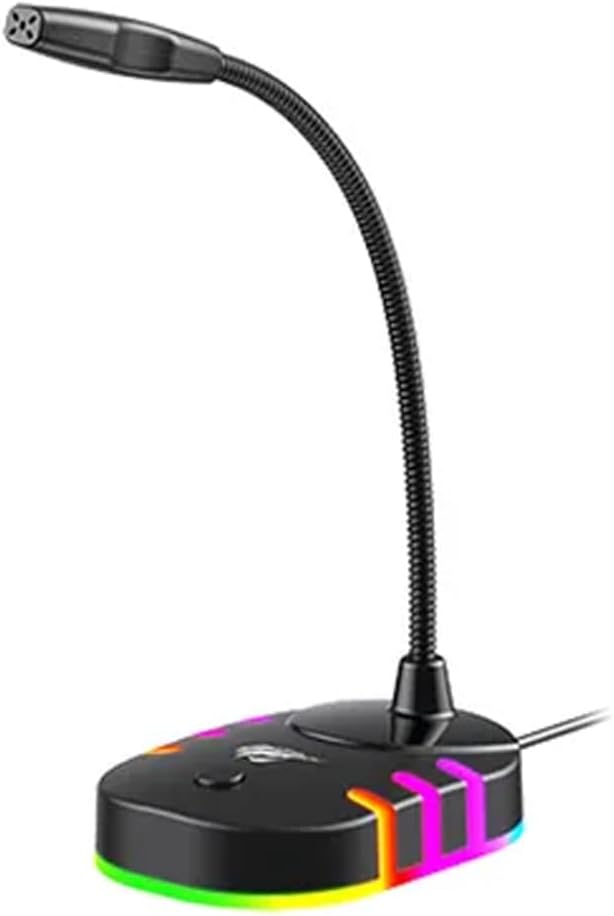
ภาพ: ด้านหน้า view of the havit GK58B USB Gaming Microphone, showing the gooseneck and base with RGB lighting.
คำแนะนำการใช้งาน
- การเปิดใช้งานไมโครโฟน: Once connected and selected as the default input device, the microphone is ready for use. The RGB lighting on the base will illuminate, indicating it is powered on.
- การปรับระดับเสียง: Microphone input volume can be adjusted through your computer's sound settings or within the specific application you are using (e.g., game chat, communication software).
- การรับรอบทิศทาง: The GK58B features an omnidirectional polar pattern, meaning it picks up sound equally from all directions. This is suitable for capturing ambient sound or multiple speakers around the microphone. For best voice clarity, speak directly towards the microphone head.
- การควบคุมแสง RGB: The microphone base features RGB lighting. While specific controls are not detailed, typically these lights cycle automatically or can be toggled via a button on the base if present. Refer to the product's physical buttons for any lighting control options.
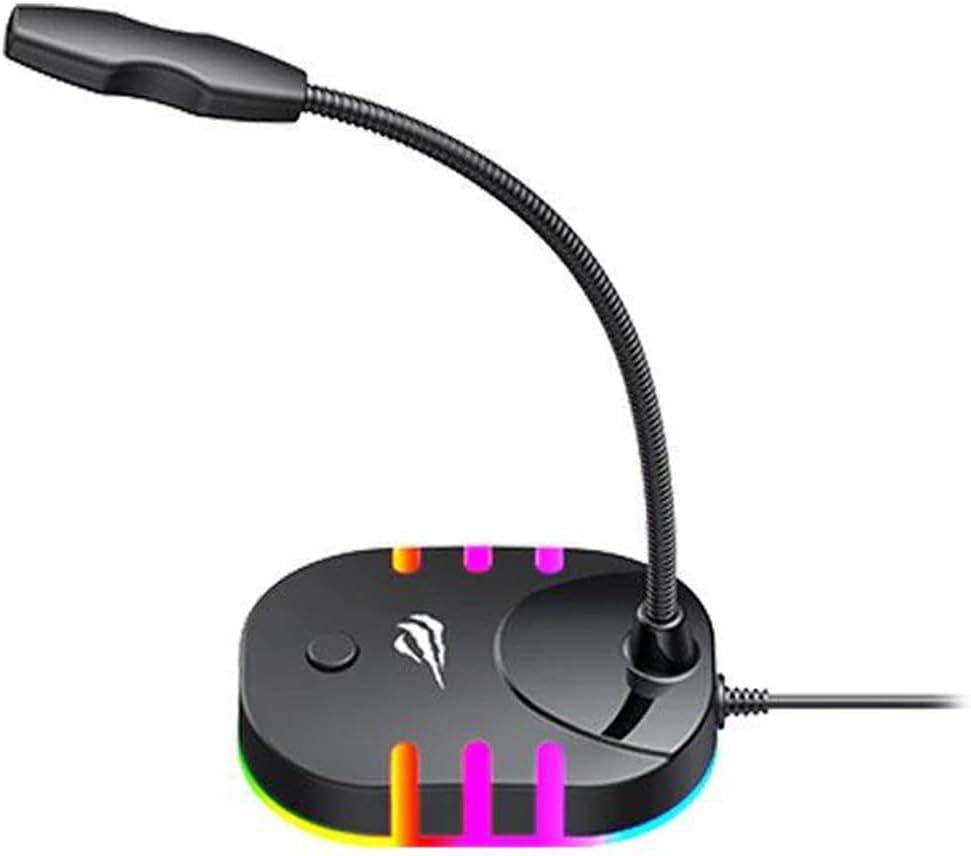
Image: Back-side view of the havit GK58B USB Gaming Microphone, showing the USB cable connection point and the base with RGB lighting.
การซ่อมบำรุง
- การทำความสะอาด: Use a soft, dry cloth to wipe the microphone and its base. Avoid using liquid cleaners or abrasive materials, as these can damage the device.
- พื้นที่จัดเก็บ: When not in use, store the microphone in a clean, dry environment away from direct sunlight and extreme temperatures.
- การดูแลสายเคเบิล: อย่าดัดหรือจีบสาย USB มากเกินไป ขณะถอดสาย ให้จับที่ปลั๊ก ไม่ใช่ที่สายเสมอ
การแก้ไขปัญหา
| ปัญหา | สาเหตุที่เป็นไปได้ | สารละลาย |
|---|---|---|
| ไม่พบไมโครโฟน / ไม่มีสัญญาณเสียงเข้า |
|
|
| ระดับเสียงไมโครโฟนต่ำ |
|
|
| ไฟ RGB ไม่ทำงาน |
|
|
ข้อมูลจำเพาะ
| ชื่อรุ่น | GK58B |
| เทคโนโลยีการเชื่อมต่อ | ยูเอสบี |
| ประเภทขั้วต่อ | USB ประเภทเอ |
| รูปแบบขั้ว | รอบทิศทาง |
| ความไวต่อความรู้สึก | -36 ± 3dB |
| อิมพีแดนซ์ | 2.2kΩ |
| การตอบสนองความถี่ | 30เฮิรตซ์ – 16กิโลเฮิรตซ์ |
| ความยาวสายเคเบิล | 1.5ม. |
| ปฏิบัติการฉบับที่tage | 5.0โวลต์ |
| กระแสไฟฟ้าที่ใช้งาน | 90มิลลิแอมป์ |
| ขนาดไมโครโฟน | φ6*5มม. |
| ขนาดสินค้า | 7.5 x 13 x 11 ซม. |
| น้ำหนักสินค้า | 2 กรัม |
| อุปกรณ์ที่รองรับ | แล็ปท็อป, คอมพิวเตอร์ส่วนบุคคล |
| คุณสมบัติพิเศษ | Stand, RGB Lighting |
การรับประกันและการสนับสนุน
For warranty information and technical support, please refer to the official havit webหรือติดต่อตัวแทนจำหน่ายในพื้นที่ของคุณ เก็บใบเสร็จรับเงินไว้เพื่อใช้ในการเคลมประกัน
ผู้ผลิต: ฮาวิท