
การแนะนำ
Thank you for choosing the Sengled Smart Bulb. This manual provides essential information for setting up, operating, and maintaining your new smart lighting product. The Sengled Smart Bulb offers advanced features including app and voice control, 16 million colors, tunable white light, scheduling, and remote access, all without requiring a separate hub.
คู่มือการติดตั้ง
Follow these steps to set up your Sengled Smart Bulb:
- ดาวน์โหลดแอป Sengled Home: ค้นหา 'Sengled Home' in the App Store (iOS) or Google Play Store (Android) and install the application.
- ลงทะเบียน/เข้าสู่ระบบ: เปิดแอปและทำตามคำแนะนำบนหน้าจอเพื่อสร้างบัญชีใหม่หรือเข้าสู่ระบบหากคุณมีบัญชีอยู่แล้ว
- ติดตั้งหลอดไฟ: Twist the Sengled Smart LED bulb into a standard E26 medium base socket. Ensure the power is turned off before installation.
- เปิดเครื่อง: Turn on the light switch to power on the bulb. The bulb should blink to indicate it's in pairing mode.
- เพิ่มอุปกรณ์ในแอป: In the Sengled Home app, tap the '+' icon to add a new device. Select 'Light Bulb' and follow the in-app guide to complete the setup.
- เชื่อมต่อกับ Wi-Fi: The bulb will connect to your home's 2.4GHz Wi-Fi network. No additional hub is required.
- บูรณาการผู้ช่วยเสียง (ตัวเลือก): If you wish to use voice control, link your Sengled Home account with your Amazon Alexa or Google Assistant account through their respective apps.
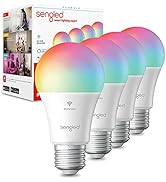
Image: Steps for setting up the Sengled Smart Bulb using the Sengled Home app.

Image: A Sengled Smart Bulb installed in a ceiling light fixture.
คำแนะนำการใช้งาน
The Sengled Smart Bulb offers versatile control options:
การควบคุมแอพ
- เปิด/ปิด: Toggle the bulb's power directly from the app.
- dimming: ปรับความสว่างได้ตั้งแต่ 1% ถึง 100%
- การเลือกสี: Choose from 16 million colors to match your mood or decor.
- สีขาวที่ปรับได้: Select white light temperatures from 2000K (warm white) to 6500K (cool white).
- การกำหนดตารางเวลา: Set timers and routines for automatic on/off times, dimming, or color changes.
- การควบคุมกลุ่ม: Create groups of bulbs to control multiple lights simultaneously.
- โหมดฉาก: Apply pre-set or custom scenes for various activities or moods.
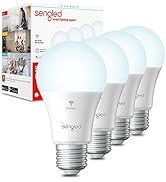
Image: A smartphone screen displaying the Sengled Home app interface for color selection.
การควบคุมด้วยเสียง
Control your smart bulbs hands-free using voice commands with Amazon Alexa or Google Assistant. Exampเลส:
- "อเล็กซ่า เปิดไฟห้องนั่งเล่น"
- "เฮ้ Google ตั้งไฟห้องนอนเป็นสีฟ้า"
- "Alexa, dim the kitchen to 50%."
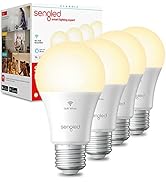
Image: A person interacting with a smart speaker to control the Sengled Smart Bulb via voice commands.
รีโมทคอนโทรล
Manage your lighting from anywhere using the Sengled Home app on your smartphone, ensuring your home always looks occupied, even when you're away.
Wake Up to Light Feature
Program your bulbs to slowly brighten over a set period, simulating a natural sunrise to help you wake up gently.
Video: Official Sengled video demonstrating the 100-watt smart bulb's features and Alexa compatibility.
การซ่อมบำรุง
Sengled Smart Bulbs are designed for long-term use with a service life of 22.8 years. No specific maintenance is required beyond occasional dusting with a soft, dry cloth. Ensure the bulb is not exposed to water or excessive humidity.
การแก้ไขปัญหา
If you encounter issues with your Sengled Smart Bulb, consider the following:
- ปัญหาการเชื่อมต่อ: Ensure your Wi-Fi network is 2.4GHz (5G networks are not supported). Try restarting your router and the bulb.
- หลอดไฟไม่ตอบสนอง: Check if the bulb is securely screwed into the socket and if the power switch is on. Try turning the power off and on again to reset the bulb.
- Voice Command Problems: Verify that your Alexa or Google Assistant device is properly linked to your Sengled Home account and that the device names are correctly configured.
- ปัญหาเกี่ยวกับแอป: Ensure your Sengled Home app is updated to the latest version. Try force-closing and reopening the app.
หากต้องการความช่วยเหลือเพิ่มเติม โปรดดูที่ส่วนการสนับสนุนหรือติดต่อฝ่ายบริการลูกค้า
ข้อมูลจำเพาะ
| คุณสมบัติ | รายละเอียด |
|---|---|
| ยี่ห้อ | เซ็ง ๆ |
| หมายเลขรุ่น | W12-N15 |
| ประเภทไฟ | นำ |
| วัดtage | 100 watts equivalent (actual power consumption not specified, but typically lower for LED) |
| ความสว่าง | 1500 ลูเมน |
| ขนาดรูปร่างหลอดไฟ | เอ19 |
| ฐานหลอดไฟ | E26 ขนาดกลาง |
| สีอ่อน | Multicolor (16 Million Colors) & Tunable White (2000K to 6500K) |
| ดัชนีความถูกต้องของสี (CRI) | มากกว่า 90 |
| เทคโนโลยีการเชื่อมต่อ | Wi-Fi (2.4 GHz เท่านั้น) |
| ประเภทตัวควบคุม | Amazon Alexa, Google Assistant, SmartThings |
| อายุการใช้งานของแหล่งกำเนิดแสง | 22.8 ปี |
| การใช้งานภายใน/ภายนอกอาคาร | ในร่ม |
| ประเภทวัสดุ | พอลิเมอร์สังเคราะห์ (PMMA) |
การรับประกันและการสนับสนุน
Sengled Smart Bulbs come with a รับประกัน 2 ปี. For warranty claims or technical support, please visit the official Sengled website or contact their customer service. Live customer service is available in the U.S.
สำหรับข้อมูลเพิ่มเติมและการสนับสนุน โปรดไปที่ sengled.คอม.