
1. บทนำ
This manual provides essential information for setting up, operating, and maintaining your TECLAST T60Pro 12-inch 2K Tablet. The T60Pro features a 12-inch 2K IPS display, powered by a MediaTek Helio G99 Octa-Core processor, running Android 15. It includes 20GB RAM (8GB physical + 12GB virtual expansion) and 128GB internal storage, expandable up to 1TB via Micro SD. The tablet is equipped with four stereo speakers, a 13MP rear camera, an 8MP front camera, and an 8000mAh battery with 18W fast charging.

The TECLAST T60Pro features a slim 7.9mm metal body, weighing 553g, designed for portability and comfortable handling.
2. อะไรอยู่ในกล่อง
ตรวจสอบว่ามีรายการทั้งหมดอยู่ในแพ็คเกจ:
- TECLAST T60Pro Tablet (x1)
- เครื่องชาร์จ (x1)
- สาย USB-C (x1)
- SIM Ejector Tool (x1)
- คู่มือผู้ใช้ (x1)
This video demonstrates the unboxing process of the TECLAST T60Pro tablet and its included accessories.
3. การตั้งค่า
3.1 เค้าโครงอุปกรณ์
The image displays the side profile of the tablet, highlighting the SIM/TF Card slot, speaker grilles, and the Type-C port for charging and data transfer.
3.2 การชาร์จแท็บเล็ต
Before first use, fully charge the tablet using the provided USB-C cable and charger. Connect the USB-C cable to the tablet's Type-C port and the charger to a power outlet. The battery indicator on the screen will show charging status.
3.3 เปิด/ปิดเครื่อง
- To power on: Press and hold the Power button until the TECLAST logo appears.
- วิธีปิดเครื่อง: กดปุ่มเปิด/ปิดค้างไว้ จากนั้นเลือก 'ปิดเครื่อง' จากตัวเลือกบนหน้าจอ
- วิธีรีสตาร์ท: กดปุ่มเปิด/ปิดค้างไว้ แล้วเลือก 'รีสตาร์ท' จากตัวเลือก
3.4 การติดตั้งซิมการ์ด/การ์ด TF
To install a SIM card for cellular connectivity or a TF (Micro SD) card for expanded storage:
- หาช่องใส่ซิมการ์ด/การ์ด TF ที่ด้านข้างของแท็บเล็ต
- เสียบเครื่องมือถอดซิมที่ให้มาลงในรูเล็กๆ ข้างถาด แล้วกดเบาๆ จนกว่าถาดจะหลุดออกมา
- Place your Nano-SIM card(s) and/or Micro SD card into the designated slots on the tray, ensuring correct orientation.
- ค่อยๆ ดันถาดกลับเข้าไปในแท็บเล็ตจนกระทั่งได้ยินเสียงคลิกเข้าที่

The tablet supports up to 1TB Micro SD card expansion for additional storage.
3.5 การตั้งค่า Android เบื้องต้น
Upon first power-on, follow the on-screen prompts to complete the initial setup, which includes selecting your language, connecting to Wi-Fi, setting up your Google account, and configuring security options.
4. คู่มือการใช้งาน
4.1 การแสดงผลและภาพ
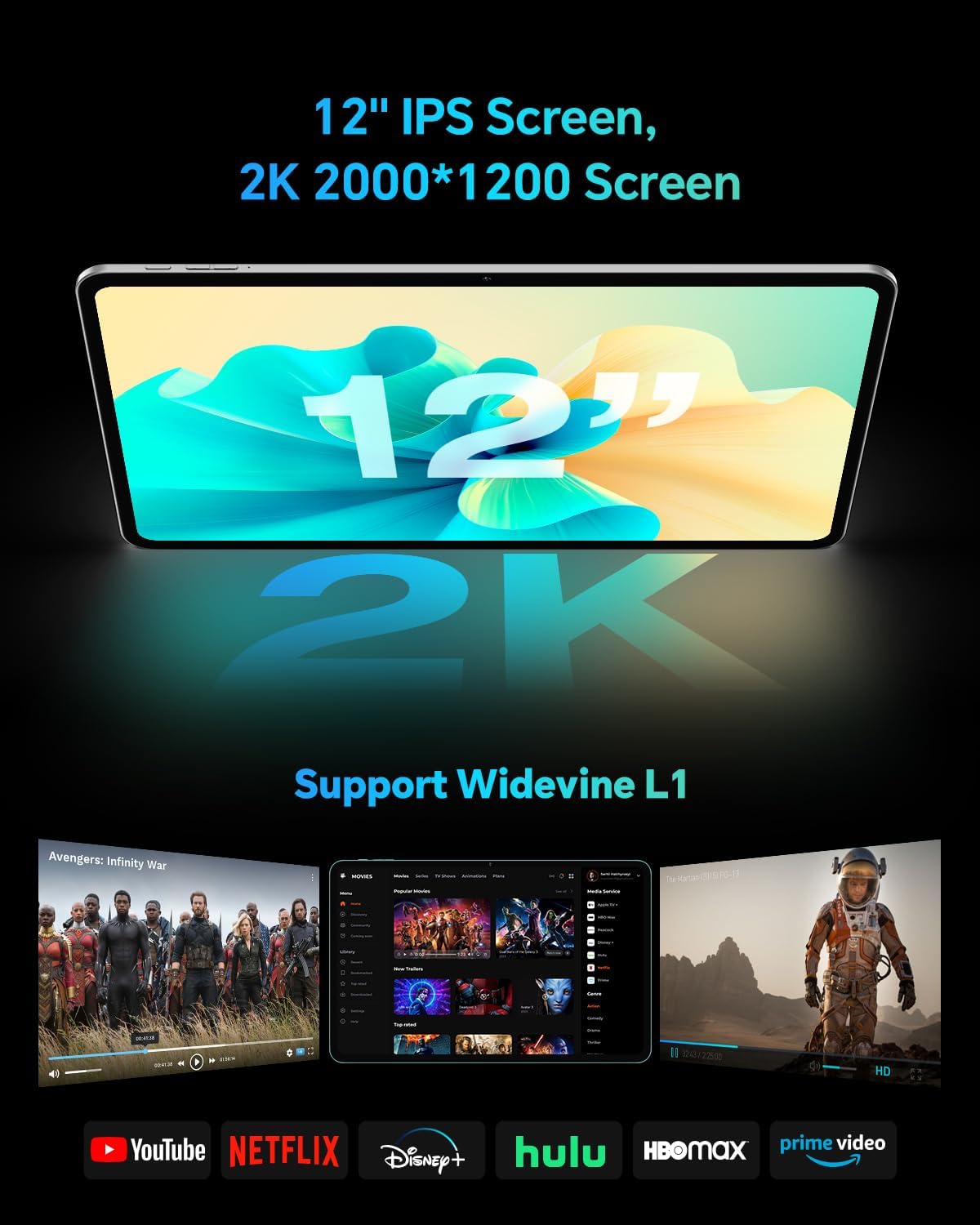
The TECLAST T60Pro features a 12-inch 2K (2000x1200) IPS TDDI full-lamination screen. It includes built-in blue light filtering for eye protection. The display supports Widevine L1 for high-definition streaming content.

Experience crisp visuals and support for HD streaming with the 12-inch 2K IPS display and Widevine L1 certification.
4.2 เสียง
The tablet is equipped with four high-fidelity stereo speakers, providing an immersive audio experience for media consumption and video calls.
4.3 ฟังก์ชันกล้อง
The T60Pro includes a 13MP rear camera and an 8MP front camera. The rear camera is designed for clear shooting, even in low-light conditions. Utilize the camera for photos, videos, and video calls.

The tablet features a 13MP rear camera and an 8MP front camera, supporting features like Google Lens and Face Recognition.
4.4 การเชื่อมต่อ
- ไวไฟ : Supports 2.4/5GHz dual-band Wi-Fi (802.11a/b/g/n/ac) for stable internet connection.
- บลูทูธ: มีคุณสมบัติ Bluetooth 5.2 สำหรับเชื่อมต่ออุปกรณ์เสริมไร้สาย
- เซลลูล่าร์: Supports 4G cellular connectivity with a compatible SIM card.
- จีพีเอส: Integrated A-GPS/GPS/BeiDou/GLONASS/Galileo multi-navigation system for accurate location services.

The tablet includes built-in GPS with support for multiple satellite positioning systems for reliable navigation.
4.5 การจัดการการจัดเก็บข้อมูล
The tablet comes with 128GB of internal storage. This can be expanded up to 1TB using a Micro SD card (sold separately).
4.6 การจดจำใบหน้า
For convenient and secure unlocking, the tablet supports face recognition. Simply hold your face in front of the front camera. If face recognition fails, use your registered password or adjust ambient lighting for better recognition.

Unlock your tablet quickly and securely using the face recognition feature.
4.7 การฉายภาพแบบไร้สาย
Mirror your tablet's display to a larger screen, such as a TV, for an enhanced viewing experience. Refer to your TV's manual for specific wireless projection setup instructions.
4.8 Parental Controls and Kids Mode
The Android 15 system includes built-in parental controls to manage screen time and app access for children. Utilize these features to create a safe and controlled environment for younger users.
5. การบำรุงรักษา
5.1 การทำความสะอาดเครื่อง
Use a soft, lint-free cloth to clean the tablet's screen and body. Avoid using harsh chemicals or abrasive materials that could damage the surfaces.
5.2 การดูแลแบตเตอรี่
เพื่อยืดอายุแบตเตอรี่:
- หลีกเลี่ยงอุณหภูมิที่สูงหรือต่ำเกินไป
- อย่าปล่อยให้แบตเตอรี่หมดจนหมดบ่อยๆ
- โปรดใช้ที่ชาร์จที่ให้มาเพื่อการชาร์จที่ดีที่สุด
5.3 การอัปเดตซอฟต์แวร์
Regularly check for and install system updates to ensure optimal performance, security, and access to the latest features. Navigate to การตั้งค่า > ระบบ > อัปเดตระบบ เพื่อตรวจสอบการอัปเดตที่มีอยู่
5.4 การป้องกันหน้าจอ
The tablet comes with a pre-applied tempered glass screen protector. A protective film for shipping is also applied, which should be removed after opening the package.

The tablet includes a pre-applied screen protector for immediate use and protection.
6 การแก้ไขปัญหา
6.1 อุปกรณ์ไม่เปิดเครื่อง
- Ensure the battery is charged. Connect the tablet to the charger for at least 30 minutes before attempting to power on.
- กดปุ่มเปิด/ปิดค้างไว้ 10-15 วินาทีเพื่อรีสตาร์ทอัตโนมัติ
6.2 ปัญหาการเชื่อมต่อ (Wi-Fi/Bluetooth)
- Toggle Wi-Fi or Bluetooth off and on in the Settings menu.
- Restart your router or Bluetooth device.
- ลืมเครือข่าย/อุปกรณ์และเชื่อมต่อใหม่อีกครั้ง
6.3 Low Audio Volume
- Adjust the volume using the physical Volume buttons on the tablet.
- Check media volume settings in ตั้งค่า > เสียงและการสั่น.
- Ensure no external audio devices are connected via Bluetooth or Type-C that might be overriding the internal speakers.
6.4 แอปขัดข้องหรือหยุดทำงาน
- ปิดและเปิดแอปใหม่อีกครั้ง
- ล้างแคชและข้อมูลของแอปใน การตั้งค่า > แอป > [ชื่อแอป] > ที่เก็บข้อมูล > ล้างแคช/ล้างข้อมูล.
- ตรวจสอบให้แน่ใจว่าแอปได้รับการอัปเดตเป็นเวอร์ชันล่าสุดจาก Google Play Store
7. ข้อมูลจำเพาะ
| คุณสมบัติ | ข้อมูลจำเพาะ |
|---|---|
| ยี่ห้อ | เทคลัสท์ |
| ชื่อรุ่น | ที60โปร |
| ระบบปฏิบัติการ | แอนดรอยด์ 15 |
| ขนาดหน้าจอ | 12 นิ้ว |
| ความละเอียดการแสดงผล | 2000x1200 พิกเซล (2K) |
| โปรเซสเซอร์ | MediaTek Helio G99 โปรเซสเซอร์อ็อกตาคอร์ (2.2 GHz) |
| หน่วยความจำแรม | หน่วยความจำ 20 GB (8 GB แบบกายภาพ + 12 GB แบบเสมือน) |
| ความจุในการเก็บข้อมูล | 128GB |
| พื้นที่เก็บข้อมูลแบบขยายได้ | Up to 1 TB (Micro SD) |
| โคโปรเซสเซอร์กราฟิก | มาลี-G57 MC2 |
| ความจุของแบตเตอรี่ | 8000 มิลลิแอมป์ |
| การชาร์จไฟ | 18W USB-PD Fast Charging |
| กล้องหลัง | 13 MP |
| กล้องหน้า | 8 MP |
| เทคโนโลยีไร้สาย | Wi-Fi (2.4/5GHz), Bluetooth 5.2, 4G Cellular |
| ฟังก์ชั่น GPS | GPS/BEIDOU/GLONASS/GALILEO |
| แจ็คหูฟัง | ประเภทซี |
| ขนาด (ยาว x กว้าง x หนา) | 10.97" x 6.85" x 0.31" |
| สี | สีเทาเข้ม |
8. การรับประกันและการสนับสนุน
8.1 การรับประกันของผู้ผลิต
The TECLAST T60Pro tablet comes with a การรับประกันจากผู้ผลิต 1 ปีการรับประกันนี้ครอบคลุมข้อบกพร่องด้านวัสดุและฝีมือการผลิตภายใต้การใช้งานปกติ โปรดเก็บหลักฐานการซื้อไว้เพื่อขอรับสิทธิ์การรับประกัน
8.2 การสนับสนุนลูกค้า
For technical assistance, troubleshooting, or warranty inquiries, please contact TECLAST customer support. Most questions are answered within 24 hours. Refer to the official TECLAST webเว็บไซต์หรือแพลตฟอร์มการซื้อของคุณสำหรับรายละเอียดการติดต่อที่เฉพาะเจาะจง
Online resources and FAQs may also be available on the TECLAST support page.