
1. บทนำ
This manual provides essential information for the safe and efficient installation, operation, and maintenance of your LEDVANCE ORBIS SPARKLE SMART+ WiFi Ceiling Light. Please read these instructions carefully before use and retain them for future reference.
The LEDVANCE ORBIS SPARKLE SMART+ WiFi Ceiling Light is a smart, dimmable LED luminaire designed for indoor use, offering tunable white light (2700K to 6500K) and a decorative sparkle effect. It integrates seamlessly with smart home systems via WiFi, allowing control through the LEDVANCE SMART+ WiFi app, Amazon Alexa, or Google Assistant.
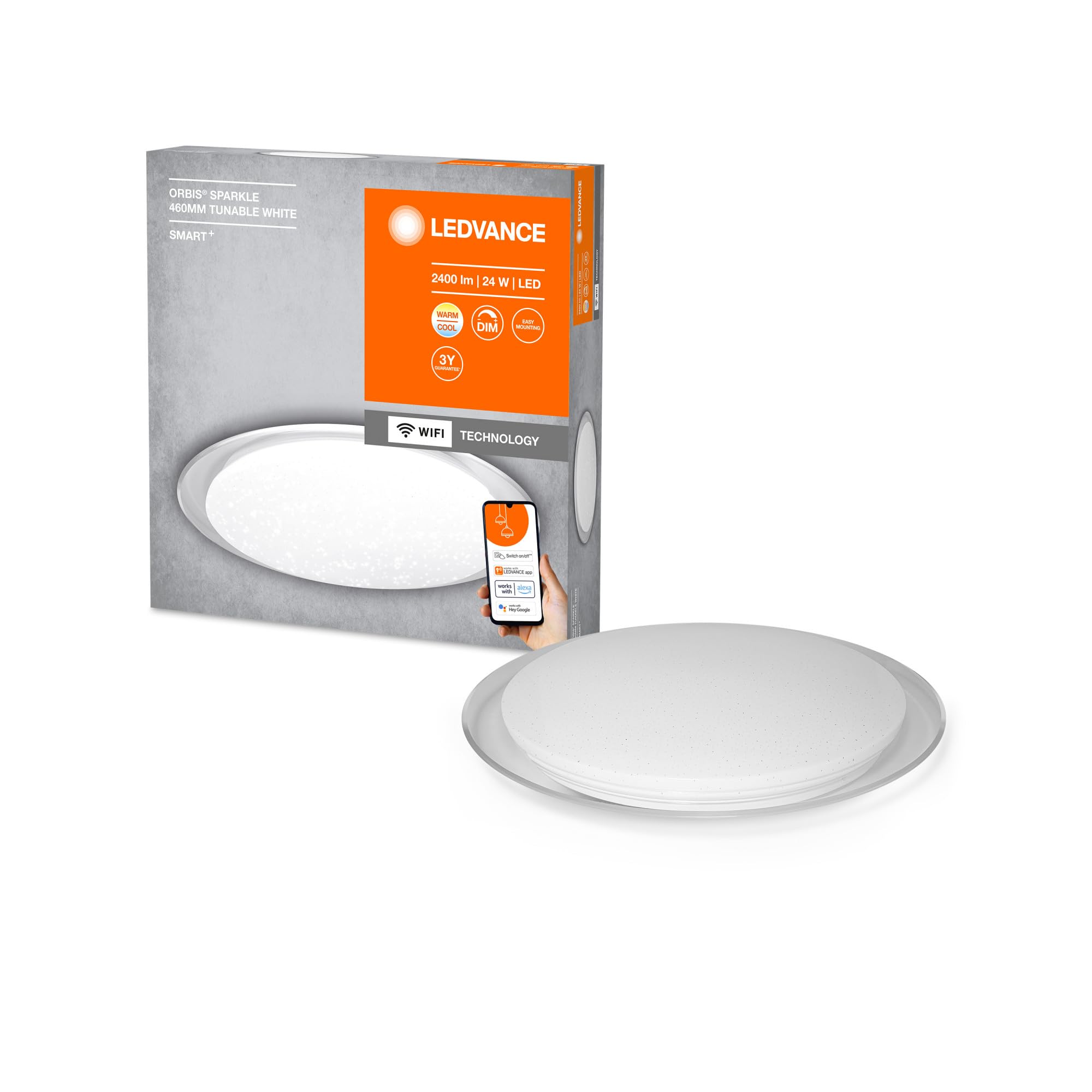
Image: The LEDVANCE ORBIS SPARKLE SMART+ WiFi Ceiling Light providing illumination in a room.
2. ข้อมูลด้านความปลอดภัย
- ความปลอดภัยทางไฟฟ้า: Installation must be performed by a qualified electrician in accordance with local wiring regulations. Always switch off the power supply at the main fuse box before installation or maintenance.
- สำหรับใช้ภายในอาคารเท่านั้น: This product is designed exclusively for indoor applications. Do not expose to moisture or extreme temperatures.
- การจัดการ: Handle the luminaire with care to avoid damage. Do not attempt to modify the product.
- การทำความสะอาด: ถอดปลั๊กไฟออกก่อนทำความสะอาด ใช้ผ้านุ่มและแห้ง ห้ามใช้น้ำยาทำความสะอาดหรือสารละลายที่มีฤทธิ์กัดกร่อน
- แหล่งกำเนิดแสง: The LED light source is non-replaceable. If the light source reaches its end of life, the entire luminaire must be replaced.
3. เนื้อหาบรรจุภัณฑ์
ตรวจสอบว่าส่วนประกอบทั้งหมดมีอยู่ก่อนเริ่มการติดตั้ง
- 1 x LEDVANCE ORBIS SPARKLE SMART+ WiFi Ceiling Light
- ตัวยึด
- สกรูยึดและปลั๊กผนัง
- คู่มือการใช้งาน (เอกสารนี้)
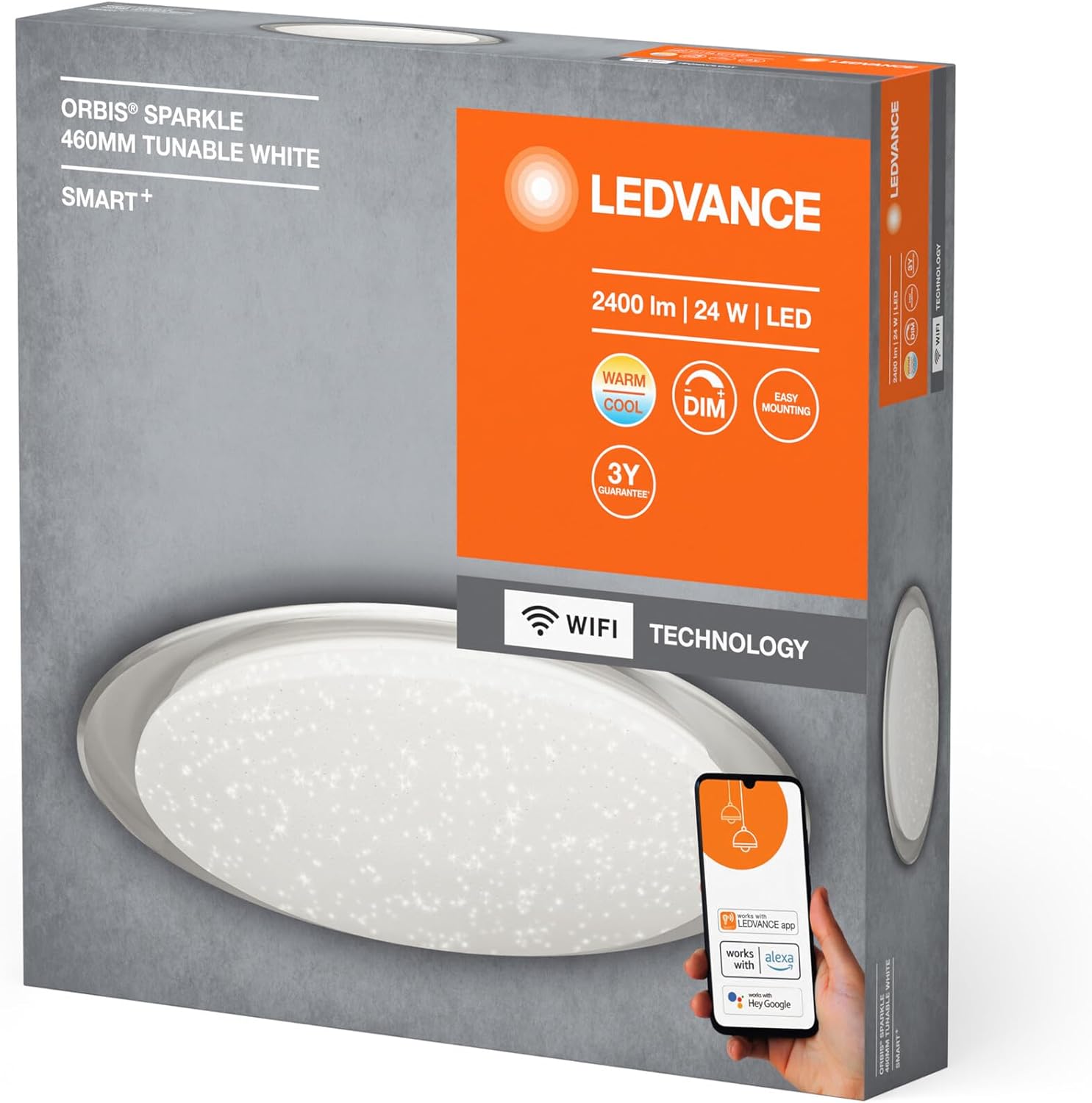
Image: Product packaging showing the LEDVANCE ORBIS SPARKLE SMART+ WiFi Ceiling Light and its features.
4. การตั้งค่าและการติดตั้ง
Follow these steps for proper installation. Ensure power is OFF before starting.
- เตรียมความพร้อมสำหรับการติดตั้ง: Switch off the main power supply at the circuit breaker to prevent electrical shock.
- ตัวยึด: Secure the mounting bracket to the ceiling using the provided screws and wall plugs. Ensure the bracket is firmly attached to a suitable surface.
- การเชื่อมต่อไฟฟ้า: Connect the household electrical wires to the terminals on the luminaire. Ensure correct polarity (Live, Neutral, Earth) as per local regulations.
- ติดตั้งโคมไฟ: Carefully attach the LEDVANCE ORBIS SPARKLE SMART+ WiFi Ceiling Light to the mounting bracket. Ensure it is securely fastened.
- คืนค่าพลัง: Once the luminaire is securely installed and wired, restore power at the circuit breaker.

Image: Technical drawing showing the dimensions of the LEDVANCE ORBIS SPARKLE SMART+ WiFi Ceiling Light (Ø 460mm, height 76mm).
5. คู่มือการใช้งาน
5.1 Smart Home Integration (LEDVANCE SMART+ WiFi App)
To control your LEDVANCE ORBIS SPARKLE SMART+ WiFi Ceiling Light, you need to connect it to the LEDVANCE SMART+ WiFi app.
- ดาวน์โหลดแอพ: Download the LEDVANCE SMART+ WiFi app from the App Store (iOS) or Google Play Store (Android). The app requires at least Android 4.4 or iOS 9.0.
Download LEDVANCE SMART+ WiFi App - ลงทะเบียน/เข้าสู่ระบบ: เปิดแอปและทำตามคำแนะนำบนหน้าจอเพื่อสร้างบัญชีหรือเข้าสู่ระบบ
- เพิ่มอุปกรณ์: Follow the app's instructions to add a new device. Ensure your smartphone or tablet is connected to a 2.4 GHz WiFi network.
- โหมดจับคู่: The light will enter pairing mode automatically when first powered on. If not, cycle the power switch OFF-ON three times until the light blinks.
- ควบคุม: Once paired, you can control the light's brightness, color temperature (2700K-6500K), and activate the sparkle effect directly from the app.

Image: Product packaging highlighting compatibility with the LEDVANCE SMART+ app, Amazon Alexa, and Google Assistant.
5.2 Voice Control (Amazon Alexa / Google Assistant)
After successful integration with the LEDVANCE SMART+ WiFi app, you can link your light to Amazon Alexa or Google Assistant for voice control.
- เชื่อมโยงบัญชี: Open your Amazon Alexa or Google Home app. Navigate to the "Skills" or "Works with Google" section.
- ค้นหา LEDVANCE SMART+: ค้นหา and enable the "LEDVANCE SMART+" skill/service.
- เชื่อมต่อ: Link your LEDVANCE SMART+ account with your Alexa or Google account.
- ค้นพบอุปกรณ์: Ask Alexa or Google Assistant to "discover devices" or manually add the light through the app.
- คำสั่งเสียง: ตอนนี้คุณสามารถใช้คำสั่งเสียงได้แล้ว เช่น:
- "Alexa/Hey Google, turn on [Light Name]"
- "Alexa/Hey Google, dim [Light Name] to 50%"
- "Alexa/Hey Google, set [Light Name] to warm white"
- "Alexa/Hey Google, change [Light Name] to cool white"
6. การบำรุงรักษา
- การทำความสะอาด: Ensure the power is off before cleaning. Wipe the surface of the luminaire with a soft, dry, or slightly damp ใช้ผ้าเช็ดทำความสะอาด ห้ามใช้สารเคมีรุนแรง น้ำยาทำความสะอาดที่มีฤทธิ์กัดกร่อน หรือสเปรย์ฉีดพ่นลงบนไฟโดยตรง
- ไม่มีชิ้นส่วนที่ผู้ใช้สามารถซ่อมบำรุงได้: The LED light source is integrated and cannot be replaced by the user. Do not attempt to open or repair the luminaire.
- การตรวจสอบปกติ: Periodically check the mounting for security.
7 การแก้ไขปัญหา
| ปัญหา | สาเหตุที่เป็นไปได้ | สารละลาย |
|---|---|---|
| ไฟไม่เปิด | No power supply; incorrect wiring; faulty luminaire. | Check power supply at the circuit breaker. Verify wiring connections. If problem persists, contact support. |
| ไม่สามารถเชื่อมต่อ WiFi/แอปได้ | Incorrect WiFi password; not on 2.4 GHz network; light not in pairing mode; app issues. | Ensure correct WiFi password. Connect phone to 2.4 GHz WiFi. Cycle power OFF-ON three times to enter pairing mode. Restart app or phone. |
| การควบคุมด้วยเสียงไม่ทำงาน | Not linked to Alexa/Google Assistant; incorrect device name; internet connectivity issues. | Ensure LEDVANCE SMART+ skill is enabled and accounts are linked. Verify device name in Alexa/Google Home app. Check internet connection. |
| ไฟกะพริบหรือทำงานผิดปกติ | Unstable power supply; interference; internal fault. | Check power supply stability. Ensure no strong interference sources nearby. If problem persists, contact support. |
8. ข้อมูลจำเพาะ
| หมายเลขรุ่น | 4058075573475 |
| ยี่ห้อ | แอลอีดีแวนซ์ |
| ประเภทสินค้า | Smart WiFi Dimmable LED Ceiling Light |
| ขนาด (กว้าง x ยาว x สูง) | 46 x 46 x 7.6 ซม. |
| น้ำหนัก | 800 กรัม |
| วัสดุ | Alloy Steel, Polycarbonate |
| แหล่งพลังงาน | AC |
| เล่มที่tage | 240 โวลต์ |
| วัดtage | 24 วัตต์ |
| ฟลักซ์ส่องสว่าง | 2500 ลูเมน |
| อุณหภูมิสี | 2700 - 6500 Kelvin (Tunable White) |
| หรี่แสงได้ | ใช่ |
| การเชื่อมต่อ | Wi-Fi (2.4 GHz) |
| วิธีการควบคุม | Application (LEDVANCE SMART+ WiFi), Voice (Amazon Alexa, Google Assistant) |
| อายุการใช้งาน | 25,000 ชั่วโมง |
| ระดับประสิทธิภาพการใช้พลังงาน | F |
| การใช้งานในร่ม/กลางแจ้ง | ในร่ม |
9. การรับประกัน
LEDVANCE provides a 3-year guarantee for this product. Please refer to the official LEDVANCE website or your purchase documentation for detailed warranty terms and conditions. Retain your proof of purchase for warranty claims.
10. การสนับสนุน
For technical assistance, troubleshooting beyond this manual, or warranty inquiries, please contact LEDVANCE customer support through their official webไซต์หรือข้อมูลการติดต่อที่ให้มาพร้อมกับผลิตภัณฑ์ของคุณ
You can also visit the LEDVANCE brand store on Amazon for more product information: ร้านค้า LEDVANCE Amazon