
1. บทนำ
Thank you for choosing the COSTWAY 88-Key Digital Piano. This portable electronic keyboard is designed to provide an authentic piano playing experience with its weighted keys, versatile functions, and modern connectivity options. This manual will guide you through the setup, operation, maintenance, and troubleshooting of your new instrument, ensuring you get the most out of its features.
The COSTWAY 88-Key Digital Piano is suitable for both beginners and experienced players, offering a rich sound experience with its built-in speakers and the included sustain pedal. Enjoy the journey of music with your COSTWAY digital piano.

ภาพ: A hand demonstrating the feel of the 88 weighted keys on the COSTWAY digital piano, highlighting the authentic playing experience.
2. คำแนะนำด้านความปลอดภัย
Please read and understand these safety instructions before using the product to prevent injury to yourself or others and damage to the instrument.
- Do not expose the instrument to direct sunlight, high temperatures, or excessive humidity.
- ควรหลีกเลี่ยงการวางอุปกรณ์ไว้ใกล้แหล่งความร้อน เช่น เครื่องทำความร้อนหรือเตา
- Do not use the instrument near water or in damp สภาพแวดล้อม
- Keep the instrument away from strong magnetic fields.
- ใช้เฉพาะอะแดปเตอร์ไฟฟ้าและอุปกรณ์เสริมที่ให้มาเท่านั้น
- ห้ามถอดประกอบหรือดัดแปลงเครื่องมือด้วยตนเอง โปรดส่งมอบเครื่องมือให้กับช่างผู้ชำนาญการเท่านั้น
- เก็บให้พ้นมือเด็กเล็กเพื่อป้องกันอุบัติเหตุ
- Ensure the instrument is placed on a stable, flat surface to prevent it from falling.
3. เนื้อหาบรรจุภัณฑ์
ตรวจสอบว่ารายการทั้งหมดที่ระบุไว้ด้านล่างนี้รวมอยู่ในแพ็คเกจของคุณ:
- คีย์บอร์ดดิจิตอล 88 คีย์
- Carry Bag (Oxford cloth)
- เครื่องชาร์จ
- ซัสเทนเพดัล
- คู่มือการใช้งาน
4. สินค้าหมดview
4.1 Control Panel and Rear Ports

ภาพ: รายละเอียด view of the COSTWAY 88-Key Digital Piano's control panel and rear connectivity ports. The control panel includes buttons for Power, Digital Display, Start/Stop, Chord, Metronome, Record, Sustain, Vibrato, Volume, Rhythm, Tone, Tempo, and Transpose. The rear panel features ports for Left Stereo Out, Right Stereo Out, Headphone, Microphone, Sustain Pedal, MP3 input, and USB.
4.2 คุณสมบัติหลัก
- 88 Weighted Keys: Provides an authentic piano playing feel with a 1:1 piano key ratio.
- ลำโพงภายนอกคู่: Delivers rich, stereo surround sound.
- แผ่นรองกันลื่นที่ฐาน: Ensures stability during play.
- ตัวเครื่องทนทาน: Constructed with aluminum alloy for longevity.
- Deep Key Depth: Features 10mm key depth for enhanced playing experience.
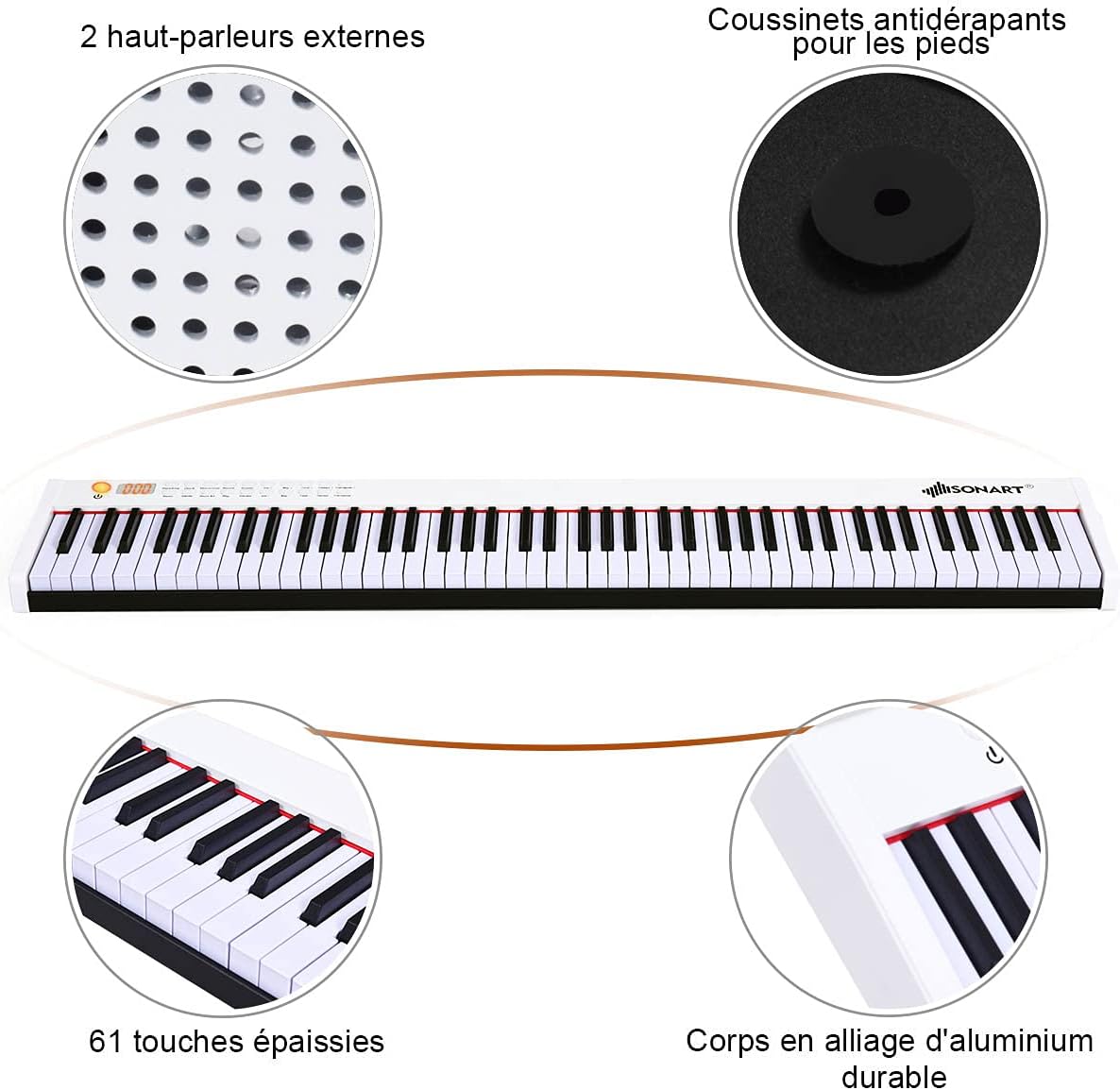
ภาพ: โอเวอร์view of the COSTWAY digital piano, pointing out its two external speakers, anti-slip foot pads, and durable aluminum alloy body. Note: While the image indicates '61 thickened keys', this product features 88 weighted keys as per product specifications.

ภาพ: A visual comparison demonstrating the 10mm key depth of the COSTWAY digital piano, which provides a more authentic and comfortable playing experience compared to shallower keys (7mm) found on other instruments.
5. การตั้งค่า
5.1 การชาร์จเริ่มต้น
Before first use, fully charge the digital piano. The built-in 1750 mAh lithium-ion battery provides up to 12 hours of play time on a full charge, which typically takes 5 hours.
- Connect the charger to the piano's power input port.
- เสียบอุปกรณ์ชาร์จเข้ากับเต้ารับไฟฟ้ามาตรฐาน
- ไฟแสดงสถานะการชาร์จจะแสดงสถานะการชาร์จ
- เมื่อชาร์จเต็มแล้ว ให้ถอดเครื่องชาร์จออก
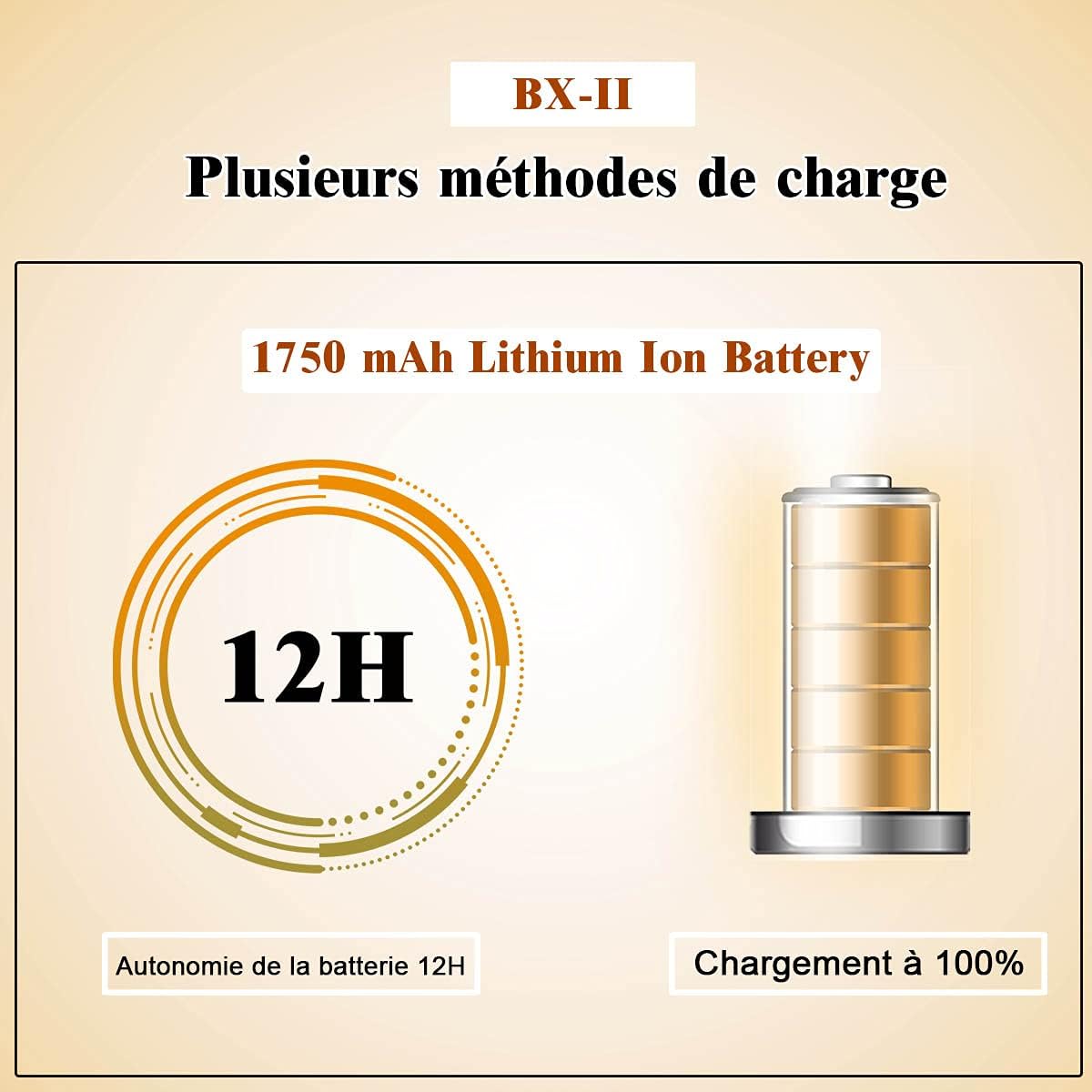
ภาพ: A diagram illustrating the 1750 mAh Lithium Ion Battery, highlighting its 12-hour battery life and indicating a 100% charge status.
5.2 การเชื่อมต่อแป้นเหยียบ Sustain
The included sustain pedal enhances your playing by allowing notes to ring out longer.
- Locate the 'SUSTAIN' port on the rear panel of the piano.
- Plug the sustain pedal cable into this port.
- Place the pedal on the floor in a comfortable position for playing.

ภาพ: The sustain pedal, an essential accessory for the COSTWAY digital piano, used to prolong the sound of notes.
6. คู่มือการใช้งาน
6.1 เปิด/ปิดเครื่อง
- หากต้องการเปิดเครื่อง ให้กดค้างไว้ พลัง button until the digital display illuminates.
- ในการปิดเครื่องให้กดปุ่ม พลัง กดปุ่มอีกครั้งจนกระทั่งจอแสดงผลดับลง
6.2 การปรับระดับเสียง
- ใช้ ฉบับ + ปุ่มเพื่อเพิ่มระดับเสียง
- ใช้ ฉบับที่ - ปุ่มเพื่อลดระดับเสียง
6.3 Tone and Rhythm Selection
The piano offers 128 rhythms, 128 tones, and 20 demo songs for a comprehensive playing and learning experience.
- กดปุ่ม โทนสี ปุ่ม จากนั้นใช้ปุ่ม Tone + or Tone - buttons to select from 128 different tones.
- กดปุ่ม จังหวะ ปุ่ม จากนั้นใช้ปุ่ม Rhythm + or Rhythm - buttons to select from 128 different rhythms.
- กดปุ่ม การสาธิต button to play through the 20 built-in demo songs.

ภาพ: An infographic highlighting the key features of the COSTWAY digital piano, including 128 rhythms, 128 tones, 20 demo songs, Bluetooth connectivity, a teaching function, sound quality, and portable design.
6.4 ฟังก์ชันเมโทรโนม
- กดปุ่ม เครื่องวัดจังหวะ button to activate the metronome.
- ใช้ จังหวะ + or Tempo - buttons to adjust the metronome tempo.
- กดปุ่ม เครื่องวัดจังหวะ กดปุ่มอีกครั้งเพื่อปิดใช้งาน
6.5 ฟังก์ชั่นการบันทึก
- กดปุ่ม บันทึก button to start recording your performance.
- กดปุ่ม เล่น กดปุ่มเพื่อฟังการแสดงที่บันทึกไว้ของคุณ
6.6 Vibrato Function
- กดปุ่ม การสั่นเสียง button to add a vibrato effect to your sound.
- กดปุ่ม การสั่นเสียง button again to turn off the effect.
6.7 Touch Response Adjustment
You can adjust the touch response of the keys to match your playing style.
- กดปุ่มค้างไว้ ย้าย + button to adjust the touch response (dynamics).
- The digital display will show the current touch response setting.

ภาพ: This image demonstrates how to adjust the dynamic touch response of the piano, allowing players to customize the sensitivity of the keys to their playing style, from very soft (ppp) to very loud (fff).
6.8 การเชื่อมต่อบลูทูธ
Connect your smartphone or tablet via Bluetooth to access learning apps and additional lessons.
- ตรวจสอบให้แน่ใจว่าได้เปิดใช้งาน Bluetooth บนอุปกรณ์สมาร์ทของคุณ
- Turn on the digital piano.
- ค้นหา available Bluetooth devices on your smart device and select the piano's name (e.g., 'COSTWAY Piano').
- Once paired, you can use compatible apps for interactive learning.
6.9 MIDI/USB Interface
The MIDI/USB interface allows connection to computers, iPads, and other smart devices for advanced music production or learning.
- Connect a USB cable from the piano's USB port to your computer or smart device.
- The piano will be recognized as a MIDI device.
- Use compatible music software or apps to record, compose, or learn.
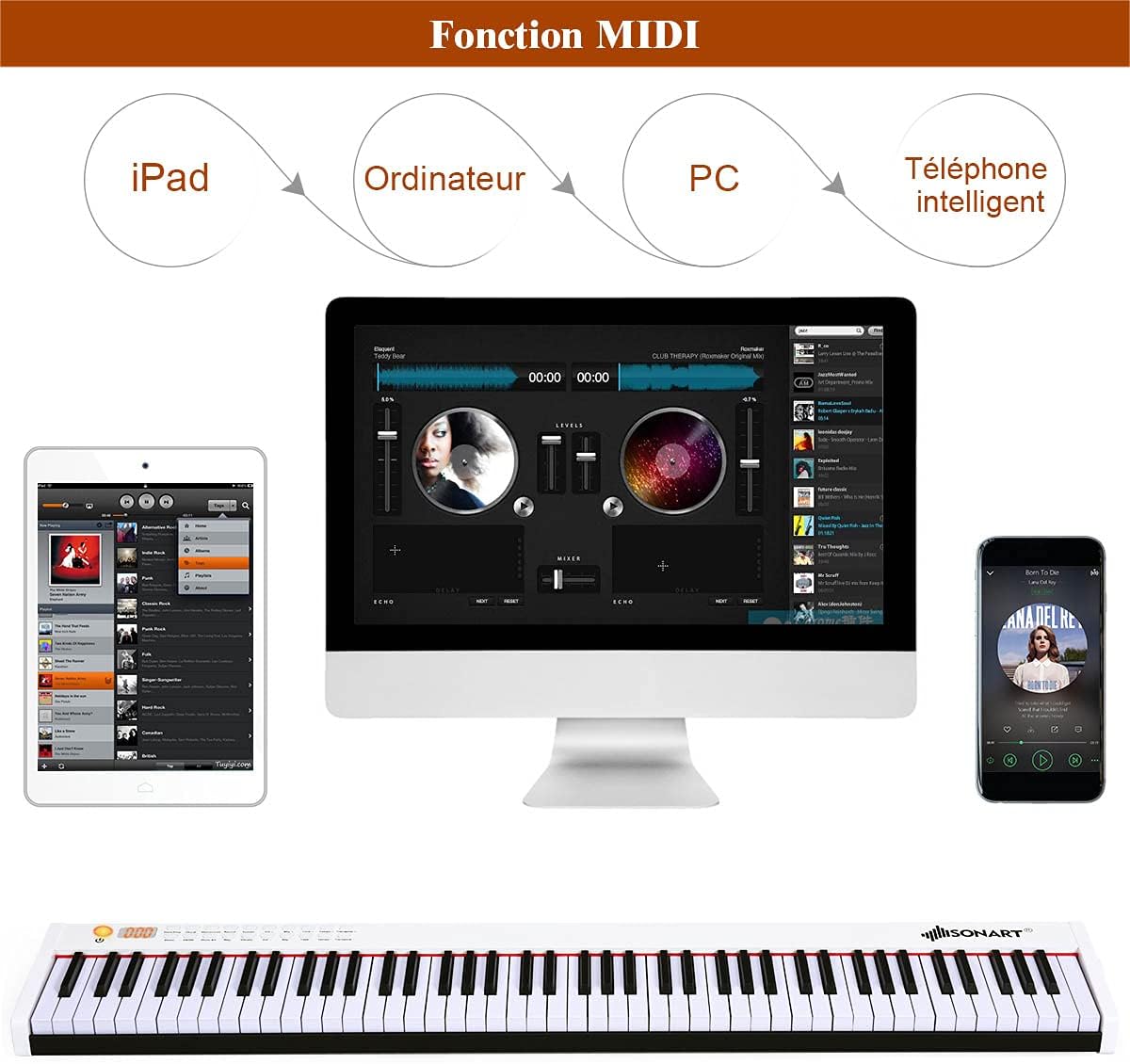
ภาพ: This diagram illustrates the versatility of the MIDI function, showing how the COSTWAY digital piano can connect to various devices like iPads, computers, and smartphones for enhanced musical interaction and production.
7. การบำรุงรักษา
Proper care and maintenance will ensure the longevity and optimal performance of your digital piano.
- การทำความสะอาด: ใช้ผ้านุ่มและแห้งเช็ดพื้นผิวเปียโน สำหรับคราบสกปรกฝังแน่น ให้เช็ดเบาๆampชุบผ้าด้วยน้ำและผงซักฟอกอ่อนๆ แล้วเช็ดให้แห้งทันที หลีกเลี่ยงน้ำยาทำความสะอาดที่มีฤทธิ์กัดกร่อนหรือตัวทำละลาย
- การทำความสะอาดกุญแจ: ค่อยๆ เช็ดแป้นคีย์ด้วยผ้าเนื้อนุ่มที่ชุบน้ำยาเล็กน้อยamp ผ้า. อย่าใช้ผ้าที่ชื้นมากเกินไป
- พื้นที่จัดเก็บ: When not in use for extended periods, store the piano in its included carry bag in a cool, dry place, away from direct sunlight and extreme temperatures.
- การดูแลแบตเตอรี่ To maintain battery health, avoid completely draining the battery frequently. If storing for a long time, charge the battery to about 50% every few months.
8 การแก้ไขปัญหา
หากคุณพบปัญหาใดๆ โปรดดูปัญหาทั่วไปและวิธีแก้ไขต่อไปนี้:
| ปัญหา | สาเหตุที่เป็นไปได้ | สารละลาย |
|---|---|---|
| ไม่มีเสียง | Volume is too low; Headphones are connected; Power issue. | Increase volume; Disconnect headphones; Check power connection/battery. |
| กุญแจไม่ตอบสนอง | Instrument is off; Specific function mode is active. | Ensure piano is powered on; Check if in demo or record mode. |
| บลูทูธไม่เชื่อมต่อ | อุปกรณ์ไม่ได้เปิดใช้งานบลูทูธ; เปียโนไม่ได้อยู่ในโหมดจับคู่; มีสัญญาณรบกวน | Enable Bluetooth on your device; Restart piano and device; Move closer to piano. |
| คันเหยียบซัสเทนไม่ทำงาน | แป้นเหยียบเสียบไม่แน่น; แป้นเหยียบมีปัญหา | Ensure pedal is securely connected; Test with another compatible pedal if available. |
| อายุการใช้งานแบตเตอรี่สั้น | แบตเตอรี่ชาร์จไม่เต็ม; แบตเตอรี่เก่า | Ensure full charge (5 hours); Contact support if battery life significantly degrades. |
9. ข้อมูลจำเพาะ
Detailed technical specifications for the COSTWAY 88-Key Digital Piano:

ภาพ: A diagram illustrating the overall dimensions of the COSTWAY 88-Key Digital Piano (127 x 21.5 x 6.5 cm) and detailed key measurements, including key length, width, and height for both white and black keys.
| คุณสมบัติ | รายละเอียด |
|---|---|
| ยี่ห้อ | COSTWAY |
| ชื่อรุ่น | 88 การสัมผัส |
| จำนวนคีย์ | 88 |
| ประเภทกุญแจ | คีย์ถ่วงน้ำหนัก |
| สี | สีขาว |
| ขนาดสินค้า (กว้าง x ยาว x สูง) | 127 x 21.5 x 6.5 ซม. (50 x 8.5 x 2.6 นิ้ว) |
| น้ำหนักสินค้า | 7.97 กก. (17.57 ปอนด์) |
| วัสดุคีย์บอร์ด | ABS, อะลูมิเนียมอัลลอย |
| วัสดุตัวเรือน | Oxford Cloth (for carry bag) |
| แหล่งพลังงาน | แบตเตอรี่ (ลิเธียมไออน 1750 mAh) |
| Play Time (Full Charge) | 12 ชั่วโมง |
| เวลาในการชาร์จ | 5 ชั่วโมง |
| กำลังขับ | 500 เอ็มวี |
| กำลังไฟฟ้าเข้าของเครื่องชาร์จ | 220 โวลต์ |
| การเชื่อมต่อ | บลูทูธ, MIDI USB |
| คุณสมบัติพิเศษ | Bluetooth Function, MIDI Interface, Sustain Pedal, Built-in Speakers, Recording, Metronome, Vibrato, 128 Rhythms, 128 Tones, 20 Demos, Touch Response Adjustment |
| ระดับทักษะ | ผู้เริ่มต้น |
| ช่วงอายุ คำอธิบาย | ผู้ใหญ่ |
| ประเทศต้นกำเนิด | จีน |

ภาพ: A visual summary of additional technical details for the COSTWAY digital piano, covering materials, power specifications, battery performance, and net weight.
10. การรับประกันและการสนับสนุน
For warranty information and customer support, please refer to the documentation provided at the time of purchase or contact COSTWAY customer service directly. Keep your purchase receipt as proof of purchase for any warranty claims.
If you have any questions or require assistance with your COSTWAY 88-Key Digital Piano, please do not hesitate to reach out to our support team.