
1. บทนำ
This manual provides comprehensive instructions for the safe and effective use of your Omegon Nachtkijker NV Bino Wifi Edition. Please read this manual thoroughly before operating the device to ensure optimal performance and longevity. This night vision binocular is designed for observation in low-light conditions and complete darkness, featuring digital night vision technology and Wi-Fi connectivity for enhanced functionality.
2. ข้อมูลด้านความปลอดภัย
คำเตือนด้านความปลอดภัยที่สำคัญ:
- Keep this product away from water and fire to prevent damage and ensure safe operation.
- Install batteries correctly according to polarity markings. Incorrect installation can damage the device.
- It is recommended to use brand new ALKALINE BATTERIES. Do not use rechargeable batteries nor non-AA batteries, as this will cause device failure.
- Make sure the orientation of the Micro SD card is correct. Never insert the card forcibly. Forcibly inserting the card can damage the card slot or affect the compatibility of the Micro SD Card.
- Always ensure the device is turned off before opening battery compartments or inserting/removing the Micro SD card.
3. สินค้าหมดview
The Omegon Nachtkijker NV Bino Wifi Edition is a robust digital night vision binocular. It features an ergonomic design with easily accessible controls and adjustable focus for clear viewing in various conditions.

รูปที่ 1: จากบนลงล่าง view of the Omegon Nachtkijker NV Bino Wifi Edition. This image highlights the main control panel with buttons for IR adjustment, zoom, menu, mode, power, Wi-Fi, and OK. The textured grip on the sides is also visible.

รูปที่ 2: มุม view of the night vision binoculars, illustrating the adjustable focus rings located on the eyepieces. These rings are clearly marked with "FAR" and "NEAR" indicators to assist with focusing.
ส่วนประกอบหลัก:
- เลนส์สายตา: Adjustable for individual eye relief and focus.
- เลนส์วัตถุ: Collect ambient light for night vision.
- แผงควบคุม: Contains buttons for various functions (Power, Mode, Menu, IR, Zoom, Wi-Fi, OK).
- เครื่องฉายแสงอินฟราเรด: Provides infrared light for viewอยู่ในความมืดสนิท
- ช่องใส่แบตเตอรี่: Located on the underside, housing AA batteries.
- ช่องเสียบการ์ด Micro SD: For storing captured images and videos.
- พอร์ต USB: For data transfer and external power (if supported).
4. การตั้งค่า
4.1. การติดตั้งแบตเตอรี่
The device requires AA batteries for operation. Ensure the device is powered off before proceeding.
- Locate the battery compartments on the underside of the binoculars.
- Slide open the battery compartment covers.
- Insert the required number of AA alkaline batteries, paying close attention to the polarity markings (+/-) inside the compartments.
- ปิดฝาช่องใส่แบตเตอรี่ให้แน่น

รูปที่ 3: ส่วนล่าง view of the night vision binoculars with both battery compartments open. This image clearly shows the slots for AA batteries and the important safety warning label regarding battery and SD card usage.
4.2. การติดตั้งการ์ด Micro SD
A Micro SD card (not included) is required to store photos and videos. Ensure the device is powered off.
- Locate the Micro SD card slot, typically near the battery compartments or on the side of the device.
- Gently insert the Micro SD card into the slot with the gold contacts facing down (or as indicated by a diagram near the slot) until it clicks into place. Do not force the card.
- ในการถอดออก ให้ค่อยๆ ดันการ์ดเข้าไปจนกว่าจะมีเสียงคลิก จากนั้นปล่อย การ์ดก็จะเด้งออกมา
4.3. การเปิด/ปิดเครื่อง
- การเปิดเครื่อง: กดปุ่มค้างไว้ พลัง button (often marked with a circle and vertical line) until the screen illuminates.
- วิธีปิดเครื่อง: กดปุ่มค้างไว้ พลัง กดปุ่มอีกครั้งจนกระทั่งหน้าจอดับลง
5. คู่มือการใช้งาน
5.1. การโฟกัส
Adjust the focus for a clear image by rotating the focus rings on the eyepieces. Turn towards "FAR" for distant objects and "NEAR" for closer objects until the image appears sharp.
5.2. Night Vision (IR) Activation
In low light or complete darkness, activate the infrared (IR) illuminator.
- กดปุ่ม IR button (often marked with an IR symbol) to cycle through different IR intensity levels. Higher levels provide more illumination but consume more battery power.
- The display will show the current IR level.
5.3. ดิจิตอลซูม
ใช้ ซูม button (often marked with a magnifying glass symbol) to digitally magnify the image. Repeated presses will cycle through available zoom levels.
5.4. การเลือกโหมด
The device typically supports different modes, such as photo capture, video recording, and playback.
- กดปุ่ม โหมด button to switch between available modes.
- The current mode will be indicated on the display.
5.5. การนำทางเมนู
Access the device settings and options through the menu.
- กดปุ่ม เมนู ปุ่มเพื่อเข้าสู่เมนูการตั้งค่า
- Use the navigation buttons (often the IR and Zoom buttons double as up/down or left/right) to scroll through menu options.
- กดปุ่ม OK ปุ่มสำหรับเลือกตัวเลือกหรือยืนยันการตั้งค่า
- กด เมนู อีกครั้งเพื่อออกจากเมนู
5.6. การถ่ายภาพและวิดีโอ
- ถ่ายรูป: ในโหมดถ่ายภาพ ให้กดปุ่ม OK ปุ่มสำหรับจับภาพนิ่ง
- การบันทึกวิดีโอ: ในโหมดวิดีโอ ให้กดปุ่ม OK กดปุ่มเพื่อเริ่มบันทึก กดอีกครั้งเพื่อหยุดบันทึก
5.7. การเชื่อมต่อ Wi-Fi
The Omegon Nachtkijker NV Bino Wifi Edition features Wi-Fi connectivity for remote control and data transfer to a compatible smartphone or tablet application.
- กดปุ่ม ไวไฟ button (often marked with a Wi-Fi symbol) to activate the Wi-Fi module.
- Refer to the specific mobile application instructions for pairing and using the Wi-Fi features. This typically involves connecting your smartphone to the device's Wi-Fi network and then launching the app.
6. การบำรุงรักษา
6.1. การทำความสะอาด
- เลนส์: Use a soft, lint-free cloth specifically designed for optical lenses. Breathe lightly on the lens surface before wiping if necessary. Avoid abrasive materials or harsh chemicals.
- ร่างกาย: เช็ดตัวกล้องส่องทางไกลด้วยผ้าเนื้อนุ่มและแห้งamp cloth. Do not use solvents or strong cleaning agents.
- ตรวจสอบให้แน่ใจว่าไม่มีความชื้นเข้าไปในอุปกรณ์
6.2. การจัดเก็บ
- เมื่อไม่ได้ใช้งานเป็นเวลานาน ควรถอดแบตเตอรี่ออกเพื่อป้องกันการรั่วไหลและความเสียหาย
- เก็บอุปกรณ์ไว้ในที่แห้งและเย็น หลีกเลี่ยงแสงแดดโดยตรงและอุณหภูมิที่สูงหรือต่ำเกินไป
- Use the provided carrying bag (see Figure 4) for protection during storage and transport.
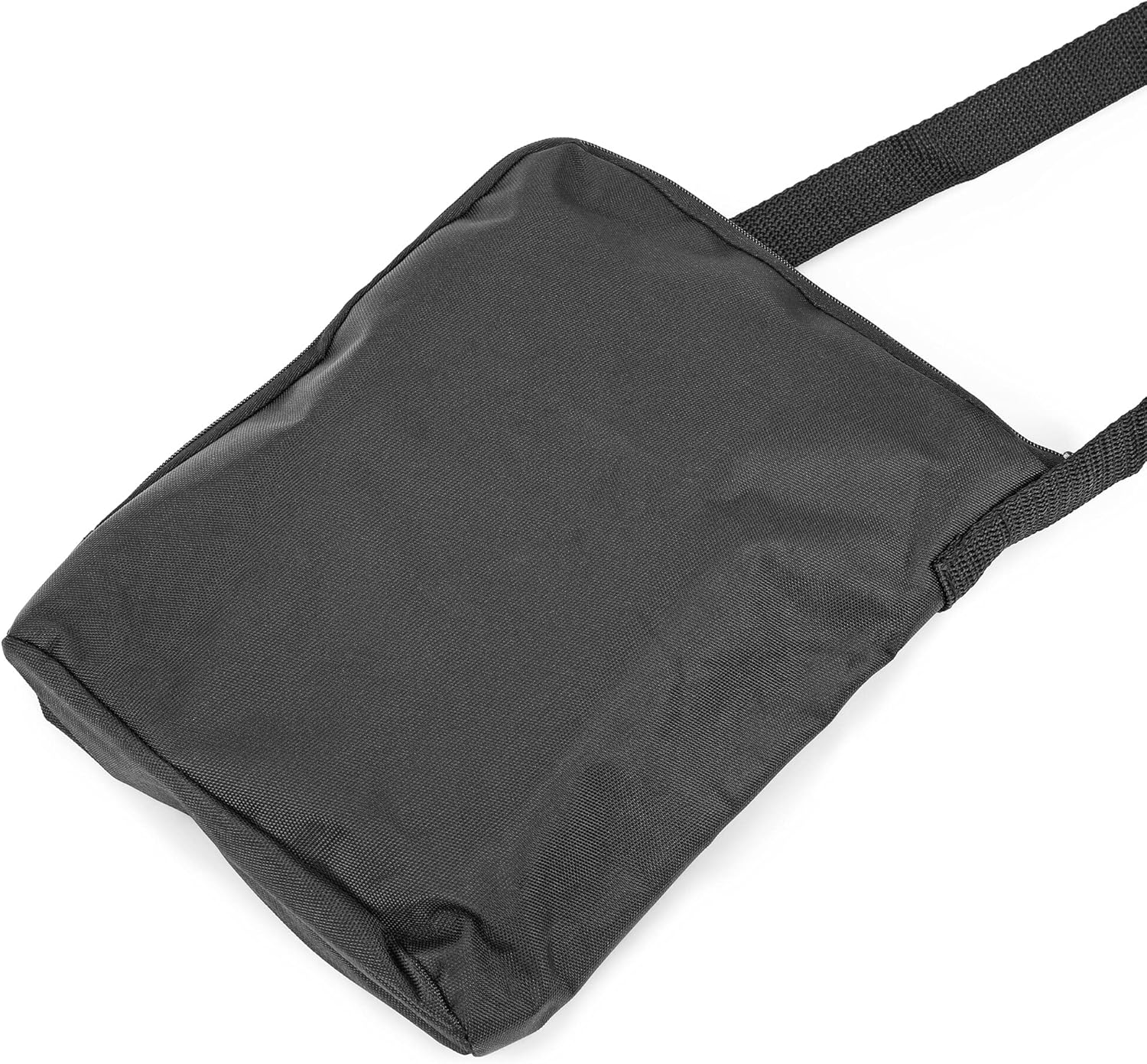
รูปที่ 4: A black carrying bag, likely included with the Omegon Nachtkijker NV Bino Wifi Edition, designed for protecting the device during transport and storage.
7 การแก้ไขปัญหา
| ปัญหา | สาเหตุที่เป็นไปได้ | สารละลาย |
|---|---|---|
| อุปกรณ์ไม่เปิดเครื่อง |
|
|
| ภาพเบลอหรือไม่โฟกัส |
|
|
| ทัศนวิสัยไม่ดีในที่มืด |
|
|
| ไม่สามารถบันทึกรูปภาพ/วิดีโอได้ |
|
|
| ปัญหาการเชื่อมต่อ Wi-Fi |
|
|
8. ข้อมูลจำเพาะ
| คุณสมบัติ | รายละเอียด |
|---|---|
| ยี่ห้อ | โอเมกอน |
| ผู้ผลิต | โอเมกอน |
| รุ่น/หมายเลขชิ้นส่วน | 4049467707820 |
| ความสามารถในการมองเห็นตอนกลางคืน | ใช่ |
| น้ำหนักสินค้า | 930 กรัม |
| ASIN | B09D7MH5P1 |
| วันที่พร้อมใช้งานครั้งแรก | 29 พฤษภาคม 2021 |
| ประเทศต้นกำเนิด | จีน |
9. การรับประกันและการสนับสนุน
For warranty information and technical support, please refer to the official Omegon webหรือติดต่อผู้ค้าปลีกของคุณ โปรดเก็บใบเสร็จรับเงินไว้เป็นหลักฐานการซื้อสำหรับการเรียกร้องการรับประกันใดๆ
หากต้องการความช่วยเหลือเพิ่มเติม คุณสามารถไปที่ หน้าสินค้าบน Amazon.nl or contact the seller directly via Amazon's platform.