
1. สินค้าหมดview
The Espressif ESP32-WROVER-E is a powerful and versatile SMD module designed for a wide range of applications requiring Wi-Fi, Bluetooth, and BLE connectivity. It integrates an ESP32-D0WD-V3 chip, 4MB SPI flash, 8MB PSRAM, and an on-board PCB antenna, making it suitable for IoT, automation, and prototyping projects. This module operates at 3.3V and provides robust performance for complex tasks.
คุณสมบัติหลัก:
- Generic Wi-Fi, Bluetooth, and BLE MCU module.
- Integrated 4 MB flash and 8MB PSRAM for enhanced memory capacity.
- On-board PCB antenna for reliable wireless communication.
- Operates at 3.3 Volts.
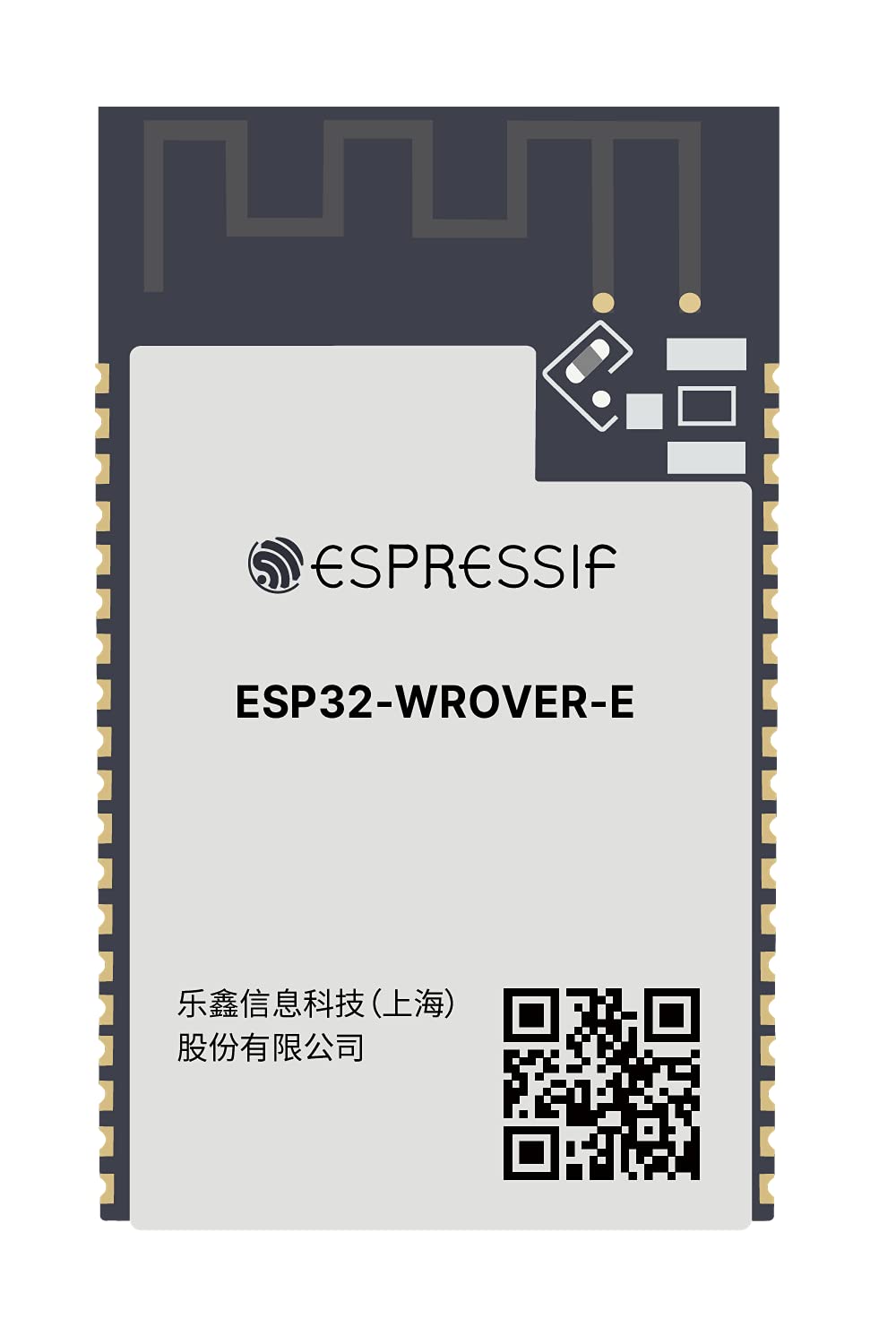
Figure 1: Espressif ESP32-WROVER-E Module with integrated PCB antenna. This image displays the compact design and key components of the module.
2. การตั้งค่า
To begin using your ESP32-WROVER-E module, follow these general setup guidelines. Specific steps may vary based on your development board and project requirements.
- แหล่งจ่ายไฟ: Connect the module to a stable 3.3V power source. Ensure correct polarity to prevent damage.
- การเชื่อมต่อ USB: If using a development board with a USB-to-UART converter, connect it to your computer using a compatible USB cable (e.g., USB-C or Micro-USB, depending on the board). This connection typically provides power and enables serial communication for programming and debugging.
- เสาอากาศ: The ESP32-WROVER-E features an on-board PCB antenna. No external antenna connection is required for basic operation.
- การติดตั้งไดร์เวอร์: Install necessary USB-to-UART bridge drivers (e.g., CP210x or FTDI) if your operating system does not automatically recognize the device.
- สภาพแวดล้อมการพัฒนา: Set up your preferred development environment, such as Arduino IDE or Espressif IoT Development Framework (ESP-IDF). Configure the board settings to match the ESP32-WROVER-E module.
Video 1: This video demonstrates the unboxing and initial connection of an ESP32-S3 module, which shares similar setup principles with the ESP32-WROVER-E. It shows how to connect an external antenna (if applicable to your specific board variant) and power up the module.
วิดีโอ 2: วิดีโอนี้ให้ข้อมูลทั่วไปเกี่ยวกับview of an ESP32S module, highlighting its physical characteristics and pin layout. This can be helpful for understanding the general form factor and pin functions of ESP32 modules.
Video 3: This video showcases an ESP32-DevKitC core board, demonstrating how the module is typically integrated into a development board for easier prototyping. It illustrates the connection points and overall structure of a common ESP32 development setup.
3. คู่มือการใช้งาน
The ESP32-WROVER-E module is designed for flexible operation across various programming paradigms. Once set up, you can program it to perform a multitude of tasks.
- การเขียนโปรแกรม: Upload your code using the Arduino IDE or ESP-IDF. Ensure the correct board and port are selected in your development environment.
- การเชื่อมต่อ Wi-Fi: Utilize the integrated 802.11b Wi-Fi to connect to local networks, access cloud services, or create a soft access point.
- บลูทูธ/BLE: Leverage Bluetooth 4.2 (LE) for short-range wireless communication with other Bluetooth-enabled devices, enabling applications like sensor data collection or device control.
- การควบคุม GPIO: Use the General Purpose Input/Output (GPIO) pins to interface with external sensors, actuators, displays, and other peripherals. Refer to the ESP32 datasheet for detailed pinout information.
- การจัดการพลังงาน: Implement power-saving modes in your code to optimize energy consumption for battery-powered applications.
4. การบำรุงรักษา
Proper handling and maintenance will ensure the longevity and reliable performance of your ESP32-WROVER-E module.
- พื้นที่จัดเก็บ: Store the module in an anti-static bag in a dry, cool environment when not in use.
- การจัดการ: Avoid touching the pins or sensitive components directly. Use anti-static precautions (e.g., anti-static wrist strap) when handling the module.
- การทำความสะอาด: If necessary, gently clean the module with a soft, dry brush or compressed air. Do not use liquids or abrasive materials.
- อัพเดตเฟิร์มแวร์: Regularly check the Espressif website for firmware updates and security patches to ensure optimal performance and security.
5 การแก้ไขปัญหา
If you encounter issues with your ESP32-WROVER-E module, consider the following troubleshooting steps:
- ไม่มีไฟ/ไฟแสดงสถานะ LED ดับ:
- ตรวจสอบปริมาณแหล่งจ่ายไฟtage is 3.3V and connections are secure.
- Check the USB cable and port for proper function.
- Failed to Upload Code:
- Ensure correct board and serial port are selected in your IDE.
- ตรวจสอบว่าได้ติดตั้งไดรเวอร์ที่จำเป็นแล้วหรือไม่
- Try pressing the 'BOOT' button while connecting or uploading, then release.
- Verify that the module is receiving sufficient power.
- ปัญหาการเชื่อมต่อ Wi-Fi/Bluetooth:
- Confirm your code correctly initializes and uses the Wi-Fi/Bluetooth functions.
- Check for interference from other 2.4 GHz devices.
- Ensure the Wi-Fi network credentials are correct.
- โมดูลไม่ตอบสนอง:
- ทำการรีเซ็ตแบบฮาร์ดรีเซ็ตโดยการถอดปลั๊กและเสียบปลั๊กไฟใหม่
- Check for short circuits or incorrect wiring on your breadboard or PCB.
6. ข้อมูลจำเพาะ
| คุณสมบัติ | รายละเอียด |
|---|---|
| ยี่ห้อ | เอสเพรสซิฟ |
| แบบอย่าง | ESP32-WROVER-อี |
| โปรเซสเซอร์ | Espressif (ESP32-D0WD-V3) |
| จำนวนโปรเซสเซอร์ | 1 (ดูอัลคอร์) |
| หน่วยความจำแฟลช | หน่วยความจำแฟลช SPI 4 MB |
| พีเอสแรม | 8MB |
| ประเภทแรม | แอลพีดีดีอาร์ |
| การเชื่อมต่อแบบไร้สาย | Wi-Fi (802.11b), Bluetooth 4.2 (LE) |
| ปฏิบัติการฉบับที่tage | 3.3 โวลต์ |
| เสาอากาศ | เสาอากาศ PCB ออนบอร์ด |
| ระบบปฏิบัติการ | ฟรีRTOS |
| น้ำหนักสินค้า | 0.16 ออนซ์ |
| ขนาดแพ็คเกจ | 6 x 5 x 0.4 นิ้ว |
7. การรับประกันและการสนับสนุน
The Espressif ESP32-WROVER-E Module is manufactured by Espressif. For specific warranty information, please refer to the official Espressif website or contact their customer support directly. General support and technical documentation can be found on the Espressif official documentation portal.
หากต้องการความช่วยเหลือเพิ่มเติม โปรดไปที่ Espressif Support Page.