
การแนะนำ
This manual provides detailed instructions for the setup, operation, maintenance, and troubleshooting of your Yealink YHS34 LITE DUAL Wideband Headset. Please read this manual thoroughly before using the product to ensure proper functionality and longevity.

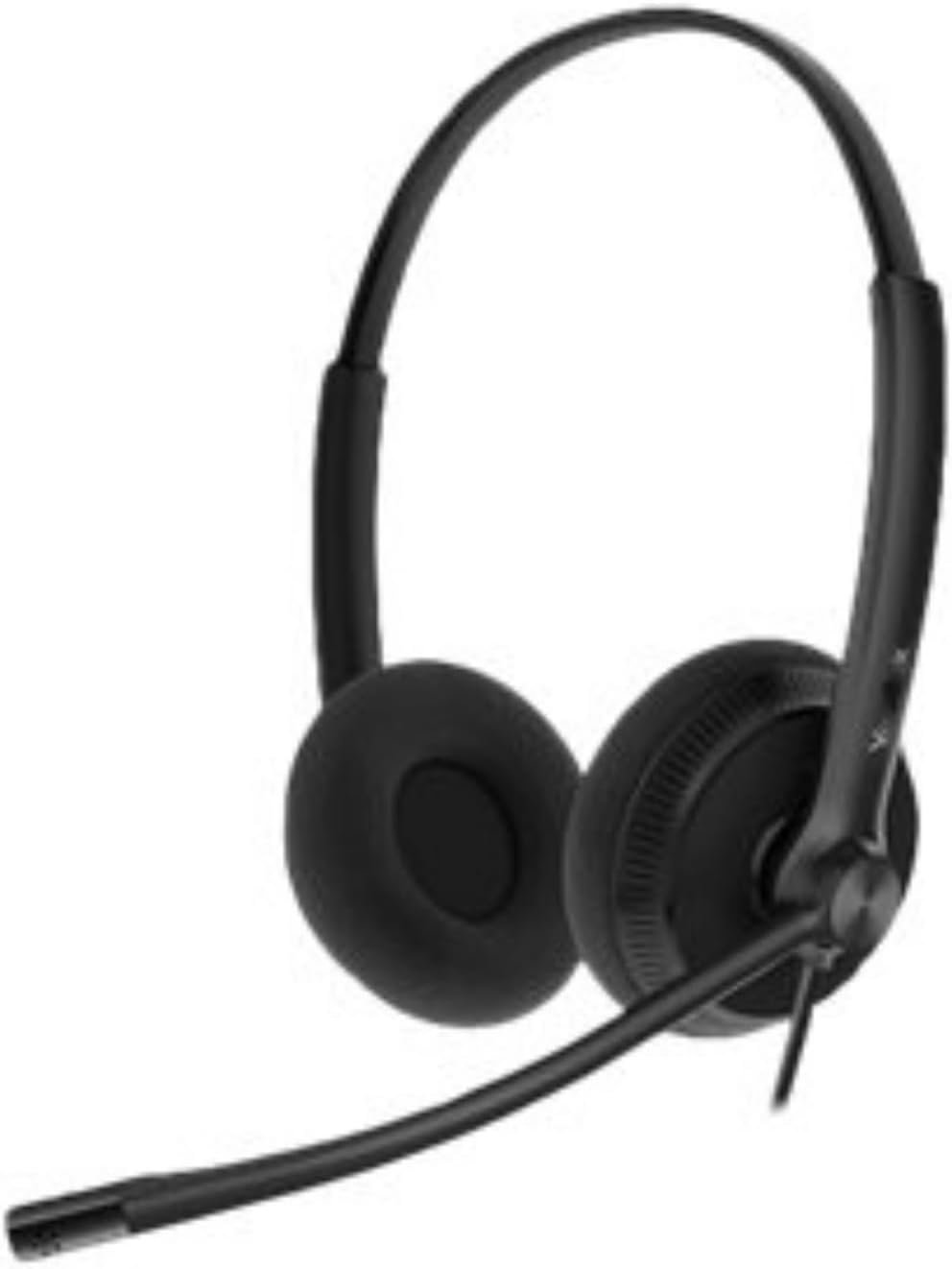
Image: The Yealink YHS34 LITE DUAL Wideband Headset, showing its over-the-head design with two earcups and an adjustable microphone boom arm.
การตั้งค่า
การเชื่อมต่อชุดหูฟัง
The Yealink YHS34 LITE DUAL headset is designed for plug-and-play connectivity with compatible Yealink IP phones using its QD (Quick Disconnect) to RJ9 cable.
- Connect the QD end of the cable to the headset.
- Connect the RJ9 end of the cable to the headset port on your Yealink IP phone.
- The phone will automatically optimize acoustic parameters for the headset.

Image: The Yealink YHS34 LITE DUAL headset displayed alongside its QD to RJ9 connection cable, illustrating the plug-and-play setup.
Compatible Yealink IP Phones
This headset is compatible with the following Yealink IP phone models:
- T19(P) E2, T21(P) E2, T23P, T23G, T27G, T29G
- T30, T30P, T31, T31P, T31G, T33P, T33G
- T40P, T40G, T41S, T42S, T46S, T48S
- T42U, T43U, T46U, T48U
- T53, T53W, T54W, T57W, T58A, VP59
- T41S SFB, T42S SFB, T46S SFB, T48S SFB
- T55A SFB, T56A SFB, T58A SFB, MP56
คำแนะนำการใช้งาน
การสวมชุดหูฟัง
Position the headset comfortably over your head. The ear cushions are designed for extended wear. Adjust the headband for a secure yet comfortable fit.
ภาพ: ภาพระยะใกล้ view of the soft ear cushions on the Yealink YHS34 LITE DUAL headset, highlighting their design for comfort during long periods of use.
การปรับไมโครโฟน
The microphone features a 330° bendable boom arm. Position the microphone approximately 2-3 cm (1 inch) from your mouth for optimal voice pickup. The noise-canceling microphone helps reduce background noise for clearer conversations.
คุณภาพเสียง
The headset provides HD Voice/Wideband speaker performance. Its independent cavity design and passive noise cancellation contribute to a richer and clearer audio experience by minimizing ambient distractions.
การควบคุมระดับเสียง
Volume adjustments are typically managed directly from your connected Yealink IP phone or through the phone's interface. Refer to your specific IP phone's manual for detailed volume control instructions.
การซ่อมบำรุง
การทำความสะอาด
- ใช้ผ้าแห้งนุ่มๆ เช็ดทำความสะอาดหูฟัง
- สำหรับเบาะรองหูฟัง ให้เช็ดเบาๆ ด้วยผ้านุ่มๆamp ผ้าและปล่อยให้แห้งสนิทก่อนใช้งาน
- ห้ามใช้สารเคมีรุนแรง น้ำยาทำความสะอาด หรือสารซักฟอกชนิดเข้มข้น
พื้นที่จัดเก็บ
When not in use, store the headset in a clean, dry place away from extreme temperatures and direct sunlight. Avoid tangling the cables to prevent damage.
การแก้ไขปัญหา
ไม่มีเสียงจากหูฟัง
- Ensure the QD to RJ9 cable is securely connected to both the headset and the IP phone.
- Check the volume settings on your IP phone.
- Verify that the headset is selected as the audio output device on your IP phone, if applicable.
ไมโครโฟนไม่ทำงาน
- Confirm the microphone boom arm is positioned correctly near your mouth.
- Check if the microphone is muted on your IP phone.
- ตรวจสอบให้แน่ใจว่าการเชื่อมต่อสายเคเบิลทั้งหมดนั้นปลอดภัย
คุณภาพเสียงไม่ดี
- Ensure the headset is properly connected.
- Adjust the microphone position to reduce background noise.
- Check for any physical damage to the cables or headset.
ข้อมูลจำเพาะ
| ยี่ห้อ | Yealink |
| หมายเลขรุ่น | YHS34 LITE DUAL |
| สี | สีดำ |
| การวางตำแหน่งหู | บนหู |
| ฟอร์มแฟกเตอร์ | Over-Ear (Dual Earcup) |
| อิมพีแดนซ์ | 32 โอห์ม |
| เทคโนโลยีการเชื่อมต่อ | มีสาย (RJ9) |
| ประเภทไมโครโฟน | Uni-Directional ECM, Noise-Canceling |
| การตอบสนองความถี่ของไมโครโฟน | 100 Hz - 8 kHz (Wideband) |
| ความไวของไมโครโฟน | -44.0 dB เทียบกับ 1 V/Pa |
| ขนาดลำโพง | 28มม. |
| ความไวของลำโพง | 93 เดซิเบล SPL @ 1 กิโลเฮิรตซ์ |
| การตอบสนองต่อความถี่ของลำโพง | 20 Hz - 20 kHz (Wideband) |
| Speaker Input Power | สูงสุด 10 mW |
| ความยาวสายหูฟัง | 0.9ม. |
| QD to RJ9 Cable Length | 1.2ม. |
| อุณหภูมิในการจัดเก็บ | -30°C ถึง +70°C |
| อุณหภูมิในการทำงาน | -10°C ถึง +50°C |
| น้ำหนัก | 160 กรัม |
| วัสดุ | Foam, Leather (Ear Cushions) |
ข้อมูลการรับประกัน
For detailed warranty information regarding your Yealink YHS34 LITE DUAL headset, please refer to the warranty card included with your product or visit the official Yealink webไซต์ เงื่อนไขการรับประกันอาจแตกต่างกันไปตามภูมิภาคและผู้ค้าปลีก
สนับสนุน
If you require further assistance or have questions not covered in this manual, please contact Yealink customer support or visit the official Yealink support webเว็บไซต์นี้รวบรวมคำถามที่พบบ่อย ข้อมูลเกี่ยวกับผู้ขับขี่ และแหล่งข้อมูลเพิ่มเติม
เยลลิงก์อย่างเป็นทางการ Webเว็บไซต์: www.yealink.com