
ตุยtager 9S
ตุยtagคู่มือผู้ใช้หูฟังบลูทูธ
รุ่น : 9S
1. บทนำ
Thank you for choosing Tuitager Bluetooth Headphones. These over-ear headphones are designed to provide a high-fidelity audio experience with deep bass and clear treble, featuring long battery life, multiple EQ modes, and versatile connectivity options. Please read this manual carefully before use to ensure proper operation and maintenance.

Image 1.1: Tuitager Bluetooth Headphones (Black)
2. ข้อมูลด้านความปลอดภัย
- อย่าให้หูฟังสัมผัสกับอุณหภูมิที่สูงหรือต่ำเกินไป ความชื้นสูง หรือสารกัดกร่อน
- หลีกเลี่ยงการทำหูฟังตกหรือได้รับแรงกระแทกรุนแรง
- ห้ามถอดประกอบหรือดัดแปลงหูฟัง การทำเช่นนี้จะทำให้การรับประกันเป็นโมฆะ
- เช็ดทำความสะอาดหูฟังด้วยผ้าแห้งนุ่มๆ ห้ามใช้น้ำยาทำความสะอาด
- การฟังเสียงดังเป็นเวลานานอาจทำให้เกิดความเสียหายต่อการได้ยิน โปรดปรับระดับเสียงให้อยู่ในระดับที่ปลอดภัย
3. การตั้งค่า
3.1 การชาร์จหูฟัง
Before first use, fully charge the headphones. Connect the provided USB-C charging cable to the Type-C charging port on the headphones and the other end to a compatible USB power source (e.g., computer USB port, wall adapter). The LED indicator will show charging status.
- เวลาในการชาร์จ: ประมาณ 2 ชั่วโมงสำหรับการชาร์จเต็ม
- Battery Life: Up to 60 hours of playtime on a single charge.
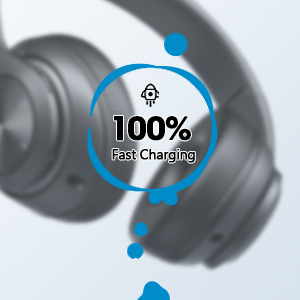
Image 3.1: Fast Charging Capability
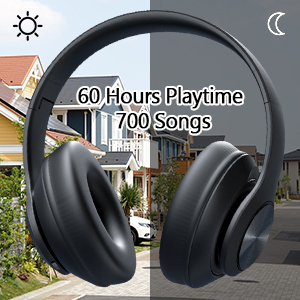
Image 3.2: Extended Playtime and Wired Option
3.2 การจับคู่บลูทูธ
- ตรวจสอบให้แน่ใจว่าหูฟังชาร์จเต็มแล้ว
- Press and hold the Power On/Off button until the LED indicator flashes, indicating pairing mode.
- บนอุปกรณ์ของคุณ (สมาร์ทโฟน แท็บเล็ต แล็ปท็อป) เปิดใช้งาน Bluetooth และค้นหาอุปกรณ์ที่มีอยู่
- Select "Tuitager 9S" (or similar name) from the list of devices.
- เมื่อเชื่อมต่อแล้ว ไฟ LED จะหยุดกระพริบและยังคงเป็นสีน้ำเงินค้าง
หูฟังจะพยายามเชื่อมต่อกับอุปกรณ์ที่จับคู่ไว้ครั้งสุดท้ายโดยอัตโนมัติเมื่อเปิดเครื่อง
3.3 Wired Connection (3.5mm Aux)
For a wired connection, use the included 3.5mm audio cable. Plug one end into the 3.5mm Aux plug-in port on the headphones and the other end into your audio device's 3.5mm jack. The headphones will automatically switch to wired mode when the cable is connected.
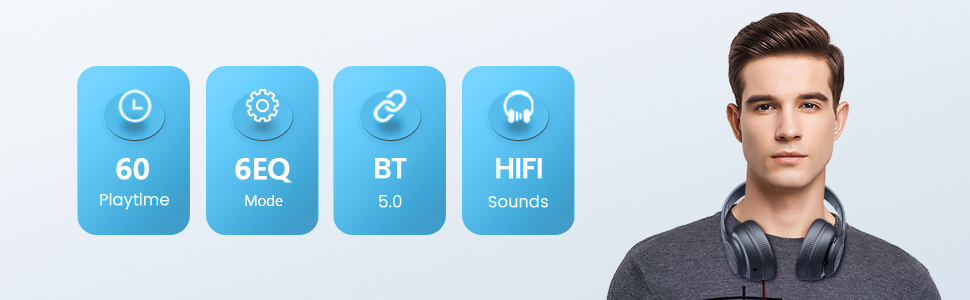
Image 3.3: Wide Compatibility and Usage (Wired & TF Card)
3.4 การใช้งานการ์ด TF
The headphones support TF (Micro SD) cards up to 32GB for direct music playback. Insert the TF card into the TF Card slot on the headphones. The headphones will automatically switch to TF card mode and begin playing audio files.
Note: TF card is not included.
4. คู่มือการใช้งาน
4.1 ฟังก์ชันปุ่ม

Image 4.1: Easy Operation Button Layout
| ปุ่ม/พอร์ต | การทำงาน |
|---|---|
| เปิด/ปิดเครื่อง | Press and hold to power on/off. Short press to play/pause (in Bluetooth mode). |
| เล่น/หยุดชั่วคราว/รับสาย/วางสาย | กดสั้นๆ เพื่อเล่น/หยุดเพลง หรือรับ/วางสาย กดค้างเพื่อปฏิเสธสาย |
| แทร็กก่อนหน้า / ลดระดับเสียง | กดสั้นเพื่อเล่นเพลงก่อนหน้า กดยาวเพื่อลดระดับเสียง |
| เพลงถัดไป / เพิ่มระดับเสียง | กดสั้นเพื่อเล่นเพลงถัดไป กดยาวเพื่อเพิ่มระดับเสียง |
| ปุ่มอีควอไลเซอร์ | Short press to cycle through 6 EQ modes (Bass/Jazz/Voice/Rock/Pop/Classic). |
| ปุ่มโหมด (M) | Short press to switch between Bluetooth Mode and FM Mode. |
| 3.5mm Aux Plug-in Port | สำหรับการเชื่อมต่อเสียงแบบมีสาย |
| พอร์ตการชาร์จ Type-C | สำหรับการชาร์จหูฟัง |
| สล็อตบัตร TF | For direct music playback from a TF (Micro SD) card. |
โหมดอีควอไลเซอร์ 4.2 โหมด
The headphones feature 6 distinct EQ modes to optimize your listening experience:
- เบส: Enhanced low frequencies for powerful beats.
- แจ๊ส : โปรเสียงสมดุลfile suitable for jazz music.
- เสียง: Clearer vocals, ideal for podcasts or audiobooks.
- หิน: Dynamic sound for rock music.
- โผล่: Vibrant and energetic sound for pop music.
- คลาสสิก: Rich and detailed sound for classical music.
กดปุ่ม EQ เพื่อสลับไปมาระหว่างโหมดต่างๆ
4.3 การโทรออก
ด้วยไมโครโฟนในตัว คุณสามารถโทรออกและรับสายได้เมื่อเชื่อมต่อผ่านบลูทูธ:
- รับ/วางสาย: กดปุ่มเล่น/หยุดชั่วคราว
- ปฏิเสธสาย: กดปุ่มเล่น/หยุดชั่วคราวค้างไว้
5. การบำรุงรักษา
- รักษาความสะอาดของหูฟังด้วยการเช็ดด้วยผ้าแห้งเนื้อนุ่ม
- เก็บหูฟังไว้ในที่แห้งและเย็น หลีกเลี่ยงแสงแดดโดยตรงและอุณหภูมิที่สูงหรือต่ำเกินไป
- When not in use, fold the headphones for compact storage and to protect them from damage.

Image 5.1: Ergonomic and Foldable Design for Comfort and Portability
6 การแก้ไขปัญหา
| ปัญหา | สารละลาย |
|---|---|
| หูฟังไม่สามารถเปิดได้ | ตรวจสอบให้แน่ใจว่าหูฟังชาร์จเต็มแล้ว กดปุ่มเปิด/ปิดค้างไว้สองสามวินาที |
| ไม่สามารถจับคู่กับอุปกรณ์ได้ | Ensure headphones are in pairing mode (flashing LED). Turn off and on Bluetooth on your device. Move headphones closer to the device. Clear previous Bluetooth connections on your device. |
| ไม่มีเสียง. | Check volume levels on both headphones and connected device. Ensure headphones are properly paired or the 3.5mm cable is fully inserted. Try a different audio source. |
| คุณภาพเสียงไม่ดี | Ensure there are no obstructions between headphones and device (in Bluetooth mode). Try a different EQ mode. Check audio source quality. |
| การเชื่อมต่อไม่ต่อเนื่อง | Move closer to the connected device. Avoid environments with strong Wi-Fi or other wireless interference. Ensure headphones are fully charged. |
7. ข้อมูลจำเพาะ
- ชื่อรุ่น : 9S
- เทคโนโลยีการเชื่อมต่อ: แบบมีสาย, ไร้สาย (บลูทูธ)
- เทคโนโลยีการสื่อสารไร้สาย: บลูทูธ 5.3
- ช่วงบลูทู ธ : สูงถึง 32 ฟุต (10 เมตร)
- ขนาดไดร์เวอร์เสียง: 40 มิลลิเมตร
- อายุการใช้งานแบตเตอรี่: นานถึง 60 ชั่วโมง
- เวลาในการชาร์จ: ประมาณ 2 ชั่วโมง
- แจ็คหูฟัง: แจ็ค 3.5 มม.
- วัสดุ: พลาสติก
- น้ำหนักสินค้า: 10.2 ออนซ์ (ประมาณ 289 กรัม)
- ประเภทการควบคุม: ปุ่มควบคุมระดับเสียง
- ส่วนประกอบที่รวมอยู่: Headphones, USB Charging Cable, 3.5mm Audio Cable, User Manual
8. การรับประกันและการสนับสนุน
ตุยtager products come with a standard manufacturer's warranty. For detailed warranty information, please refer to the warranty card included in your product packaging or visit the official Tuitager webเว็บไซต์.
If you encounter any issues or have questions regarding your Tuitager Bluetooth Headphones, please contact our customer support team:
- การสนับสนุนทางออนไลน์: Visit the Tuitager Store on Amazon: ตุยtagเออร์ สโตร์
- คู่มือผู้ใช้ (PDF): สามารถดาวน์โหลดคู่มือผู้ใช้ฉบับดิจิทัลได้ที่นี่: ดาวน์โหลด PDF
Ask a question about this manual
Ask about setup, troubleshooting, compatibility, parts, safety, or missing instructions. Manuals+ will review the question and use this page’s manual context to help answer it.