
1. บทนำ
This manual provides instructions for the proper setup, operation, and maintenance of your Bytech TBMOMO119AC Foldable Tablet Stand. Please read this manual thoroughly before using the product to ensure optimal performance and longevity.
2. คุณสมบัติ
The Bytech TBMOMO119AC Foldable Tablet Stand is designed to provide a stable and adjustable platform for your tablet or other compatible portable electronic devices. Key features include:
- การออกแบบพับได้: ช่วยให้จัดเก็บได้อย่างกะทัดรัดและพกพาได้ง่าย
- ปรับได้ Viewอิงมุม: Provides multiple height and angle settings for comfortable viewการไอเอ็นจี
- การระบายอากาศ : Open design helps prevent device overheating.
- ความเข้ากันได้กว้าง: Suitable for tablets and other devices ranging from 7 to 15 inches.
- โครงสร้างทนทาน: Made from robust materials for long-lasting use.
3. เนื้อหาบรรจุภัณฑ์
โปรดตรวจสอบว่าสินค้าทั้งหมดมีอยู่ในแพ็คเกจ:
- 1 x Bytech TBMOMO119AC Foldable Tablet Stand
4. คำแนะนำในการตั้งค่า
Follow these steps to set up your tablet stand:
- กางขาตั้งออก: Gently pull the two main support arms outwards until the stand is fully extended and stable on a flat surface.
- ปรับความสูงและมุม: The stand features adjustable hinges. Carefully lift or lower the support arms to achieve your desired viewing height and angle. Ensure both sides are adjusted evenly for stability.
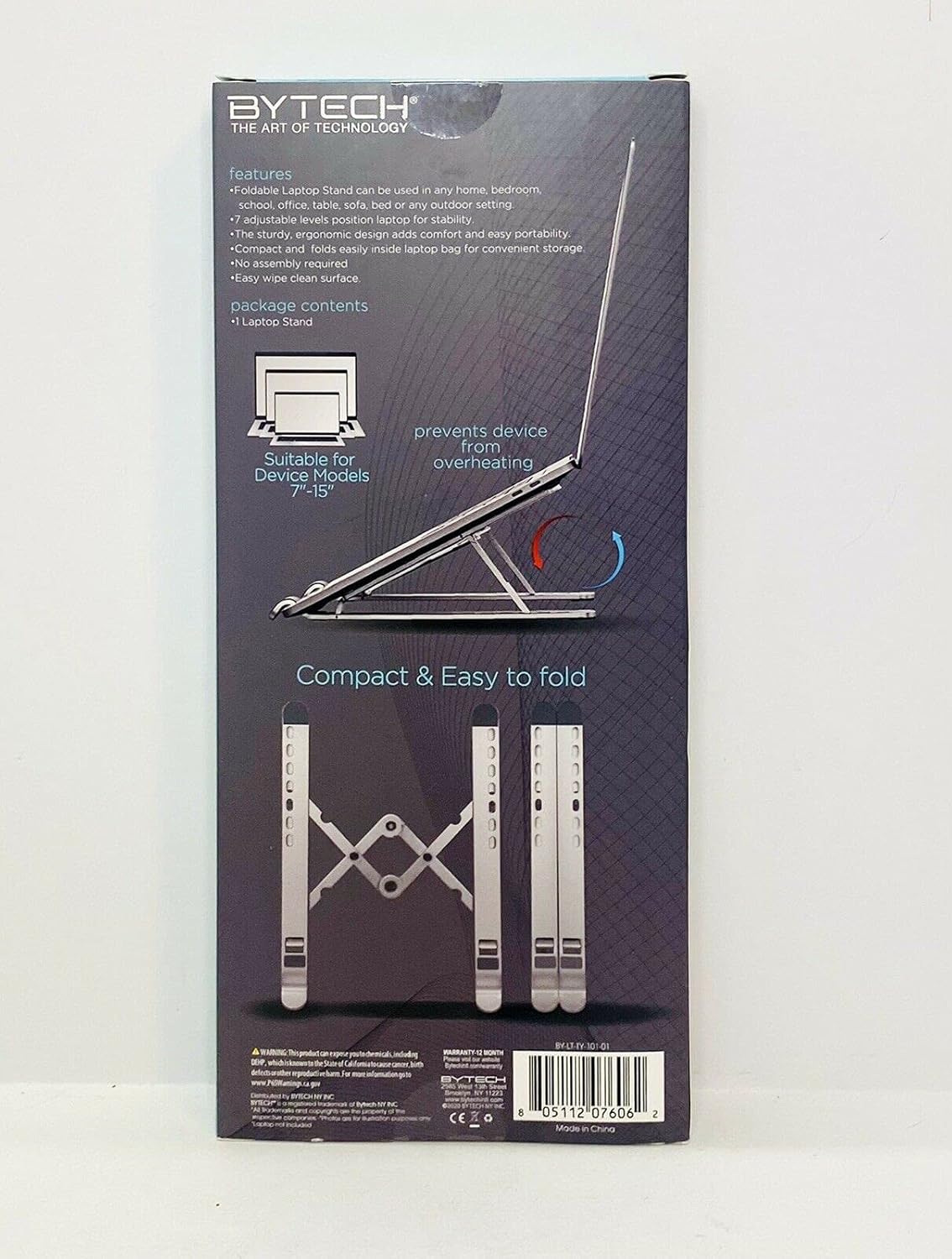
Image 1: The Bytech TBMOMO119AC Foldable Tablet Stand fully extended and ready for use. This image shows the stand's adjustable arms and base, designed to securely hold a tablet.

Image 2: The Bytech TBMOMO119AC Foldable Tablet Stand in its compact, folded state, illustrating its portability and ease of storage.
5. คู่มือการใช้งาน
To use your tablet stand:
- วางอุปกรณ์ของคุณ: Carefully place your tablet or compatible device onto the support hooks at the front of the stand. Ensure the device rests securely against the back support.
- การปรับขั้นสุดท้าย: Make any final adjustments to the stand's height and angle to achieve your preferred viewing position. Ensure the stand remains stable with your device in place.
6. การบำรุงรักษา
To maintain your Bytech TBMOMO119AC Foldable Tablet Stand:
- การทำความสะอาด: เช็ดขาตั้งด้วยผ้านุ่มๆamp cloth to remove dust and smudges. Avoid using harsh chemicals or abrasive cleaners.
- พื้นที่จัดเก็บ: When not in use, fold the stand into its compact form and store it in a dry place away from direct sunlight.
7 การแก้ไขปัญหา
If you encounter issues with your tablet stand, consider the following:
- ความไม่มั่นคงของขาตั้ง: Ensure the stand is fully unfolded and placed on a flat, stable surface. Verify that both adjustable arms are set to the same height and angle.
- Device Not Secure: Confirm that your device is properly seated on the support hooks and rests against the back support. The stand is designed for devices between 7 and 15 inches.
8. ข้อมูลจำเพาะ
| ยี่ห้อ | บายเทค |
| หมายเลขรุ่น | TBMOMO119AC |
| สี | สีดำ |
| อุปกรณ์ที่รองรับ | Tablets (7-15 inches) |
| ประเภทการติดตั้ง | พับได้ |
| ความยาวที่ปรับได้ | ใช่ |
| น้ำหนักสินค้า | 0.17 กิโลกรัม |
| วัสดุ | พลาสติก |
| ยูพีซี | 805112077328 |
9. การรับประกันและการสนับสนุน
The Bytech TBMOMO119AC Foldable Tablet Stand comes with a รับประกัน 12 เดือน from the date of purchase. This warranty covers manufacturing defects under normal use. For warranty claims or technical support, please contact your retailer or the Bytech customer service department.