
1. บทนำ
The Milfra Smart Plug (Model 501) is a versatile smart home device designed to bring convenience and efficiency to your daily life. This smart plug allows you to control your electronic devices remotely, via voice commands, or through scheduled timers. It features a 16A capacity, a built-in USB charging port, and is compatible with popular smart home ecosystems like Amazon Alexa and Google Home. This manual provides detailed instructions for setting up, operating, and maintaining your Milfra Smart Plug.

ภาพ: เหนือview of the Milfra Smart Plugs, highlighting their compact design and integrated USB port.
2. ข้อมูลด้านความปลอดภัย
Please read and understand all safety instructions before using the Milfra Smart Plug. Failure to follow these instructions may result in electric shock, fire, or other hazards.
- The smart plug is made from high-quality, flame-retardant PC-V0 materials for enhanced safety.
- Features built-in short-circuit protection, over-voltage protection, over-current protection, and overheating protection.
- ห้ามถอดประกอบหรือดัดแปลงอุปกรณ์
- อย่าให้เครื่องโดนน้ำหรือความชื้นมากเกินไป
- ตรวจสอบให้แน่ใจว่าการใช้พลังงานของเครื่องใช้ไฟฟ้าที่เชื่อมต่อไม่เกินกำลังรับสูงสุดของปลั๊กอัจฉริยะ (16A, 2000W)
- The USB port cannot be controlled via the app and remains continuously powered.
- This product is certified with CE, RoHS, and REACH for health and safety.
3. คุณสมบัติของผลิตภัณฑ์
The Milfra Smart Plug offers a range of features designed to enhance your smart home experience:
- พอร์ตชาร์จ USB: Conveniently charge your USB-powered devices directly from the smart plug.
- Timer and Countdown Function: Schedule your devices to turn on or off at specific times or after a set duration using the "Smart Life" app.
- Physical ON/OFF Button: Control the main socket directly on the device, in addition to app control.
- Device Grouping: Integrate and control multiple smart plugs or other smart devices within your home.
- การแบ่งปันในครอบครัว: Share control of your smart plugs with family members through the app.
- การควบคุมด้วยเสียง: Compatible with Amazon Alexa, Google Home Assistant, and supports SmartThings for hands-free operation.
- รีโมทคอนโทรล: Turn devices on/off from anywhere using the "Smart Life" or "Tuya" app on your smartphone.

Image: Key features and compatibility of the Milfra Smart Plug.
4. การตั้งค่า
4.1 การติดตั้งแอพ
To control your Milfra Smart Plug, you need to download and install the "Smart Life" or "Tuya" app on your smartphone or tablet. These apps are available for both iOS and Android devices.
- ค้นหา "Smart Life" or "Tuya Smart" in the Apple App Store (for iOS) or Google Play Store (for Android).
- ดาวน์โหลดและติดตั้งแอปพลิเคชัน
- เปิดแอปและลงทะเบียนบัญชีใหม่หรือเข้าสู่ระบบหากคุณมีบัญชีอยู่แล้ว
4.2 การจับคู่อุปกรณ์
Follow these steps to pair your Milfra Smart Plug with the app:
- Plug the Milfra Smart Plug into a standard wall outlet. The indicator light on the plug should start blinking rapidly, indicating it's in pairing mode. If not, press and hold the physical ON/OFF button for 5-10 seconds until it blinks rapidly.
- Open the "Smart Life" or "Tuya" app on your smartphone.
- แตะที่ "+" icon in the top right corner to add a device.
- เลือก "เต้ารับไฟฟ้า" หรือ "เต้ารับ (Wi-Fi)" จากรายการอุปกรณ์
- ตรวจสอบให้แน่ใจว่าไฟแสดงสถานะกะพริบเร็ว
- Enter your Wi-Fi network password (ensure you are connected to a 2.4GHz Wi-Fi network, as 5GHz is not supported).
- The app will begin connecting to the smart plug. Once connected, the indicator light will stop blinking and remain solid.
- You can now rename the device for easier identification (e.g., "Living Room Lamp-
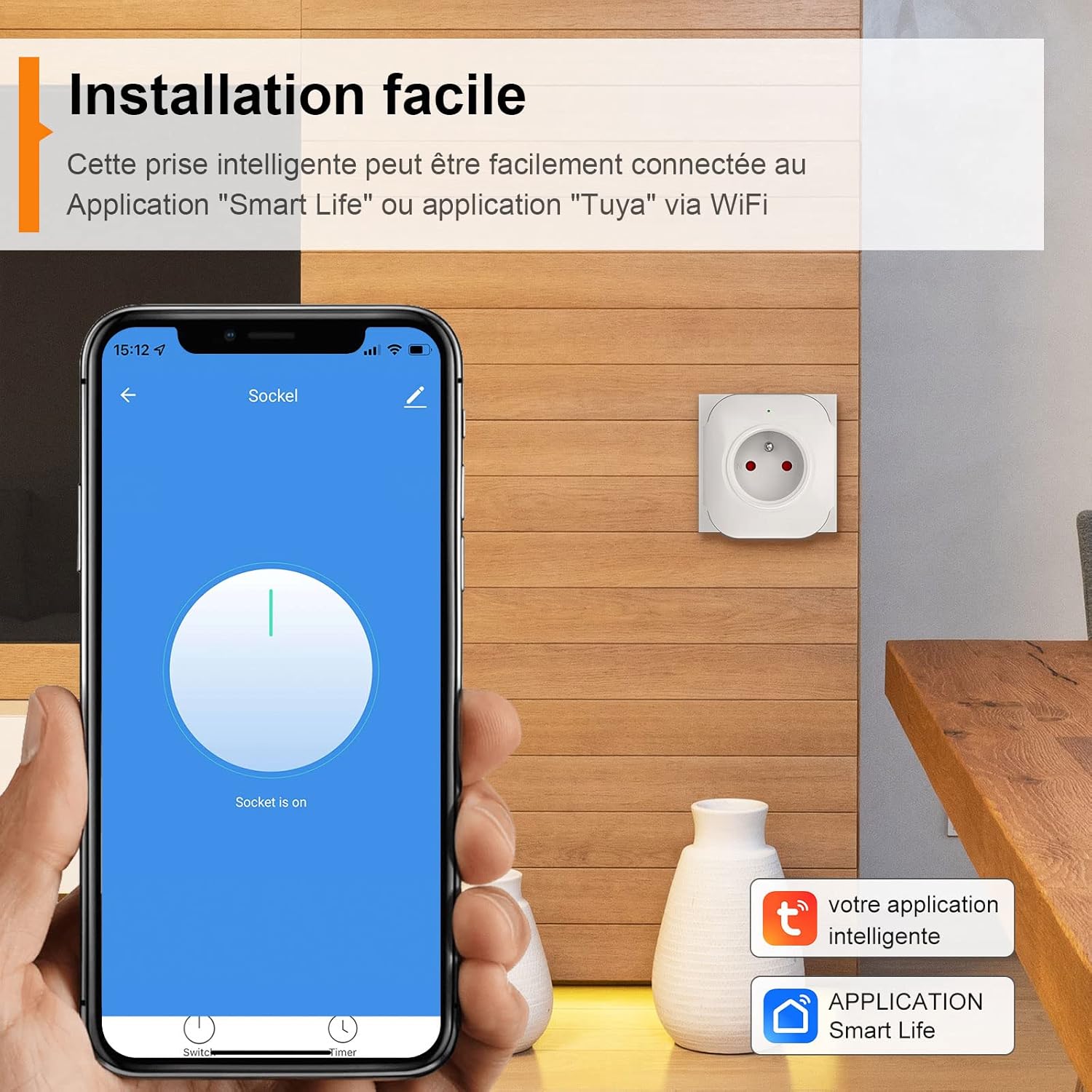
Image: Easy installation process using the Smart Life app.
5. คู่มือการใช้งาน
5.1 การควบคุมระยะไกลผ่านแอปพลิเคชัน
Once paired, you can control your Milfra Smart Plug from anywhere using the "Smart Life" or "Tuya" app.
- Open the app and select the smart plug you wish to control.
- Tap the ON/OFF button on the app interface to toggle the power to the connected appliance.
- You can also group multiple smart plugs to control them simultaneously.

Image: Remote control functionality of the smart plug via the app.
5.2 การควบคุมด้วยเสียง (Alexa และ Google Home)
The Milfra Smart Plug is compatible with Amazon Alexa and Google Home Assistant, allowing for convenient voice control.
- Link the App: In your Alexa or Google Home app, enable the "Smart Life" or "Tuya Smart" skill/action. You will need to link your Smart Life/Tuya account.
- ค้นพบอุปกรณ์: Once linked, ask your voice assistant to "Discover devices" or manually add the device in the app.
- คำสั่งเสียง: ใช้คำสั่งเช่น:
- "อเล็กซ่า เปิดใช้งาน [ชื่ออุปกรณ์]"
- "เฮ้ Google ปิด [ชื่ออุปกรณ์]"
- "Alexa, set [device name] to 50%" (if applicable for dimmable devices, though not directly for this plug)

ภาพ: อดีตampตัวอย่างของการควบคุมด้วยเสียงผ่าน Amazon Alexa
5.3 Timer and Countdown Function
Automate your devices by setting schedules and countdowns:
- ตัวจับเวลา: In the app, select your smart plug and navigate to the "Timer" or "Schedule" section. Set specific ON/OFF times for different days of the week.
- นับถอยหลัง: Use the countdown feature to turn a device off after a set period (e.g., turn off a lamp after 30 minutes).

Image: Setting up timer programming for automated control.
5.4 การแบ่งปันในครอบครัว
Share control of your smart plugs with family members without sharing your account password:
- In the app, go to the device settings or "Home Management" section.
- Select "Share Device" or "Add Member".
- Enter the account (email or phone number) of the family member you wish to share with. They must also have a "Smart Life" or "Tuya" account.
- The shared member will receive an invitation and can then control the device from their own app.

Image: Family sharing feature allowing multiple users to control smart devices.
5.5 การชาร์จ USB
The integrated USB port provides a convenient charging solution for your devices.
- Simply plug your USB charging cable into the USB port on the smart plug.
- Note that the USB port is always active and cannot be controlled via the app or voice commands.
- USB Output: 5V/1A.

Image: USB charging functionality of the smart plug.
6. การบำรุงรักษา
To ensure the longevity and proper functioning of your Milfra Smart Plug, follow these simple maintenance guidelines:
- Keep the smart plug clean by wiping it with a soft, dry cloth.
- อย่าใช้สารเคมีรุนแรงหรือน้ำยาทำความสะอาดที่มีฤทธิ์กัดกร่อน
- โปรดตรวจสอบให้แน่ใจว่าได้ถอดปลั๊กออกจากเต้ารับไฟฟ้าก่อนทำการทำความสะอาด
- Store the plug in a cool, dry place when not in use.
7 การแก้ไขปัญหา
| ปัญหา | สาเหตุที่เป็นไปได้ | สารละลาย |
|---|---|---|
| Smart plug cannot connect to Wi-Fi. | Incorrect Wi-Fi password; 5GHz Wi-Fi network; plug too far from router; router issues. |
|
| อุปกรณ์ออฟไลน์ในแอป | Wi-Fi disconnected; power outage; plug unplugged. |
|
| การควบคุมด้วยเสียงไม่ทำงาน | Skill/action not enabled; device not discovered; incorrect device name. |
|
| พอร์ต USB ไม่ชาร์จไฟ | Cable issue; device issue; power issue. |
|
8. ข้อมูลจำเพาะ
| คุณลักษณะ | ค่า |
|---|---|
| ยี่ห้อ | มิลฟรา |
| หมายเลขรุ่น | 501 |
| วัสดุ | โพลีคาร์บอเนต (พีซี) |
| สี | สีขาว |
| กระแสไฟฟ้าที่ได้รับการจัดอันดับ | 16A (สูงสุด) |
| จัดอันดับVoltage | ไฟฟ้ากระแสสลับ100-240V (50/60เฮิร์ต) |
| กำลังไฟที่กำหนด | 2000วัตต์ |
| เอาท์พุต USB | 5V/1A |
| ความถี่ไร้สาย | 2.4กิกะเฮิรตซ์ |
| ไร้มาตรฐาน | IEEE802.11b/g/n แบบไร้สาย |
| อุปกรณ์ที่รองรับ | Alexa, Google Home, SmartThings |
| ขนาดสินค้า | 73 x 69 x 36.5 มม. |
| น้ำหนักสินค้า | 550 g (for 4-pack, individual weight not specified) |

Image: Detailed dimensions and technical specifications of the Milfra Smart Plug.
9. การรับประกันและการสนับสนุน
Milfra products are designed for reliability and performance. For warranty information and technical support, please refer to the official Milfra webหรือติดต่อฝ่ายบริการลูกค้า เก็บใบเสร็จรับเงินไว้เป็นหลักฐานการซื้อสำหรับการเรียกร้องการรับประกันใดๆ
หากต้องการความช่วยเหลือเพิ่มเติม โปรดไปที่ Milfra Store on Amazon.