
1. สูงกว่าview
The Total Digital Kitchen Scale (Model TES1201) is designed for precise weighing in kitchen environments. It features a high capacity of 30 kilograms and a clear LED display, making it suitable for various culinary tasks.
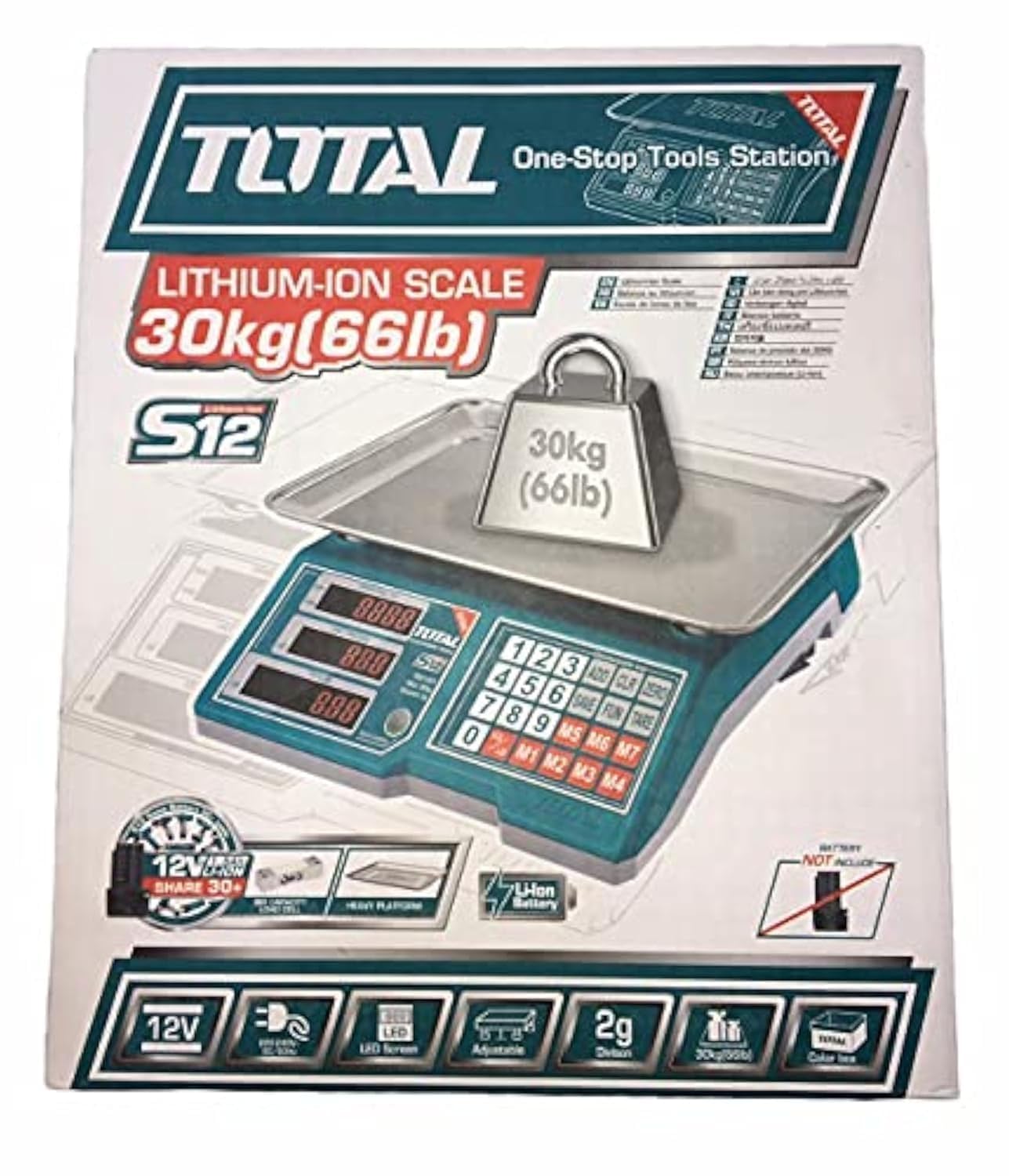
Image 1.1: Total Digital Kitchen Scale Model TES1201. This image displays the scale's main body, weighing platform, and digital display.
2. คุณสมบัติของผลิตภัณฑ์
- ความจุสูง: Weighs up to 30 kilograms, suitable for a wide range of ingredients.
- ความแม่นยำทางดิจิตอล: Provides precise measurements for consistent results.
- จอแสดงผล LED: จอแสดงผลดิจิทัลที่ชัดเจนและอ่านง่าย
- ฟังก์ชั่นทดน้ำหนัก: Allows you to subtract the weight of a container to get an accurate measurement of its contents.
- โครงสร้างทนทาน: Made with metal material for longevity.
- การออกแบบที่กะทัดรัด: Mini form factor for easy storage and use.
3. ข้อมูลด้านความปลอดภัย
Please read all safety instructions before using the scale to prevent injury or damage to the device.
- ไม่เกินความจุน้ำหนักสูงสุด 30 กก.
- วางเครื่องชั่งบนพื้นผิวเรียบและมั่นคงเพื่อให้ได้ค่าที่อ่านได้แม่นยำ
- ควรหลีกเลี่ยงการวางเครื่องชั่งไว้ในที่ที่มีอุณหภูมิสูงหรือต่ำเกินไป แสงแดดโดยตรง หรือความชื้นสูง
- ห้ามจุ่มตะกรันลงในน้ำหรือของเหลวอื่น ๆ ทำความสะอาดด้วยamp เฉพาะผ้าเท่านั้น
- ควรวางเครื่องชั่งให้ห่างจากสนามแม่เหล็กไฟฟ้าแรงสูง เพราะอาจส่งผลต่อความแม่นยำได้
- This product is not intended for commercial use or for weighing hazardous materials.
4. เนื้อหาบรรจุภัณฑ์
ตรวจสอบให้แน่ใจว่ามีสินค้าครบถ้วนก่อนเปิดบรรจุภัณฑ์:
- Total Digital Kitchen Scale (Model TES1201) - 1 unit
- User Manual - 1 copy
- หมายเหตุ: ไม่รวมแบตเตอรี่และต้องซื้อแยกต่างหาก
5. การตั้งค่า
- แกะเครื่องชั่ง: นำเครื่องชั่งออกจากบรรจุภัณฑ์อย่างระมัดระวัง
- ติดตั้งแบตเตอรี่: Locate the battery compartment on the underside of the scale. Open the cover and insert the required batteries (e.g., AA or AAA, typically 2 or 3, though not specified in data) according to the polarity indicators (+/-). Close the battery compartment securely.
- การจัดวาง: Place the scale on a hard, flat, and stable surface. Avoid soft surfaces like carpets, which can affect accuracy.
6. คู่มือการใช้งาน
- เปิดเครื่อง: กดปุ่ม เปิด/ปิด button to turn on the scale. The display will show "0.0" or "0" when ready.
- Select Unit (if applicable): If your scale supports multiple units (e.g., grams, kilograms, pounds, ounces), press the หน่วย button to cycle through the available units until your desired unit is displayed.
- รายการชั่งน้ำหนัก: Place the item directly onto the center of the weighing platform. The weight will be displayed on the LED screen.
- ฟังก์ชั่นทดน้ำหนัก: To weigh items in a container, first place the empty container on the scale. Press the ทดค่า button (sometimes labeled "Z/T" or "T"). The display will reset to "0.0". Now, add the items you wish to weigh into the container, and the display will show only the net weight of the items.
- หมดแรง: กดปุ่มค้างไว้ เปิด/ปิด button for a few seconds to turn off the scale. The scale may also have an auto-off function to conserve battery life.
7. การบำรุงรักษาและการดูแล
- การทำความสะอาด: เช็ดพื้นผิวของเกล็ดด้วยผ้าเนื้อนุ่มและแห้งamp ผ้า ห้ามใช้น้ำยาทำความสะอาดที่มีฤทธิ์กัดกร่อนหรือจุ่มตะกรันลงในน้ำ
- พื้นที่จัดเก็บ: เก็บเครื่องชั่งไว้ในที่แห้งและเย็น หลีกเลี่ยงการวางของหนักบนเครื่องชั่งเมื่อไม่ได้ใช้งาน
- การเปลี่ยนแบตเตอรี่: If the display shows a low battery indicator (e.g., "Lo"), replace the batteries promptly to ensure accurate operation. Remove batteries if the scale will not be used for an extended period.
8 การแก้ไขปัญหา
| ปัญหา | สาเหตุที่เป็นไปได้ | สารละลาย |
|---|---|---|
| เครื่องชั่งน้ำหนักไม่เปิด | แบตเตอรี่เสียหรือติดตั้งไม่ถูกต้อง | ตรวจสอบขั้วแบตเตอรี่ เปลี่ยนแบตเตอรี่หากจำเป็น |
| การอ่านที่ไม่ถูกต้อง | Uneven surface, overloaded, or interference. | Place on a flat, stable surface. Do not exceed 30 kg. Keep away from electronic devices. |
| แสดงข้อความ "Lo" หรือ "Err" | Low battery or overload. | Replace batteries. Remove excess weight if overloaded. |
9. ข้อมูลจำเพาะ
| คุณสมบัติ | รายละเอียด |
|---|---|
| ยี่ห้อ | ทั้งหมด |
| หมายเลขรุ่น | TES1201 |
| พิมพ์ | เครื่องชั่งดิจิตอลในครัว |
| ความจุน้ำหนักสูงสุด | 30 กิโลกรัม |
| ความแม่นยำในการอ่าน | 1 กรัม |
| ประเภทจอภาพ | นำ |
| วัสดุ | โลหะ |
| สี | สีเขียว |
| น้ำหนักสินค้า | 10 กรัม |
| ขนาดแพ็คเกจ | 37.2 x 32.4 x 11.8 ซม. |
| แบตเตอรี่ที่จำเป็น | Yes (Not included) |
| คุณสมบัติพิเศษ | High weight capacity, Tare function |
10. การรับประกันและการสนับสนุน
สำหรับข้อมูลการรับประกันหรือการสนับสนุนทางเทคนิค โปรดดูเอกสารที่แนบมากับสินค้าที่ซื้อ หรือติดต่อผู้ค้าปลีก/ผู้ผลิตโดยตรง โปรดเก็บหลักฐานการซื้อไว้เพื่อใช้ในการเรียกร้องการรับประกัน
โดยทั่วไปคุณสามารถค้นหาข้อมูลติดต่อได้จากเว็บไซต์อย่างเป็นทางการของผู้ผลิต webไซต์หรือบนบรรจุภัณฑ์ผลิตภัณฑ์