
การแนะนำ
Thank you for choosing the CORN HB001 Bluetooth Wireless Headphones. This manual provides essential information for setting up, operating, and maintaining your headphones. Please read it carefully before use to ensure optimal performance and longevity of your device. Keep this manual for future reference.
สินค้าเกินview
The CORN HB001 headphones offer a comfortable on-ear design with wireless Bluetooth connectivity, allowing you to enjoy high-quality audio without the constraints of cables. They also feature a 3.5mm audio jack for wired connection when wireless is not preferred or battery is low.
ส่วนประกอบหูฟัง
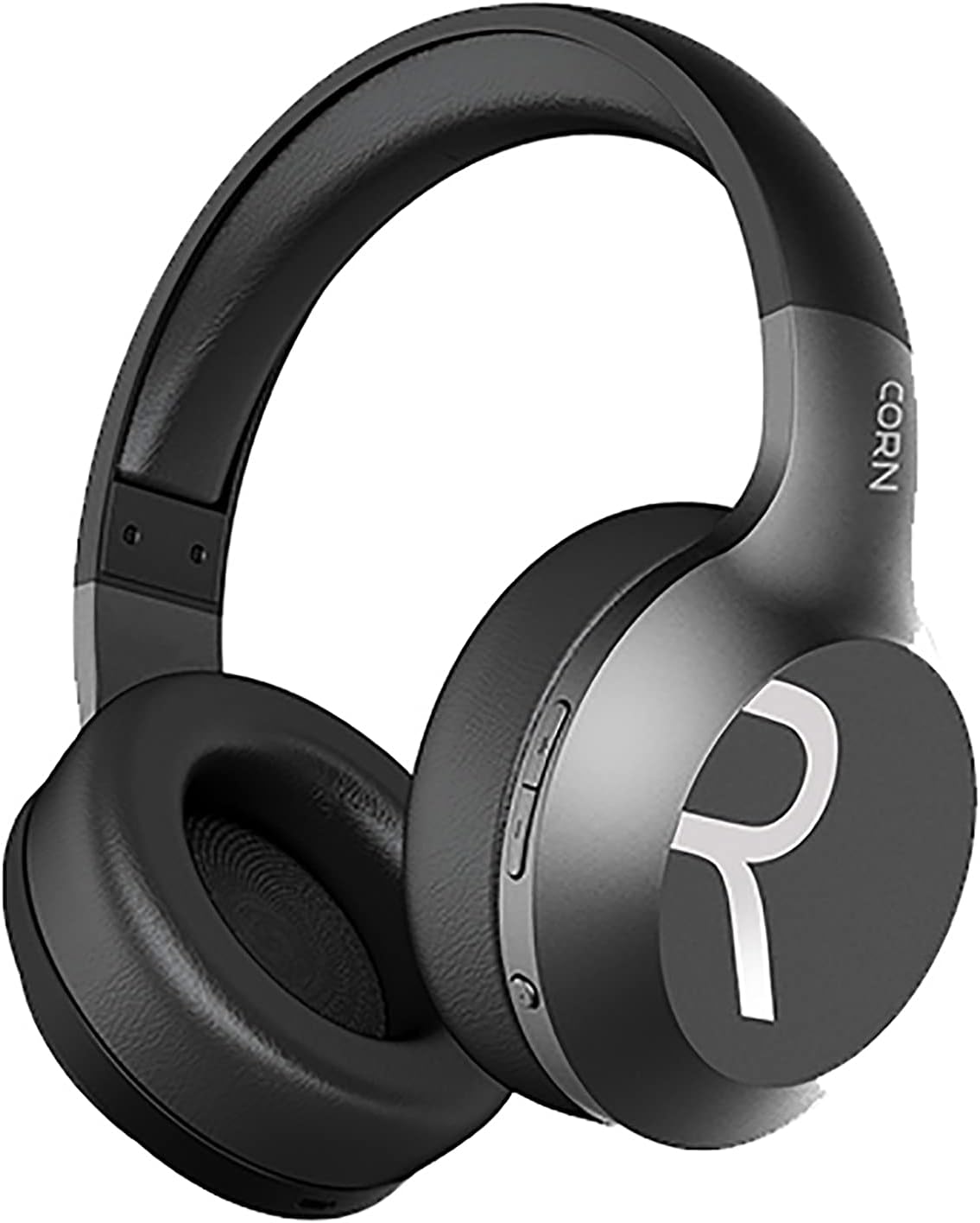
ภาพที่ 1: โดยรวม view of the CORN HB001 Bluetooth Wireless Headphones. The image displays the black on-ear headphones with adjustable headband and earcups, featuring the 'CORN' brand logo on the side.
เค้าโครงการควบคุม

ภาพที่ 2: Close-up of the control buttons located on the right earcup. These typically include volume up/down and a multi-function button for power, play/pause, and call management.
Familiarize yourself with the buttons and ports on your headphones. Typically, you will find a power/multi-function button, volume controls, a charging port (e.g., USB-C), and a 3.5mm audio jack.
การตั้งค่า
1. การชาร์จหูฟัง
Before first use, fully charge your headphones. Connect the charging cable (usually USB) to the charging port on the headphones and the other end to a USB power source (e.g., computer, wall adapter). The LED indicator will typically show red during charging and turn off or blue when fully charged.
- เวลาในการชาร์จ: ประมาณ 2 ชั่วโมง.
- ความจุแบตเตอรี่: 300มิลลิแอมป์
2. การจับคู่บลูทู ธ
วิธีเชื่อมต่อหูฟังแบบไร้สายกับอุปกรณ์:
- ตรวจสอบให้แน่ใจว่าหูฟังชาร์จแล้วและปิดอยู่
- Press and hold the Power/Multi-function button for approximately 5-7 seconds until the LED indicator flashes blue and red alternately, indicating pairing mode.
- บนอุปกรณ์ของคุณ (สมาร์ทโฟน แท็บเล็ต คอมพิวเตอร์) เปิดใช้งานบลูทูธและค้นหาอุปกรณ์ใหม่
- Select "CORN HB001" from the list of available devices.
- Once connected, the LED indicator will usually flash blue slowly or turn solid blue.
- หูฟังจะพยายามเชื่อมต่อกับอุปกรณ์ที่จับคู่ไว้ครั้งสุดท้ายโดยอัตโนมัติเมื่อเปิดเครื่อง
คำแนะนำการใช้งาน
เปิด/ปิดเครื่อง
- เปิดเครื่อง: Press and hold the Power/Multi-function button for about 3 seconds until the LED indicator lights up blue.
- หมดแรง: Press and hold the Power/Multi-function button for about 3-5 seconds until the LED indicator turns red and then off.
การเล่นเพลง
- เล่น/หยุดชั่วคราว: กดปุ่มเปิด/ปิด/ปุ่มมัลติฟังก์ชั่นหนึ่งครั้ง
- ปรับระดับเสียงขึ้น: กดปุ่ม '+'
- ลดเสียงลง: กดปุ่ม '-'
- เพลงถัดไป: กดปุ่ม '+' ค้างไว้
- แทร็กก่อนหน้า: กดปุ่ม '-' ค้างไว้
การจัดการการโทร
- รับ/วางสาย: กดปุ่มเปิด/ปิด/ปุ่มมัลติฟังก์ชั่นหนึ่งครั้ง
- ปฏิเสธสาย: Press and hold the Power/Multi-function button for about 2 seconds.
- โทรซ้ำหมายเลขล่าสุด: กดปุ่มเปิด/ปิดเครื่องสองครั้งติดกัน
Wired Mode (3.5mm Audio Jack)
You can use the headphones in wired mode even if the battery is depleted. Simply connect one end of a 3.5mm audio cable (not always included) to the headphone's 3.5mm jack and the other end to your audio source. In wired mode, Bluetooth functions are disabled, and controls on the headphones may not function.
การซ่อมบำรุง
การดูแลรักษาอย่างถูกวิธีจะช่วยยืดอายุการใช้งานของหูฟังของคุณได้
- การทำความสะอาด: Use a soft, dry cloth to wipe the headphones. Do not use abrasive cleaners or solvents. For ear cushions, gently wipe with a damp ผ้าและปล่อยให้แห้งสนิท
- พื้นที่จัดเก็บ: Store the headphones in a cool, dry place away from direct sunlight and extreme temperatures. If your headphones are foldable, fold them carefully to prevent damage.
- การสัมผัสน้ำ: หูฟังนี้ไม่กันน้ำ หลีกเลี่ยงการสัมผัสกับน้ำ ความชื้น หรือฝน
การแก้ไขปัญหา
หากคุณพบปัญหา ให้ลองวิธีแก้ไขปัญหาต่อไปนี้:
| ปัญหา | สารละลาย |
|---|---|
| หูฟังไม่สามารถเปิดได้ | ตรวจสอบให้แน่ใจว่าหูฟังชาร์จเต็มแล้ว กดปุ่มเปิด/ปิดค้างไว้สองสามวินาที |
| ไม่สามารถจับคู่กับอุปกรณ์ได้ | Ensure headphones are in pairing mode (flashing blue/red). Turn off and on Bluetooth on your device. Forget previous pairings and try again. Ensure headphones are within 10m range. |
| ไม่มีเสียง | Check volume levels on both headphones and your device. Ensure headphones are properly paired. Try wired connection if available. |
| คุณภาพเสียงไม่ดี | Move closer to your device to reduce interference. Ensure no physical obstructions between headphones and device. |
ข้อมูลจำเพาะ
| คุณสมบัติ | รายละเอียด |
|---|---|
| ชื่อรุ่น | HB001 |
| ชื่อยี่ห้อ | ข้าวโพด |
| เทคโนโลยีการเชื่อมต่อ | ไร้สายบลูทู ธ |
| เวอร์ชันไร้สาย | วี5.0 |
| ระยะการทำงาน | 10 เมตร |
| ขนาดตัวขับลำโพง | Φ40มม. |
| ความต้านทานของลำโพง | 32Ω |
| กำลังขับของลำโพง | 15มิลลิวัตต์ |
| ความจุของแบตเตอรี่ | 300 มิลลิแอมป์ |
| เวลาในการชาร์จ | ประมาณ 2 ชั่วโมง |
| เวลาทำงาน | ประมาณ 8 ชั่วโมง |
| ปัจจัยรูปแบบหูฟัง | แบบครอบหู |
| แจ็คหูฟัง | 3.5mm Jack (for wired use) |
| ส่วนประกอบที่รวมอยู่ | แผ่นรองหูฟัง |
| ช่วงอายุ คำอธิบาย | ผู้ใหญ่ |
| วัสดุ | พลาสติก |
| สี | สีดำ |
การรับประกันและการสนับสนุน
For warranty information or technical support, please refer to the documentation included with your purchase or contact the manufacturer directly through their official webโปรดเก็บหลักฐานการซื้อไว้เพื่อใช้ในการเคลมประกันสินค้า