
1. บทนำและเรื่องอื่นๆview
The Hbada W203 Gaming Chair is designed to provide ergonomic support and comfort for extended periods of sitting, whether for gaming or office work. It features a robust construction, adjustable components, and a design focused on user well-being.
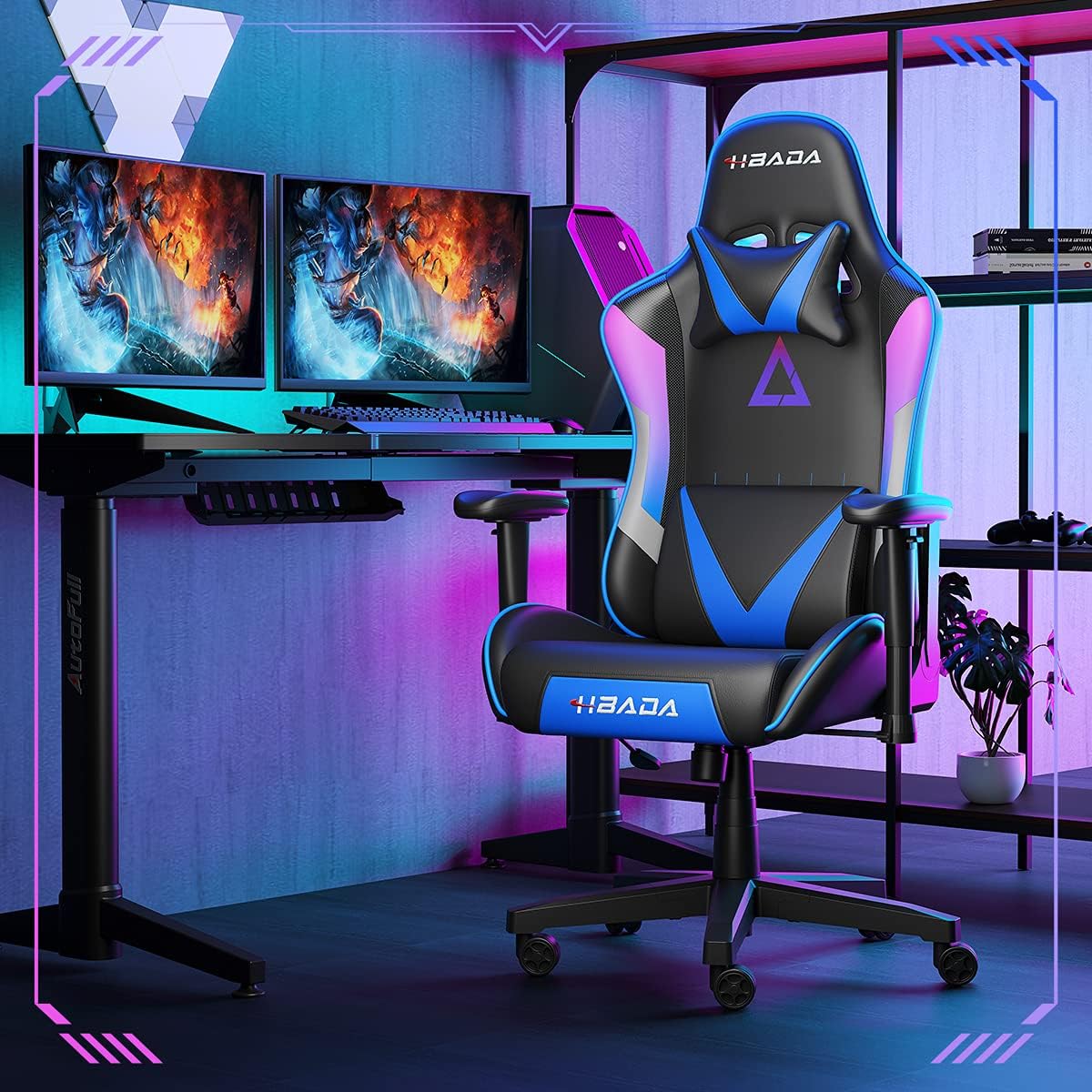
Image 1.1: The Hbada W203 Gaming Chair in a typical gaming environment, showcasing ดีไซน์และรูปลักษณ์ของมัน
2. ข้อมูลด้านความปลอดภัย
- ห้ามเกินขีดจำกัดการรับน้ำหนักสูงสุดที่ 150 กก. (330.7 ปอนด์)
- Ensure all bolts and screws are securely tightened before use and periodically check for looseness.
- หลีกเลี่ยงการยืนบนเก้าอี้หรือใช้เก้าอี้เป็นบันได
- ขณะปรับแต่ง ควรระวังอย่าให้มือและนิ้วอยู่ใกล้ชิ้นส่วนที่กำลังเคลื่อนไหว
- ควรวางเก้าอี้บนพื้นผิวเรียบและมั่นคงเพื่อป้องกันการล้ม
3. เนื้อหาบรรจุภัณฑ์
Verify that all components are present before beginning assembly. If any parts are missing or damaged, contact customer service.
- พนักพิง
- เบาะรองนั่ง
- ที่วางแขน (2)
- ฐานดาว
- ลูกล้อ (5)
- กระบอกยกแก๊ส
- ฝาครอบลิฟท์แก๊ส
- แผ่นกลไก
- หมอนรองศีรษะ
- หมอนรองเอว
- ชุดอุปกรณ์ฮาร์ดแวร์ (สกรู แหวนรอง ประแจหกเหลี่ยม)
- คู่มือการใช้งาน
4. คำแนะนำในการประกอบ
Assembly typically requires two people due to the weight of some components. Follow these steps carefully.
- ติดล้อเข้ากับฐาน: Insert each of the five casters into the holes at the end of each leg of the star base until they click into place.
- ใส่แก๊สยก: วางกระบอกไฮดรอลิกสำหรับยกแก๊สลงในรูตรงกลางของฐานรูปดาว จากนั้นปิดด้วยฝาครอบกระบอกไฮดรอลิก
- ติดแผ่นกลไกเข้ากับที่นั่ง: Align the mechanism plate with the screw holes on the underside of the seat cushion. Secure it with the provided screws and Allen wrench. Ensure the front of the mechanism faces the front of the seat.
- ติดตั้งที่วางแขนเข้ากับที่นั่ง: Secure the armrests to the sides of the seat cushion using the designated screws. Do not overtighten initially to allow for minor adjustments.
- ติดพนักพิงเข้ากับที่นั่ง: Align the backrest with the mounting brackets on the seat cushion. Secure it with screws.
- เชื่อมต่อชุดที่นั่งเข้ากับฐาน: Carefully place the assembled seat onto the gas lift cylinder, ensuring it is centered. Apply downward pressure to secure it.
- Attach Headrest and Lumbar Support: Position the headrest pillow and lumbar support pillow as desired. They are typically secured with straps.
- การขันขั้นสุดท้าย: Once fully assembled, go back and tighten all screws firmly.

ภาพที่ 4.1: จบแล้วview of chair features, including lift function, height-adjustable armrests, 155-degree recline, silent casters, 360-degree rotation, and durable base.
5. คู่มือการใช้งาน
5.1. การปรับความสูงของเก้าอี้
To adjust the chair height, locate the lever on the right side, beneath the seat. While seated, pull the lever up to lower the chair. To raise the chair, stand up slightly and pull the lever up. Release the lever at the desired height.
5.2. ฟังก์ชั่นปรับเอน
The chair offers a recline angle of up to 155 degrees with a 17-degree locking feature. To recline, pull the recline lever (typically on the left side) upwards and lean back. Release the lever to lock the backrest in position. To return to an upright position, pull the lever and lean forward.

Image 5.1: The chair's backrest can recline up to 155 degrees, allowing for various comfortable positions.
5.3 การปรับที่วางแขน
The armrests can be lifted to adjust their height. Locate the button or lever on the side of each armrest. Press or lift it and move the armrest up or down to your preferred height. Release the button/lever to lock it.
5.4. Lumbar Support and Headrest
The chair includes removable and adjustable headrest and lumbar support pillows. Adjust their position by sliding them along the backrest straps to provide optimal support for your head, neck, and lower back.
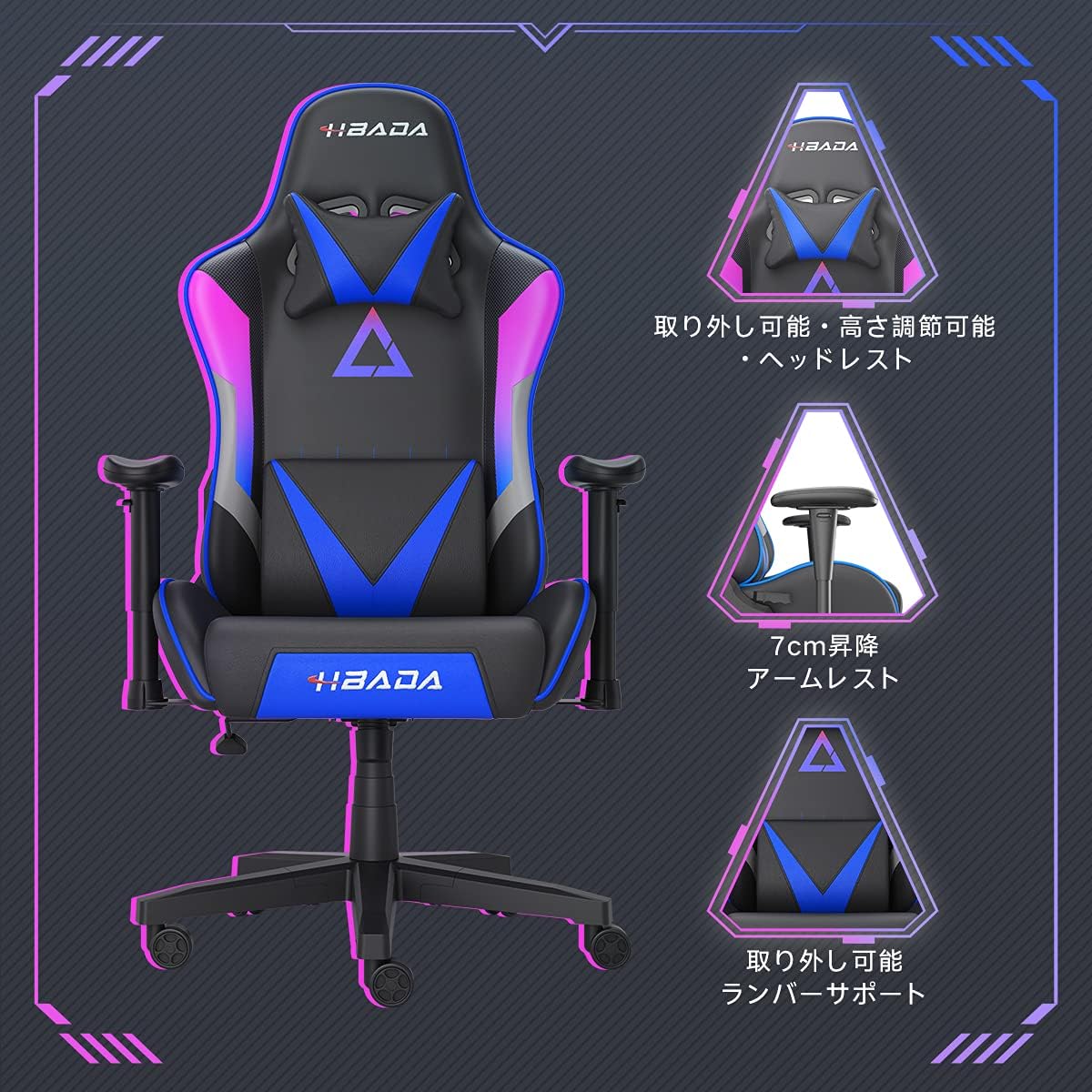
ภาพที่ 5.2: รายละเอียด view of the adjustable headrest, lifting armrests, and removable lumbar support.
5.5. ฟังก์ชันหมุน
เก้าอี้ตัวนี้มีฟังก์ชันหมุนได้ 360 องศา ช่วยให้หมุนตัวได้ง่ายโดยไม่ต้องขยับฐาน
6. การบำรุงรักษา
- การทำความสะอาด: The chair's synthetic leather (PU) material can be wiped clean with a damp ผ้า หลีกเลี่ยงสารเคมีรุนแรงหรือน้ำยาทำความสะอาดที่มีฤทธิ์กัดกร่อน
- ตัวล็อค: Periodically check all screws and bolts to ensure they remain tight. Retighten as necessary to maintain stability and prevent squeaking.
- ล้อ: ควรทำความสะอาดล้อเลื่อนให้ปราศจากเส้นผมและเศษสิ่งสกปรก เพื่อให้การเคลื่อนที่ราบรื่น
7 การแก้ไขปัญหา
- เสียงเก้าอี้ดังเอี๊ยดอ๊าด: Check and tighten all assembly screws. Applying a small amount of lubricant to moving metal parts (like the mechanism plate) may help.
- ระบบปรับความสูงใช้งานไม่ได้: Ensure the gas lift lever is fully engaged. If the issue persists, the gas lift cylinder may need replacement. Contact customer service.
- เก้าอี้รู้สึกไม่มั่นคง: Verify that the star base is correctly assembled and all casters are fully inserted. Ensure all screws are tightened.
- ล้อไม่หมุนอย่างราบรื่น: Clean any debris (hair, dust) from the caster wheels.
For issues not listed here or persistent problems, please contact Hbada customer service.
8. ข้อมูลจำเพาะ

Image 8.1: Key dimensions of the Hbada W203 Gaming Chair.
| คุณสมบัติ | รายละเอียด |
|---|---|
| ชื่อรุ่น | Hbada W203 |
| ขนาดสินค้า (ลึก x กว้าง x สูง) | 70 x 70 x 128 ซม. (27.6 x 27.6 x 50.4 นิ้ว) |
| ความสูงของเบาะนั่งปรับได้ | 40 - 48 ซม. (15.7 - 18.9 นิ้ว) |
| น้ำหนักสินค้า | 22.5 กก. (49.6 ปอนด์) |
| ความจุในการรับน้ำหนักสูงสุด | 150 กก. (330.7 ปอนด์) |
| วัสดุ | Synthetic leather (PU upholstery), Metal (frame), Reinforced Nylon Resin (base), High-density Urethane Foam (cushion), Silent PU Nylon Casters |
| มุมเอน | Up to 155 degrees with 17-degree locking |
| ปรับที่วางแขน | Lifting (approx. 7 cm range) |
| คุณสมบัติพิเศษ | Adjustable Lumbar Support, Ergonomic Design |

Image 8.2: Internal construction details, showing high-density foam and a robust metal frame.
9. การรับประกันและการสนับสนุน
The Hbada W203 Gaming Chair comes with a บริการรับประกัน 1 ปี. This warranty covers initial defects and manufacturing faults.
If you encounter any initial defects, malfunctions, or have any concerns regarding your product, please contact our customer service center. Our support team aims to respond within 24 hours and will assist with free exchanges or repairs as applicable.
For customer service inquiries, please refer to the contact information provided on your purchase receipt or the official Hbada webเว็บไซต์.