
การแนะนำ
Thank you for choosing the Continu.us R230D2 Master TV Remote. This remote control is specifically designed to provide comprehensive control over RCA and Continu.us brand televisions, including access to commercial menus. Its intuitive layout ensures ease of use for all essential TV functions.

รูปที่ 1 : ด้านหน้า view of the R230D2 Master TV Remote, showing all buttons.
การตั้งค่า
Before using your new remote, you will need to install batteries.
การติดตั้งแบตเตอรี่
- ค้นหาช่องใส่แบตเตอรี่ที่ด้านหลังของรีโมทคอนโทรล
- เลื่อนฝาปิดช่องใส่แบตเตอรี่ลงด้านล่างแล้วยกออก
- ใส่แบตเตอรี่ AA สอง (2) ก้อน โดยตรวจสอบให้แน่ใจว่าขั้วบวก (+) และขั้วลบ (-) ตรงกับเครื่องหมายภายในช่องใส่แบตเตอรี่
- ปิดฝาช่องใส่แบตเตอรี่กลับเข้าที่โดยเลื่อนกลับเข้าที่จนกระทั่งล็อคเข้าที่อย่างแน่นหนา

รูปที่ 2: ย้อนกลับ view of the R230D2 Master TV Remote, illustrating the battery compartment.
การใช้งานเบื้องต้น
The R230D2 Master TV Remote is pre-programmed for RCA and Continu.us televisions and typically requires no code entry or complex synchronization. Simply point the remote at your television and press the พลัง button. If the TV responds, the remote is ready for use.
คำแนะนำการใช้งาน
This section details the functions of the buttons on your R230D2 remote control.
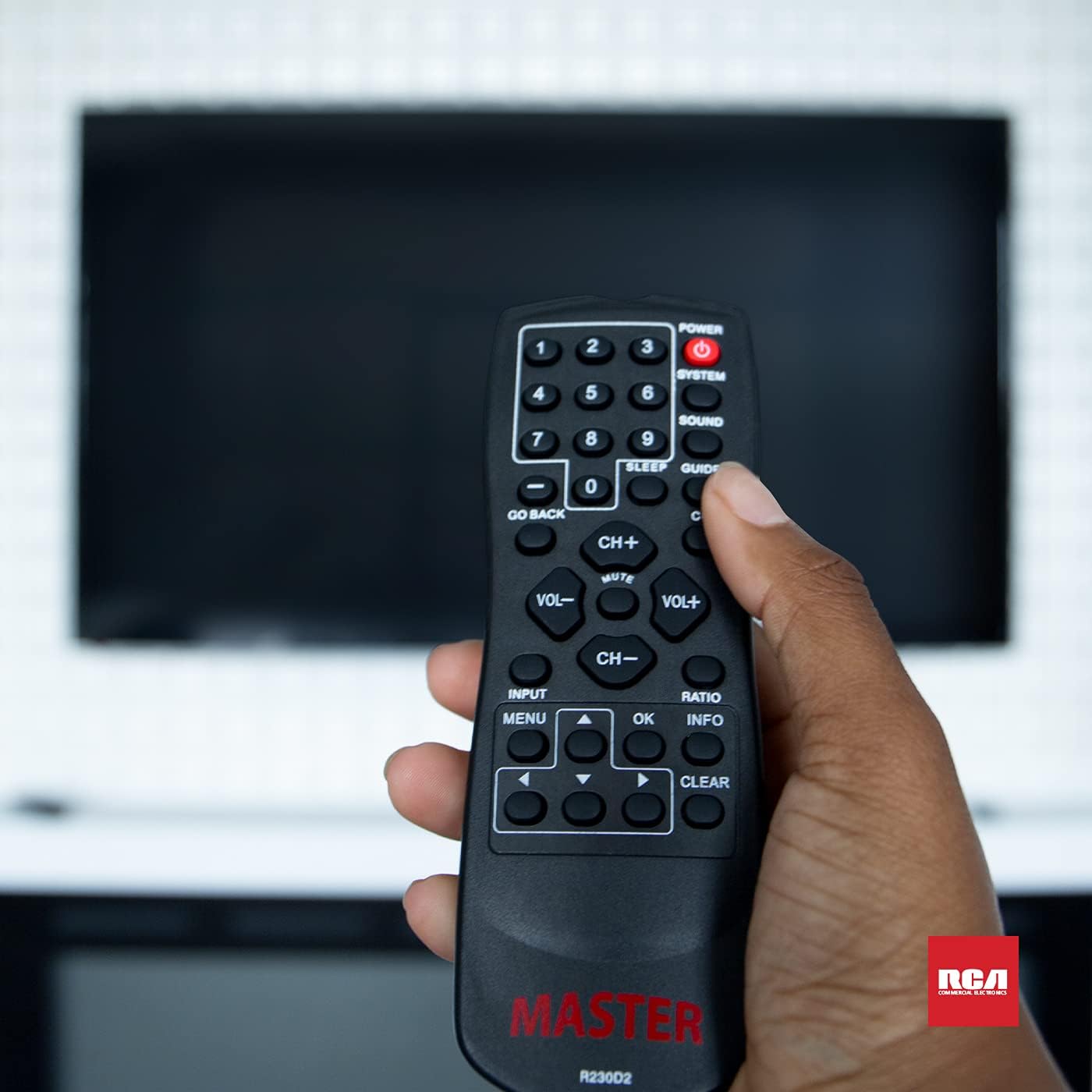
Figure 3: Using the R230D2 Master TV Remote with a television.
- พลัง:เปิดหรือปิดโทรทัศน์
- ระบบ: Accesses system-specific functions or menus.
- เสียง: Adjusts sound modes or settings.
- แนะนำ: Displays the electronic program guide (EPG).
- นอน: Sets a timer for the TV to automatically turn off.
- CC (คำบรรยายปิด): Toggles closed captions on or off.
- ย้อนกลับ: Returns to the previous channel or menu screen.
- ปุ่มตัวเลข (0-9): ป้อนหมายเลขช่องโดยตรง
- CH+ / CH-: เปลี่ยนช่องขึ้นหรือลง
- VOL + / VOL-: เพิ่มหรือลดระดับเสียง
- MUTE: ปิดหรือเปิดเสียงโทรทัศน์
- ป้อนข้อมูล: Selects the input source (e.g., HDMI 1, AV).
- เมนู: เปิดเมนูหลักของโทรทัศน์
- OK: Confirms a selection or enters a submenu.
- ข้อมูล: แสดงข้อมูลเกี่ยวกับโปรแกรมหรือข้อมูลป้อนเข้าปัจจุบัน
- อัตราส่วน: Adjusts the screen aspect ratio.
- ชัดเจน: Clears input or exits certain functions.
- ลูกศรนำทาง (ขึ้น, ลง, ซ้าย, ขวา):นำทางผ่านเมนูและตัวเลือก
Accessing Commercial Menus
The R230D2 remote is designed to access commercial menus on compatible RCA and Continu.us televisions. The specific button or sequence to access these menus may vary by TV model. Typically, this function is integrated within the ระบบ or เมนู buttons, or a combination thereof. Refer to your television's specific user manual for detailed instructions on accessing its commercial menu features.
การซ่อมบำรุง
เพื่อให้รีโมทคอนโทรลของคุณใช้งานได้ยาวนานและทำงานได้อย่างมีประสิทธิภาพสูงสุด โปรดปฏิบัติตามคำแนะนำในการบำรุงรักษาอย่างง่ายเหล่านี้:
- การทำความสะอาด: เช็ดรีโมทด้วยผ้าแห้งนุ่มๆ สำหรับคราบสกปรกฝังแน่น ให้เช็ดด้วยน้ำสะอาดเล็กน้อยampชุบผ้าด้วยน้ำหรือน้ำยาทำความสะอาดอ่อนๆ ที่ไม่ทำให้เกิดรอยขีดข่วน ห้ามใช้สารเคมีรุนแรงหรือแช่รีโมทในของเหลว
- การเปลี่ยนแบตเตอรี่: Replace batteries when the remote's response becomes sluggish or stops working. Always replace both batteries at the same time with new AA batteries. Do not mix old and new batteries, or different types of batteries.
- พื้นที่จัดเก็บ: เก็บรีโมทไว้ในที่แห้งและเย็น หลีกเลี่ยงแสงแดดโดยตรง อุณหภูมิที่สูงหรือต่ำเกินไป และความชื้นสูง
- หลีกเลี่ยงการหยด: ปกป้องรีโมตจากแรงกระแทก เพราะการตกอาจทำให้ส่วนประกอบภายในเสียหายได้
การแก้ไขปัญหา
If you encounter issues with your R230D2 remote, try the following solutions:
- รีโมตไม่ตอบสนอง:
- ตรวจสอบว่าใส่แบตเตอรี่ถูกต้องและขั้วถูกต้องหรือไม่
- เปลี่ยนแบตเตอรี่ด้วยแบตเตอรี่ใหม่
- ตรวจสอบให้แน่ใจว่าไม่มีสิ่งกีดขวางระหว่างรีโมทและเซ็นเซอร์อินฟราเรดของทีวี
- ตรวจสอบให้แน่ใจว่าคุณอยู่ในระยะการรับสัญญาณอินฟราเรดของทีวีอย่างมีประสิทธิภาพ
- TV Not Turning On/Off:
- Confirm the TV is plugged into a working power outlet.
- Try turning the TV on/off using its physical power button.
- ฟังก์ชั่นเฉพาะไม่ทำงาน:
- Some functions may require the TV's menu to be open or a specific input selected.
- ตรวจสอบให้แน่ใจว่ารีโมทชี้ไปที่ทีวีโดยตรง
- รีโมทยังใช้งานไม่ได้:
- หากรีโมตเพิ่งตกหรือโดนความชื้น อาจเกิดความเสียหายภายในได้
- ติดต่อฝ่ายสนับสนุนลูกค้าเพื่อรับความช่วยเหลือเพิ่มเติม
ข้อมูลจำเพาะ
| คุณสมบัติ | รายละเอียด |
|---|---|
| ยี่ห้อ | ต่อเนื่อง.us |
| หมายเลขรุ่น | R230D2 |
| อุปกรณ์ที่รองรับ | RCA and Continu.us Televisions |
| เทคโนโลยีการเชื่อมต่อ | อินฟราเรด |
| แหล่งพลังงาน | แบตเตอรี่ AA 2 ก้อน (ไม่รวม) |
| น้ำหนักสินค้า | 1.76 ออนซ์ |
| ขนาดสินค้า | 6 x 2 x 1 นิ้ว |
| จำนวนอุปกรณ์ที่รองรับสูงสุด | 1 |
การรับประกันและการสนับสนุน
Continu.us products are designed and tested to high standards. We pride ourselves on offering excellent customer support.
การสนับสนุนลูกค้า
If you require assistance with your R230D2 Master TV Remote, our support and technical team are available to help. Please reach out via phone or email for any pressing issues or questions.
For the most up-to-date contact information, please visit the official Continu.us webดูได้จากเว็บไซต์หรือดูที่บรรจุภัณฑ์ของผลิตภัณฑ์
ข้อมูลการรับประกัน
Specific warranty details for the R230D2 remote are typically provided with the product packaging or can be found on the Continu.us official webไซต์ โปรดเก็บหลักฐานการซื้อไว้เพื่อใช้ในการเรียกร้องการรับประกัน