
1. บทนำ
The INKBIRDPLUS AK3 Indoor Air Quality Monitor is designed to provide real-time measurements of key indoor air pollutants and environmental factors. This device accurately detects Carbon Dioxide (CO2), Total Volatile Organic Compounds (TVOC), Formaldehyde (HCHO), as well as ambient temperature and relative humidity. This manual provides essential information for the proper setup, operation, and maintenance of your air quality monitor.
2. คุณสมบัติของผลิตภัณฑ์

Image: The INKBIRDPLUS AK3 monitor showcasing its ability to measure multiple air quality parameters.
- การวัดแบบเรียลไทม์: Accurately detects CO2, TVOC, HCHO, temperature, and humidity, updating results per second on a colorful display.
- ผลลัพธ์ที่แม่นยำ: Utilizes a high-precision infrared sensor and a high-performance chip for precise carbon dioxide measurement.
- ระบบเตือนภัยอัจฉริยะ: Features a three-level air quality indicator (GOOD, OK, POOR) with distinct visual and audible alerts for changes in air quality.
- แบตเตอรี่ใช้งานได้ยาวนาน: Equipped with a 1200mAh built-in lithium battery, providing 6 to 8 hours of operation on a 2.5-hour charge. Can operate while connected to power.
- การประยุกต์ใช้ที่กว้าง: Suitable for monitoring air quality in various environments such as cafeterias, restaurants, schools, offices, greenhouses, factories, hotels, and hospitals.
3. เนื้อหาบรรจุภัณฑ์
- INKBIRDPLUS AK3 Air Quality Monitor
- สายชาร์จ USB
- คู่มือการใช้งาน
4. สินค้าหมดview

Image: The INKBIRDPLUS AK3 Air Quality Monitor, front view.
4.1 การแสดงผลและตัวบ่งชี้

Image: The monitor's 3.5-inch LCD screen provides a clear, color-coded display of all measurements.
The monitor features a 3.5-inch LCD screen that displays all measured parameters simultaneously. Readings include CO2 (in ppm), TVOC (in mg/m³), HCHO (in mg/m³), temperature (in °F or °C), and relative humidity (in %). Battery status and air quality level indicators are also visible.
4.2 การออกแบบทางกายภาพ

Image: The monitor features an anti-slip bottom for stable placement and a hook design for versatile mounting options.
The device is designed with ventilation grilles on the sides for optimal air circulation to the sensors. It includes an anti-slip bottom for stable placement on surfaces and a hook design for hanging, offering flexible placement options.
5. การตั้งค่า
5.1 การชาร์จอุปกรณ์
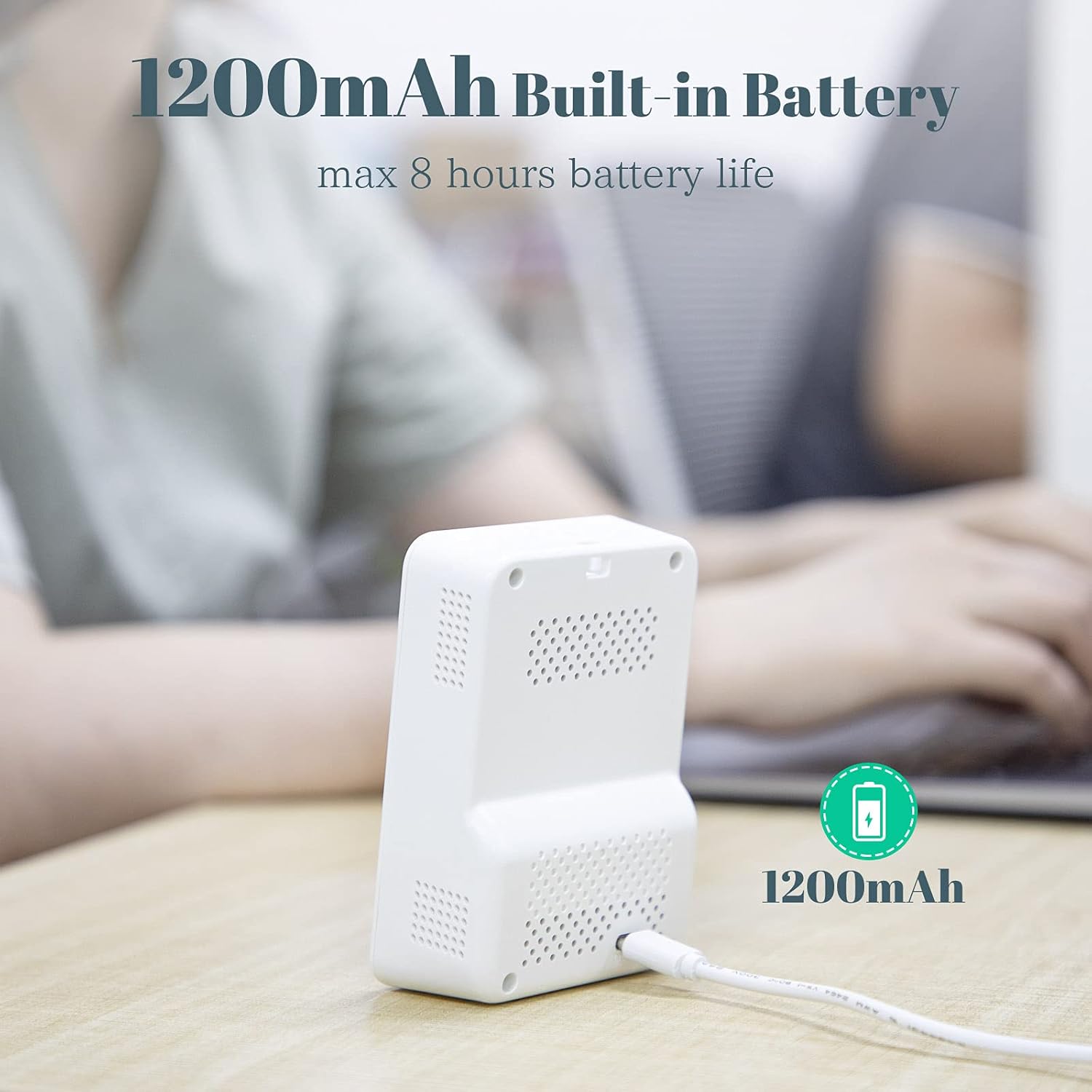
Image: The monitor being charged via its USB port.
Before initial use, fully charge the monitor. Connect the provided USB charging cable to the device's charging port and a standard USB power adapter (not included). A full charge takes approximately 2.5 hours and provides 6 to 8 hours of operation. The device can be used while charging.
5.2 การเปิด/ปิดเครื่อง
- หากต้องการเปิดเครื่อง ให้กดปุ่มเปิด/ปิดค้างไว้จนกว่าหน้าจอจะสว่างขึ้น
- หากต้องการปิดเครื่อง ให้กดปุ่มเปิด/ปิดค้างไว้จนกระทั่งจอแสดงผลดับลง
6. การดำเนินการ
6.1 ทำความเข้าใจกับจอแสดงผล
The monitor's colorful display provides real-time readings for:
- ก๊าซคาร์บอนไดออกไซด์ (CO2): วัดเป็นหน่วยส่วนต่อล้าน (ppm)
- TVOC (สารประกอบอินทรีย์ระเหยง่ายทั้งหมด): วัดเป็นมิลลิกรัมต่อลูกบาศก์เมตร (mg/m³)
- HCHO (ฟอร์มาลดีไฮด์): วัดเป็นมิลลิกรัมต่อลูกบาศก์เมตร (mg/m³)
- อุณหภูมิ: Measured in degrees Fahrenheit (°F) or Celsius (°C).
- ความชื้น: Measured in relative humidity (%).
The display also shows a battery indicator and a color-coded air quality level (GOOD, OK, POOR).
6.2 Smart Alarm Function
The device features a smart alarm system to alert you to changes in air quality:
- ดี: Air quality is optimal. The indicator will typically be green.
- ตกลง: Air quality is acceptable but warrants attention. The indicator will turn YELLOW, and the device will emit two "Bee--Bee" sounds.
- ยากจน: Air quality is unhealthy. The indicator will turn RED, and the device will emit two "Bee--Bee--Bee" sounds.
6.3 การสอบเทียบ
To trigger the calibration function, long press the switch button and release it after hearing two beeps. Refer to the on-screen prompts for further instructions during calibration.
7. Understanding Air Quality Parameters

Image: Common sources of indoor and outdoor air pollutants.
- คาร์บอนไดออกไซด์ (CO2): A natural component of the atmosphere, but high indoor levels can indicate poor ventilation and lead to drowsiness or headaches.
- Total Volatile Organic Compounds (TVOC): A group of chemicals that can be emitted from paints, cleaning supplies, furniture, and other household products. High levels can cause irritation and other health issues.
- Formaldehyde (HCHO): A common VOC found in building materials, furniture, and some fabrics. It can cause respiratory and skin irritation.
Air quality can change constantly. For a comprehensive understanding of your environment's air quality, focus on measurements taken over longer periods (e.g., over 60 minutes).
8. การสมัคร

Image: The INKBIRDPLUS AK3 monitor is suitable for a wide range of indoor environments.
The INKBIRDPLUS AK3 Air Quality Monitor is versatile and can be used in numerous indoor settings to ensure a healthy environment:
- Homes and Bedrooms
- Offices and Workspaces
- Classrooms and Educational Institutions
- Hospitals and Healthcare Facilities
- Factories and Industrial Settings
- Restaurants and Cafeterias
- Hotels and Accommodation
- Vehicles (e.g., cars)
9. การบำรุงรักษา
- รักษาความสะอาดของอุปกรณ์โดยการเช็ดด้วยผ้าแห้งนุ่มๆ ห้ามใช้สารทำความสะอาดที่มีฤทธิ์กัดกร่อนหรือตัวทำละลาย
- Ensure the ventilation grilles are free from dust and obstructions to maintain accurate readings.
- เก็บอุปกรณ์ไว้ในที่แห้งและเย็นเมื่อไม่ใช้งาน
10 การแก้ไขปัญหา
| ปัญหา | สาเหตุที่เป็นไปได้ | สารละลาย |
|---|---|---|
| อุปกรณ์ไม่เปิดเครื่อง | แบตเตอรี่อ่อนหรือไม่มีประจุ | ชาร์จอุปกรณ์โดยใช้สาย USB ที่ให้มา |
| การอ่านที่ไม่ถูกต้อง | Sensor obstruction, device not calibrated, or environmental factors | Ensure ventilation grilles are clear. Perform calibration as described in Section 6.3. Allow device to stabilize in the environment for at least 10 minutes. |
| เสียงสัญญาณเตือนดังบ่อยครั้ง | High levels of detected pollutants | Improve ventilation in the area. Identify and remove sources of pollution if possible. |
11. ข้อมูลจำเพาะ
| พารามิเตอร์ | ค่า |
|---|---|
| แบบอย่าง | AK3 (Manufacturer Reference: AQM-01) |
| แหล่งพลังงาน | ใช้แบตเตอรี่ (แบตเตอรี่ลิเธียม 1200mAh) |
| เวลาในการชาร์จ | ประมาณ 2.5 ชั่วโมง |
| ระยะเวลาการใช้งาน (เมื่อชาร์จเต็ม) | 6-8 ชั่วโมง |
| น้ำหนักสินค้า | 224 กรัม |
| ขนาดพัสดุ | 14.2 x 10.1 x 7.2 ซม. |
| ประเภทสัญญาณเตือน | สามารถได้ยินเสียง |
| ความชื้นในการทำงาน | สูงสุดถึง 99% |
| ประเภทเซนเซอร์ | Electrochemical (for certain gases) |
12. ข้อมูลด้านความปลอดภัย
- อย่าให้เครื่องสัมผัสกับอุณหภูมิที่สูงหรือต่ำเกินไป แสงแดดโดยตรง หรือความชื้นสูง
- หลีกเลี่ยงการทำอุปกรณ์หล่นหรือกระแทกอย่างรุนแรง
- อย่าพยายามถอดประกอบหรือซ่อมแซมอุปกรณ์ด้วยตนเอง ติดต่อฝ่ายสนับสนุนลูกค้าเพื่อขอความช่วยเหลือ
- เก็บให้พ้นจากมือเด็ก
- This device is for informational purposes regarding air quality and should not be used as a substitute for professional medical advice or emergency equipment.
13. การรับประกันและการสนับสนุน
INKBIRDPLUS products are designed for reliability and performance. For warranty information, technical support, or service inquiries, please refer to the contact details provided on the official INKBIRDPLUS webโปรดเก็บหลักฐานการซื้อไว้เพื่อใช้ในการเคลมประกันสินค้า (ดูข้อมูลเพิ่มเติมได้จากเว็บไซต์หรือเอกสารการซื้อ)