
ALINX FAN8060 Customized Cooling Fan Instruction Manual
Model: FAN8060
1. บทนำ
This manual provides essential information for the proper installation, operation, and maintenance of your ALINX FAN8060 Customized Cooling Fan. Please read this manual thoroughly before using the product to ensure safe and efficient performance. The ALINX FAN8060 is a 12V DC, 30W cooling fan designed for various applications requiring efficient heat dissipation.
2. คำแนะนำด้านความปลอดภัย
- ตรวจสอบแหล่งจ่ายไฟ voltagตรงกับระดับเสียงที่แฟนๆ ให้คะแนนไว้tage (12V DC) การเชื่อมต่อกับแหล่งจ่ายไฟที่ไม่ถูกต้องtage may damage the fan or power supply.
- Do not operate the fan in environments with excessive moisture or extreme temperatures.
- ห้ามสัมผัสใบพัดขณะที่พัดลมกำลังทำงาน
- Keep the fan clear of obstructions to ensure proper airflow.
- โปรดตัดกระแสไฟก่อนดำเนินการบำรุงรักษาหรือติดตั้งใดๆ
- สินค้านี้ไม่ใช่ของเล่น ควรเก็บให้พ้นมือเด็ก
3. เนื้อหาบรรจุภัณฑ์
โปรดตรวจสอบสิ่งของในกล่องเมื่อได้รับสินค้า หากมีสิ่งใดขาดหายหรือเสียหาย โปรดติดต่อผู้ขายทันที
- 1 x ALINX FAN8060 Cooling Fan Unit
- Mounting Screws (quantity may vary)
4. สินค้าหมดview
The ALINX FAN8060 is a compact cooling solution featuring a fan integrated with a heat sink, designed for efficient thermal management in electronic systems. It operates on a 12V DC power supply and has a power rating of 30W.
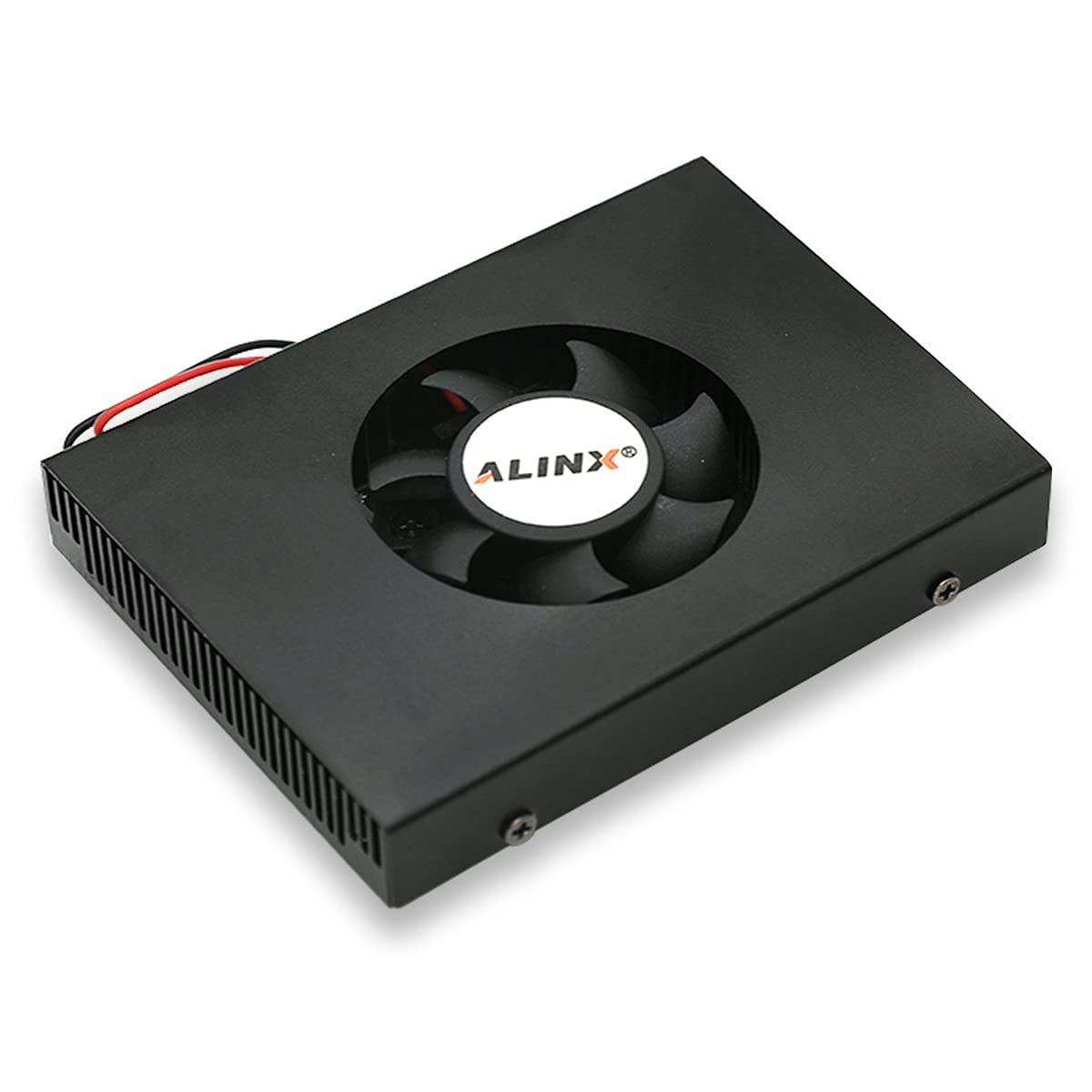
รูปภาพ 4.1: ด้านบนและด้านข้าง view of the ALINX FAN8060 Cooling Fan, showcasing its integrated heat sink design.

Figure 4.2: The ALINX FAN8060 Cooling Fan unit, displaying the ALINX logo on the fan blades and a set of included mounting screws.

Figure 4.3: Technical drawing illustrating the side profile and heat sink fin dimensions of the ALINX FAN8060.

Figure 4.4: Technical drawing showing the top-down dimensions of the ALINX FAN8060, including overall length, width, and fan opening diameter.

Figure 4.5: Technical drawing detailing the bottom mounting hole pattern and dimensions for the ALINX FAN8060, including M2.5 screw thread specifications.
5. การตั้งค่า
5.1 การติดตั้งพัดลม
- Identify the desired mounting location within your system, ensuring adequate clearance for airflow.
- Align the mounting holes on the fan unit with the corresponding holes on your system's chassis or component. Refer to Figure 4.5 for mounting hole dimensions.
- Secure the fan using the provided mounting screws. Do not overtighten the screws to avoid damaging the fan or mounting surface.
5.2 การเชื่อมต่อสายไฟ
- Ensure your system's power is turned off and disconnected from the main power source.
- Connect the fan's power cable to a compatible 12V DC power supply interface. Observe proper polarity (red wire typically positive, black wire typically negative).
- ตรวจสอบการเชื่อมต่อทั้งหมดอีกครั้งก่อนที่จะเปิดไฟเข้าสู่ระบบ
6. คู่มือการใช้งาน
Once the ALINX FAN8060 is securely mounted and connected to a 12V DC power source, it will begin operating automatically when power is supplied. The fan is designed for continuous operation to provide consistent cooling.
- Verify that the fan blades are spinning freely and quietly after power-up.
- Ensure that the airflow is directed as intended for optimal cooling performance.
7. การบำรุงรักษา
Regular maintenance helps ensure the longevity and optimal performance of your cooling fan.
- การทำความสะอาด: Periodically inspect the fan blades and heat sink fins for dust accumulation. Disconnect power before cleaning. Use a soft brush, compressed air, or a vacuum cleaner with a narrow attachment to gently remove dust. Do not use liquid cleaners directly on the fan.
- การตรวจสอบ: Check for any loose connections or unusual noises during operation. Address any issues promptly.
- หลีกเลี่ยงสิ่งกีดขวาง: Ensure that no cables or other components obstruct the fan's rotation or airflow path.
8 การแก้ไขปัญหา
พัดลมไม่หมุน
- Check if the power cable is securely connected to the 12V DC power source.
- Verify that the power source is active and providing 12V DC.
- Ensure correct polarity of the power connection.
- Inspect for any physical obstructions preventing the fan blades from rotating.
เสียงผิดปกติ
- ตรวจสอบว่าสกรูยึดหลวมหรือไม่
- ตรวจสอบให้แน่ใจว่าไม่มีสายไฟหรือวัตถุใดๆ สัมผัสกับใบพัดลม
- Clean any dust or debris from the fan blades and housing.
หากปัญหายังคงมีอยู่หลังจากการแก้ไขปัญหาแล้ว โปรดติดต่อฝ่ายสนับสนุนลูกค้า
9. ข้อมูลจำเพาะ
| คุณสมบัติ | ข้อมูลจำเพาะ |
|---|---|
| แบบอย่าง | พัดลม8060 |
| ยี่ห้อ | อาลิ๊นซ์ |
| เล่มที่tage | กระแสตรง 12 โวลต์ |
| วัดtage | 30 วัตต์ |
| วิธีการทำความเย็น | อากาศ |
| วัสดุ | ทองแดง |
| ความเร็วการหมุนสูงสุด | 1800 รอบต่อนาที |
| รายการ จำนวนแพ็คเกจ | 1 |
10. การรับประกันและการสนับสนุน
For warranty information and technical support, please refer to the documentation provided at the time of purchase or contact your ALINX product vendor. Keep your purchase receipt as proof of purchase.